
Introduction
Thank you for choosing the INKBIRD Instant Read Meat Thermometer, Model 021. This device is designed to provide quick and accurate temperature readings for various cooking applications, ensuring your food is cooked to perfection. Please read this manual thoroughly before use to ensure proper operation and maintenance.
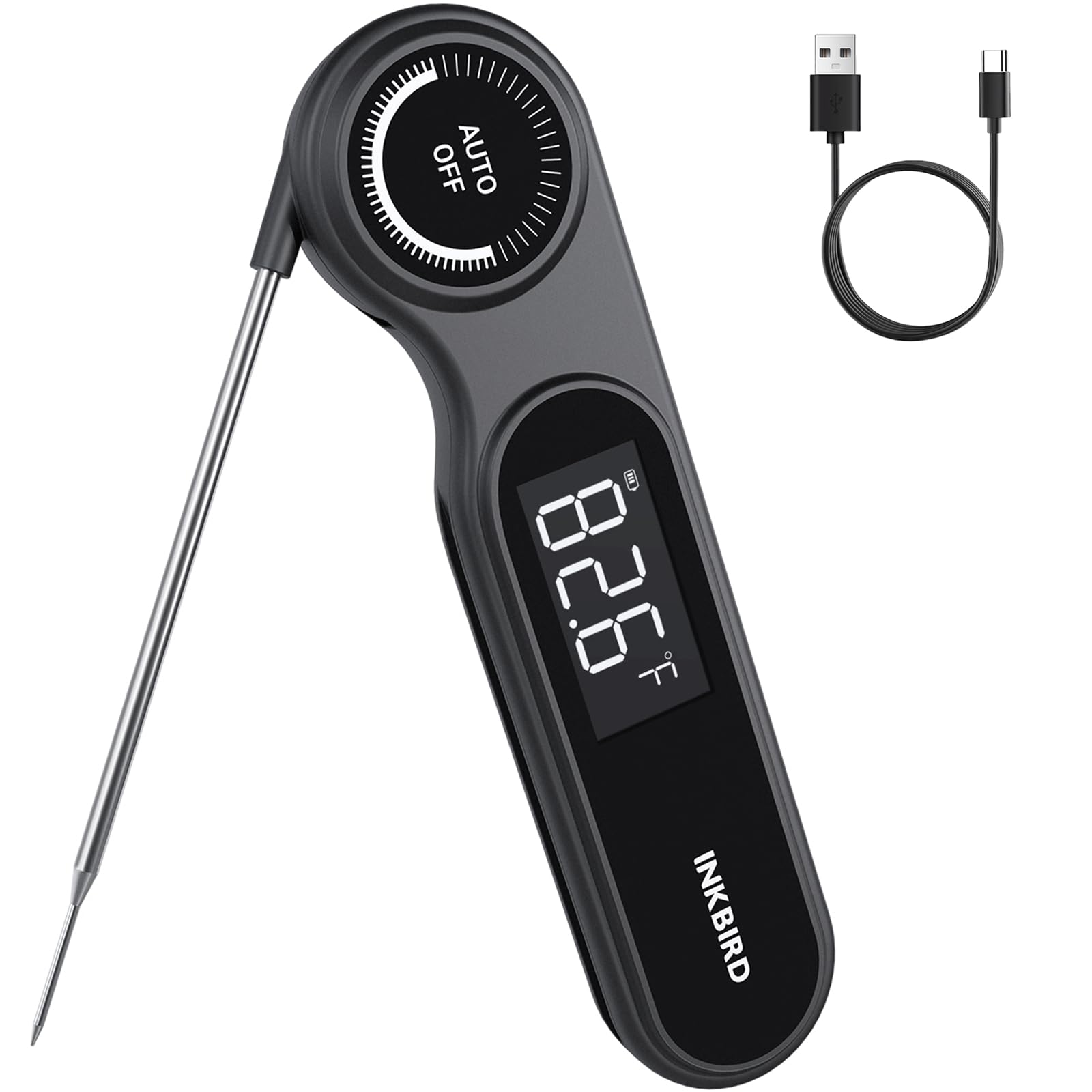
Image: The Inkbird Instant Read Meat Thermometer in use, displaying a temperature reading.
Product Features
- Ultra-Fast Reading: K-sensor probe provides readings within 0.5 seconds.
- High Accuracy: Measures with an accuracy of ±0.5°F (±0.3°C).
- Wide Temperature Range: -58.0°F to 572.0°F (-50.0°C to 300.0°C).
- Rechargeable Battery: Built-in 500mAh lithium battery, up to 11 hours of use with backlight.
- IP65 Waterproof: Can be safely rinsed under running water.
- Large VA LCD Screen: 1.4-inch HD display for clear readings day or night.
- Built-in Magnets: For convenient storage on metal surfaces.
- Foldable Probe: For safety and easy storage.
Setup
1. Charging the Device
Before first use, fully charge the thermometer. Connect the included USB Type-C cable to the charging port on the device and to a standard USB power adapter (not included).
- A full charge typically takes about 1 hour.
- The battery indicator on the display will show charging status.
- A fully charged battery provides up to 11 hours of continuous use with the backlight on.

Image: Illustration of the thermometer's rechargeable battery and Type-C charging.
2. Initial Power On and Probe Deployment
To turn on the thermometer, simply unfold the probe. The device will automatically power on. To turn off, fold the probe back into the housing. The device also features an auto-off function to conserve battery.

Image: The thermometer with its K-sensor probe extended, ready for use.
3. Storage
The thermometer features two strong magnets on its back, allowing it to be conveniently attached to metal surfaces such as refrigerators, ovens, or grill sides.

Image: The thermometer demonstrating its magnetic attachment feature.
Operating Instructions
1. Taking a Temperature Reading
- Unfold the probe to power on the device.
- Insert the tip of the stainless steel probe into the thickest part of the food, avoiding bone or gristle.
- The temperature will be displayed on the large VA LCD screen within 0.5 seconds.
- The device will automatically hold the temperature reading once stable.

Image: Clear VA LCD screen showing a temperature reading during grilling.
2. Switching Temperature Units (°F/°C)
Locate the °F/°C button, usually on the back or side of the device. Press this button to toggle between Fahrenheit and Celsius temperature units.

Image: Display indicating Fahrenheit and Celsius switching functionality.
3. Auto-Off Function
The thermometer will automatically turn off after a period of inactivity to save battery life. To reactivate, simply unfold the probe or press any button.
4. Multi-Use Applications
This thermometer is suitable for a variety of cooking methods and food types, including:
- Grilling (BBQ)
- Frying
- Baking
- Home Brewing
- Coffee and Milk temperature checks

Image: Examples of the thermometer's versatile applications in cooking.
Maintenance
1. Cleaning
The INKBIRD thermometer is IP65 waterproof, allowing for easy cleaning. After each use:
- Rinse the probe and the body of the thermometer under running water.
- Use mild soap if necessary.
- Wipe dry with a clean cloth before storing.
- Do not immerse the entire device in water for extended periods.

Image: The thermometer being cleaned under running water.
2. Charging
Recharge the thermometer when the battery indicator shows low power. Use the provided USB Type-C cable for charging.
Troubleshooting
1. Inaccurate Readings / Calibration
If you suspect the thermometer is providing inaccurate readings, it may require calibration. The device supports calibration within a range of -40.6°F to -15.0°F (-3.0°C to 3.0°C).
- Ice Bath Method: Prepare a mixture of crushed ice and water (50/50 ratio). Insert the probe into the ice bath, ensuring the tip is submerged but not touching the bottom or sides of the container. The reading should stabilize at 32°F (0°C).
- Boiling Water Method: Bring water to a rolling boil. Insert the probe into the boiling water. The reading should stabilize at 212°F (100°C) at sea level.
- Refer to the full instruction manual (if provided separately) or Inkbird's official support resources for detailed calibration steps.
2. Display Not Working
- Ensure the probe is fully unfolded to power on the device.
- Check the battery level and recharge if necessary.
- If the issue persists, contact customer support.
Specifications
| Feature | Specification |
|---|---|
| Brand | Inkbird |
| Model Number | 021 |
| Response Time | 0.5 seconds |
| Temperature Range | -58.0°F to 572.0°F (-50.0°C to 300.0°C) |
| Accuracy | ±0.5°F (±0.3°C) |
| Calibration Range | -40.6°F to -15.0°F (-3.0°C to 3.0°C) |
| Waterproof Rating | IP65 |
| Battery Type | 500mAh Rechargeable Lithium Ion |
| Battery Life | Up to 11 hours (with backlight) |
| Display Type | VA LCD with Backlight |
| Special Features | Magnetic back, Foldable probe, Auto-off |
| Material | Plastic (housing), Stainless Steel (probe) |
Warranty and Support
Specific warranty information for the INKBIRD Instant Read Meat Thermometer (Model 021) is typically provided with the product packaging or on the manufacturer's official website. Please refer to these resources for details regarding warranty coverage and duration.
For technical support, troubleshooting assistance, or any product-related inquiries, please visit the official Inkbird website or contact their customer service department. Contact information can usually be found on the product packaging or on the Inkbird support page.
Online Resources:
- Inkbird Official Website: www.inkbird.com
- Inkbird Store on Amazon: Inkbird Amazon Store


