1. Introduction
This manual provides detailed instructions for the LICYAPO Smart Watch. This device integrates advanced features such as built-in GPS with offline map capabilities, a 1.96-inch HD display, and comprehensive health monitoring. It supports call and message functions, over 100 sports modes, and is compatible with both Android and iPhone devices. Please read this manual thoroughly to ensure proper use and optimal performance of your smartwatch.

Image: LICYAPO Smart Watch, showcasing its 1.96-inch HD display and pink band.
2. What's in the Box
Upon unboxing your LICYAPO Smart Watch, please verify that all the following items are included:
- Smartwatch x1
- Extra watch band x1
- Charging Cable x1
- User Manual x1

Image: Depiction of the LICYAPO Smart Watch package contents.
3. Setup
3.1 Initial Charging and Power On
- Connect the charging cable to the smartwatch's charging port and a USB power adapter.
- Allow the watch to charge fully before first use.
- To power on, press and hold the side button until the screen illuminates.
3.2 App Installation and Pairing
- Scan the QR code provided in the manual or on the watch packaging to download the official companion app. Alternatively, search for the app in your device's app store (compatible with iOS 9.0+ and Android 5.0+).
- Install and open the app on your smartphone.
- Enable Bluetooth on your smartphone.
- Follow the in-app instructions to pair your LICYAPO Smart Watch. This typically involves searching for the device and confirming a pairing code on both the watch and phone.
- Once paired, the watch time and date will automatically synchronize with your phone.
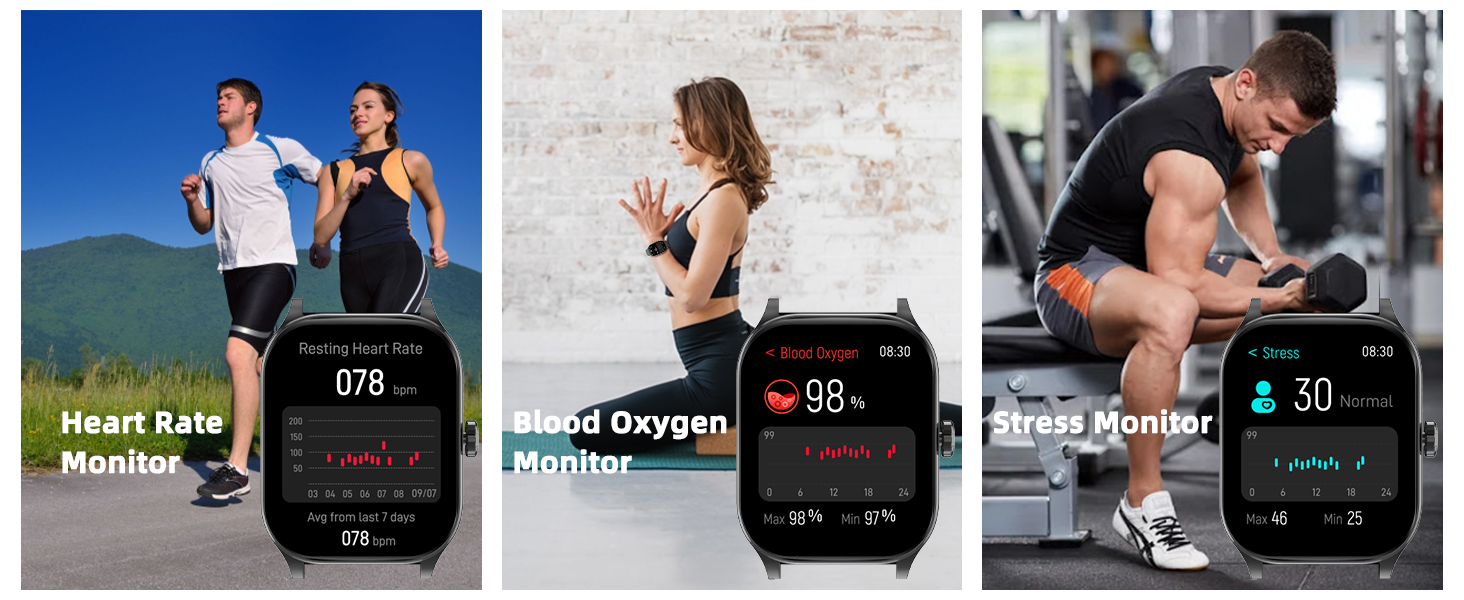
Image: Smartwatch screen showing options for manual time setting or automatic synchronization via app.
4. Operating Instructions
4.1 Display and Watch Faces
The LICYAPO Smart Watch features a 1.96-inch HD touchscreen display.
- Changing Watch Faces: Swipe left or right on the home screen to browse pre-installed watch faces. For more options, access the companion app to download from over 100 styles or customize with your own photos.
- AI Customized Dial: Use the AI voice feature within the app to describe a watch face you desire, or upload a photo to create a personalized watch face.
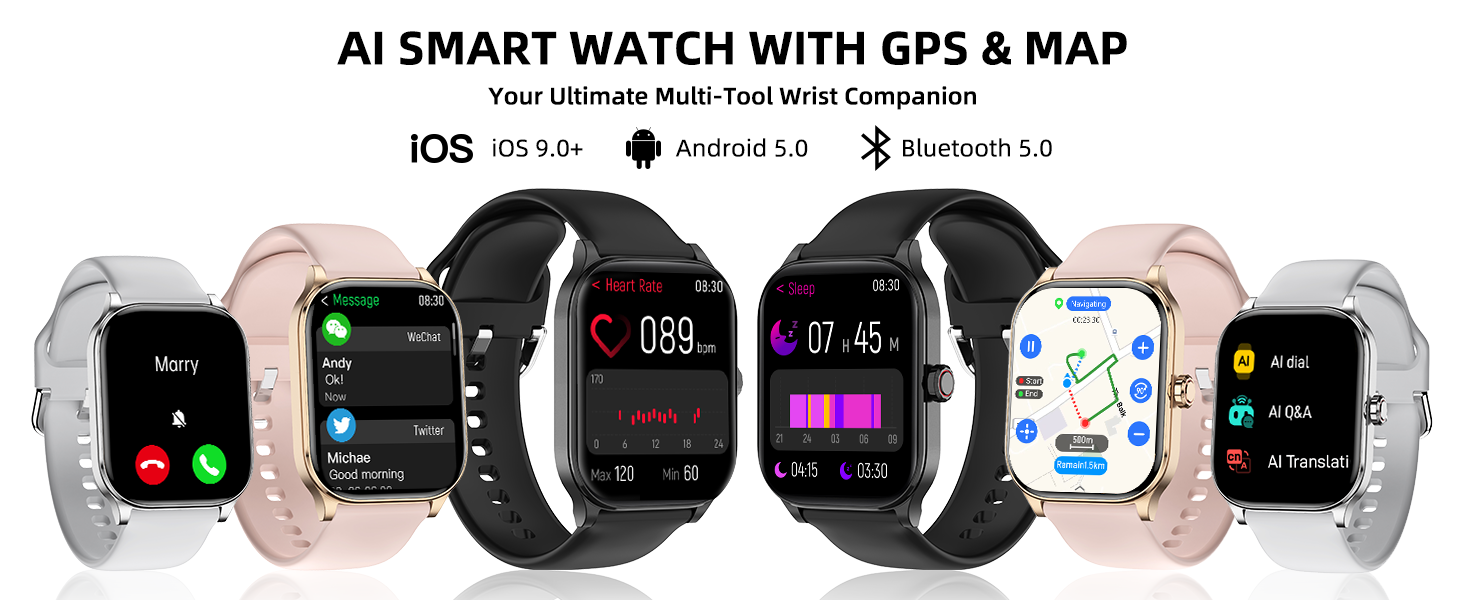
Image: Examples of AI-customized and app-downloadable watch faces on the smartwatch.
4.2 Call and Message Management
Stay connected directly from your wrist.
- Make/Receive Calls: Use the built-in microphone and speaker to answer incoming calls or dial out directly from the watch. Access call records and contacts.
- Message Notifications: Receive notifications from various social media apps (Facebook, WhatsApp, Instagram, Twitter, etc.) directly on your watch.
- SMS Reply (Android Only): For Android users, the watch supports voice-to-text quick replies for SMS messages.

Image: Smartwatch interface demonstrating call, message, and AI voice assistant features.
4.3 AI Voice Assistant
Activate your phone's AI voice assistant (e.g., Siri, Google Assistant) directly from your watch for various tasks.
- Activation: Swipe to the AI voice assistant screen or use a designated button/gesture (refer to watch settings for specific activation).
- Functions: Make calls, check weather, set alarms, control music, and more using voice commands.
4.4 GPS and Offline Maps
The built-in GPS and offline map functionality provide reliable navigation and activity tracking.
- GPS Tracking: Track your routes, distance, and speed during outdoor activities. Compatible with multiple satellite positioning systems.
- Offline Maps: Download maps to your watch via the companion app. This allows for navigation even in areas without network signal.
- Navigation Tools: Utilize the professional compass, altimeter, and barometer for environmental awareness and precise location identification.
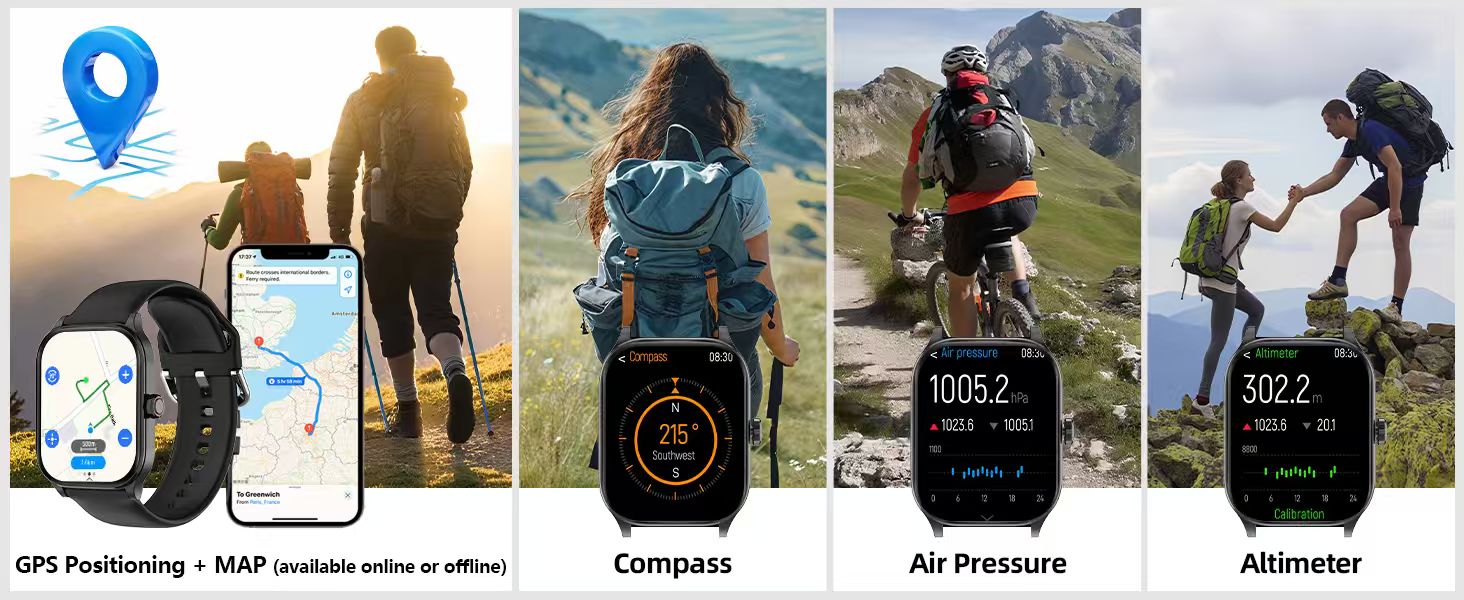
Image: Smartwatch showing GPS navigation, compass, altimeter, and air pressure features during outdoor activity.
4.5 Health Monitoring
Monitor your health metrics 24/7.
- Heart Rate: Continuously tracks your heart rate. View real-time data and historical trends in the app.
- Sleep Quality: Monitors sleep patterns, including deep sleep, light sleep, and awake times. Provides detailed analysis in the app.
- Blood Oxygen (SpO2): Measures blood oxygen saturation levels.
- Stress Levels: Assesses and tracks your stress levels throughout the day.
- Emotional Analysis & Fatigue Assessment: Provides insights into emotional state and fatigue based on collected data.
- PAI Health Score: A personalized activity intelligence score that quantifies the effect of exercise and helps optimize your health plan.
- Smart Alerts: Includes hydration alerts, sedentary reminders, and guided breathing exercises to promote well-being.
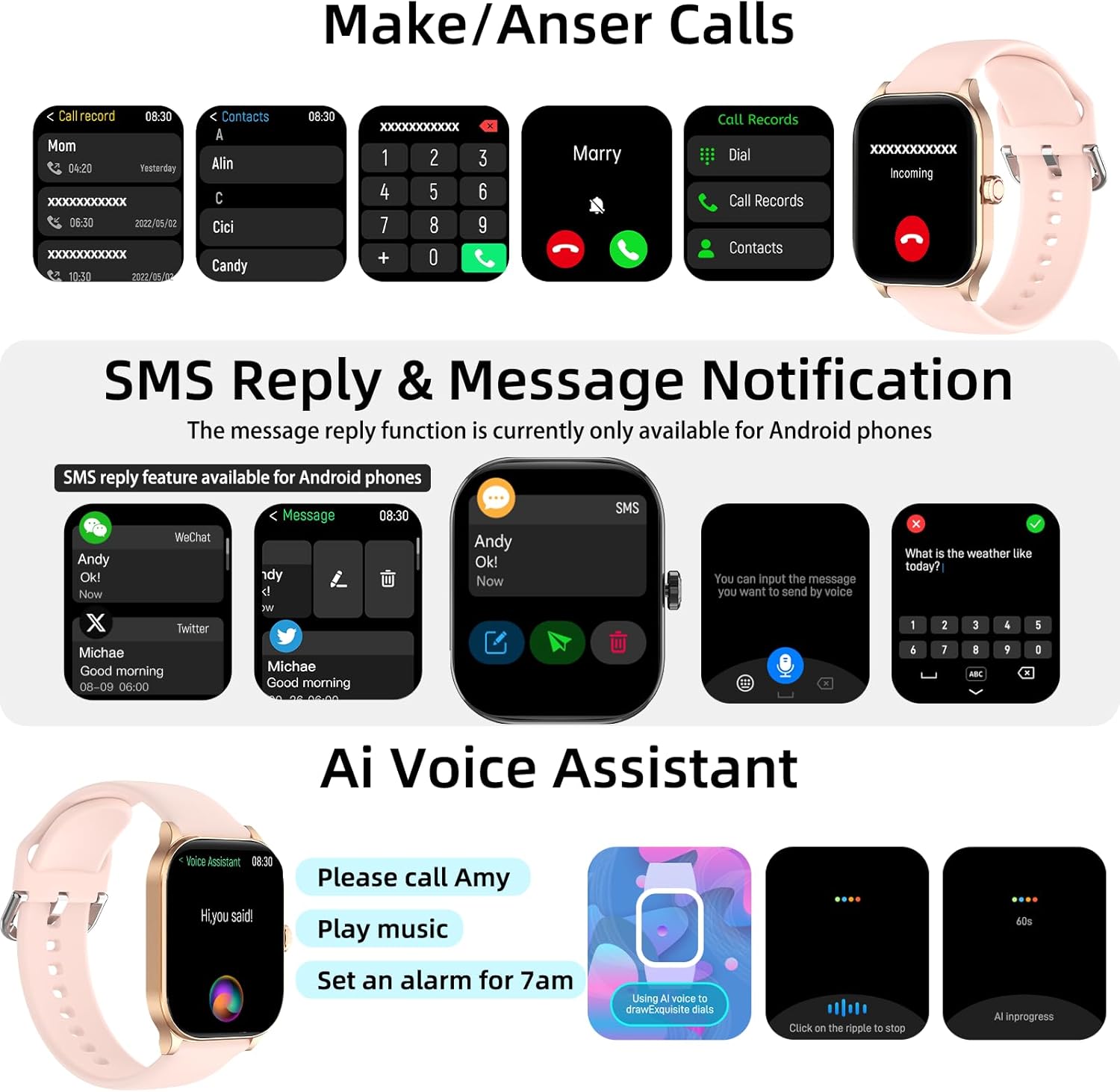
Image: Smartwatch and companion app interface showing heart rate and sleep monitoring data.
4.6 Sports Modes
The watch supports over 100 sports modes for comprehensive activity tracking.
- Activity Tracking: Records daily activity data such as calories burned, distance covered, steps taken, and heart rate during workouts.
- Modes: Includes walking, running, cycling, mountaineering, fitness, and many more. Select the appropriate mode before starting your activity for accurate data.

Image: Smartwatch showing activity data for over 100 sports modes.
4.7 Additional Functions
Your smartwatch offers a variety of practical tools:
- AI Translation & AI Q&A
- Weather Display
- Music Control & Camera Control
- Calculator
- Find Phone
- Alarm Clock, Timer, Stopwatch
- Calendar View
- Brightness & Volume Adjustment
- Language Settings
- Do Not Disturb Mode
5. Maintenance
5.1 Cleaning and Care
- Regularly clean your watch and band with a soft, dry cloth.
- Avoid using harsh chemicals or abrasive materials.
- Ensure the charging contacts are clean and dry before charging.
5.2 Water Resistance
The LICYAPO Smart Watch is IP68 waterproof, meaning it is protected against dust and can withstand immersion in water up to 1.5 meters for 30 minutes.
- It is suitable for daily use, including hand washing, rain, and shallow swimming.
- Avoid hot water, saunas, or high-pressure water jets, as these can compromise the water resistance.
- Do not operate the watch buttons underwater.
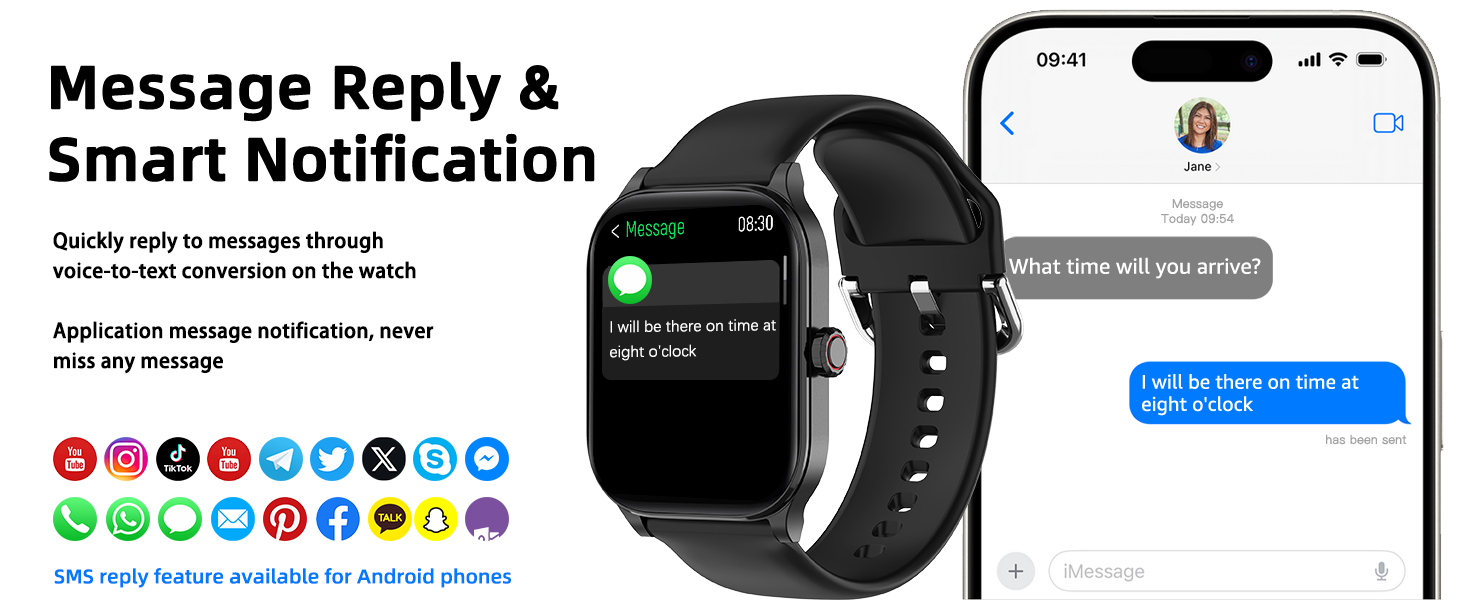
Image: Demonstration of the smartwatch's IP68 waterproof capability.
6. Troubleshooting
If you encounter issues with your LICYAPO Smart Watch, please refer to the following common solutions:
- Watch not powering on: Ensure the watch is fully charged. Connect it to the charger for at least 30 minutes.
- Cannot pair with phone:
- Ensure Bluetooth is enabled on your phone and the watch is within range.
- Restart both your phone and the smartwatch.
- Check if the companion app is updated to the latest version.
- Forget the device in your phone's Bluetooth settings and try pairing again.
- Inaccurate health data:
- Ensure the watch is worn snugly on your wrist, not too tight or too loose.
- Clean the sensor on the back of the watch.
- Avoid excessive movement during measurements.
- Short battery life:
- Reduce screen brightness.
- Limit frequent notifications.
- Disable continuous heart rate monitoring if not needed 24/7.
- Ensure background app usage is optimized on your phone.
- Touchscreen unresponsive: Restart the watch by pressing and holding the side button. If unresponsive, allow the battery to drain completely and then recharge.
7. Specifications
| Feature | Detail |
|---|---|
| Model Number | 3429e7be-728e-4088-86ed-71966401b517 |
| Brand | LICYAPO |
| Screen Size | 1.96 Inches |
| Display Type | LCD |
| Operating System | Android 5.0 and iOS 9.0 (or higher) |
| Connectivity Technology | Bluetooth |
| GPS | Built-in GPS with Offline Maps |
| Water Resistance Level | IP68 (Waterproof up to 1.5 meters) |
| Battery Cell Composition | Lithium Polymer |
| Metrics Measured | Heart Rate, Sleep Duration, Blood Oxygen (SpO2), Stress |
| Sports Modes | 100+ modes |
| Additional Features | Make/receive calls, SMS notifications, SMS replies (Android only), AI voice assistant, AI translation, AI Q&A, compass, barometer, altimeter, music control, camera control, calculator, find phone, alarm, timer, stopwatch, calendar, brightness, volume, language, do not disturb mode. |
8. Warranty & Support
Warranty: The LICYAPO Smart Watch comes with a 1-year manufacturer's warranty. This warranty covers defects in materials and workmanship under normal use. It does not cover damage caused by misuse, accidents, unauthorized modifications, or normal wear and tear.
Customer Support: For technical assistance, warranty claims, or further inquiries, please refer to the contact information provided in your product packaging or visit the official LICYAPO website.


