
1. Introduction
Thank you for choosing the K&F CONCEPT RGB Video Light. This portable and versatile lighting solution is designed for content creators, photographers, and videographers seeking high-quality, adjustable illumination. Featuring full RGB control, a wide color temperature range, and a long-lasting battery, this light enhances your creative possibilities. Please read this manual carefully to ensure proper use and maintenance of your device.
2. What's in the Box
- K&F CONCEPT RGB Video Light Unit
- Cold Shoe Adapter
- USB-C Charging Cable
- User Manual
3. Product Features
- 5000mAh Long-Lasting Battery & Type-C Charging: Equipped with an upgraded 5000mAh rechargeable battery, providing approximately 2.5 hours of continuous use at maximum 12W brightness. Supports Type-C fast charging for quick power-ups.
- 12W High Brightness & 95+ CRI True Color: Features 135 high-quality LED beads, delivering up to 2812 lux at 0.3m. A Color Rendering Index (CRI) of 95+ ensures accurate and vibrant color reproduction for professional results.
- Full RGB Control + 13 Scene Effects & OLED Display: Offers 360° full RGB color and saturation control (HSI mode), CCT mode with adjustable color temperature from 2700K to 7500K, and 13 built-in scene lighting effects (e.g., strobe, lightning, party). An integrated OLED display provides real-time parameter tracking.
- Ultra-Portable Design: Weighing only 193g with phone-sized dimensions, this light is highly portable for travel, on-location shoots, and everyday photography.
- Universal Mounting & Wide Compatibility: Includes a standard 1/4" screw thread and a cold shoe mount, allowing compatibility with most tripods, DSLR cameras, and smartphones.
4. Setup
4.1 Initial Charging
Before first use, fully charge the RGB Video Light using the provided USB-C cable and a compatible USB power adapter (not included). The OLED screen will indicate charging status.

Image: USB-C charging port and battery indicator.
4.2 Mounting the Light
The RGB Video Light offers flexible mounting options:
- Cold Shoe Mount: Attach the included cold shoe adapter to the 1/4" screw hole on the light. Then, slide the adapter into your camera's hot shoe or a cold shoe bracket.
- Tripod Mounting: Directly screw the light onto any tripod or light stand with a 1/4" screw thread.
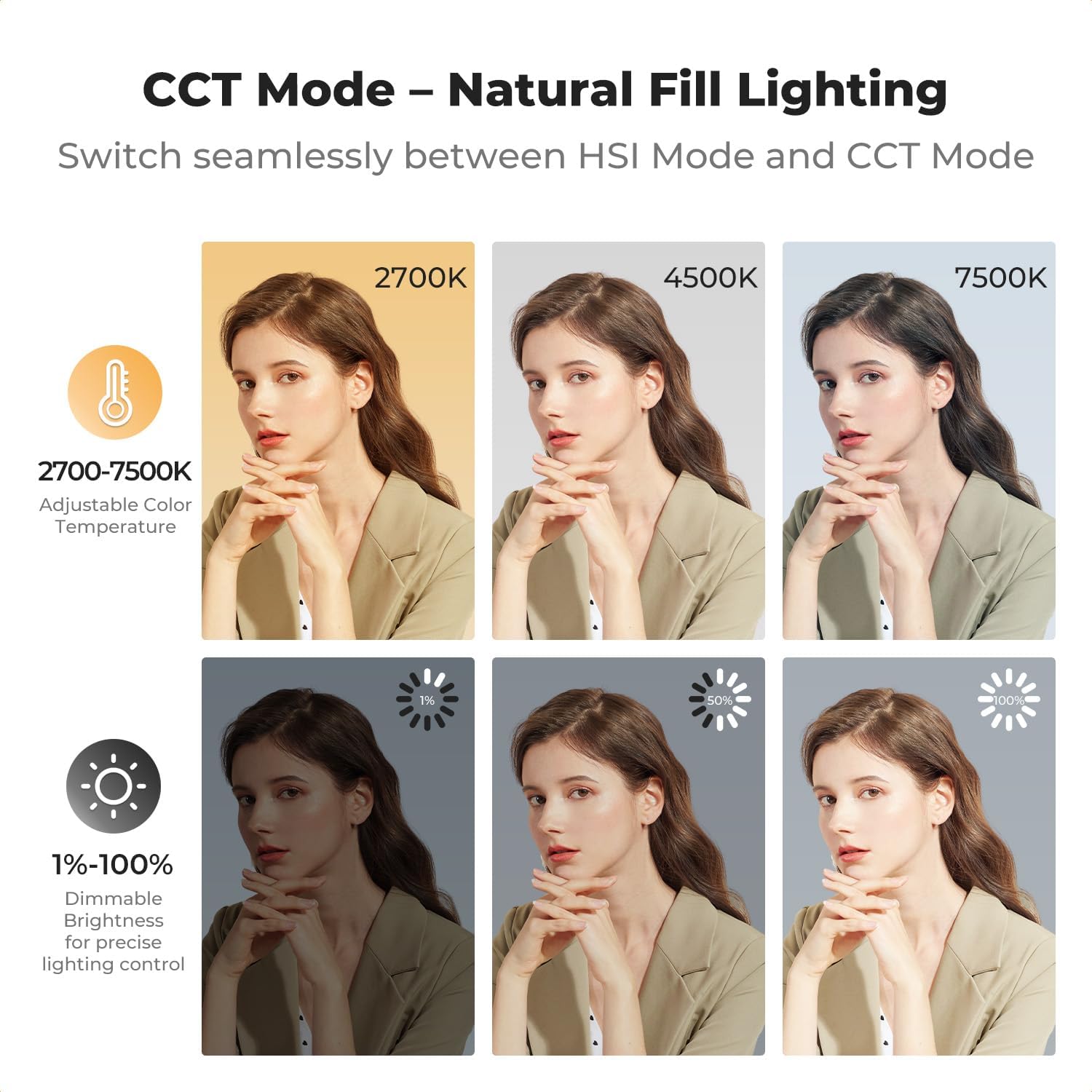
Image: Light mounted on a DSLR camera.
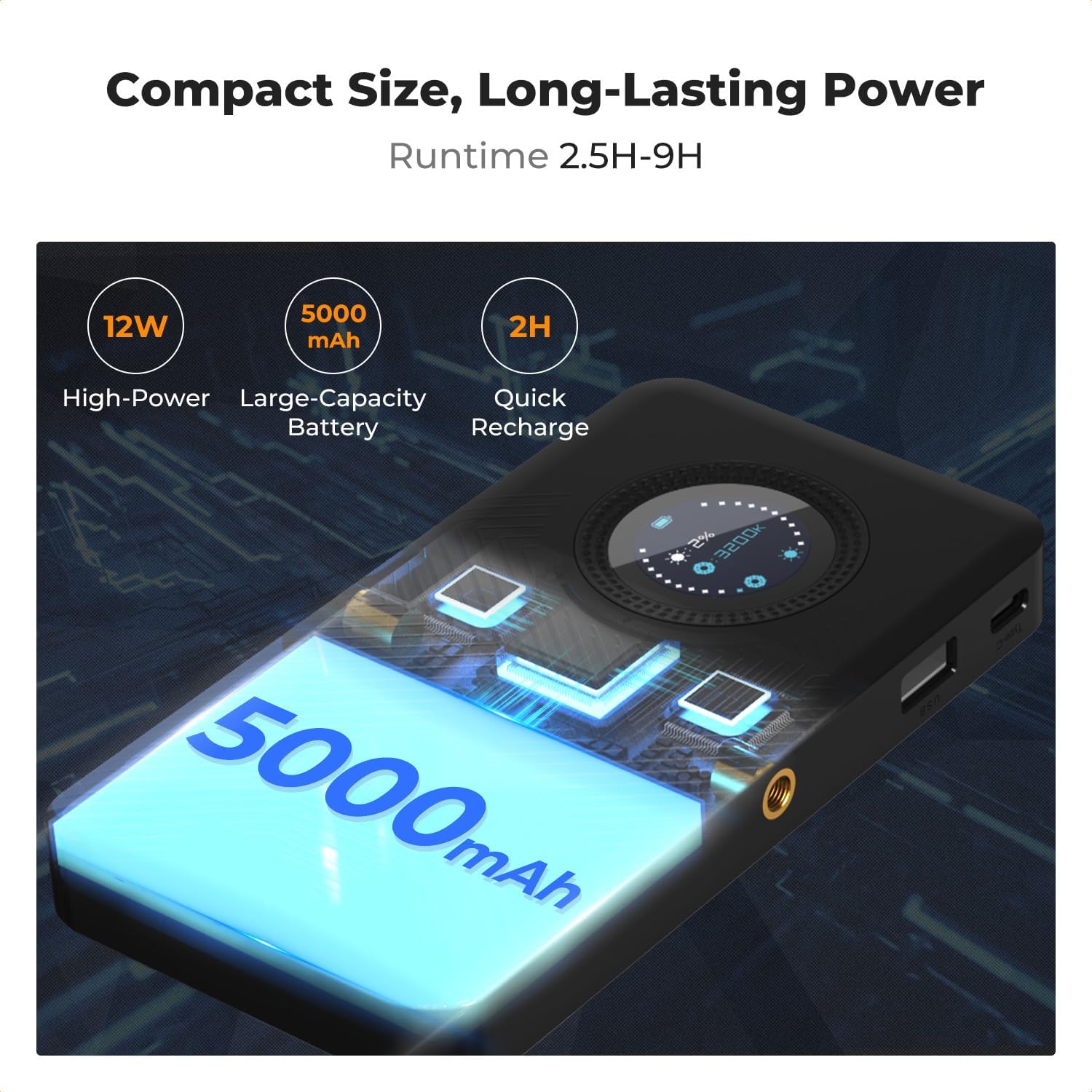
Image: Light mounted on a mini tripod.
5. Operating Instructions
5.1 Controls Overview
The light features an intuitive control interface with a dedicated adjustment knob and mode selection buttons.

Image: Control interface with adjustment knob and buttons.
5.2 Power On/Off
Press and hold the power button (usually located on the side or bottom) to turn the light on or off.
5.3 Mode Selection
Press the 'M' (Mode) button to cycle through the three professional lighting modes:
- HSI Mode: Full color spectrum control (Hue, Saturation, Intensity).
- CCT Mode: Color Temperature adjustment (2700K-7500K).
- Effects Mode: Access 13 creative lighting presets.
5.4 Adjusting Parameters
Use the adjustment knob or 'S' (Selection/Adjustment) buttons to fine-tune settings within each mode:
- Brightness: Adjust intensity from 1% to 100% in any mode.
- CCT Mode: Rotate the knob to change color temperature between 2700K (warm) and 7500K (cool).
- HSI Mode: Adjust Hue (0-360°), Saturation (0-100%), and Intensity (1-100%).
- Effects Mode: Select from 13 pre-programmed effects and adjust their intensity or speed as applicable.

Image: Full RGB color control (HSI Mode).

Image: 13 Professional Lighting Effects.
5.5 Video Demonstration
Watch this video for a visual guide on operating the K&F CONCEPT RGB Video Light:
Video: K&F CONCEPT RGB Video Light for Photography. This video demonstrates the various features and operational aspects of the light, including color changes, brightness adjustments, and mounting options.
6. Maintenance
6.1 Cleaning
To clean the light, use a soft, dry cloth. Do not use harsh chemicals or abrasive materials, as these can damage the surface or the LED panel. Ensure the device is powered off before cleaning.
6.2 Battery Care
- Avoid fully discharging the battery frequently.
- Charge the device regularly, even if not in use, to maintain battery health.
- Store the light in a cool, dry place away from extreme temperatures.
6.3 Storage
When not in use for extended periods, store the light in its original packaging or a protective case to prevent dust and physical damage.
7. Troubleshooting
| Issue | Possible Cause | Solution |
|---|---|---|
| Light does not turn on. | Battery is depleted. | Charge the light using the USB-C cable. |
| Light is not charging. | Faulty cable or power adapter. | Try a different USB-C cable or power adapter. Ensure connections are secure. |
| Incorrect color output or flickering. | Settings are incorrect or device malfunction. | Reset the light by turning it off and on. Check mode and parameter settings. If issue persists, contact support. |
| Light gets warm during operation. | Normal operation at high brightness. | This is normal. Ensure adequate ventilation and avoid covering the light. If it becomes excessively hot, reduce brightness or turn off temporarily. |
8. Specifications
| Feature | Detail |
|---|---|
| Model | RGB Video Light |
| Power Output | 12W |
| Illuminance | 2812 lux (at 0.3m) |
| CRI (Color Rendering Index) | 95+ |
| Color Temperature Range | 2700K - 7500K |
| RGB Color Range | 360° Full RGB |
| Battery Capacity | 5000mAh |
| Battery Life (Max Brightness) | Approx. 2.5 hours |
| Charging Port | USB Type-C |
| Mounting Options | 1/4" Screw Thread, Cold Shoe Mount |
| Item Weight | 6.8 ounces (193g) |
| Dimensions | 7.99 x 4.13 x 1.26 inches (Package) |
| Manufacturer | Shenzhen Zhuoer Photograph |
9. Warranty and Support
K&F CONCEPT products are manufactured to high-quality standards. This product comes with a standard manufacturer's warranty against defects in materials and workmanship. For specific warranty terms, registration, or technical support, please visit the official K&F CONCEPT website or contact their customer service directly.
Official Brand Store: K&F CONCEPT Amazon Store