1. Introduction
This manual provides instructions for the LICYAPO Smart Watch, model acf4cca4-b15d-40e1-a42f-d400df7d1390. It covers setup, operation, maintenance, and troubleshooting to ensure optimal use of your device. Please read this manual thoroughly before using the smart watch.
The LICYAPO Smart Watch features a 1.96-inch HD display, built-in GPS, and supports call answering/making. It includes over 100 sport modes and health monitoring functions such as heart rate, sleep, and SpO2 tracking. It is compatible with both Android and iPhone devices.
2. Package Contents
Verify that all items are present in the package:
- Smartwatch x1
- Extra watch band x1
- Charging cable x1
- User manual x1
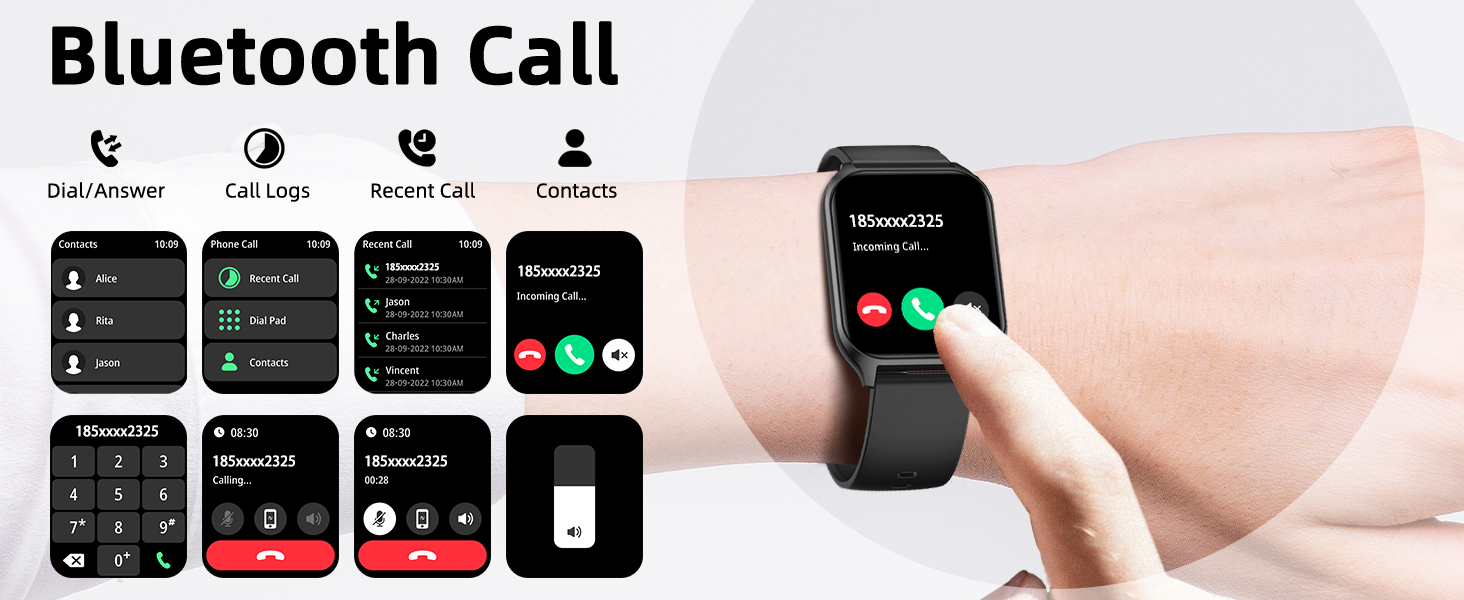
Image: Contents of the LICYAPO Smart Watch package, showing the smartwatch, an additional strap, a magnetic charging cable, and the user manual.
3. Setup Guide
3.1 Charging the Device
Before first use, fully charge your LICYAPO Smart Watch. Connect the magnetic charging cable to the charging contacts on the back of the watch and plug the USB end into a power adapter (not included) or a computer's USB port.

Image: The LICYAPO Smart Watch being charged with its magnetic charging cable.
3.2 Powering On/Off
- To Power On: Press and hold the side button until the screen illuminates.
- To Power Off: Press and hold the side button, then select "Power Off" on the screen.
3.3 App Installation and Pairing
Download the official companion app from your smartphone's app store (compatible with Android 5.0+ and iOS 9.0+). Open the app and follow the on-screen instructions to pair your smart watch via Bluetooth.
Ensure Bluetooth is enabled on your smartphone during the pairing process.

Image: Illustration of the smartwatch's Bluetooth call function and the smartphone app interface for pairing.
4. Operating Instructions
4.1 Basic Navigation
- Swipe Up/Down: Access notifications or quick settings.
- Swipe Left/Right: Navigate through widgets and main functions.
- Tap: Select an item or open an application.
- Side Button: Return to the home screen or access the app menu.
4.2 Call and Message Functions
Once paired, you can make and receive calls directly from your watch. Notifications for messages and social media apps will also display on the watch screen.
- Making Calls: Access the dialer or contacts list on the watch.
- Receiving Calls: Tap the green icon on the watch screen to answer.
- SMS Reply: For Android users, quick replies via voice-to-text are available.

Image: The LICYAPO Smart Watch showing various screens for making calls, viewing contacts, and receiving messages.
4.3 GPS and Offline Maps
The built-in GPS allows for accurate tracking of outdoor activities. The watch supports offline map downloads, enabling navigation even without a network signal.
- GPS Tracking: Activate GPS in a sport mode to record routes and data.
- Offline Maps: Download maps through the companion app for use in areas without signal.

Image: The LICYAPO Smart Watch showing GPS route tracking, a compass, altimeter, and air pressure display during an outdoor activity.
4.4 Health Monitoring
The watch continuously monitors heart rate, blood oxygen (SpO2), stress levels, and sleep patterns. Access these metrics through the watch or the companion app for detailed analysis.
- Heart Rate: Real-time heart rate monitoring.
- Blood Oxygen: On-demand SpO2 measurements.
- Sleep Tracking: Records sleep stages and duration.
- Stress Monitoring: Provides insights into stress levels.
- PAI Score: Personal Activity Intelligence score for overall health assessment.

Image: The LICYAPO Smart Watch and its companion app showing heart rate data and detailed sleep analysis.
4.5 Sport Modes
Select from over 100 sport modes to track specific activities. The watch records calories burned, distance, steps, and heart rate during workouts.

Image: A LICYAPO Smart Watch showing exercise data like calories, steps, distance, and time, with icons representing different sport modes.
4.6 AI Features
The watch integrates AI for customized watch faces, translation, and a voice assistant.
- AI Customized Dial: Use AI voice or photos to create unique watch faces.
- AI Translation: Real-time translation feature.
- AI Voice Assistant: Control watch functions and get information using voice commands.

Image: The LICYAPO Smart Watch showcasing its AI capabilities, including AI-generated watch faces, AI Q&A, and AI translation features.
5. Maintenance
5.1 Cleaning
Wipe the watch and strap regularly with a soft, damp cloth. Avoid using harsh chemicals or abrasive materials. Ensure the charging contacts are clean and dry before charging.
5.2 Water Resistance
The LICYAPO Smart Watch has an IP68 dustproof and waterproof rating. This means it can withstand splashes, rain, and brief submersion. It is not recommended for hot water activities, diving, or prolonged submersion.
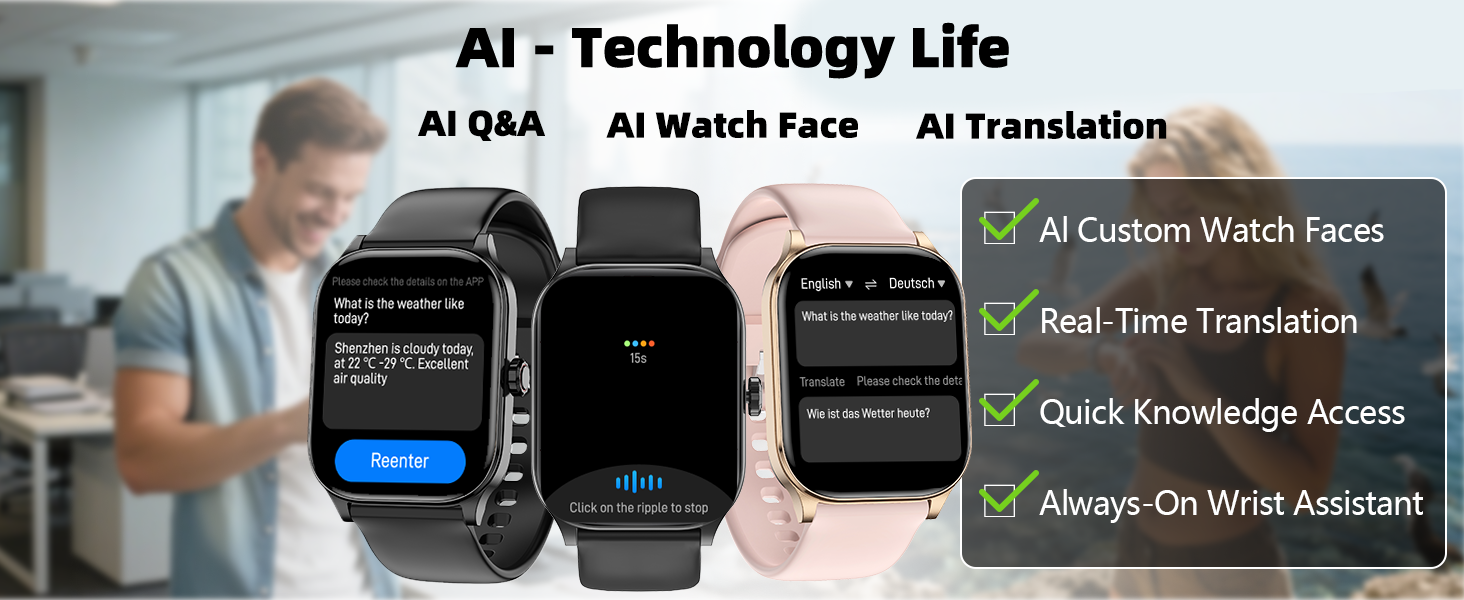
Image: A person's hands being rinsed under water, with text indicating the IP68 waterproof rating of the LICYAPO Smart Watch.
5.3 Battery Care
To prolong battery life, avoid extreme temperatures and fully discharge the battery occasionally before recharging. Store the watch in a cool, dry place when not in use for extended periods.
6. Troubleshooting
| Problem | Possible Cause | Solution |
|---|---|---|
| Watch does not power on | Low battery; device frozen | Charge the watch for at least 30 minutes. If still unresponsive, perform a force restart by holding the side button for 10-15 seconds. |
| Cannot pair with smartphone | Bluetooth off; app issue; watch not discoverable | Ensure Bluetooth is on for both devices. Restart both the watch and phone. Reinstall the companion app. Check if the watch is in pairing mode. |
| Inaccurate health data | Improper fit; sensor obstruction | Ensure the watch is worn snugly on the wrist, not too tight or too loose. Clean the sensor on the back of the watch. |
| GPS not tracking | Poor satellite signal; GPS not activated | Ensure you are in an open outdoor area. Activate GPS within a sport mode. Wait for GPS signal acquisition before starting an activity. |
7. Specifications
| Feature | Detail |
|---|---|
| Model Number | acf4cca4-b15d-40e1-a42f-d400df7d1390 |
| Display Size | 1.96 Inches |
| Operating System | Android 5.0 and iOS 9.0 (or later) |
| Connectivity | Bluetooth |
| GPS | Built-in GPS |
| Water Resistance | IP68 |
| Battery Type | Lithium Polymer (Nonstandard Battery) |
| Item Weight | 5 ounces |
| Wrist Strap Size | 160mm-230mm |
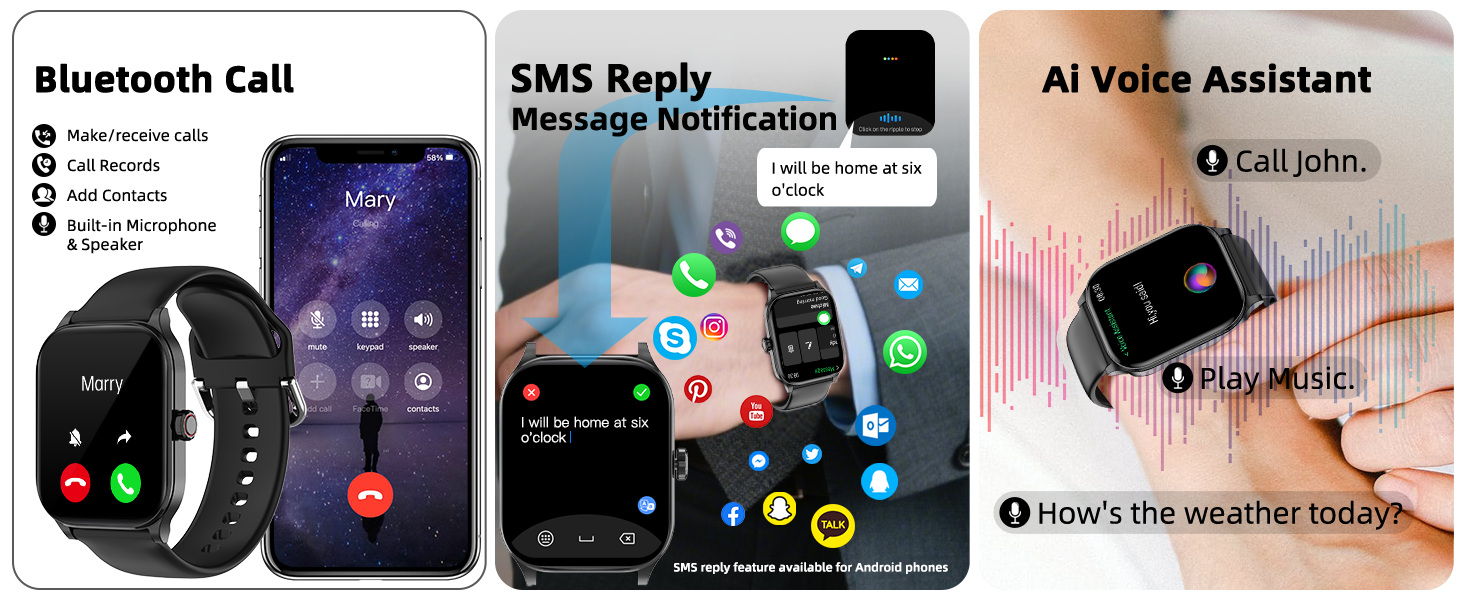
Image: A diagram illustrating the dimensions of the LICYAPO Smart Watch and its wrist strap size range (160mm-230mm).
8. Warranty and Support
For warranty information or technical support, please refer to the contact details provided in the original product packaging or visit the official LICYAPO website. Keep your purchase receipt for warranty claims.


