
1. Introduction
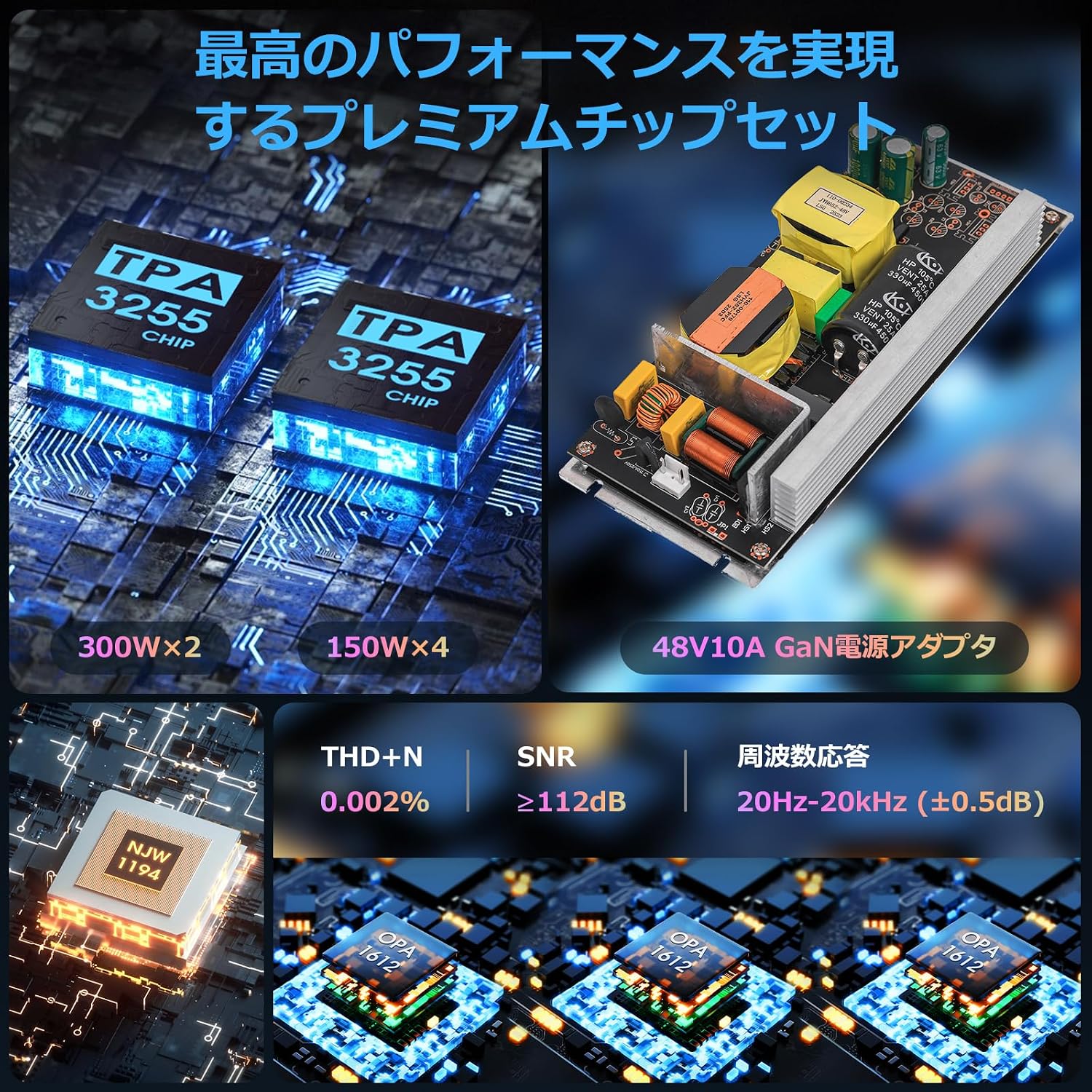
Thank you for purchasing the Nobsound G7 300W Digital Amplifier. This high-performance audio amplifier is designed to deliver exceptional sound quality and versatility for your home audio system. Featuring advanced TPA3255 chips, flexible 2-channel or 4-channel output, a classic VU meter, and a pure bypass mode, the G7 offers a premium listening experience. Please read this manual thoroughly before use to ensure proper setup and operation.
2. Safety Information
- Power Supply: Use only the provided power adapter. Ensure the voltage matches your local power supply specifications.
- Ventilation: Do not block ventilation openings. Ensure adequate airflow around the amplifier to prevent overheating.
- Moisture: Keep the device away from water, moisture, and high humidity environments. Do not operate with wet hands.
- Placement: Place the amplifier on a stable, level surface. Avoid placing it near heat sources or in direct sunlight.
- Servicing: Do not attempt to open or repair the device yourself. Refer all servicing to qualified personnel.
- Speaker Connections: Ensure all speaker connections are secure and correctly polarized before powering on the amplifier. Incorrect wiring can damage the unit or speakers.
3. Setup
3.1 Unpacking and Inspection
Carefully remove the amplifier and all accessories from the packaging. Inspect for any signs of damage. If any components are missing or damaged, please contact your retailer.
3.2 Connecting Speakers
The Nobsound G7 supports flexible 2-channel or 4-channel output configurations. You can connect two pairs of speakers (A and B) and switch between them, or use them simultaneously for a dual-zone setup. The amplifier delivers a maximum of 300W x 2 (2 channels) or 150W x 4 (4 channels at 4Ω) and is compatible with 4-8Ω speakers.

3.3 Connecting Audio Sources
The G7 amplifier offers professional-grade input options for seamless integration with various audio devices:
- XLR+TRS Combo Jack: Provides high noise immunity for balanced connections, ideal for connecting high-fidelity DACs or streamers like Eversolo players over long cable runs.
- Dual RCA Inputs: For standard unbalanced audio connections.
You can switch between multiple connected sources instantly using the front panel controls.


3.4 Power Connection
Connect the provided power cord to the amplifier's AC input and then to a suitable wall outlet. The amplifier supports AC 100V-240V input.
4. Operating Instructions
4.1 Power On/Off
Press the power button on the front panel or the remote control to turn the amplifier on or off. The G7 also features a 12V trigger input for automatic power synchronization with other compatible devices.
4.2 Input Selection
Use the input selector knob on the front panel or the 'MODE' button on the remote control to switch between connected audio sources (XLR/TRS, RCA 1, RCA 2).
4.3 Volume Control
Adjust the main volume using the large knob on the front panel or the 'VOL+' / 'VOL-' buttons on the remote control.
4.4 Tone Control and Bypass Mode
The amplifier features Bass and Treble controls, allowing for ±10dB adjustment to fine-tune your sound. For critical listening, you can activate the Bypass Mode. In this mode, the tone control and volume circuits are completely disengaged, allowing the amplifier to function as a pure power amplifier, amplifying the source signal via the shortest possible path. Note: When in Bypass Mode, volume adjustment must be managed from your audio source.

4.5 VU Meter
The large, retro-style VU meters provide a visual representation of the music's dynamics. Equipped with Automatic Gain Control (AGC), the meters adjust their sensitivity to provide an immersive visual feedback experience across different volume levels.


4.6 Remote Control Functions
The included remote control provides convenient access to various functions from a distance, including power on/off, input mode switching, mute/unmute, volume adjustment, bass/treble control, and speaker A/B output selection.


5. Maintenance
- Cleaning: Use a soft, dry cloth to clean the exterior of the amplifier. Do not use liquid cleaners or abrasive materials.
- Dust: Regularly dust the ventilation openings to prevent dust buildup, which can affect performance and lead to overheating.
- Storage: If storing the amplifier for an extended period, disconnect it from the power supply and store it in a cool, dry place.
6. Troubleshooting
If you encounter any issues with your Nobsound G7 amplifier, please refer to the following common troubleshooting steps:
- No Power: Ensure the power cord is securely connected to both the amplifier and the wall outlet. Check if the power switch on the rear panel is in the 'ON' position.
- No Sound:
- Verify that the correct input source is selected.
- Check all audio cable connections between the source and the amplifier.
- Ensure speaker cables are correctly connected and not short-circuited.
- Increase the volume level on both the amplifier and your audio source.
- If in Bypass Mode, ensure your source device's volume is adjusted.
- Check if the mute function is active.
- Distorted Sound:
- Reduce the volume level.
- Check if the audio source is sending a clean signal.
- Ensure speaker impedance matches the amplifier's specifications (4-8Ω).
- Remote Control Not Working:
- Ensure there are no obstructions between the remote and the amplifier.
- Replace the batteries in the remote control.
If the problem persists after trying these steps, please contact Nobsound customer support for assistance.
7. Specifications
| Feature | Specification |
|---|---|
| Model Number | G7 |
| Output Channels | 2 / 4 (Switchable) |
| Max Power Output (2ch) | 300W x 2 |
| Max Power Output (4ch @ 4Ω) | 150W x 4 |
| Speaker Impedance | 4-8Ω |
| Amplifier Chips | 2 x TI TPA3255 |
| Op-Amps | 3 x OPA1612 |
| Control IC | NJW1194 |
| THD+N | 0.002% |
| Signal-to-Noise Ratio (SNR) | ≥112dB |
| Frequency Response | 20Hz-20kHz (±0.5dB) |
| Input Voltage | AC 100V-240V |
| Power Supply Module | 48V/10A GaN |
| Inputs | XLR+TRS Combo, 2 x RCA |
| Special Features | VU Meter with AGC, Bass/Treble Control (±10dB), Bypass Mode, 12V Trigger Input, Remote Control |
| Product Dimensions (LxWxH) | 27.5 x 19 x 7.8 cm (10.83 x 7.48 x 3.07 inches) |
| Product Weight | 3340 grams (7.36 lbs) |
| Materials | Aluminum, Plastic |
| Operating Temperature | 20°C |
| Included Items | G7 Amplifier, Remote Control, Power Cord, User Manual |



8. Warranty and Support
Nobsound products are designed for reliability and performance. For warranty information, please refer to the specific terms provided at the time of purchase or contact your local Nobsound distributor. If you require technical support or have any questions regarding your Nobsound G7 amplifier, please visit the official Nobsound website or contact their customer service department. Please have your model number (G7) and purchase details ready when contacting support.
Official Nobsound Website: www.doukaudio.com