
1. Introduction
The OBDMATE OM507 is a professional diagnostic tool designed for GM vehicles manufactured between 1996 and 2020, supporting OBDII protocols (12V, 16Pin DLC). This device offers comprehensive diagnostics for all vehicle systems, including Engine, Transmission, ABS, SRS, and more. It provides full OBD2 functions and over 12 common reset services for vehicle maintenance.
2. What's in the Box
Upon opening the package, verify that all components are present:
- 1 x OBDMATE OM507 Car Diagnostic Tool
- 1 x User's Manual
- 1 x Hard Carrying Case
- 1 x USB-Type C Cable

Image: Contents of the OBDMATE OM507 package, showing the diagnostic tool, hard carrying case, USB-C cable, and user manual.
3. Product Overview
3.1 Key Features
- OE-Level All Systems Diagnostic: Supports deep diagnostics for Engine, Transmission, ABS, SRS, TPMS, Fuel System, SAS, EPB, ESP, Chassis, BMS, and more for compatible GM vehicles (1996-2020).
- Full OBD2 Functions: Includes Read & Clear Codes, Turn off Engine Light (MIL), View Freeze Frame Data, I/M Readiness, Retrieve VIN, Live Data Stream (with graphing), O2 Sensor Test, On-Board Monitoring Mode, and EVAP Test.
- Over 12 Reset Services: Features Oil Reset, Throttle Position Relearn, EPB Reset, Battery Register, ABS Bleeding, Injector Coding, TPMS Reset, Transmission Self-learning, Steering Angle Calibration, EGR Reset, DPF Regeneration. Note: Feature availability varies by vehicle year, make, and model.
- User-Friendly Design: 2.8-inch color display, plug-and-play operation, no batteries required, and supports 5 languages (English, French, Italian, German, Spanish).
- Lifetime Free Updates: Continuous free software upgrades available via the manufacturer's website.
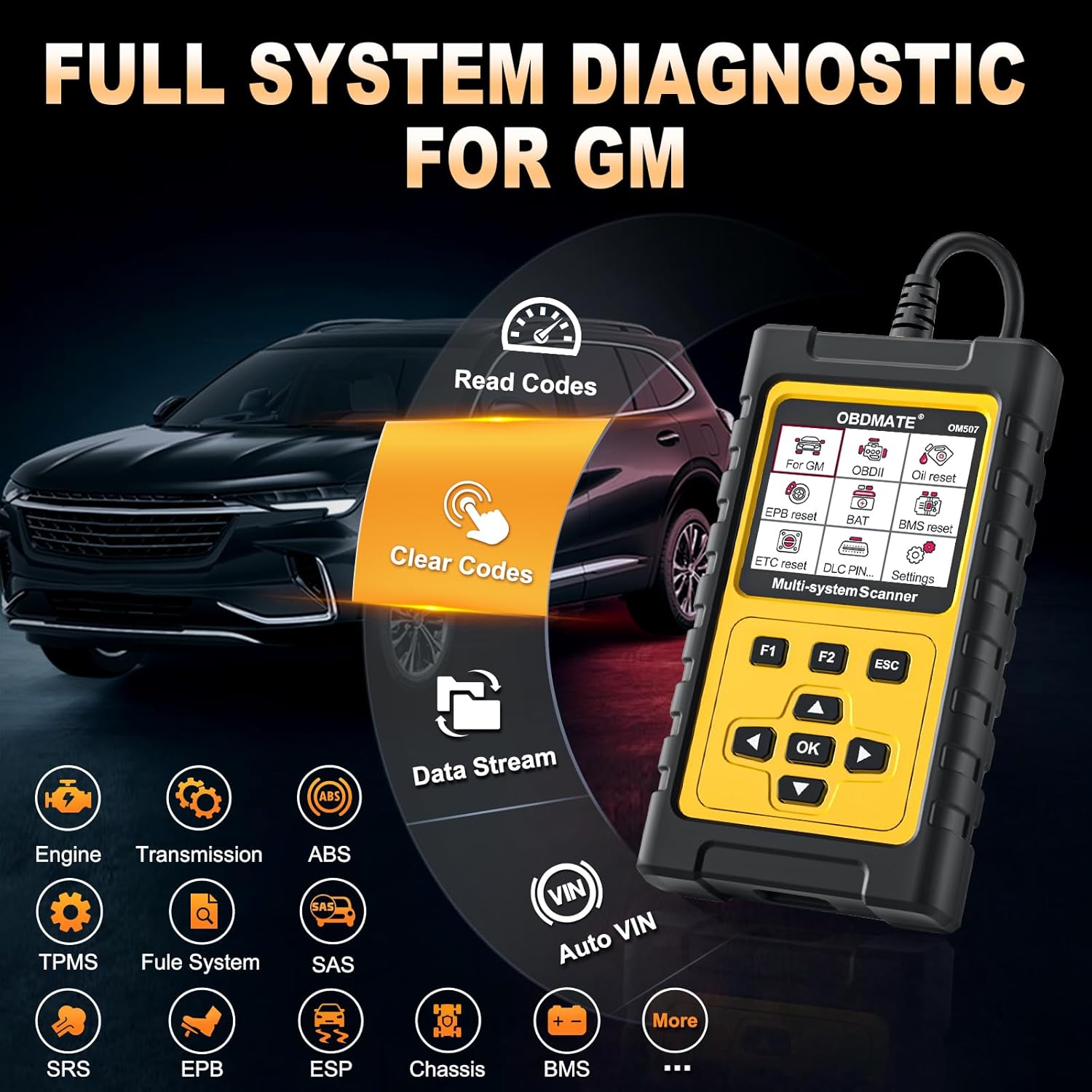
Image: The OBDMATE OM507 scanner connected to a vehicle, illustrating its capability for full system diagnostics including reading and clearing codes, and data stream analysis.

Image: A visual representation of the various maintenance services offered by the OM507, such as ABS Bleeding, Oil Reset, Brake-Pad Reset, and TPMS Reset.
3.2 Compatibility
The OM507 is compatible with most 1996-2025 GM group vehicles that utilize OBDII protocols (12V, 16Pin DLC). This includes models from Buick, Cadillac, GMC, and Chevrolet. Specific model compatibility may vary; refer to the manufacturer's website or contact support for detailed compatibility lists.

Image: Illustrates the OM507's compatibility with Buick, Cadillac, GMC, and Chevrolet vehicles from 1996-2025.
4. Setup
The OM507 diagnostic tool is designed for plug-and-play operation. No complex setup or batteries are required for basic use.
- Locate the OBD-II Port: The 16-pin Data Link Connector (DLC) is typically located under the dashboard on the driver's side of the vehicle. Refer to your vehicle's owner's manual if you cannot locate it.
- Connect the Scanner: Plug the OM507's OBD-II connector firmly into the vehicle's DLC. The scanner will power on automatically.
- Turn On Ignition: Turn the vehicle's ignition to the "ON" position (engine off). For some functions, the engine may need to be running.
- Language Selection: If this is the first use, or if you wish to change the language, navigate to Settings > Language on the scanner's menu and select your preferred language.
5. Operating Instructions
The OM507 features an intuitive menu system. Use the Up/Down arrow keys to navigate through menu options, the OK button to confirm selections, and the ESC button to return to the previous screen.
5.1 Basic OBD2 Functions
From the main menu, select OBDII to access standard OBD2 functions:
- Read Codes: Displays Diagnostic Trouble Codes (DTCs) stored in the vehicle's Engine Control Unit (ECU).
- Clear Codes: Erases DTCs from the ECU and turns off the Malfunction Indicator Lamp (MIL). Ensure the underlying issue is resolved before clearing codes.
- Live Data: Shows real-time data from various sensors in text or graph format.
- I/M Readiness: Checks the status of emission-related monitors to determine if the vehicle is ready for an emissions test.
- Freeze Frame: Records a snapshot of sensor data at the moment a DTC was set.
- Vehicle Information: Retrieves the Vehicle Identification Number (VIN), Calibration ID (CALID), and Calibration Verification Number (CVN).
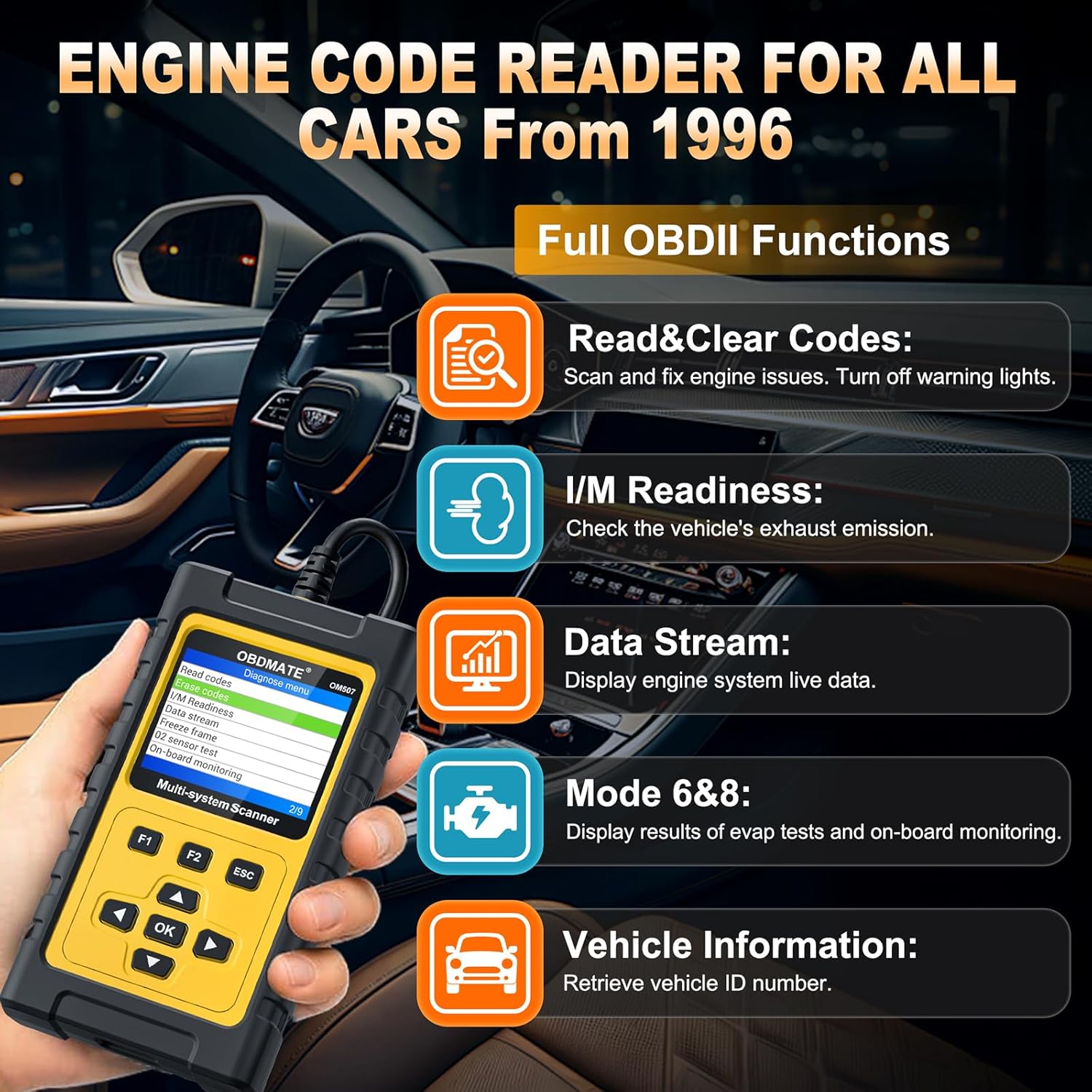
Image: The OM507 screen showing options for Read & Clear Codes, I/M Readiness, Data Stream, Mode 6&8, and Vehicle Information.
5.2 All Systems Diagnostic
To perform a comprehensive scan of all available vehicle systems:
- From the main menu, select Diagnose.
- The tool will attempt to identify your vehicle automatically. Confirm the vehicle information.
- Select System Scan to scan all systems, or System Selection to choose specific systems (e.g., ABS, SRS, Transmission).
- Once the scan is complete, you can view fault codes, live data, and ECU information for each system.
Video: Demonstrates how to perform an all-system diagnostic, including reading and clearing fault codes for systems like the transmission, using the OBDMATE OM507 scanner.
5.3 Special Functions (Resets)
The OM507 provides various reset services. Access these by selecting Special Functions from the main menu or after a system scan.
- Oil Reset: Resets the oil life monitoring system after an oil change.
- EPB Reset: Resets the Electronic Parking Brake system after brake pad replacement.
- ABS Bleeding: Performs automated bleeding procedures for the Anti-lock Braking System.
- Battery Register: Registers a new battery with the vehicle's Battery Management System (BMS).
- TPMS Reset: Resets the Tire Pressure Monitoring System after tire rotation or sensor replacement.
- Throttle Position Relearn (ETC Reset): Relearns the throttle body position after cleaning or replacement.
- Steering Angle Calibration (SAS Reset): Calibrates the Steering Angle Sensor.
- Injector Coding: Programs new injector codes into the ECU.
- DPF Regeneration: Initiates the Diesel Particulate Filter regeneration process.
- EGR Reset: Resets the Exhaust Gas Recirculation system.
- Transmission Self-learning: Resets transmission adaptive values.
Video: Illustrates the process of performing an ABS Bleeding function for GMC vehicles using the OM507 diagnostic tool.
Video: Shows how to reset the TPMS system for GM vehicles using the OM507 scanner.
Video: Demonstrates the procedure for resetting the Oil Life indicator for GM vehicles with the OM507.
6. Maintenance
6.1 Software Updates
The OM507 offers lifetime free software updates to ensure compatibility with new vehicle models and to introduce new features. To update your device:
- Visit the official OBDMATE website to download the latest update software for your computer (Windows or Mac).
- Install the update software on your computer.
- Connect the OM507 scanner to your computer using the provided USB-Type C cable.
- On the scanner, navigate to Settings > Upgrade. The scanner screen will prompt you to perform related operations on your computer.
- Follow the instructions on the computer software to download and install the updates onto your OM507 device.
Video: A step-by-step guide on how to update the software of the OBDMATE car scanner by connecting it to a computer and using the update utility.
6.2 Cleaning and Storage
- Clean the device with a soft, damp cloth. Do not use abrasive cleaners or solvents.
- Store the scanner in its protective hard case when not in use to prevent damage.
- Keep the device away from extreme temperatures and direct sunlight.
7. Troubleshooting
| Problem | Possible Cause | Solution |
|---|---|---|
| Scanner does not power on. |
|
|
| "Link Error" or "Communication Error" message. |
|
|
| Special function not working or unavailable. |
|
|
8. Specifications
| Feature | Detail |
|---|---|
| Brand | OBDMATE |
| Model Number | OM507 |
| Power Source | Corded Electric (via OBD-II port) |
| Operating System | Plug and play; Upgradeable on Windows and Mac |
| Screen Size | 2.8 Inches |
| Automotive Fit Type | Vehicle Specific Fit (GM 1996-2025) |
| Supported Protocols | SAE J1850 PWM, SAE J1850 VPW, ISO9141-2, ISO14230-4 KWP (5 baud init, fast init), ISO15765-4 CAN (11bit ID, 29bit ID, 500 Kbaud, 250 Kbaud) |
| Languages Supported | English, French, Italian, German, Spanish |

Image: A table summarizing the OM507's specifications, including version, screen size, OBDII modes, special functions, full system diagnosis, battery voltage test, free updates, and warranty period.
9. Warranty and Support
9.1 Warranty Information
The OBDMATE OM507 diagnostic tool comes with a 3-Year Quality Warranty from the manufacturer, AUTOPHIX TECH CO., LTD. This warranty covers defects in materials and workmanship under normal use.
9.2 Customer Support
For any questions regarding compatibility, updates, or technical assistance, please contact OBDMATE customer support:
- Email: support@obdmate.com
- Website: Visit the official OBDMATE website for FAQs, software downloads, and additional resources.


