
Introduction
Thank you for choosing the AILKIN S43 Wireless Earbuds. This manual provides detailed instructions on how to set up, operate, maintain, and troubleshoot your new earbuds. Please read this manual carefully before use to ensure optimal performance and longevity of your device.
Package Contents
Ensure all items are present in the package:
- Wireless Earbuds x 1 pair
- Silicone Ear Tips (S / M / L) x 3 pairs (M size pre-installed)
- LED Charging Case x 1
- USB-C Charging Cable x 1
- User Manual x 1
Product Overview
The AILKIN S43 Wireless Earbuds feature Bluetooth 5.3 connectivity, noise-cancelling microphones, and smart touch controls, all housed in a compact charging case with an LED display.
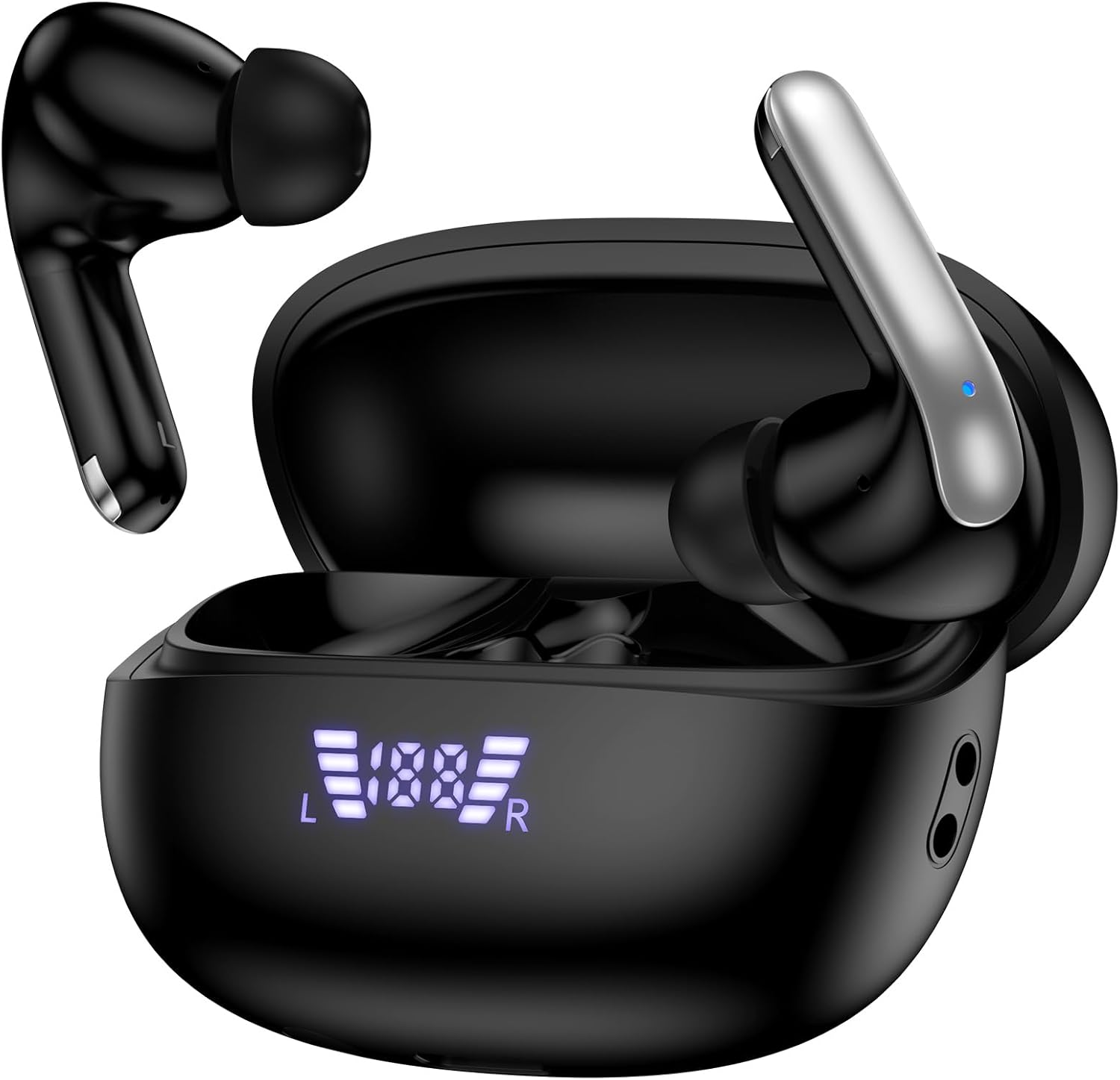
Image: The AILKIN S43 Wireless Earbuds shown in their open charging case. The earbuds are black with silver accents, and the charging case features an LED display indicating battery levels.

Image: A close-up of the AILKIN S43 charging case highlighting the dual digital LED display. The display shows individual battery levels for the left (L) and right (R) earbuds, and a percentage for the charging case itself.
Setup
1. Initial Charging
Before first use, fully charge the earbuds and the charging case.
- Place the earbuds into the charging case.
- Connect the USB-C charging cable to the charging port on the case and to a power source.
- The LED display on the charging case will show the battery percentage. The earbuds' individual battery indicators will also light up.
- Charging typically takes approximately 2 hours for a full charge.

Image: The AILKIN S43 earbuds and charging case illustrating battery life and charging time. The image indicates 32 hours total playtime with the charging case, 8 hours single charge playtime, and 2 hours for quick Type-C charging.
2. Pairing with Your Device
The earbuds utilize Bluetooth 5.3 for fast and stable connections.
- Power On: Open the charging case. The earbuds will automatically power on and enter pairing mode.
- Activate Bluetooth: On your smartphone or other Bluetooth-enabled device, go to the Bluetooth settings and turn on Bluetooth.
- Select Device: Look for "S43" in the list of available devices and select it to connect.
- Confirmation: Once connected, you will hear an audio prompt, and the earbuds will be ready for use.
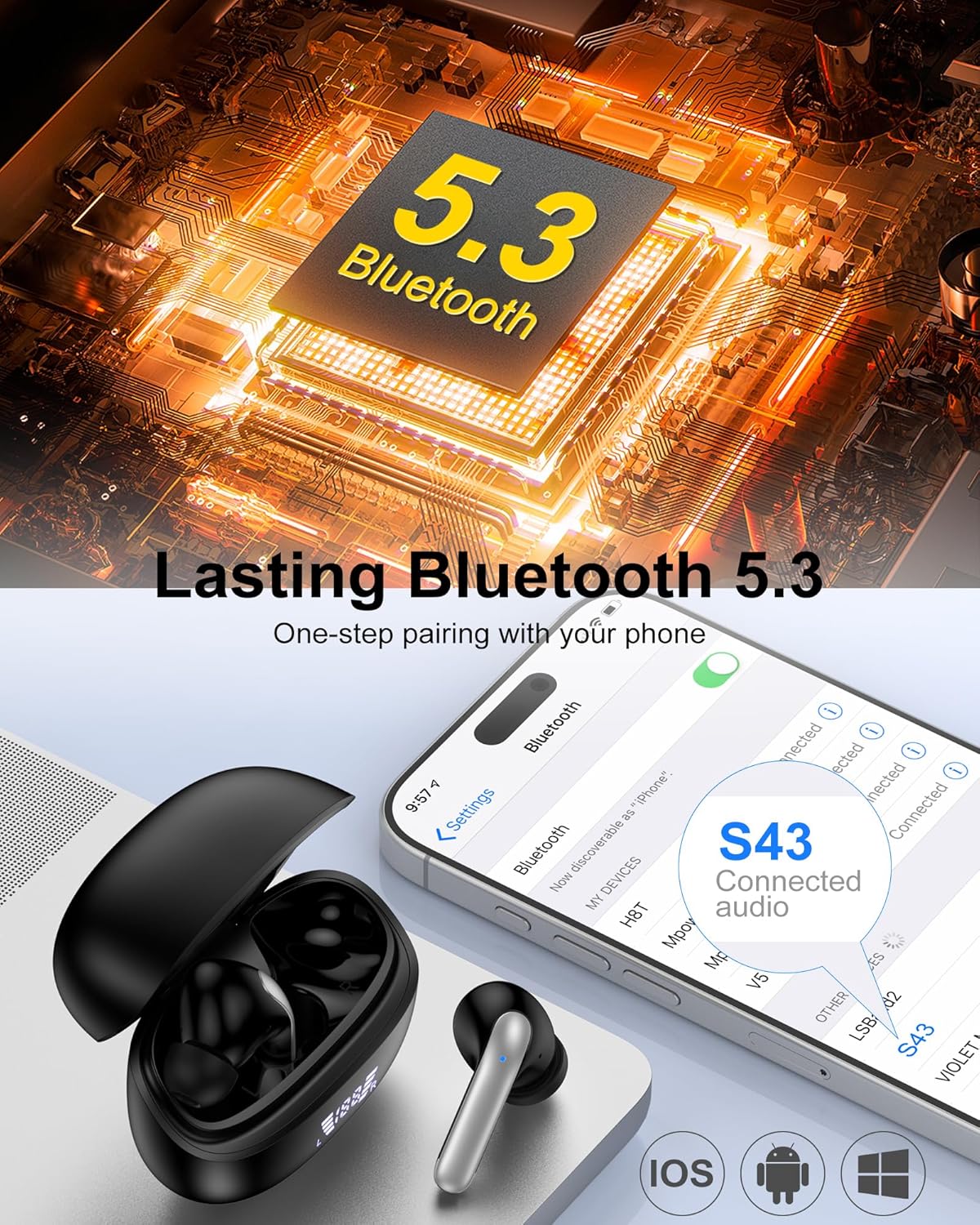
Image: A visual representation of the AILKIN S43 earbuds pairing via Bluetooth 5.3. The image shows a smartphone's Bluetooth settings screen with "S43 Connected audio" highlighted, indicating successful pairing. The earbuds are shown next to the open charging case.
Operating Instructions
1. Wearing the Earbuds
The earbuds are designed for an ergonomic in-ear fit. Choose the silicone ear tips that provide the most comfortable and secure seal for optimal sound quality and noise isolation.

Image: A woman wearing an AILKIN S43 earbud, demonstrating the comfortable in-ear fit. Insets highlight the 45° ergonomic design, 4g ultra-lightweight build, and the availability of S/M/L eartips for a customized fit.
2. Smart Touch Controls
The AILKIN S43 earbuds feature intuitive touch controls on both earbuds. The following actions can be performed with simple taps:
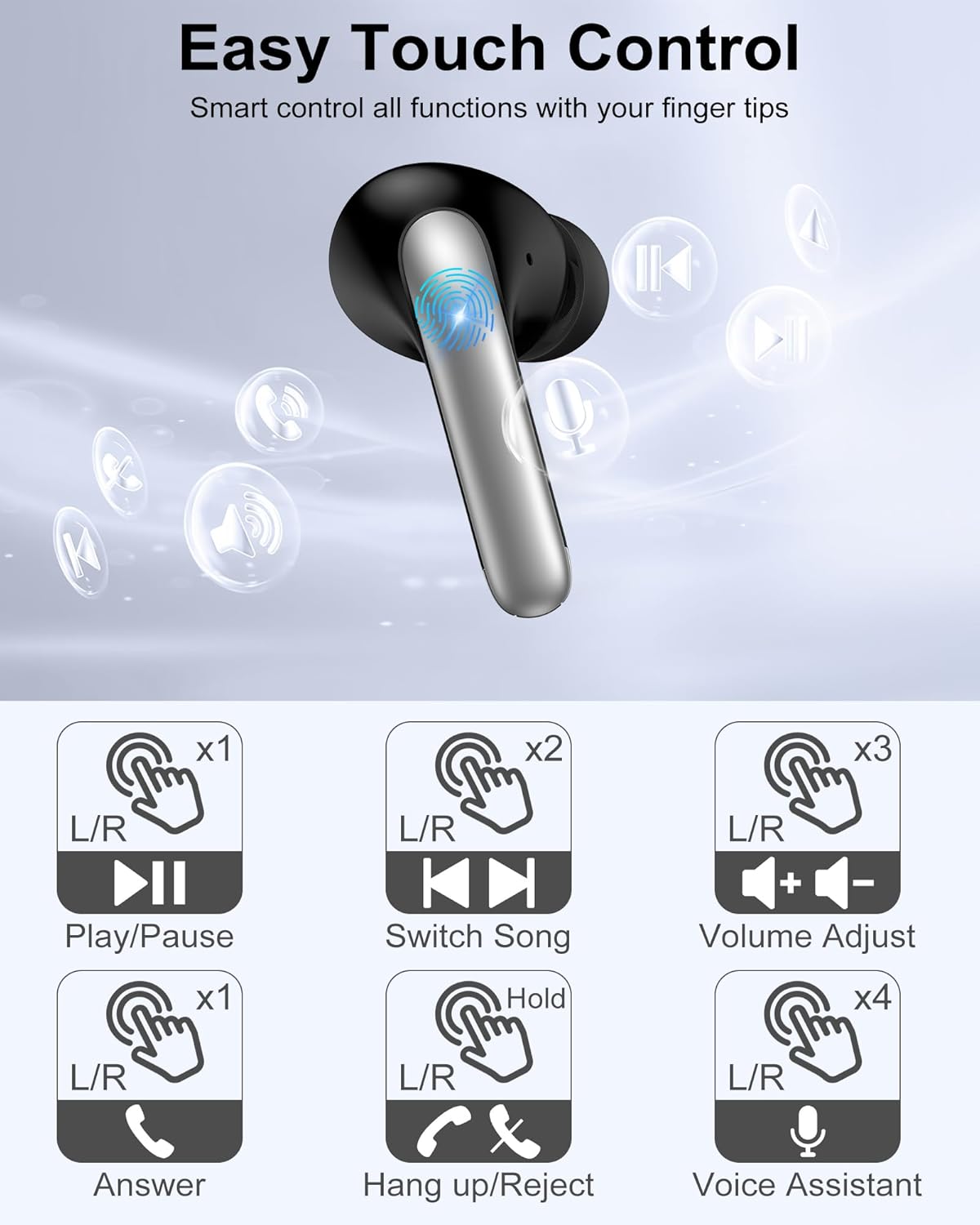
Image: A diagram illustrating the touch control functions of the AILKIN S43 earbuds. It shows icons for single tap (Play/Pause, Answer), double tap (Switch Song), triple tap (Volume Adjust), and long press (Hang up/Reject, Voice Assistant).
- Play/Pause: Single tap L/R earbud.
- Next Song: Double tap R earbud.
- Previous Song: Double tap L earbud.
- Volume Up: Triple tap R earbud.
- Volume Down: Triple tap L earbud.
- Answer Call: Single tap L/R earbud.
- Hang Up/Reject Call: Press and hold L/R earbud.
- Activate Voice Assistant (Siri/Google Assistant): Press and hold L/R earbud for 2 seconds (after hanging up/rejecting call function).
3. Power On/Off
- Power On: Open the charging case, the earbuds will automatically power on.
- Power Off: Place the earbuds back into the charging case and close the lid. They will automatically disconnect and power off.
Maintenance
1. Cleaning
- Regularly clean the earbuds and charging case with a soft, dry, lint-free cloth.
- Remove ear tips and clean them with mild soap and water, then dry thoroughly before reattaching.
- Avoid using harsh chemicals or abrasive materials.
2. Storage
- When not in use, store the earbuds in their charging case to protect them and keep them charged.
- Store in a cool, dry place away from extreme temperatures and direct sunlight.
Troubleshooting
If you encounter issues with your AILKIN S43 Wireless Earbuds, please refer to the following common solutions:
- Earbuds not pairing:
- Ensure both earbuds are charged.
- Turn off Bluetooth on your device, then turn it back on.
- Forget "S43" from your device's Bluetooth list and try pairing again.
- Place earbuds back in the case, close the lid, wait a few seconds, then open to reset.
- Only one earbud working:
- Ensure both earbuds are charged.
- Try placing both earbuds back in the charging case, close the lid, and then take them out again.
- Reset the earbuds (refer to the pairing section for steps).
- No sound:
- Check the volume level on both your device and the earbuds.
- Ensure the earbuds are properly connected to your device.
- Try playing audio from a different application or source.
- Charging issues:
- Ensure the charging cable is securely connected to both the case and the power source.
- Check if the charging port on the case is clean and free of debris.
- Try using a different USB-C cable or power adapter.
Specifications
| Feature | Detail |
|---|---|
| Model Name | S43 |
| Connectivity Technology | Wireless |
| Wireless Communication | Bluetooth 5.3 |
| Audio Driver Type | 13mm Dynamic Driver |
| Charging Time | 2 Hours |
| Earbud Battery Life | 6-8 Hours (single charge) |
| Total Playtime (with case) | Up to 40 Hours |
| Water Resistance Level | IPX7 |
| Noise Control Features | Noise Control (ENC for calls), Noise Isolation |
| Earpiece Shape | In-Ear |
| Material (Eartips) | Silicone |
| Item Weight | 3.2 ounces |
| Manufacturer | Dongguan Pinmi Electronic Technology Co., Ltd |
Warranty and Support
AILKIN provides a worry-free 1-year warranty for the S43 Wireless Earbuds. For any questions or assistance, please contact our customer service team, available 7 days a week, 24 hours a day.
For support, please refer to the contact information provided with your purchase or visit the official AILKIN website.