Introduction
This manual provides detailed instructions for the setup, operation, maintenance, and troubleshooting of your Kieslect KR Ultra 3 Smartwatch. Please read this manual thoroughly before using your device to ensure proper functionality and to maximize your user experience.
Package Contents
Verify that all items are present in your product package:
- Kieslect KR Ultra 3 Smartwatch
- Charging Cable
- User Manual

Image: The Kieslect KR Ultra 3 Smartwatch, its retail box, charging cable, and user manual.
Setup Guide
1. Charging the Smartwatch
Before initial use, fully charge your Kieslect KR Ultra 3 Smartwatch. Connect the magnetic charging cable to the charging contacts on the back of the watch and plug the USB end into a power adapter (not included) or a computer's USB port.
- A full charge typically takes approximately 2 hours.
- The watch display will indicate charging status.

Image: Rear view of the Kieslect KR Ultra 3 Smartwatch, highlighting the charging contacts and sensors.
2. Powering On/Off
- Power On: Press and hold the top physical button on the side of the watch until the Kieslect logo appears.
- Power Off: Press and hold the top physical button, then select "Power Off" on the screen.
3. App Installation and Pairing
- Download the App: Search for the official Kieslect companion app on your smartphone's app store (iOS App Store or Google Play Store). Install the app.
- Create Account: Open the app and follow the on-screen instructions to create a new account or log in if you already have one.
- Pairing:
- Ensure your watch is powered on and Bluetooth is enabled on your smartphone.
- In the Kieslect app, navigate to the "Device" or "Add Device" section.
- Select "Kieslect KR Ultra 3" from the list of available devices.
- Confirm the pairing request on both your smartphone and the smartwatch. A confirmation code may appear on both devices; verify they match.
- Initial Sync: Once paired, the watch will synchronize data with the app. This may take a few moments.
Operating Instructions
Basic Navigation
- Touchscreen: Swipe left, right, up, or down to navigate through menus and notifications. Tap to select items.
- Top Button: Press to return to the watch face, or long-press for power options.
- Bottom Button: Customizable shortcut button, typically used to access sports modes or frequently used apps.
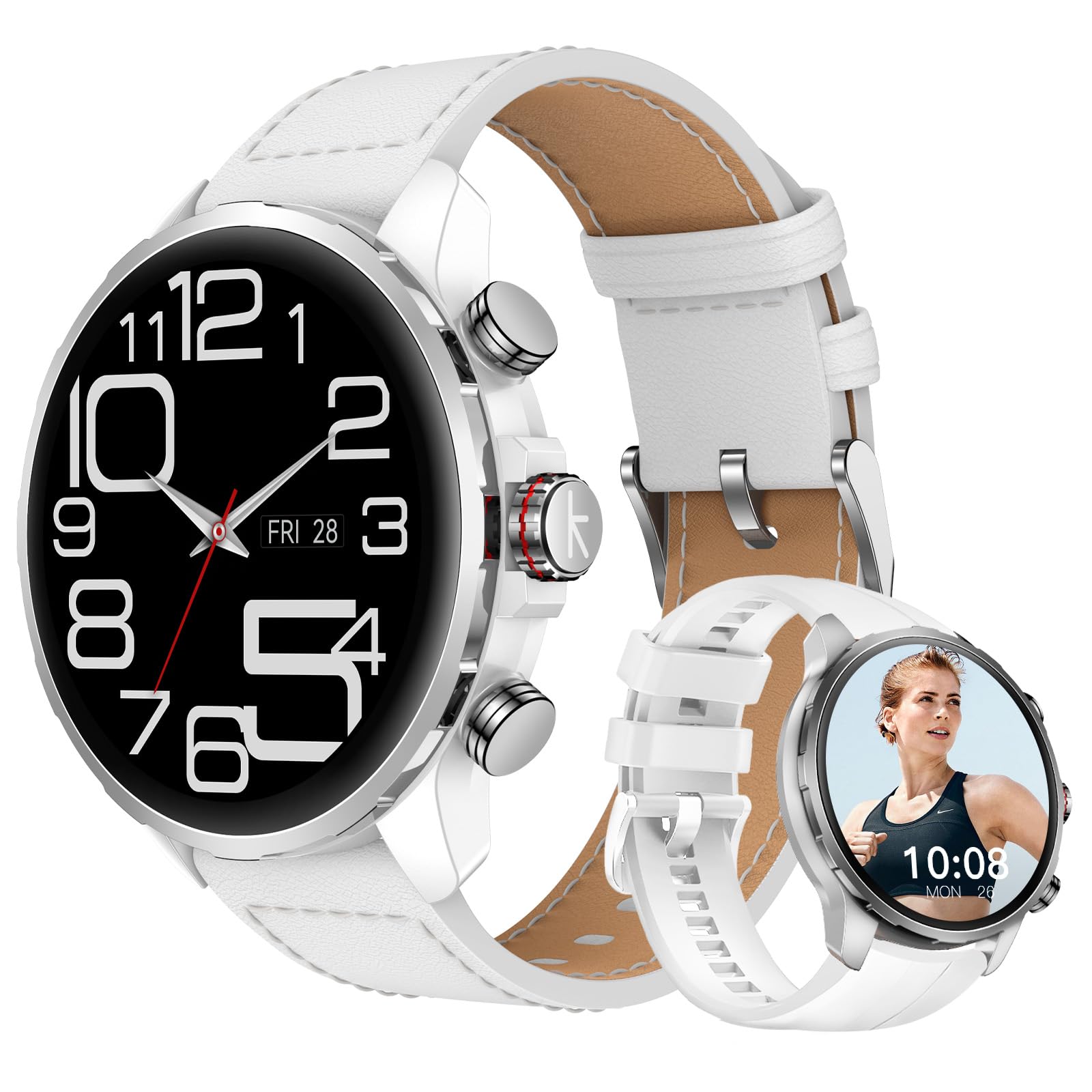
Image: Front view of the Kieslect KR Ultra 3 Smartwatch, showing the main watch face with time and date.
Bluetooth Calling
Once paired with your smartphone, the KR Ultra 3 supports Bluetooth calling. Ensure your watch is connected to your phone via Bluetooth.
- Making Calls: Access the dialer or contacts list on your watch to initiate a call.
- Receiving Calls: When a call comes in, you can answer or reject it directly from your watch.
Sports Modes and GPS
The watch offers over 178 sports modes and dual-band GPS for accurate activity tracking.
- Access Sports Modes: Swipe on the watch face or use the customizable button to find the "Workout" or "Sports" app.
- Select Activity: Choose your desired sport (e.g., running, cycling, swimming).
- GPS Activation: For outdoor activities, ensure GPS is enabled. The watch will attempt to acquire a GPS signal. Wait for the signal to stabilize before starting your workout for optimal accuracy.
- Tracking: The watch will display real-time metrics such as duration, distance, heart rate, and calories burned.
- End Workout: Swipe or press a button (depending on the mode) to pause or end the workout. Save the data to sync with the app.
Notifications
Receive notifications from your smartphone directly on your watch. Configure notification settings within the Kieslect app on your phone.
- Swipe down from the watch face to view recent notifications.
- Tap on a notification to view details.
Maintenance and Care
Cleaning the Smartwatch
- Wipe the watch screen and body with a soft, lint-free cloth.
- For stubborn dirt, slightly dampen the cloth with water. Avoid using harsh chemicals or abrasive materials.
- Clean the charging contacts regularly to ensure efficient charging.
Water Resistance (5ATM)
The Kieslect KR Ultra 3 is 5ATM waterproof, meaning it can withstand pressures equivalent to a depth of 50 meters. This makes it suitable for swimming and showering.
- Do not use the watch in hot water, saunas, or steam rooms, as steam can compromise the seals.
- Avoid exposing the watch to high-velocity water (e.g., jet skiing, diving) as this can exceed the 5ATM rating.
- After exposure to saltwater, rinse the watch with fresh water and dry it thoroughly.
Battery Care
- Avoid completely draining the battery frequently.
- Store the watch in a cool, dry place if not used for extended periods.
- Use only the provided charging cable.
Troubleshooting
Watch Not Powering On
- Ensure the watch is fully charged. Connect it to the charger for at least 30 minutes.
- Try pressing and holding the top button for 10-15 seconds to force a restart.
Unable to Pair with Smartphone
- Make sure Bluetooth is enabled on your smartphone and the watch.
- Ensure the watch is within Bluetooth range (typically 10 meters or 33 feet).
- Restart both your smartphone and the smartwatch.
- Forget the device in your phone's Bluetooth settings and try pairing again through the Kieslect app.
- Update the Kieslect app to the latest version.
Inaccurate GPS Tracking
- Ensure you are in an open outdoor area with a clear view of the sky when starting a GPS-enabled activity.
- Wait for the GPS signal to be acquired before beginning your workout.
- Check for any firmware updates for your watch via the Kieslect app.
Short Battery Life
- Frequent use of GPS, Bluetooth calling, and high screen brightness can reduce battery life.
- Reduce screen brightness and screen-on time.
- Disable unnecessary notifications.
- Ensure the watch firmware is up to date.
Specifications
| Feature | Detail |
|---|---|
| Model Number | KR Ultra 3 |
| Display | 1.5-inch AMOLED |
| Connectivity | Bluetooth |
| GPS | Dual-Band GPS |
| Sports Modes | 178+ |
| Battery Life | Up to 7 days (typical usage) |
| Water Resistance | 5ATM (up to 50 meters) |
| Compatibility | iOS and Android |
| Item Weight | 171 Grams |
| Memory Storage Capacity | 256 MB |
| Human Interface Input | Buttons, Touchscreen |
Warranty and Support
For warranty information and customer support, please refer to the official Kieslect website or contact their customer service directly. Keep your purchase receipt as proof of purchase for warranty claims.
For additional assistance, please visit the Kieslect Store on Amazon.


