
1. Introduction
Thank you for choosing the Dskeuzeew Power Tower Pro. This versatile fitness station is designed to provide a comprehensive full-body workout in the comfort of your home. It allows for a variety of exercises, including pull-ups, dips, leg raises, and push-ups, helping you build upper body strength and maintain your fitness goals. This manual provides essential information for safe assembly, operation, and maintenance of your Power Tower Pro.
2. Safety Information
- Maximum User Weight: Do not exceed the maximum recommended user weight of 205 kg (451 lbs).
- Stable Structure: The Power Tower Pro features a robust steel frame with a triangular base design for enhanced stability. Ensure the unit is placed on a flat, stable surface before use.
- Assembly: Follow all assembly instructions carefully. Ensure all bolts and nuts are securely tightened before using the equipment.
- Pre-Workout Check: Before each use, inspect the equipment for any loose parts, damage, or wear. Do not use if any components are compromised.
- Proper Technique: Always use proper exercise form to prevent injuries. If you are new to certain exercises, consider consulting a fitness professional.
- Children and Pets: Keep children and pets away from the equipment during use.
- Ergonomic Design: The ergonomic pull-up bar, dip grips, and padded components are designed to reduce wrist fatigue and protect joints.
3. Package Contents
Please verify that all the following components are included in your package:
- Dip Station Frame
- Pull-up Bar
- Leg Raise Station
- Padded Backrest
- Armrests (Padded)
- Mounting Screws and Hardware Set
- Assembly Instructions Manual
4. Setup and Assembly
The Dskeuzeew Power Tower Pro requires assembly. A detailed assembly instruction manual is included in the package. Please follow these instructions carefully, step-by-step, to ensure correct and safe setup.
- Unpack Components: Carefully remove all parts from the packaging and lay them out. Check against the package contents list to ensure nothing is missing.
- Review Instructions: Read the entire assembly manual before beginning.
- Assemble Base: Start by assembling the base frame, ensuring the triangular structure is correctly formed for maximum stability.
- Attach Vertical Supports: Secure the main vertical support beams to the base.
- Install Exercise Stations: Attach the pull-up bar, dip handles, leg raise station, backrest, and armrests according to the diagrams.
- Tighten All Fasteners: Once fully assembled, double-check and securely tighten all screws, bolts, and nuts. Do not overtighten.
- Placement: Place the assembled Power Tower Pro on a level, stable surface. Ensure sufficient clear space around the unit for safe exercise.

Figure 1: Detailed view of Power Tower Pro components, including thickened steel pipes, foam handles, soft foam pads, and rotating non-slip caps.
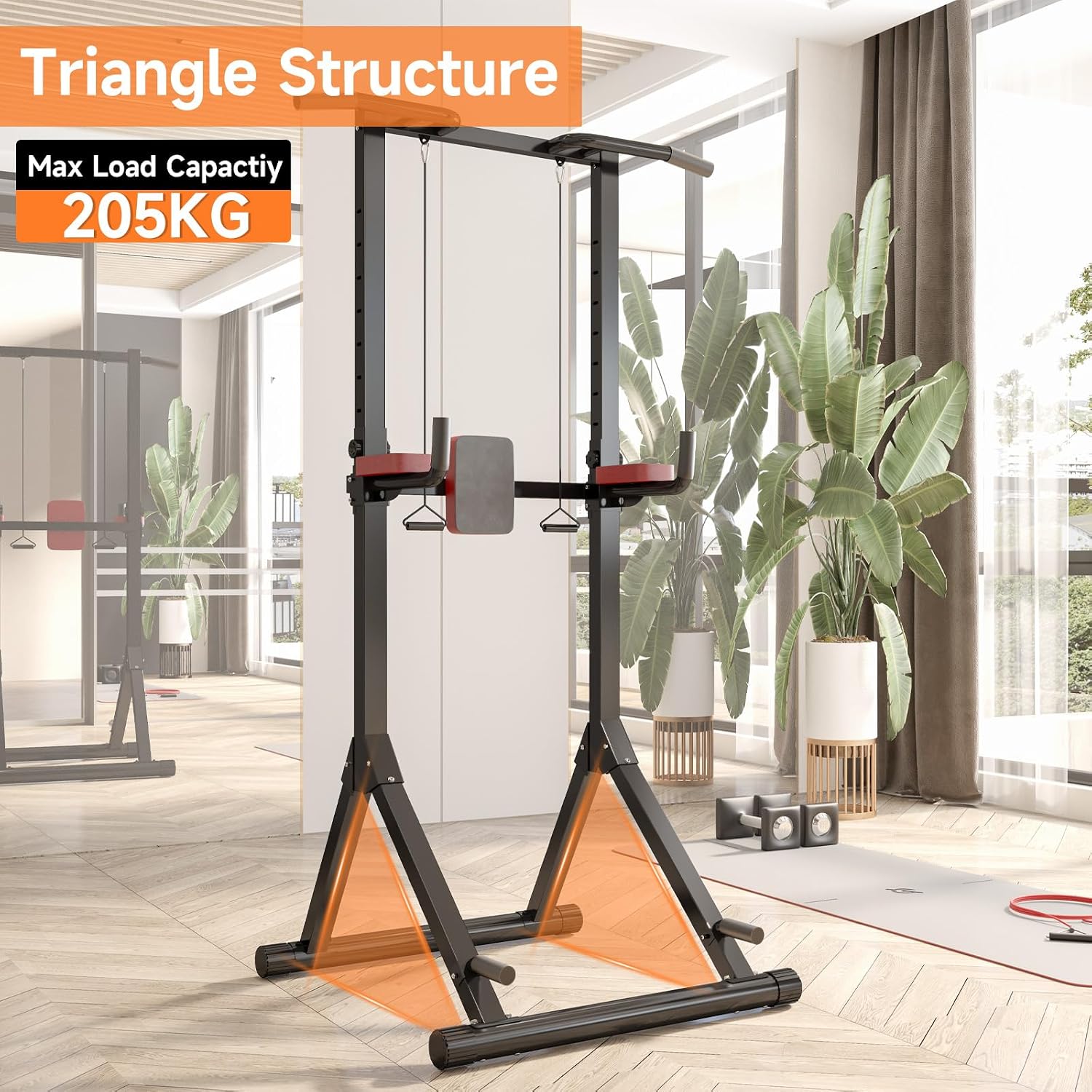
Figure 2: The Power Tower Pro's stable triangular base structure, designed for a maximum load capacity of 205 kg.
5. Operating Instructions
5.1 Height Adjustment
The Power Tower Pro features a 12-level height adjustment mechanism, allowing you to customize the height from 145 cm to 243 cm (approximately 57 to 96 inches). This ensures the equipment can be adapted for users of various heights and for different exercises.
- Locate the adjustment knob(s) on the vertical support beams.
- Unscrew or pull the knob to release the locking pin.
- Carefully slide the upper section of the tower to your desired height.
- Ensure the locking pin fully engages in one of the 12 adjustment holes.
- Tighten the adjustment knob securely to prevent movement during exercise.

Figure 3: Height adjustment mechanism with adjustment knob, showing the range of customization.
5.2 Exercise Examples
The Power Tower Pro supports a wide range of bodyweight exercises. Here are some common examples:
- Pull-ups: Use the top bar for various grip pull-ups (wide, narrow, neutral) to target back and arm muscles.
- Dips: Utilize the dip handles to work chest, triceps, and shoulders.
- Leg Raises: Use the padded backrest and armrests for core exercises like knee raises and leg raises.
- Push-ups: The base of the tower can be used for elevated push-ups or standard push-ups.
- Inverted Rows: Use the lower bars or dip handles for inverted rows to target back muscles.
- Squats: While primarily an upper body station, the sturdy frame can assist with bodyweight squats for balance.

Figure 4: Demonstrations of pull-ups, leg raises, and dips.

Figure 5: Demonstrations of push-ups, inverted rows, and step-ups.
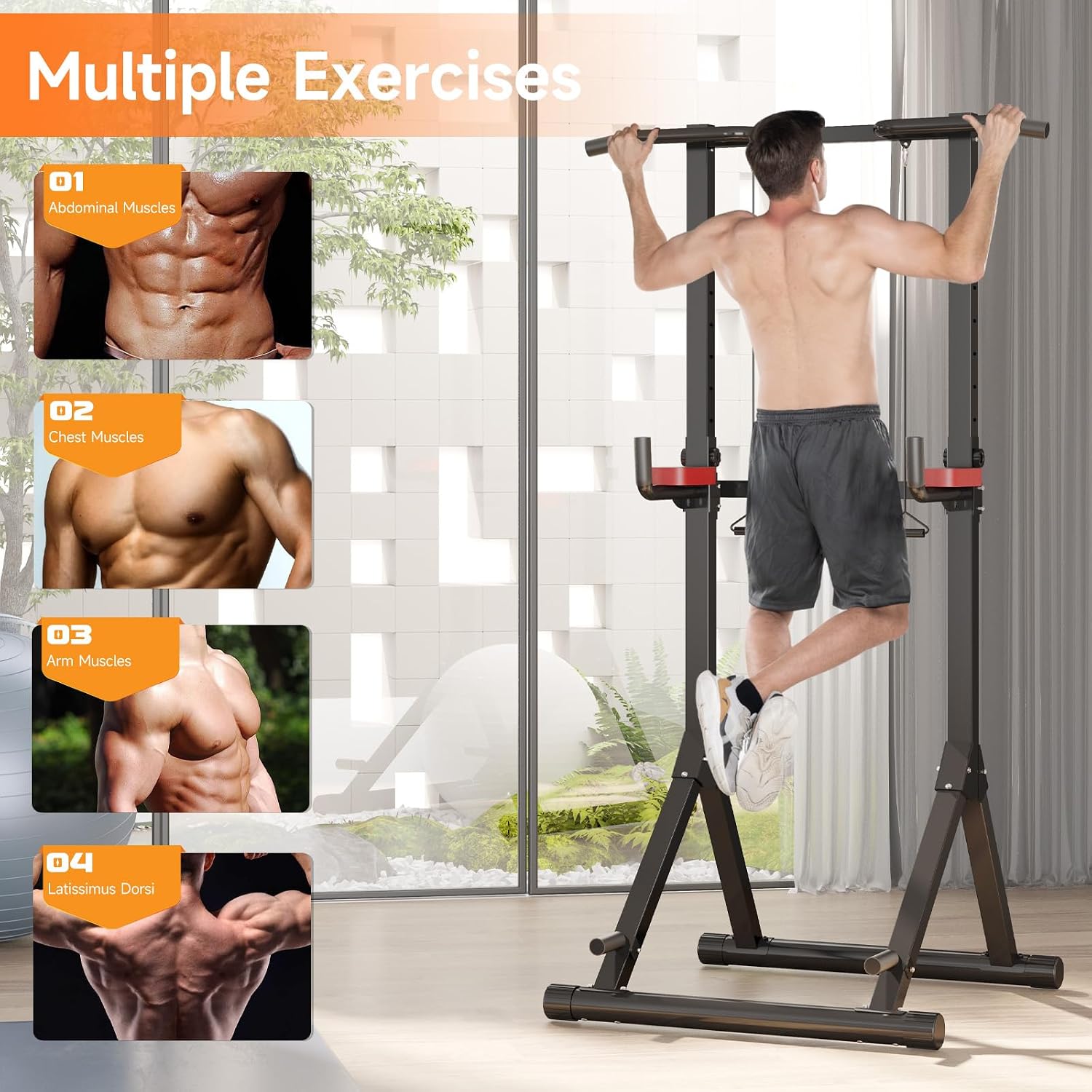
Figure 6: Visual guide to muscle groups targeted by various exercises on the Power Tower Pro.
6. Maintenance
Regular maintenance ensures the longevity and safe operation of your Power Tower Pro.
- Cleaning: Wipe down the frame and padded areas with a damp cloth after each use to remove sweat and dirt. Avoid abrasive cleaners.
- Inspection: Periodically check all bolts, nuts, and connections for tightness. Retighten as necessary.
- Wear and Tear: Inspect foam grips, pads, and structural components for any signs of wear, tears, or damage. Replace worn parts immediately.
- Storage: Store the Power Tower Pro in a dry, cool place away from direct sunlight and extreme temperatures.
7. Troubleshooting
| Problem | Possible Cause | Solution |
|---|---|---|
| Unit feels unstable or wobbly | Loose bolts/nuts; Uneven floor; Incorrect assembly | Ensure all fasteners are tightened; Move to a level surface; Re-check assembly steps. |
| Height adjustment mechanism is stuck | Pin not fully disengaged; Debris in adjustment holes | Ensure adjustment knob is fully unscrewed/pulled; Clear any obstructions from holes. |
| Squeaking noises during use | Loose connections; Metal-on-metal friction | Tighten all bolts; Apply a small amount of lubricant to contact points if necessary. |
8. Specifications
- Brand: Dskeuzeew
- Model: Power Tower Pro
- Material: Alloy Steel
- Color: Pro (Black with Red accents)
- Product Dimensions (L x W x H): 113 cm x 103 cm x 145-243 cm (44.5 in x 40.5 in x 57-96 in)
- Handle Type: Foam
- Maximum Recommended Weight: 205 kg (451 lbs)
- Height Adjustment Levels: 12 levels
- Assembly Instructions: Included
9. Warranty
This product is sold without an explicit warranty. Please refer to the retailer's return policy for information regarding returns or exchanges.
10. Customer Support
For any questions or assistance regarding your Dskeuzeew Power Tower Pro, please contact our customer support. We aim to respond to all inquiries within 24 hours.
Please refer to your purchase documentation or the retailer's website for specific contact details.