
1. Introduction
Thank you for choosing the sprtoybat Wireless Earbuds Model Q38. These earbuds are designed to provide a high-quality audio experience with advanced features for various activities. This manual provides detailed instructions on how to set up, operate, and maintain your earbuds to ensure optimal performance and longevity.
2. Package Contents
Please check the package for the following items:
- Earbuds (2 units)
- 800mAh Charging Case (1 unit)
- Type-C Charging Cable (1 unit)
- Silicone Ear Tips (S/M/L x2 each)
- User Manual (1 unit)
3. Product Overview
The sprtoybat Q38 Wireless Earbuds feature an ergonomic design with ear hooks for a secure fit, ideal for sports and active use. The charging case includes an LED display to show the battery percentage of the case and individual earbuds.
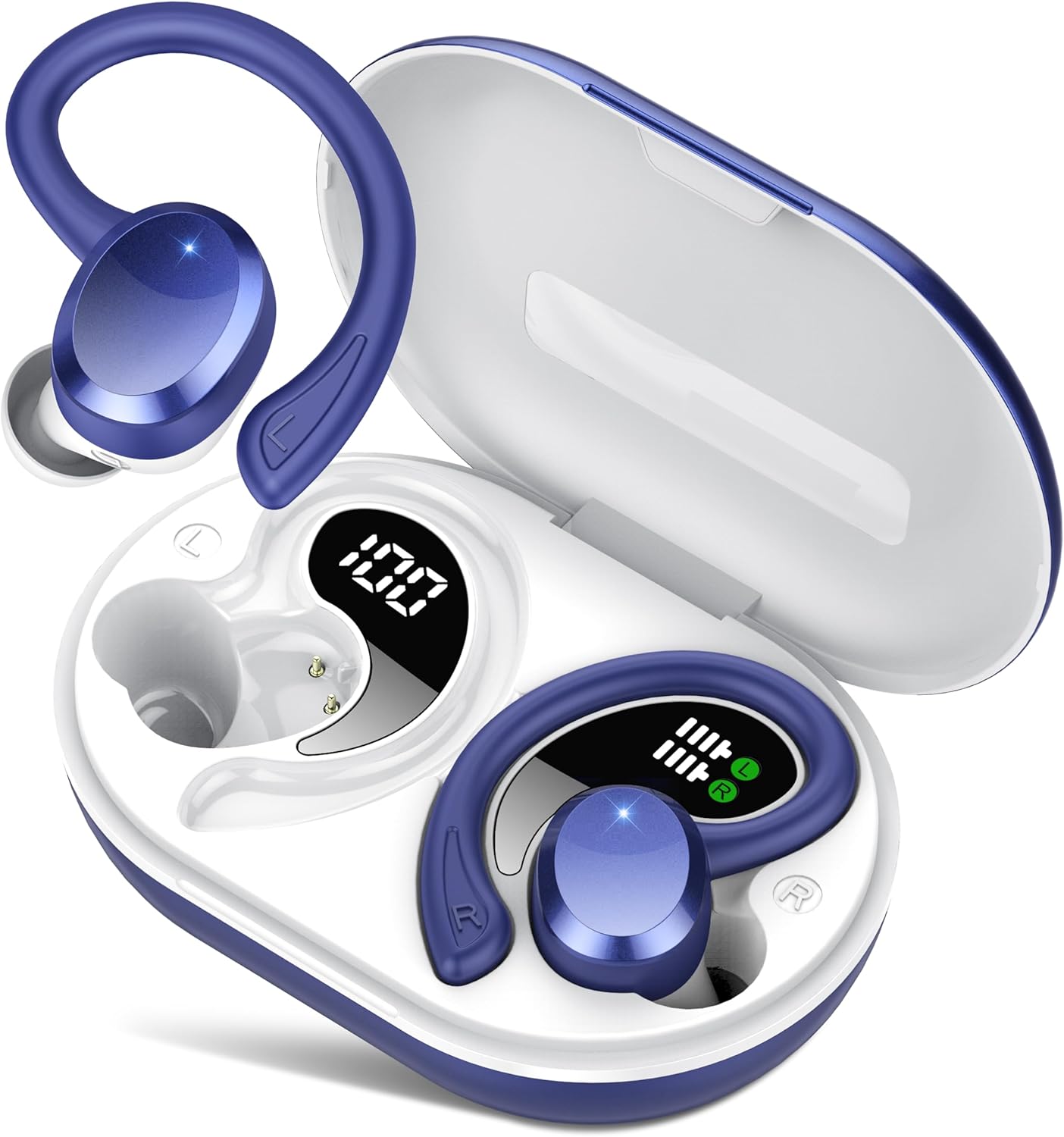
Figure 3.1: Earbuds in Charging Case with LED Display
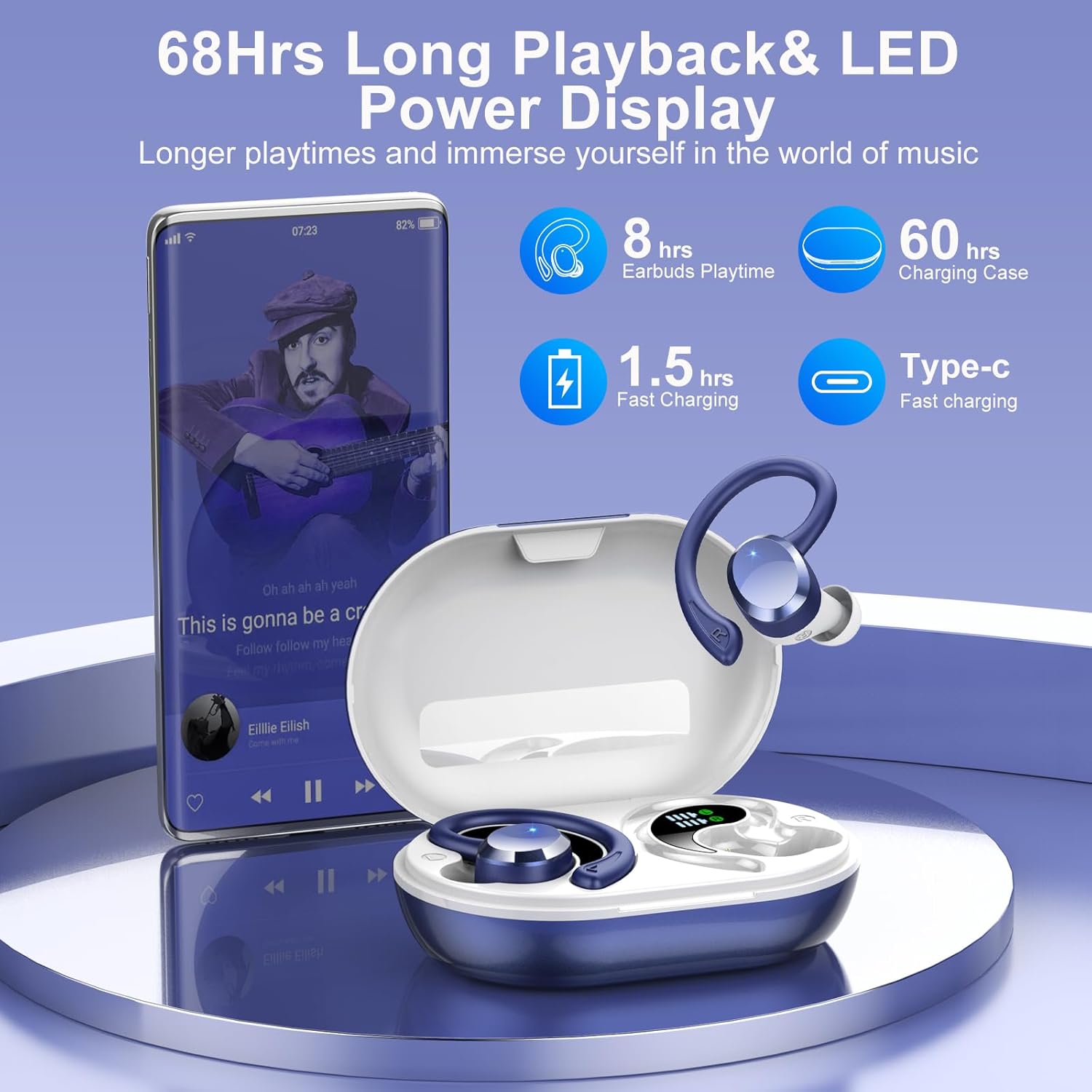
Figure 3.2: Earbuds and Charging Case with Playtime Information
Equipped with Bluetooth 5.4 technology, these earbuds offer enhanced connectivity, faster transmission speeds, and lower power consumption for a stable and extended listening experience.

Figure 3.3: Bluetooth 5.4 Technology Overview
The earbuds feature 14.2mm dual-layer graphene drivers for immersive 3D stereo sound with deep bass, and a built-in ENC microphone for clear calls by reducing background noise.

Figure 3.4: Hi-Fi Stereo Sound Quality Components
4. Setup
4.1 Charging the Earbuds and Case
Before first use, fully charge the earbuds and the charging case. The charging case has an 800mAh capacity and can charge the earbuds multiple times.
- Connect the provided Type-C charging cable to the charging port on the case and a power source.
- The LED display on the case will show the charging status and battery percentage.
- Place the earbuds into the charging case. They will automatically begin charging. The individual earbud battery indicators on the case will show their charge level.
- A full charge for the case takes approximately 2 hours. The earbuds provide up to 8 hours of listening time on a single charge, and the charging case extends total playtime to up to 68 hours.
- Fast charging: 10 minutes of charging provides approximately 2 hours of music playback.

Figure 4.1: Charging the Case via Type-C
4.2 Pairing with a Device
The earbuds utilize Bluetooth 5.4 for a stable and efficient connection.
- Open the charging case. The earbuds will automatically enter pairing mode.
- On your device (smartphone, tablet, laptop), go to the Bluetooth settings.
- Search for available devices and select "Q38" from the list.
- Once connected, you will hear a confirmation tone, and the earbuds will be ready for use.
- After the initial pairing, the earbuds will automatically connect to the last paired device when removed from the case.

Figure 4.2: One-Step Pairing Process
5. Operating Instructions
5.1 Wearing the Earbuds
The Q38 earbuds are designed with flexible TPU ear hooks to ensure a secure and comfortable fit, especially during physical activities. Three sizes of silicone ear tips (S/M/L) are included to help you find the best fit for your ears.
- Choose the ear tips that provide the best seal and comfort.
- Place the earbud into your ear canal.
- Gently hook the ear hook over the top of your ear, adjusting it until it feels secure and comfortable.

Figure 5.1: Secure and Comfortable Fit
5.2 Smart Touch Controls
The earbuds feature intuitive touch controls on their surface for easy management of music, calls, and voice assistant functions.
| Function | Action |
|---|---|
| Play/Pause Music | Single tap on either earbud |
| Answer/End Call | Single tap on either earbud |
| Reject Call | Press and hold either earbud for 2 seconds |
| Volume Up | Double tap on the Right earbud |
| Volume Down | Double tap on the Left earbud |
| Next Track | Triple tap on the Right earbud |
| Previous Track | Triple tap on the Left earbud |
| Activate Voice Assistant | Press and hold either earbud for 3 seconds |

Figure 5.2: Touch Control Functions
6. Maintenance
6.1 Waterproof Protection
The sprtoybat Q38 earbuds are IPX7 rated, meaning they are protected against temporary immersion in water (up to 1 meter for 30 minutes). This makes them sweatproof and water-resistant, suitable for workouts, running, and other outdoor activities. However, they are not designed for swimming or prolonged water immersion.

Figure 6.1: IPX7 Waterproof Feature
6.2 Cleaning and Storage
- Regularly clean the earbuds and charging case with a soft, dry cloth.
- Remove ear tips and clean them with mild soap and water, then dry thoroughly before reattaching.
- Avoid using abrasive cleaners or solvents.
- Store the earbuds in their charging case when not in use to protect them and keep them charged.
- Keep the device away from extreme temperatures and direct sunlight.
7. Troubleshooting
If you encounter any issues with your sprtoybat Q38 Wireless Earbuds, please refer to the following common solutions:
- No Sound: Ensure the earbuds are properly paired with your device and the volume is turned up on both the earbuds and your device. Check if the earbuds are charged.
- Cannot Pair: Make sure Bluetooth is enabled on your device. Ensure the earbuds are in pairing mode (open the case). Try forgetting the device in your Bluetooth settings and re-pairing.
- Intermittent Connection: Ensure there are no obstructions between the earbuds and your device. Keep the device within the 15-meter Bluetooth range. Avoid strong electromagnetic interference.
- Charging Issues: Verify the Type-C cable is securely connected to both the case and the power source. Check if the charging contacts on the earbuds and inside the case are clean.
- Microphone Not Working: Ensure the earbuds are properly connected and selected as the audio input device on your phone during calls.
If the issue persists, try resetting the earbuds (refer to the full manual if a specific reset procedure is available, otherwise, place them back in the case, close it, and reopen to re-initiate pairing).
8. Specifications
| Feature | Detail |
|---|---|
| Model Name | Q38 |
| Brand | sprtoybat |
| Connectivity Technology | Wireless (Bluetooth) |
| Bluetooth Version | 5.4 |
| Bluetooth Range | 15 Meters |
| Audio Driver Type | Dynamic Driver (14.2mm) |
| Noise Control Features | ENC Noise Cancellation |
| Battery Life (Earbuds) | Up to 8 Hours |
| Total Playtime (with Case) | Up to 68 Hours |
| Charging Time | 2 Hours (for case) |
| Charging Port | Type-C |
| Water Resistance Level | IPX7 Waterproof |
| Control Type | Touch Control |
| Earpiece Shape | Over Ear Hook |
| Item Weight | 50 Milligrams (earbuds) |
| Product Dimensions | 0.79 x 0.39 x 0.39 inches |
9. Warranty and Support
For warranty information and customer support, please refer to the documentation included with your product or contact sprtoybat customer service through the retailer's platform where the product was purchased. Keep your proof of purchase for warranty claims.