
1. Product Overview
The Acmount D18 is a versatile emergency car kit combining a powerful jump starter, a 150PSI tire inflator, a 21800mAh power bank, and a 600 lumen LED emergency light. Designed for reliability and ease of use, it is suitable for various vehicles and outdoor activities.

Figure 1: Acmount D18 Jump Starter with Air Compressor
2. Package Contents
Verify that all items are present in your package:
- Portable Jump Starter with Air Compressor (1)
- Air Pump Hose (1)
- Gas Nozzles (4)
- Smart Jumper Cable with Clamps (1)
- USB-A to C Charge-In Cable (1)
- Portable Carrying Case (1)
- User Manual (1)
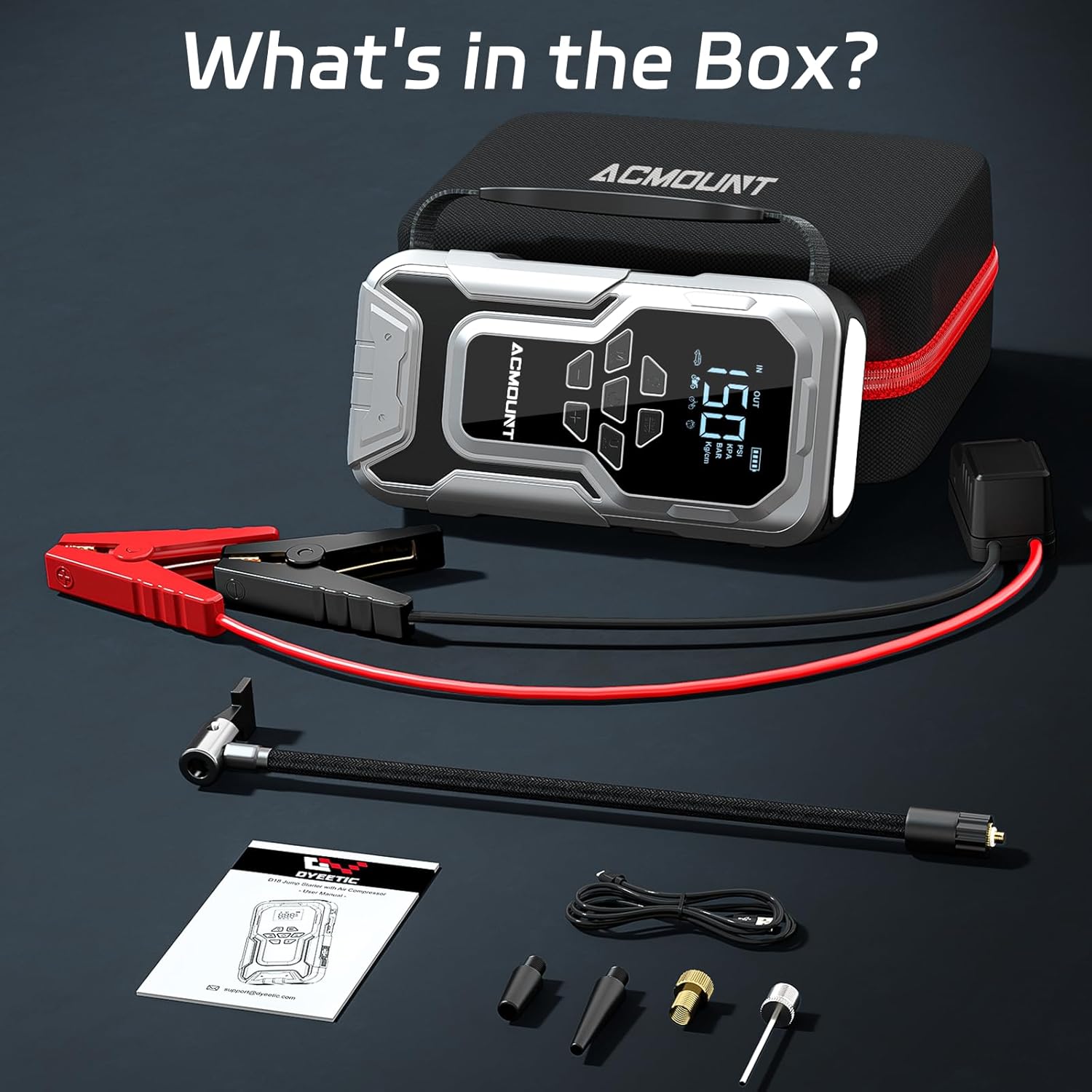
Figure 2: All components included in the Acmount D18 package.
3. Safety Information
The Acmount D18 is equipped with 10 intelligent safety protections to ensure safe operation. Always follow these guidelines:
- Reverse Charge Protection: Prevents current flow back to the jump starter from the vehicle battery.
- Reverse Polarity Protection: Ensures correct connection to battery terminals. The smart clip indicator light will notify of incorrect use.
- Overvoltage Protection: Safeguards against excessive voltage.
- Low Temperature Protection: Operates safely in temperatures down to -4°F (-20°C).
- High Temperature Protection: Operates safely in temperatures up to 140°F (60°C).
- Overcurrent Protection: Protects against excessive current draw.
- Overcharge Protection: Prevents battery damage from overcharging.
- Anti-Spark Protection: Minimizes the risk of sparks during connection.
- Overload Protection: Shuts down if the load exceeds safe limits.
- Short Circuit Protection: Prevents damage from short circuits.
Always ensure the smart clip indicator light shows a solid green before attempting to jump start.
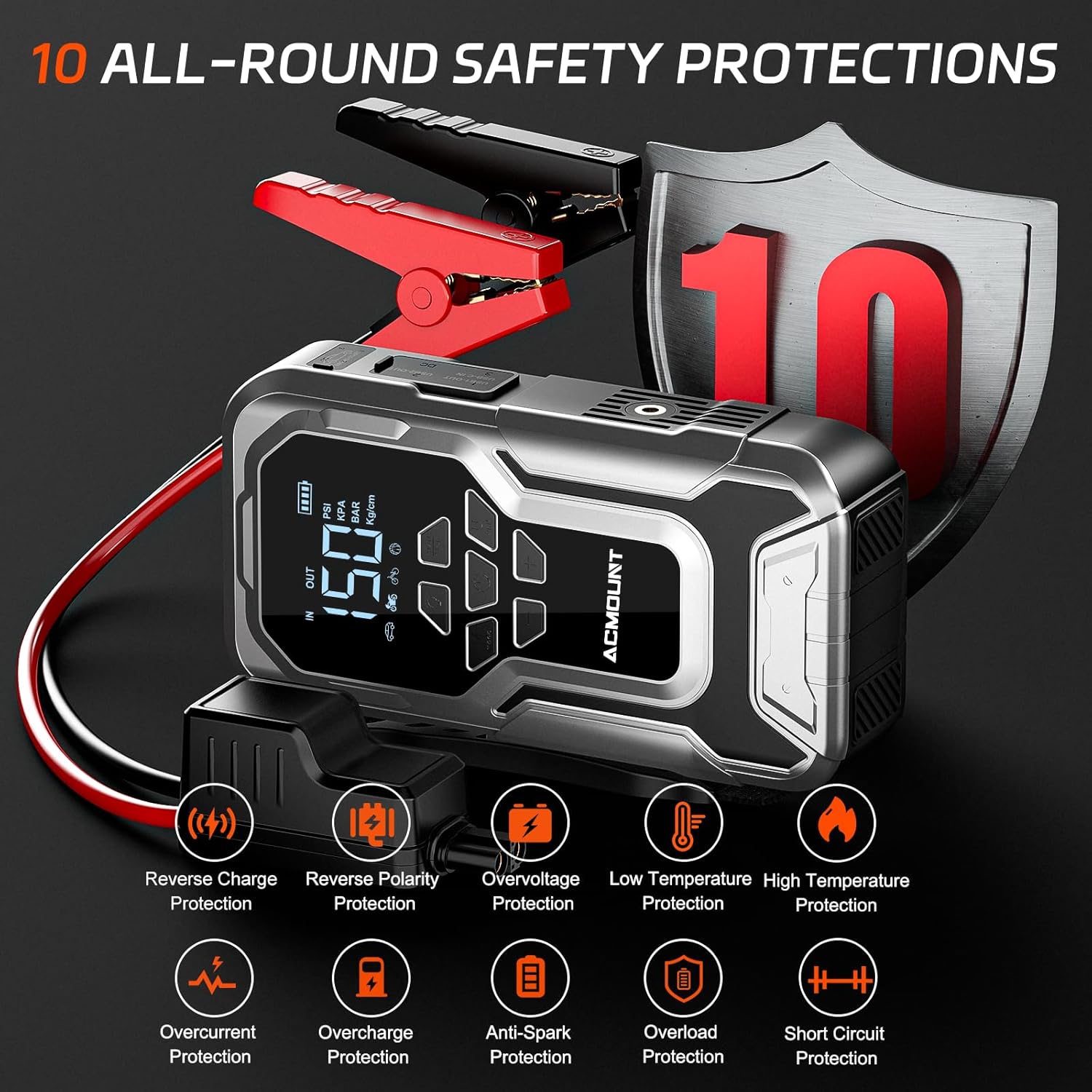
Figure 3: Built-in safety features for secure operation.
4. Getting Started: Charging the Unit
Before first use, fully charge the Acmount D18. It is recommended to recharge the unit every three months to maintain optimal battery health, even when not in use.
- Locate the USB-C input port on the side of the unit, protected by a silicone cover.
- Connect the provided USB-A to C charging cable to the unit and a suitable USB power adapter (not included).
- The LCD display will indicate the charging status. Charge until the battery indicator shows full.
5. Operating the Jump Starter
The Acmount D18 can deliver a peak current of 6000A, capable of starting all gasoline engines and 10.0L diesel engines.
- Connect Clamps: Open the engine start port cover on the unit. Connect the smart jumper cable to the unit. Ensure it is fully inserted.
- Attach to Battery: Connect the red clamp to the positive (+) terminal of the vehicle battery and the black clamp to the negative (-) terminal.
- Verify Connection: Wait for the LED indicator on the smart jumper cable to light up solid green. If it flashes red/green or shows no light, check connections for proper polarity and contact.
- Start Vehicle: Turn on the car engine.
- Remove Clamps: Once the engine starts, remove the clamps from the car battery within 30 seconds, then disconnect the smart jumper cable from the Acmount D18.

Figure 4: Easy steps for jump-starting your vehicle.
Video 1: Official Acmount demonstration of the jump starter and air compressor features.
6. Operating the Tire Inflator
The integrated air compressor can inflate up to 150PSI, delivering 45L/min high airflow. It features automatic pressure detection and auto shut-off.
- Connect Air Hose: Screw the air pump hose into the designated port on the Acmount D18.
- Attach to Tire: Connect the other end of the hose to the tire valve. Use appropriate gas nozzles for different inflatables (e.g., bicycle tires, balls, air cushions).
- Power On & Select Mode: Press the power button to turn on the unit. Use the 'M' button to cycle through 5 inflation modes (Car, Motorcycle, Bicycle, Ball, Custom Mode) and the '+' / '-' buttons to set the desired pressure. The LCD digital display supports PSI/BAR/KPA units.
- Start Inflation: Press the 'Start/Stop' button to begin inflation. The unit will automatically stop once the preset pressure is reached.
- Disconnect: Remove the hose from the tire valve.

Figure 5: Simple steps for tire inflation.
7. Using as a Power Bank
The 21800mAh battery can charge phones, tablets, and other devices via its dual USB output ports.
- Locate the USB output ports (USB1-OUT, USB2-OUT) and the USB-C IN port on the side of the unit, protected by a silicone cover.
- Connect your device's charging cable to the appropriate USB output port on the Acmount D18. USB2-OUT supports fast charging.
- The unit will automatically begin charging your device.

Figure 6: Charging electronic devices with the integrated power bank.
8. Using the LED Emergency Light
The Acmount D18 features a 600 lumen LED light with three modes for various emergency situations.
- Activate Light: Press the light button (usually indicated by a lightbulb icon) on the unit to turn on the flashlight.
- Cycle Modes: Press the light button repeatedly to cycle through the modes: Flashlight (steady beam), SOS (Morse code signal), and Strobe (rapid flashing).
- Turn Off: Continue pressing the light button until the light turns off, or long-press the button.

Figure 7: The multi-mode LED light provides illumination and signaling capabilities.
9. Specifications
| Feature | Specification |
|---|---|
| Brand | Acmount |
| Model | D18 |
| Peak Output Current | 6000 Amps |
| Battery Capacity | 21800mAh |
| Tire Inflator Pressure | Up to 150PSI |
| Airflow Rate | 45L/min |
| Engine Compatibility | All Gasoline Engines, 10.0L Diesel Engines |
| LED Light Output | 600 Lumens (Flashlight/SOS/Strobe) |
| USB Output Ports | Dual USB (one QC 3.0 fast charging) |
| Charging Input | USB-C |
| Operating Temperature | -4°F to 140°F (-20°C to 60°C) |
| Item Weight | 3.52 pounds (1.6 Kilograms) |
10. Maintenance
To ensure the longevity and optimal performance of your Acmount D18, follow these maintenance tips:
- Regular Charging: Recharge the unit every three months, even if not used, to prevent deep discharge and prolong battery life.
- Storage: Store the unit in its portable carrying case in a cool, dry place, away from direct sunlight and extreme temperatures.
- Cleaning: Wipe the unit with a soft, dry cloth. Do not use harsh chemicals or abrasive cleaners.
11. Troubleshooting
If you encounter issues with your Acmount D18, refer to the following common troubleshooting steps:
- Unit Not Turning On: Ensure the unit is charged. If the battery is completely depleted, it may take a few minutes of charging before it powers on.
- Jump Starter Not Working:
- Check the smart clip indicator light: A solid green light indicates a correct connection. If it's flashing or red, recheck the clamps for proper polarity and secure contact with the battery terminals.
- Ensure the smart jumper cable is fully inserted into the unit's engine start port.
- The vehicle battery might be severely discharged. Allow the jump starter to connect for a few minutes before attempting to start.
- Tire Inflator Not Working:
- Ensure the air pump hose is securely screwed into the unit and properly connected to the tire valve.
- Check the selected inflation mode and target pressure on the LCD display.
- Verify the unit has sufficient battery charge.
- Device Not Charging via USB: Ensure the USB cable is properly connected to both the Acmount D18 and your device. Check if the unit has enough power.
For persistent issues, please contact customer service.
12. Warranty and Support
Acmount provides lifetime technical support and 24/7 customer service. If you have any questions or require assistance, please contact our professional after-sales team for a satisfactory solution.
Contact information can typically be found on the product packaging or the official Acmount website.


