
1. Introduction
The Bioset Nature-31 Light Therapy Wake-Up Lamp is designed to support your natural biological clock and enhance daily well-being. This device offers UV-free light therapy with up to 10,000 Lux illumination, multiple light colors, natural sound options, and convenient control via a dedicated application and a handheld remote.
Key features include:
- Sunrise/Sunset Simulation: Gradually brightens or dims to assist with waking or falling asleep naturally.
- Biological Clock Reset: Utilizes light to influence retinal cells, helping to regulate your circadian rhythm.
- Multiple Natural Sounds: Built-in white noises like bird songs, flowing water, and rain to aid sleep or waking.
- Multi-functional Application: Five independent functions (light therapy, timing, sunrise, sound alarm, sunset) and three light colors, customizable via the 'BiosetLight' app.
- Handheld Remote Control: Provides convenient control over the lamp's functions.
2. Safety Information
Please read all safety instructions before using the Bioset Nature-31 Light Therapy Wake-Up Lamp to ensure safe and optimal operation.
- Do not immerse the device in water or other liquids.
- Keep the device away from heat sources and direct sunlight.
- Use only the provided power adapter.
- Avoid direct eye contact with the light for prolonged periods, especially at maximum brightness.
- If you experience discomfort, headaches, or eye strain, reduce the brightness or discontinue use. Consult a healthcare professional if symptoms persist.
- This device is not a medical device and is not intended to diagnose, treat, cure, or prevent any disease.
- Keep out of reach of children.
3. Package Contents
Verify that all items are present in the package:
- Bioset Nature-31 Light Therapy Wake-Up Lamp
- Power Adapter
- Handheld Remote Control
- Wall-mounting accessory (screws and anchors)
- User Manual

4. Product Overview
The Bioset Nature-31 lamp features a sleek design with intuitive controls and a clear display. It can be used freestanding or wall-mounted.

Controls and Display
The front panel includes a digital clock display and touch-sensitive buttons for basic operations. The remote control offers full functionality from a distance.
5. Setup
5.1 Power Connection
- Place the lamp on a stable, flat surface or mount it using the provided wall-mounting accessory.
- Connect the power adapter to the DC input port on the back of the lamp.
- Plug the power adapter into a standard electrical outlet (AC Input: 100~240V 50/60Hz).
- The lamp display will illuminate, indicating it is powered on.
5.2 App Installation and Pairing
- Download the 'BiosetLight' application from your smartphone's app store.
- Ensure your smartphone's Bluetooth is enabled.
- Open the 'BiosetLight' app and follow the on-screen instructions to pair with your Bioset Nature-31 lamp.
- Once paired, you can customize settings and schedules wirelessly.
6. Operating Instructions
6.1 Light Therapy Mode
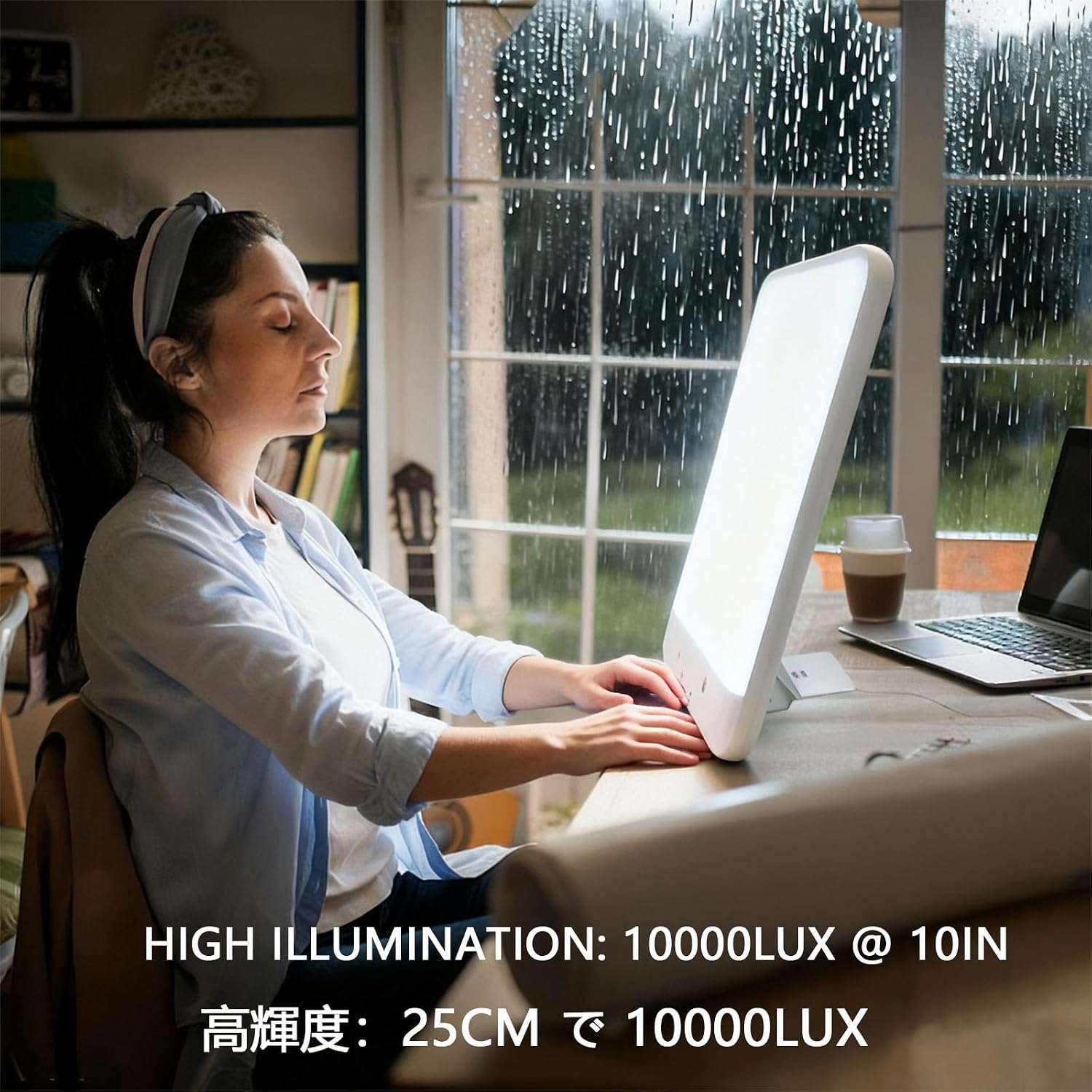
The lamp provides up to 10,000 Lux illumination, suitable for light therapy sessions.
- Position the lamp approximately 12 inches (30 cm) from your face.
- Turn on the lamp using the power button on the device or remote.
- Select white or blue light color for light therapy mode via the app or remote.
- Adjust brightness to a comfortable level.
- Recommended session duration varies; consult a healthcare professional for personalized advice.


6.2 Sunrise Simulation (Wake-Up)
Set a wake-up time, and the lamp will gradually brighten over a set period, mimicking a natural sunrise.
- Access the 'Sunrise' function in the 'BiosetLight' app or via the remote control.
- Set your desired wake-up time.
- Choose the duration for the light to gradually brighten (e.g., 20, 30, 60, or 90 minutes).
- Select a natural light color for morning wake-up.
- Optionally, enable a natural sound alarm to play after the light reaches full brightness.

6.3 Sunset Simulation (Sleep Aid)
The lamp can gradually dim over a set period, simulating a sunset to help you relax and fall asleep.
- Access the 'Sunset' function in the 'BiosetLight' app or via the remote control.
- Set the desired duration for the light to gradually dim.
- Optionally, enable a natural sound to play as the light dims.
6.4 Natural Sound Options
The device includes various built-in natural sounds to complement your wake-up or sleep routines.
- Navigate to the 'Sound Alarm' or 'Sunset' settings in the app or remote.
- Browse and select from available sounds such as bird songs, flowing water, rain, or insect sounds.
- Adjust the volume to your preference.

6.5 App and Remote Control
Both the 'BiosetLight' app and the handheld remote control provide comprehensive control over the lamp's functions.
- App Control: Allows for detailed customization of schedules, light colors, brightness, sound types, and volumes. It also enables the 'Reset your biological clock' function by setting personalized work and rest schedules.
- Remote Control: Offers quick access to power on/off, adjust brightness, change light colors, and activate various modes without needing your smartphone.
7. Maintenance
7.1 Cleaning
- Ensure the device is unplugged before cleaning.
- Wipe the surface of the lamp with a soft, dry, or slightly damp cloth.
- Do not use abrasive cleaners, solvents, or harsh chemicals.
7.2 Storage
When not in use for extended periods, store the lamp in a cool, dry place, away from direct sunlight and extreme temperatures.
8. Troubleshooting
If you encounter issues with your Bioset Nature-31 lamp, refer to the following common problems and solutions:
| Problem | Possible Cause | Solution |
|---|---|---|
| Lamp does not turn on. | No power connection. | Check if the power adapter is securely plugged into the lamp and the wall outlet. |
| Remote control not working. | Dead batteries or obstruction. | Replace remote control batteries. Ensure no objects are blocking the signal path to the lamp. |
| App cannot connect to the lamp. | Bluetooth off or pairing issue. | Ensure Bluetooth is enabled on your smartphone. Restart the app and try pairing again. Ensure the lamp is powered on. |
| Light intensity is too low/high. | Brightness setting. | Adjust brightness using the app, remote, or on-device controls. |
9. Specifications
| Feature | Specification |
|---|---|
| Brand | Bioset |
| Model Number | Nature-31 |
| AC Input | 100~240V 50/60Hz |
| DC Input | 36W (15V/2.4A) |
| Illumination Intensity | 0~10,000 Lux @ 12 inches (30 cm) |
| Color Rendering Index (CRI) | Ra > 95 |
| LED Lifespan | Over 50,000 hours (Brightness depreciation ≤ 30%) |
| Product Dimensions | 1.53"D x 10.82"W x 16.4"H (3.9 cm D x 27.5 cm W x 41.7 cm H) |
| Item Weight | 2.86 pounds (1.3 Kilograms) |
| Finish Type | Matte |
| Color | White |
| Batteries Required | No (for main unit) |
10. Warranty and Support
Bioset products are manufactured with high-quality standards. For specific warranty information, please refer to the warranty card included with your product or contact Bioset customer support.
Customer Support
If you have any questions, require technical assistance, or need to report an issue, please contact our customer support team. Contact details can typically be found on our official website or on the product packaging.
Please have your model number (Nature-31) and purchase information ready when contacting support.

