
Introduction
Welcome to your new ChooChoo Nightstand with an integrated charging station. This manual provides detailed instructions for assembly, operation, and maintenance to ensure optimal use and longevity of your product. Please read through all instructions before beginning assembly or use.

Image: Two ChooChoo NT2501 Nightstands, showcasing their design and functionality.
Setup and Assembly
Follow these steps carefully for proper assembly. It is recommended to have a Phillips head screwdriver for this process. All necessary hardware is included.
Video: Step-by-step assembly guide for the ChooChoo NT2501 Nightstand.
Assembly Overview:
- Prepare Components: Unpack all parts and hardware. Verify all items are present against the parts list in your package.
- Attach Cam Bolts and Dowels: Secure cam bolts and wooden dowels into the designated holes on the side panels (parts 1 and 2).
- Install Drawer Slides: Fasten the drawer slides (CR, CL) to the inner sides of the main panels using the provided screws. Ensure they are oriented correctly for smooth drawer operation.
- Connect Base and Top Panels: Attach the bottom panel (part 4) and then the top panel (part 7) to the side panels using cam locks and screws.
- Assemble Back Supports: Secure the back support pieces (parts 9 and 10) to the frame.
- Construct Drawers: Assemble the drawer boxes (parts 11, 12, 13, 14) by screwing the sides together. Attach the remaining drawer slides (DR, DL) to the sides of the assembled drawer boxes.
- Attach Drawer Fronts and Handles: Secure the drawer fronts (part 15) to the drawer boxes and then attach the handles (part H) to the drawer fronts.
- Insert Drawers: Carefully slide the assembled drawers into the nightstand frame, aligning the drawer slides.
- Install Back Panel: Secure the back panel (part 3) to the rear of the nightstand using the small nails or screws provided.
- Mount Charging Station: Place the charging station (part K) into the pre-cut opening on the top surface and secure it with screws. Route the power cord through the designated hole.

Image: Detailed dimensions of the ChooChoo NT2501 Nightstand and its drawers.
Operating the Charging Station
Your ChooChoo Nightstand features an integrated charging station for convenient power access.
- Connect the nightstand's main power cord (6.5 feet) to a standard wall outlet.
- The charging station provides two standard AC outlets (120V/12A), one USB-A port (5V/2A), and one USB-C port (5V/2A).
- Plug in your electronic devices such as lamps, smartphones, tablets, or other small appliances into the appropriate outlets or ports.
- Ensure that your devices are compatible with the specified voltage and amperage to prevent damage.
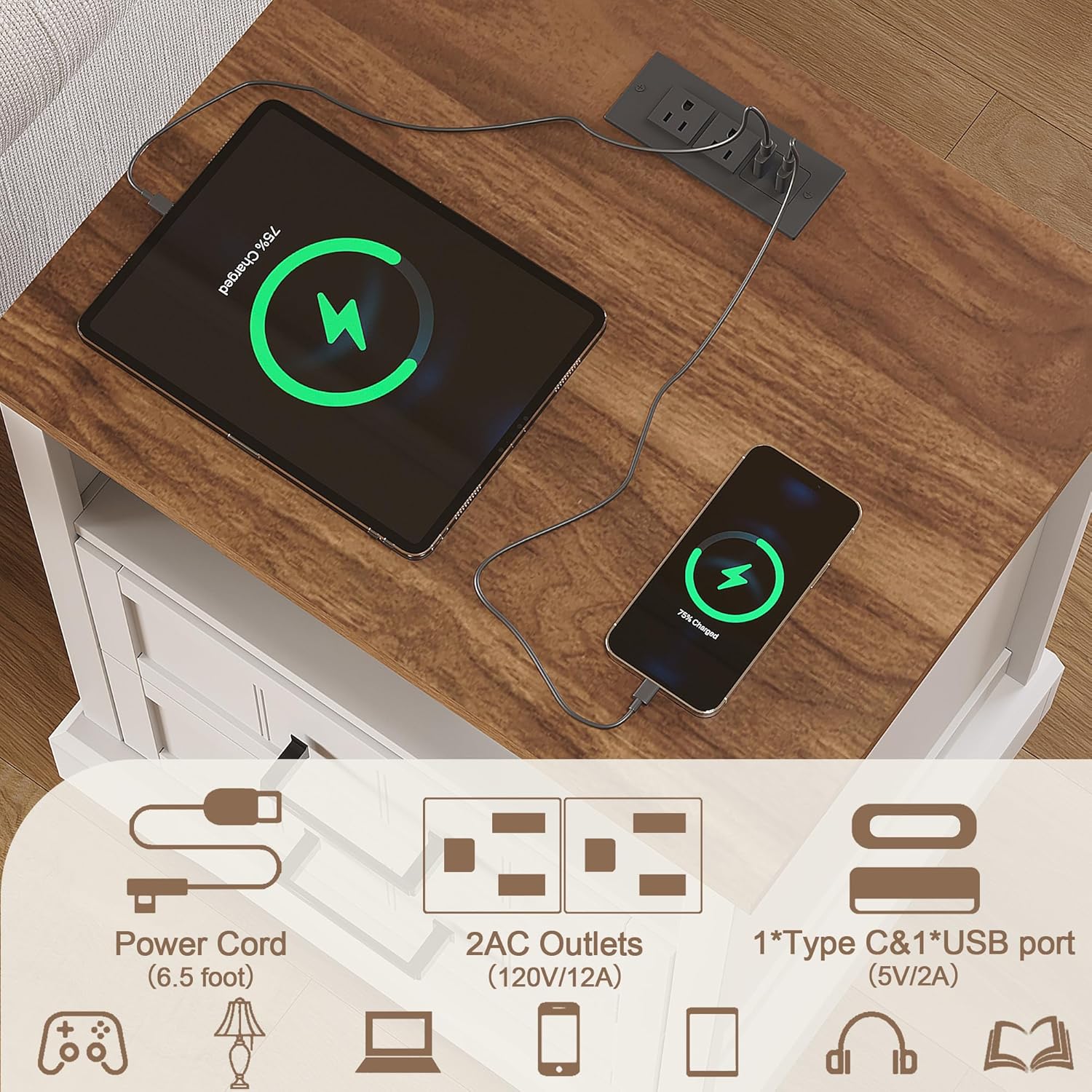
Image: Close-up of the integrated charging station with various ports.

Image: ChooChoo Nightstand with devices actively charging on its surface.
Care and Maintenance
Proper care will help maintain the appearance and functionality of your nightstand.
- Cleaning: Wipe surfaces with a soft, slightly damp cloth. Avoid using abrasive cleaners, harsh chemicals, or polishes that may damage the finish.
- Spills: Clean up spills immediately with a dry cloth to prevent moisture damage or staining.
- Fasteners: Periodically check all screws and fasteners to ensure they remain tight. Tighten any loose connections to maintain the nightstand's stability.
- Heat Protection: Avoid placing hot items directly on the surface. Always use coasters or protective pads.
- Environment: Keep the nightstand away from direct sunlight, extreme temperatures, and excessive humidity to prevent warping or fading.
Troubleshooting Common Issues
| Problem | Solution |
|---|---|
| Loose components or wobbling. | Check all assembly screws and cam locks. Tighten them securely with a Phillips head screwdriver. |
| Drawers do not slide smoothly. | Ensure drawer slides are correctly installed and aligned. Check for any obstructions in the tracks. Verify all screws attaching the slides are tight. |
| Charging station is not providing power. | Verify the nightstand's main power cord is fully plugged into both the charging station and a functional wall outlet. Test the wall outlet with another device. |
| Missing or damaged parts. | Do not proceed with assembly. Contact ChooChoo customer support or your retailer for replacement parts. |
Product Specifications
- Brand: ChooChoo
- Model Number: NT2501
- Color: White
- Material: Engineered Wood
- Product Dimensions (L x W x H): 50.04 cm x 39.88 cm x 59.94 cm (19.7 in x 15.7 in x 23.6 in)
- Item Weight: 19.8 kg (43.65 lbs)
- Number of Drawers: 2
- Charging Station Output: 2 AC Outlets (120V/12A), 1 USB-A Port (5V/2A), 1 USB-C Port (5V/2A)
- Power Cord Length: 6.5 feet
Warranty and Customer Support
For specific warranty information, claims, or further assistance with your ChooChoo NT2501 Nightstand, please refer to the documentation included with your purchase or contact ChooChoo customer support directly through your retailer or the official ChooChoo website. Please retain your purchase receipt as proof of purchase for any warranty-related inquiries.