1. Introduction
Thank you for choosing the tubanlkey Smart Voice Control USB Night Light. This device is designed to provide convenient and adjustable lighting through voice commands, featuring a compact, plug-and-play USB interface. This manual provides essential information for the safe and effective operation of your night light.
2. Safety Information
- This product is intended for indoor use only.
- Do not expose the device to water or excessive moisture.
- Avoid disassembling or modifying the device, as this may void the warranty and pose safety risks.
- Keep out of reach of children.
- Ensure the USB power source provides a stable 5V output.
- Unplug the device from the power source before cleaning.
3. Package Contents
The package contains the following items:
- tubanlkey Smart Voice Control USB Night Light (Model: xyd-001)

Image 1: The tubanlkey Smart Voice Control USB Night Light, showing its compact USB design and internal circuitry.
4. Setup
- Identify a suitable USB power source such as a computer USB port, power bank, or a mobile phone adapter (5V output).
- Insert the tubanlkey Smart Voice Control USB Night Light directly into the USB port. The light will power on automatically.

Image 2: The USB night light plugged into a standard wall adapter, demonstrating its plug-and-play functionality and purple light emission.
5. Operating Instructions
The night light operates primarily through voice commands. It features a high-sensitivity microphone and an intelligent voice recognition chip. Please note that this device supports Chinese voice commands only.
5.1 Power On/Off
- Power On: Insert the USB night light into a powered USB port. The light will turn on automatically.
- Power Off: Remove the USB night light from the USB port.
5.2 Voice Control Commands (Chinese Only)
The effective recognition distance for voice commands is within 3 meters, with a response speed of ≤0.5 seconds. The device supports 8 common Chinese commands:
- "开灯" (Kāi dēng) - Turn on the light
- "关灯" (Guān dēng) - Turn off the light
- "亮一点" (Liàng yīdiǎn) - Brighter
- "暗一点" (Àn yīdiǎn) - Dimmer
- "换颜色" (Huàn yánsè) - Change color
- "暖白" (Nuǎnbái) - Warm white (2700K)
- "自然白" (Zìránbái) - Natural white (4500K)
- "冷白" (Lěngbái) - Cool white (6500K)
5.3 Color Temperature and Brightness Adjustment
The night light offers 3 color temperature options and a 5-level brightness gradient, adjustable via voice commands:
- Color Temperatures: Warm White (2700K), Natural White (4500K), Cool White (6500K). Use the corresponding Chinese voice commands to switch between them.
- Brightness: The light has a 5-level brightness gradient. Use "亮一点" (Brighter) and "暗一点" (Dimmer) commands to adjust the brightness.
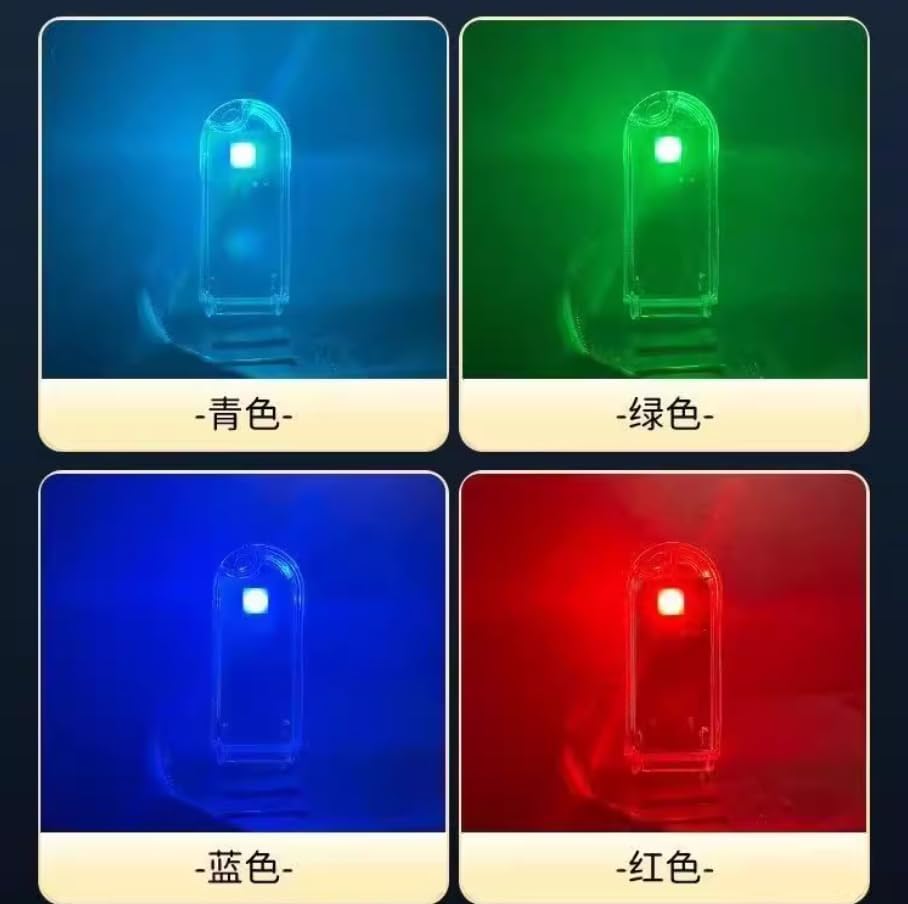
Image 3: Examples of different light colors the device can produce, including blue, green, dark blue, and red.
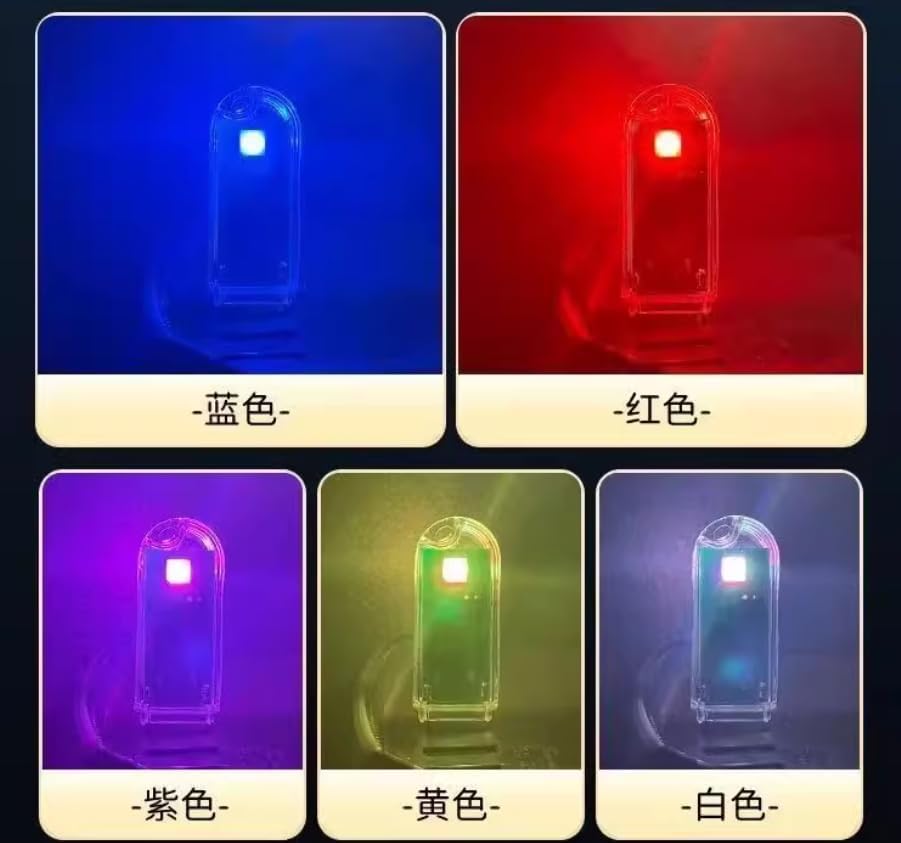
Image 4: Further examples of light colors, including blue, red, purple, yellow, and white, demonstrating the device's versatility.
6. Specifications
| Feature | Detail |
|---|---|
| Model | xyd-001 |
| Dimensions (L x W x H) | 5.8 x 2.3 x 2.1 cm (2.3"D x 0.9"W x 0.9"H) |
| Weight | 18g |
| Power Interface | USB (Plug-and-Play) |
| Working Power Consumption | 0.5W |
| Material | ABS Environmental Protection Flame-Retardant Material |
| Light Source | Blue light filter eye-protection lamp beads, no flicker |
| Color Temperatures | Warm White (2700K), Natural White (4500K), Cool White (6500K) |
| Brightness Levels | 5-level gradient |
| Voice Control Language | Chinese Only |
| Voice Recognition Distance | Within 3 meters |
| Voice Response Speed | ≤0.5 seconds |
| Certifications | RoHS Safety Certification |
7. Troubleshooting
| Problem | Possible Cause | Solution |
|---|---|---|
| Light does not turn on. | No power from USB port, or USB port is faulty. | Try plugging the night light into a different USB port or power source to confirm power supply. |
| Voice commands are not recognized. | Incorrect language (not Chinese), too far from the device, background noise, or unclear pronunciation. | Ensure you are using the correct Chinese commands. Speak clearly and directly towards the device within 3 meters. Reduce background noise. |
| Light flickers or behaves erratically. | Unstable power supply from the USB port. | Try a different USB power source that provides a stable 5V output. |
8. Care and Maintenance
- To clean the device, unplug it from the power source and wipe it gently with a soft, dry cloth.
- Do not use abrasive cleaners or solvents.
- Store the night light in a cool, dry place when not in use.
9. Warranty and Support
For warranty information or technical support, please contact tubanlkey customer service through your purchase platform or the official tubanlkey website. Please have your model number (xyd-001) and purchase details ready when contacting support.


