
Introduction
This manual provides detailed instructions for the Lgnitek Smart Watch B0FMXRHHJK. This device is designed to function as a fitness tracker and smart communication tool, featuring a 2.2-inch touch screen, IP67 waterproofing, and various health monitoring capabilities. Please read this manual thoroughly before using your smart watch to ensure proper operation and to maximize its features.
Package Contents
Upon unboxing, please verify that all items are present and in good condition:
- 1 x Lgnitek Smart Watch B0FMXRHHJK
- 1 x Charging Cable
- 1 x User Manual (this document)
Setup
1. Charging the Device
Before initial use, fully charge your smart watch. Connect the provided charging cable to the charging port on the back of the watch and plug the USB end into a standard USB power adapter (not included) or a computer's USB port. The watch display will indicate charging status. A full charge typically takes approximately 2 hours.
2. App Installation and Pairing
To unlock the full functionality of your smart watch, you must pair it with your smartphone via the companion application.
- Download the App: Scan the QR code provided in the watch's interface or search for the "JOEME FIT" app in your smartphone's app store (Google Play Store for Android, Apple App Store for iOS).
- Create an Account: Open the JOEME FIT app and follow the on-screen instructions to create a user account. You may be asked for personal information and to grant various permissions for full functionality.
- Enable Bluetooth: Ensure Bluetooth is enabled on your smartphone.
- Pair the Watch: In the JOEME FIT app, navigate to the device pairing section. The watch should appear as "A2" in the list of available Bluetooth devices. Select it to initiate pairing. Follow any prompts on both your phone and watch to confirm the connection.
3. Wearing the Watch
Wear the smart watch comfortably on your wrist, ensuring it is snug but not too tight. For accurate heart rate and SpO2 monitoring, the sensor on the back of the watch should maintain good contact with your skin.
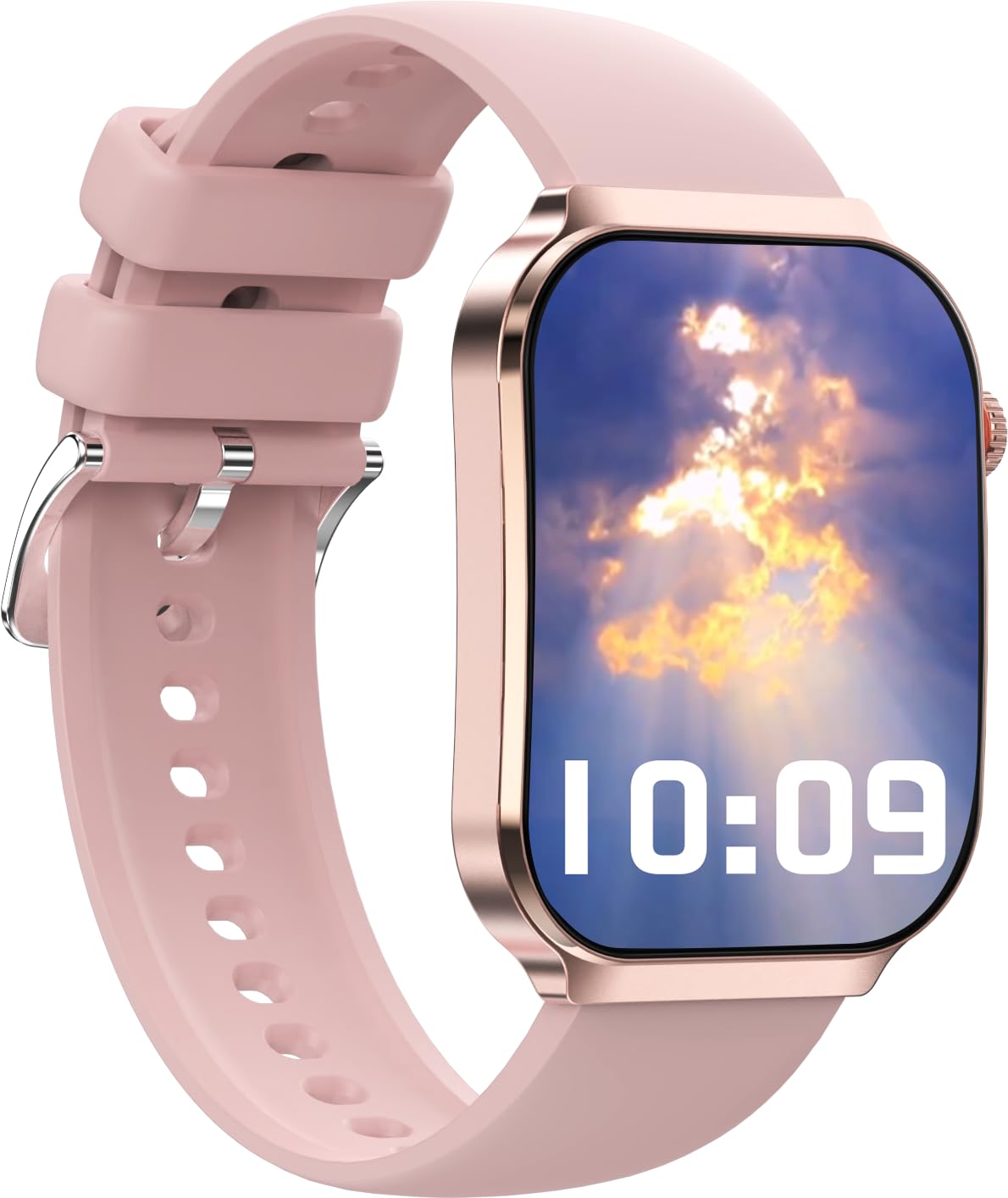
This image shows the Lgnitek Smart Watch from an angled perspective. The watch features a rectangular screen with a rose gold-colored frame and a soft pink silicone strap. The screen displays the time (10:09), date (05-01 MON), heart rate (080 BPM), and calories burned (0385 KCAL). A crown button is visible on the right side of the watch frame.
Operating Instructions
1. Basic Navigation
- Wake Up Screen: Press the side knob or enable the "Turn wrist to wake" feature in the app.
- Access All Functions: From the watch face, press the side knob to view all sub-apps. You can customize the icon arrangement (e.g., circular/spiral).
- Quick Settings: Swipe down from the top of the watch face to access a selected set of functions.
- Widgets/Information Panels: Swipe across from left to right on the watch face to access various information panels.
- Individual Functions: Swipe from right to left on the watch face to cycle through individual functions one at a time.
2. Customizing Watch Faces
The watch offers over 100 customizable watch faces. Access the watch face gallery through the JOEME FIT app to select and apply different styles, from minimalist to artistic, to match your preference.
3. Call Management
With the built-in microphone, you can make and answer calls directly from your smart watch. Ensure your watch is connected to your phone via Bluetooth.
- Answering Calls: When a call comes in, tap the green answer icon on the watch screen.
- Making Calls: Access the dialer or contacts list on the watch to initiate a call.
4. Notifications
Receive real-time notifications for calls, messages, and social media apps (e.g., Facebook, WhatsApp, Twitter, Instagram) directly on your smart watch. Configure which app notifications you wish to receive through the JOEME FIT app settings.
5. Music Control
Control your smartphone's music playback directly from your watch. Play, pause, skip tracks, and adjust volume without needing to access your phone.
6. Health Monitoring
The smart watch features advanced sensors for continuous health monitoring:
- Heart Rate: Monitors your heart rate throughout the day.
- SpO2: Measures blood oxygen levels.
- Sleep Monitoring: Tracks sleep patterns and quality.
- Stress Level: Provides insights into your stress levels.
- Female Menstrual Period: Tracks and predicts menstrual cycles.
Note: Health monitoring data is for reference only and should not be used for medical diagnosis or treatment.
7. Sports Modes
The watch supports over 100 sports modes, including Walking, Running, Baseball, Basketball, Hiking, Climbing, Cycling, Football, Swimming, and Yoga. It records all-day activities such as steps, distance, calories burned, and active minutes. Select your desired sport mode before starting an activity for accurate tracking.
8. Multifunction Features
Additional useful functions include:
- Weather Forecast: Provides current weather information.
- Sedentary Reminder: Prompts you to move after periods of inactivity.
- Stopwatch & Timer: For timing activities.
- Alarm Clock: Set alarms directly from your wrist.
- Find My Phone: Helps locate your misplaced smartphone by making it ring.
- Camera Remote Control: Use your watch to trigger your phone's camera shutter.
Maintenance
1. Water Resistance (IP67)
The Lgnitek Smart Watch is IP67 waterproof, meaning it is resistant to dust and can withstand immersion in water up to 1 meter for 30 minutes. It is suitable for daily use such as hand washing, exercising, or rainy days. However, it is not recommended for use in hot water, seawater, or during activities like showering, sauna, or diving, as steam and corrosive liquids can damage the device.
2. Cleaning
Regularly clean your smart watch and strap to prevent skin irritation and maintain device hygiene. Use a soft, damp cloth to wipe the screen and strap. Avoid using harsh chemicals or abrasive materials.
3. Battery Life
The smart watch typically offers a battery life of over a week on a single charge, depending on usage patterns and enabled features. To optimize battery life, consider adjusting screen brightness, limiting continuous heart rate monitoring, and disabling unnecessary notifications.
Troubleshooting
- Watch not pairing with phone: Ensure Bluetooth is enabled on your phone and the watch. Confirm you are using the "JOEME FIT" app. Try restarting both your phone and the watch. If issues persist, unpair the device from your phone's Bluetooth settings and attempt pairing again through the app.
- Notifications not appearing: Check the notification settings within the JOEME FIT app to ensure permissions are granted for the desired applications. Also, verify that your phone's notification settings allow the app to display alerts.
- Inaccurate health data: Ensure the watch is worn snugly on your wrist, with the sensor making good contact with your skin. Avoid excessive movement during measurements. Remember that the data is for general wellness and fitness purposes and not for medical use.
- Screen unresponsive: Try restarting the watch by pressing and holding the side knob. If the issue continues, ensure the watch is charged.
Specifications
| Model Number | B0FMXRHHJK |
| Brand | Lgnitek |
| Screen Size | 2.2 Inches |
| Operating System | Android (Compatible with Android 4.0+ and iOS 9.0+) |
| Connectivity Technology | Bluetooth |
| Waterproof Rating | IP67 |
| Memory Storage Capacity | 128 MB |
| Battery Cell Type | Lithium Polymer |
| Human Interface Input | Touchscreen |
| Special Features | Activity Tracker, Heart Rate Monitor, Sleep Monitor, Call Function, Notifications, 100+ Sport Modes |
Warranty and Support
This product is typically covered by a 10-day replacement policy from the date of purchase. For specific warranty details, returns, or technical support, please refer to your purchase documentation or contact the retailer directly. Keep your proof of purchase for any warranty claims.
