Introduction
The Relxhome RX-S800 Bone Conduction Swimming Headphones are designed for active users, offering a unique audio experience for swimming, running, cycling, and other sports. Featuring advanced bone conduction technology, Bluetooth 5.4 connectivity, 32GB of built-in memory for MP3 playback, and an IPX8 waterproof rating, these headphones allow you to enjoy music while remaining aware of your surroundings.
Product Overview
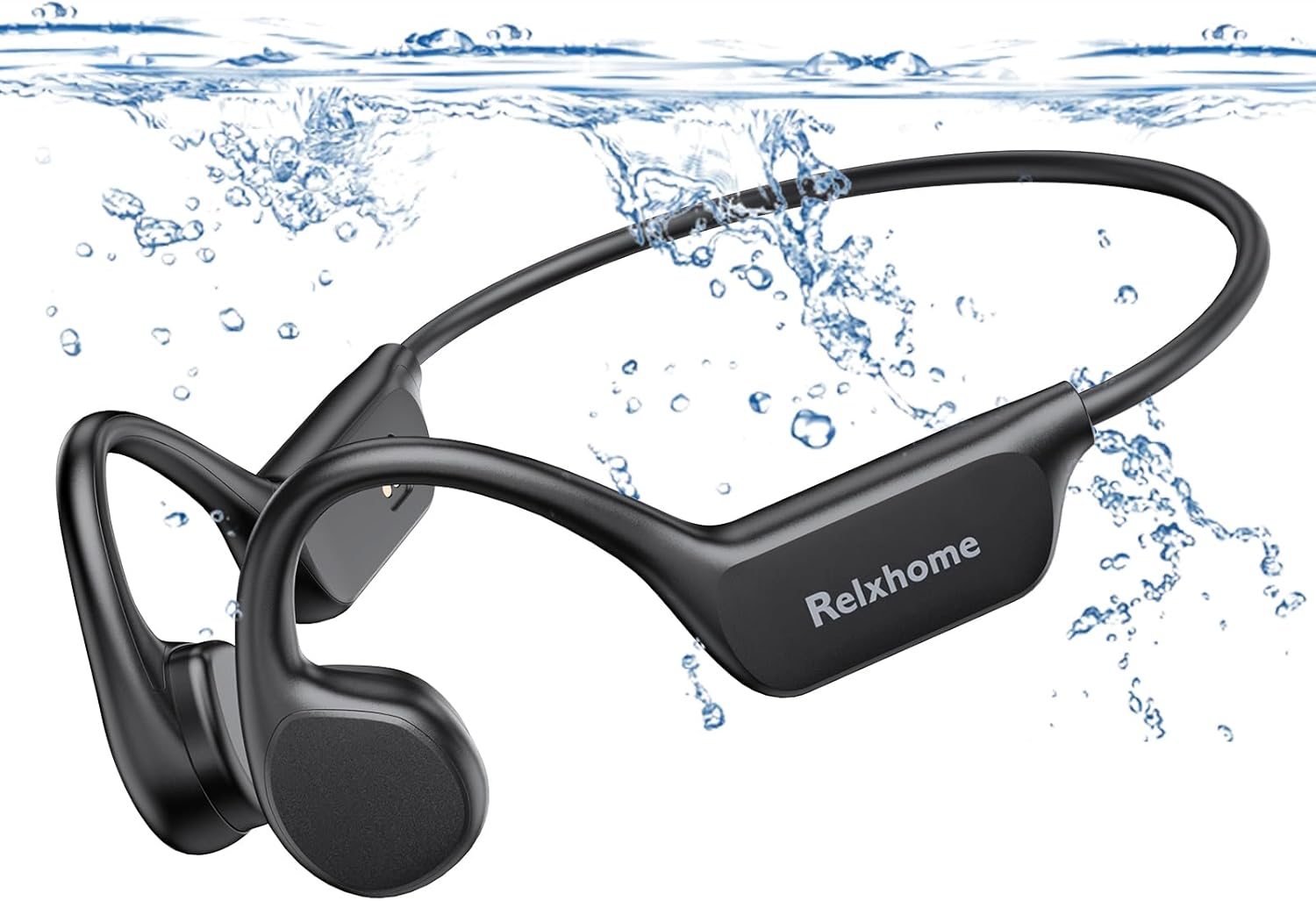
Figure 1: Relxhome RX-S800 Bone Conduction Headphones

Figure 2: Key Features - Bluetooth 5.4, MP3 Player, 32GB Memory, IPX8 Waterproof, Microphone, 200mAh Battery, Low Latency, Bone Conduction.
Setup
1. Charging the Headphones
Before first use, fully charge your headphones. Connect the charging cable (included) to the magnetic charging port on the headphones and a USB power source. A full charge takes approximately 2 hours.
The 200 mAh battery provides up to 10 hours of playtime at 80% volume.
2. Power On/Off
- To Power On: Press and hold the middle button for 3 seconds.
- To Power Off: Press and hold the middle button for 3 seconds.
3. Bluetooth Pairing
The headphones feature Bluetooth 5.4 for stable wireless connection. To pair:
- Ensure the headphones are powered off.
- Press and hold the middle button until the indicator light flashes red and blue, indicating pairing mode.
- On your device (smartphone, tablet, etc.), enable Bluetooth and search for "Relxhome RX-S800" (or similar).
- Select the headphones to connect. The indicator light will turn solid blue once connected.
Note: Bluetooth functionality is not supported underwater. For underwater use, switch to MP3 mode.
4. MP3 Mode and File Transfer
The headphones have 32GB of built-in memory, capable of storing approximately 8000 songs. This allows you to listen to music without a connected device, especially useful for swimming.
- To switch to MP3 Mode: Double-click the middle button.
- To transfer files: Connect the headphones to your computer using the charging cable. The headphones will appear as a removable drive. Drag and drop your MP3, WAV, WMA, AAC, or FLAC audio files into the headphone's storage.
Operating Instructions
1. Wearing the Headphones
Place the headphones with the transducers resting on your cheekbones, just in front of your ears. The band should wrap around the back of your head. The open-ear design ensures comfort and allows you to hear ambient sounds.

Figure 3: Open-ear design for comfort and situational awareness.
The headphone circumference is 20 cm (7.87 inches). To ensure a proper fit, measure the distance behind your head between your ears with a soft tape measure. If the gap is less than 5 cm (2 inches) from the headphone size, it should fit well.
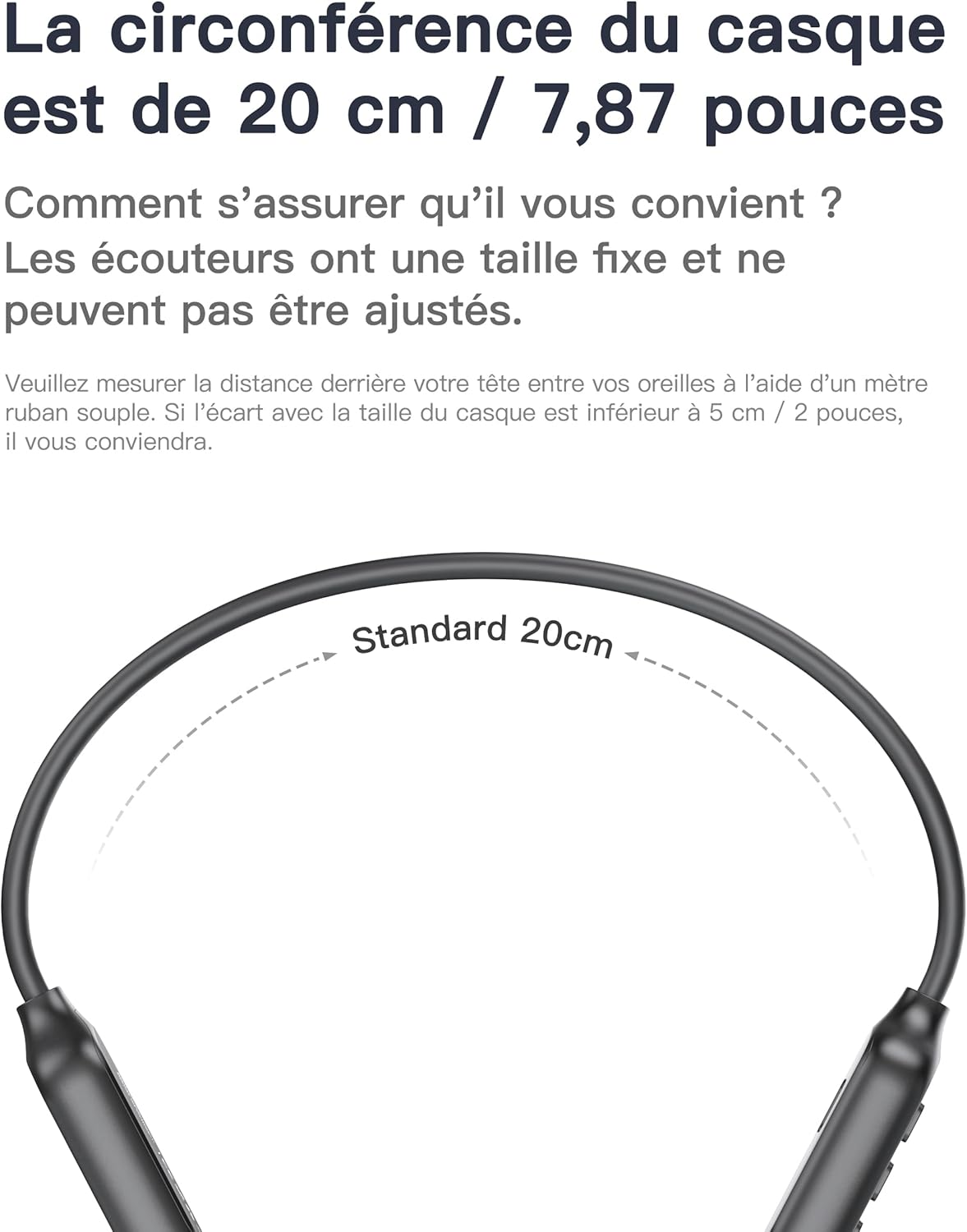
Figure 4: Headphone sizing guide.
2. Controls
The headphones feature intuitive button controls:
- Power On/Off: Press and hold the middle button for 3 seconds.
- Play/Pause: Click the middle button once.
- Volume Up (+): Click the '+' button once.
- Volume Down (-): Click the '-' button once.
- Next Song: Press and hold the '+' button for 1 second.
- Previous Song: Press and hold the '-' button for 1 second.
- Voice Assistant: Press and hold the middle button for 1 second.
- Switch to MP3 Mode: Double-click the middle button.

Figure 5: Headphone control layout.
3. Usage in Water
The headphones are IPX8 waterproof, suitable for swimming and diving up to 3 meters for 5 hours. For optimal performance underwater, use the built-in MP3 player mode as Bluetooth signals do not transmit effectively through water.

Figure 6: Headphones in use during swimming, highlighting IPX8 waterproof rating.
Important: Always switch to MP3 mode when using the headphones underwater to avoid signal interruption.
4. Safety and Awareness
The bone conduction design keeps your ears open, allowing you to hear ambient sounds like traffic or other people. This enhances safety during outdoor activities such as running or cycling.

Figure 7: Enhanced safety for outdoor sports with open-ear design.
Maintenance
- Cleaning: After use, especially after swimming, rinse the headphones with fresh water and wipe them dry with a soft cloth.
- Storage: Store the headphones in a cool, dry place away from direct sunlight and extreme temperatures.
- Charging Port: Ensure the magnetic charging port is clean and dry before charging to prevent corrosion.
Troubleshooting
- No Power: Ensure the headphones are fully charged. If not, connect to a power source and charge for 2 hours.
- Cannot Pair via Bluetooth:
- Ensure the headphones are in pairing mode (flashing red and blue light).
- Check that Bluetooth is enabled on your device and it is within 15 meters of the headphones.
- Forget the device from your phone's Bluetooth settings and try pairing again.
- No Sound Underwater: Ensure the headphones are switched to MP3 mode. Bluetooth does not work underwater.
- Poor Sound Quality:
- Adjust the position of the transducers on your cheekbones.
- If using underwater, ensure earplugs are used as recommended by some users for better sound clarity.
- Ensure the volume is set appropriately on both the headphones and your connected device.
- Headphones feel loose: The headphones have a fixed size. If they feel loose, consider using a swimming cap or headband to secure them during intense activity.
Specifications
| Model Name | RX-S800 |
| Brand | Relxhome |
| Connectivity Technology | Wireless (Bluetooth 5.4) |
| Internal Memory | 32 GB (stores approx. 8000 songs) |
| Water Resistance Level | IPX8 (submersible up to 3 meters for 5 hours) |
| Battery Life | Up to 10 hours (200 mAh battery) |
| Charging Time | 2 hours |
| Control Type | Push Button |
| Material | Acrylonitrile Butadiene Styrene (ABS) |
| Weight | 32 Grams |
| Dimensions (L x W x H) | 15.24 x 10.16 x 7.62 cm |
| Impedance | 10 Ohms |
| Headphone Jack | 35 month Klinke (Note: This appears to be a typo in the source data, likely referring to a 3.5mm jack or similar.) |
Official Product Video
Video 1: Demonstration of Relxhome Bone Conduction Headphones features, including wearing, controls, and water resistance. This video provides a visual guide to the product's functionality and durability.
Warranty and Support
For warranty information or technical support, please refer to the contact details provided with your product packaging or visit the official Relxhome website. Keep your purchase receipt for warranty claims.