
Introduction
This manual provides detailed instructions for the HITOZON Mini Wireless Lavalier Microphone S10. This compact and versatile microphone system is designed for high-quality audio recording across various platforms, including smartphones, tablets, and PCs. It features AI noise cancellation, AI voice changing, and a long-range wireless transmission, making it suitable for video recording, interviews, live streaming, and podcasts.
What's in the Box
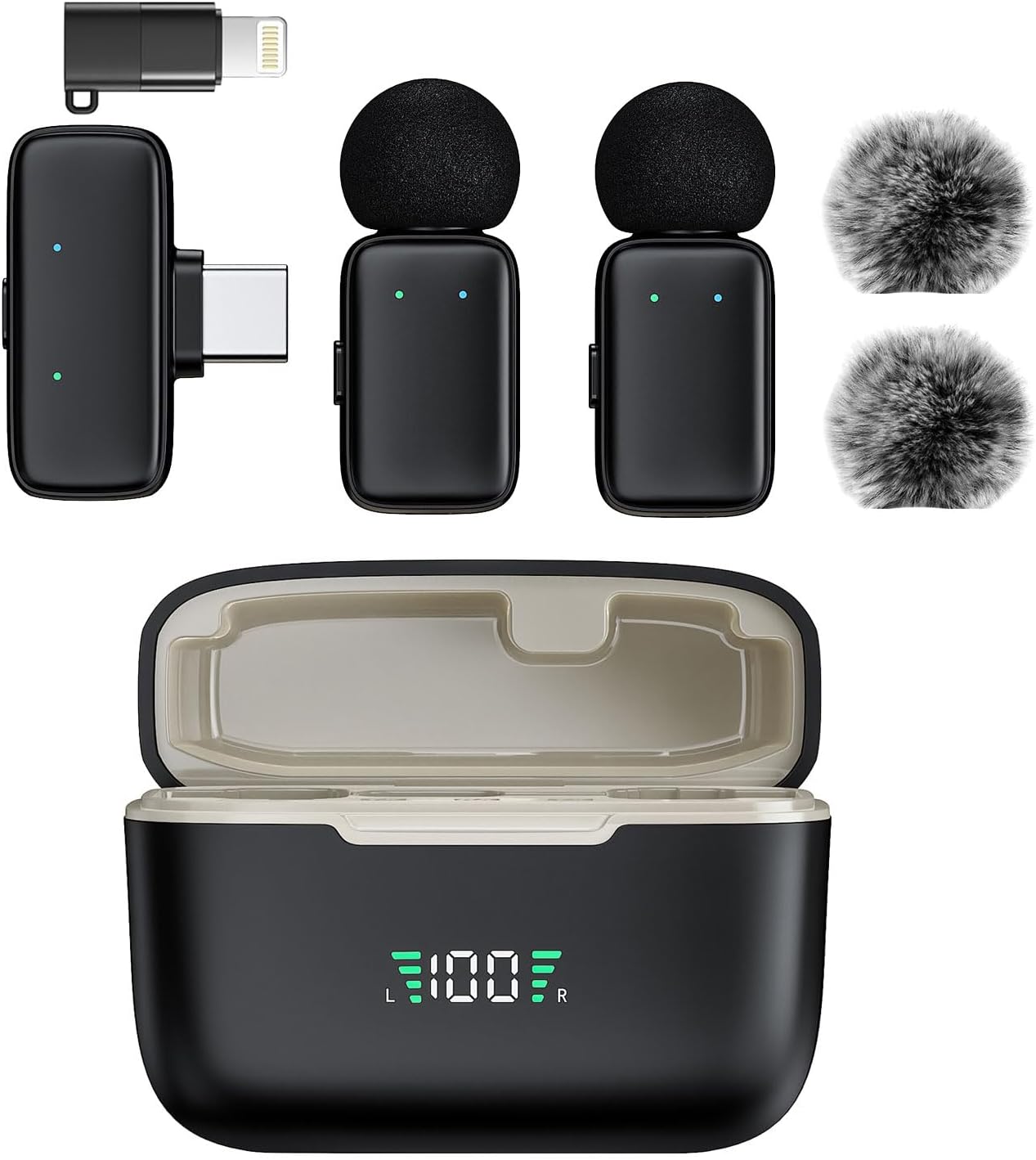
Carefully unpack your HITOZON Mini Wireless Lavalier Microphone S10 and ensure all components are present:
- Transmitter (TX) x 2
- Type-C Receiver (RX) x 1
- Charging Case x 1
- Windproof Pom-pom x 2
- USB-A to USB-C Charging Cable x 1
- Lightning Adapter x 1
- User Manual x 1
Product Overview
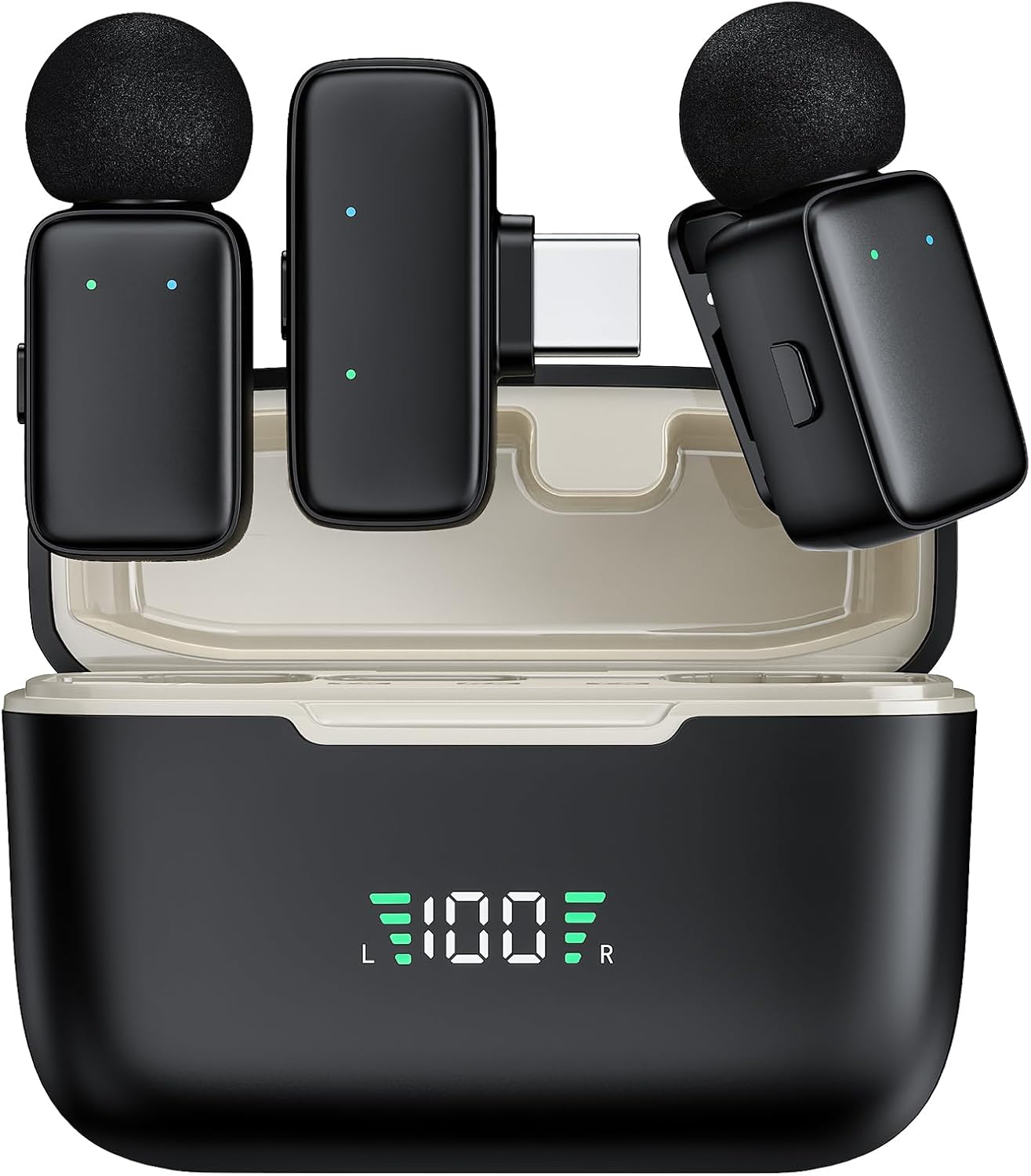
The HITOZON S10 system consists of two transmitters (microphones), one receiver, and a portable charging case.
- Transmitter (TX): The clip-on microphone unit. Features an omnidirectional mic and a status indicator light.
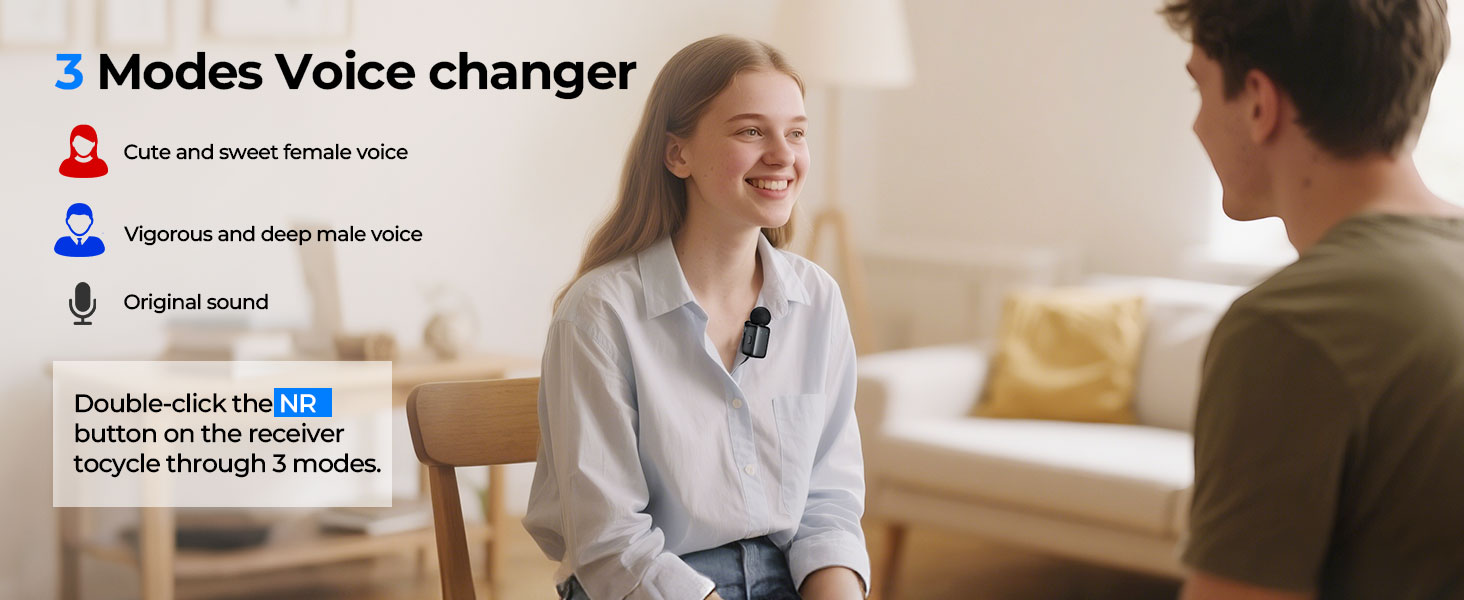
- Receiver (RX): Plugs into your recording device. Features a Type-C connector, a Lightning adapter, and a button for AI voice changing.
- Charging Case: Stores and charges both transmitters and the receiver. Includes a digital display for battery levels.
Setup Instructions
- Charge the Devices:
Before first use, fully charge the transmitters and receiver using the provided charging case and USB-A to USB-C cable. The digital display on the charging case indicates the battery level. A full charge takes approximately 1.5 hours. - Connect the Receiver (RX):
Plug the Type-C receiver directly into your recording device (smartphone, tablet, or PC). If your device uses a Lightning port, attach the Lightning adapter to the Type-C receiver before plugging it in. - Power On Transmitters (TX):
Remove the transmitters from the charging case. They will automatically power on and attempt to pair with the receiver. The indicator lights on the transmitters will show their status. - Automatic Pairing:
The transmitters and receiver are designed to pair automatically upon power-on. Once successfully paired, the indicator lights will confirm the connection. - Android Device Note:
For some Android devices, you may need to enable the OTG function in your device's system settings to ensure proper microphone recognition and functionality. Refer to your Android device's manual for specific instructions on enabling OTG.

Operating Instructions
- Wearing the Microphone:
Clip the transmitter securely onto your clothing, ideally near your mouth, for optimal sound capture. The mini size and lightweight design ensure comfortable wear. - Noise Cancellation:
The microphone features AI noise cancellation. Press the dedicated one-click button on the transmitter to cycle through noise reduction levels. This helps to intelligently eliminate environmental noise for clearer audio. - AI Voice Changing:
The receiver (RX) includes a button for AI voice modulation. Double-click this button to switch between different voice modes (e.g., female voice, male voice, original sound), adding creative options to your content. - Recording:
Once connected and paired, open your preferred recording application on your device. The HITOZON S10 will function as the audio input source. Begin recording as usual. - Transmission Range:
The system supports stable and reliable signal transmission up to 65 feet (20 meters) in open environments, allowing for flexible recording setups.



Battery Management
The HITOZON S10 offers extended battery life for prolonged recording sessions:
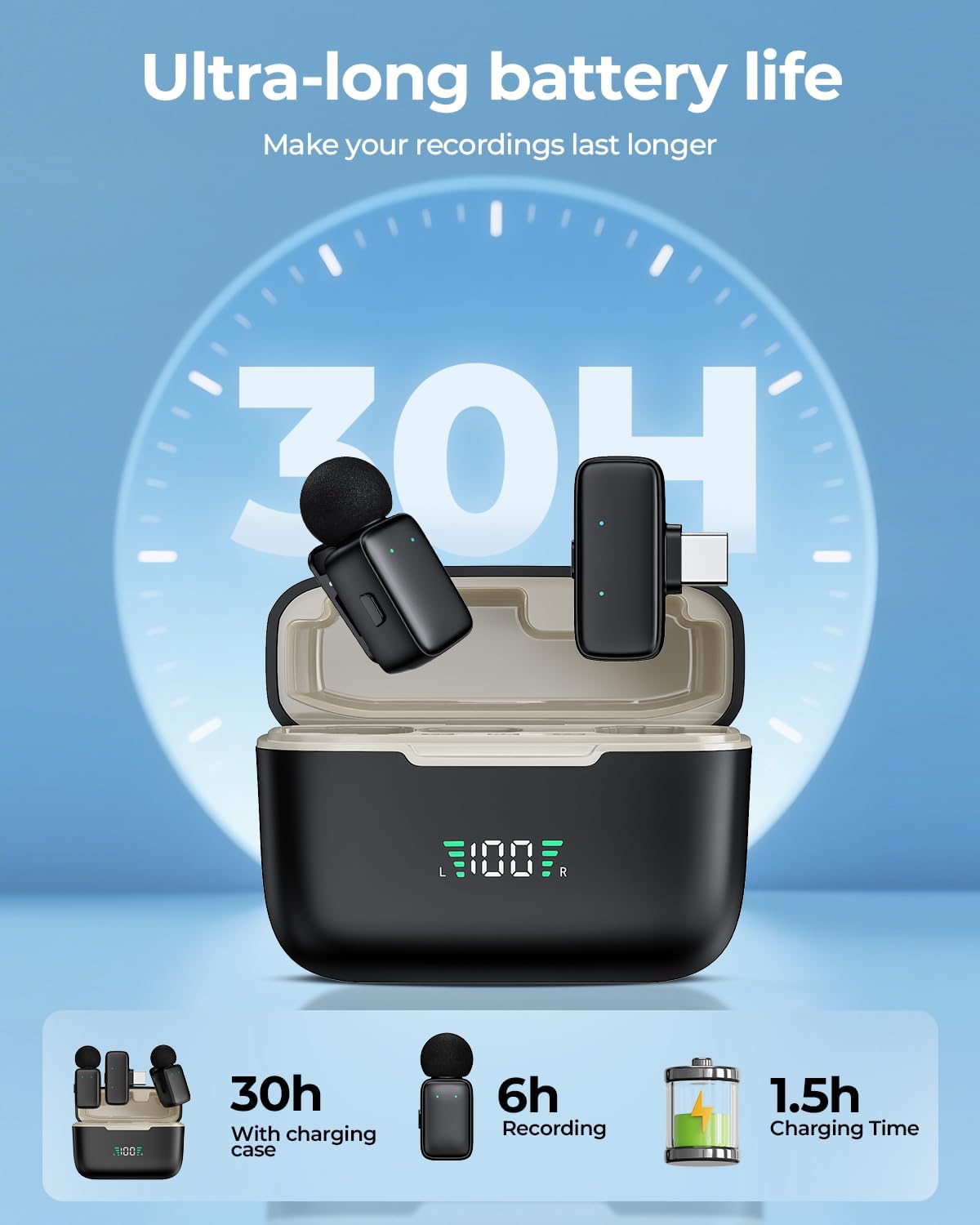
- Transmitter Battery Life: Up to 6 hours of continuous operation per transmitter on a single charge.
- Total Battery Life with Charging Case: The charging case extends the total operating time to approximately 30 hours, allowing multiple recharges of the transmitters.
- Charging Time: Approximately 1.5 hours for a full charge of the transmitters within the case.
- Battery Level Display: The digital display on the charging case provides real-time monitoring of the battery levels for both the case and the individual transmitters.
Maintenance
To ensure the longevity and optimal performance of your HITOZON Mini Wireless Lavalier Microphone S10, follow these maintenance guidelines:
- Cleaning: Use a soft, dry cloth to clean the microphones, receiver, and charging case. Avoid using liquids or abrasive cleaners.
- Storage: Always store the transmitters and receiver in the charging case when not in use. This protects them from dust, damage, and keeps them charged.
- Windproof Pom-poms: Attach the windproof pom-poms when recording outdoors or in windy conditions to minimize wind noise. Clean them gently if they become dirty.
- Avoid Extreme Conditions: Do not expose the devices to extreme temperatures, humidity, or direct sunlight.
Troubleshooting
If you encounter issues with your HITOZON S10 microphone system, refer to the following common solutions:
- Microphones Not Connecting/Pairing:
- Ensure the receiver is fully inserted into your device's port.
- Confirm both transmitters are powered on (removed from the charging case).
- For Android devices, verify that the OTG function is enabled in your phone's settings.
- Try restarting your recording device and the microphones.
- Poor Sound Quality or Excessive Background Noise:
- Check the noise cancellation setting on the transmitter; adjust it to a higher level if needed.
- Ensure the microphone is clipped correctly and close enough to the sound source.
- Attach the windproof pom-poms if recording in windy environments.
- Ensure you are within the recommended 65ft (20m) transmission range and there are no major obstructions.
- Short Battery Life:
- Ensure the transmitters and charging case are fully charged before use.
- Check the charging contacts on the transmitters and inside the case for any debris.
- Avoid leaving the devices in extreme temperatures, which can affect battery performance.
- No Sound Output from Recording Device:
- Verify that the HITOZON S10 is selected as the audio input source in your recording application or device settings.
- Ensure the receiver is firmly connected to your device.
Specifications
| Feature | Specification |
|---|---|
| Model Name | Mini-S10 |
| Brand | HITOZON |
| Connectivity Technology | Wireless (2.4 GHz) |
| Connector Type | USB Type-C (with Lightning Adapter) |
| Compatible Devices | PC, Smartphone, Tablet (iOS, Android) |
| Microphone Form Factor | Lavalier (Clip-on) |
| Polar Pattern | Omnidirectional |
| Special Features | AI Noise Reduction, AI Voice Changing, 1-Touch Recording, Battery Indicator Light |
| Transmission Range | Up to 65 ft (20 m) |
| Transmitter Battery Life | Up to 6 hours |
| Total Battery Life (with case) | Up to 30 hours |
| Charging Time | Approx. 1.5 hours |
| Audio Sensitivity | 70 Decibels |
| Signal-to-Noise Ratio | 70 dB |
| Item Weight | 1.76 ounces (50 Grams) |
| Product Dimensions | 1.97 x 0.79 x 2.64 inches |
| Material | Plastic |
Customer Support
For further assistance, technical support, or warranty inquiries, please contact HITOZON customer service through the retailer where you purchased the product or visit the official HITOZON website for support information.