1. Safety Information
Please read all instructions carefully before operating the appliance and retain this manual for future reference. Failure to follow these instructions may result in electric shock, fire, or personal injury.
- Ensure the power supply matches the voltage specified on the rating label.
- Do not operate the unit with a damaged cord or plug.
- Keep the unit away from water and direct sunlight.
- Do not block the air inlets or outlets. Maintain at least 20 cm clearance around the unit.
- Always unplug the unit before cleaning or performing any maintenance.
- This appliance is not intended for use by persons (including children) with reduced physical, sensory or mental capabilities, or lack of experience and knowledge, unless they have been given supervision or instruction concerning use of the appliance by a person responsible for their safety.
2. Product Overview
The EUHOMY 12,000 BTU Portable Air Conditioner is a versatile 4-in-1 unit designed to provide efficient cooling, dehumidification, and air circulation for spaces up to 550 square feet. It features a powerful compressor, multiple operating modes, and convenient control options.
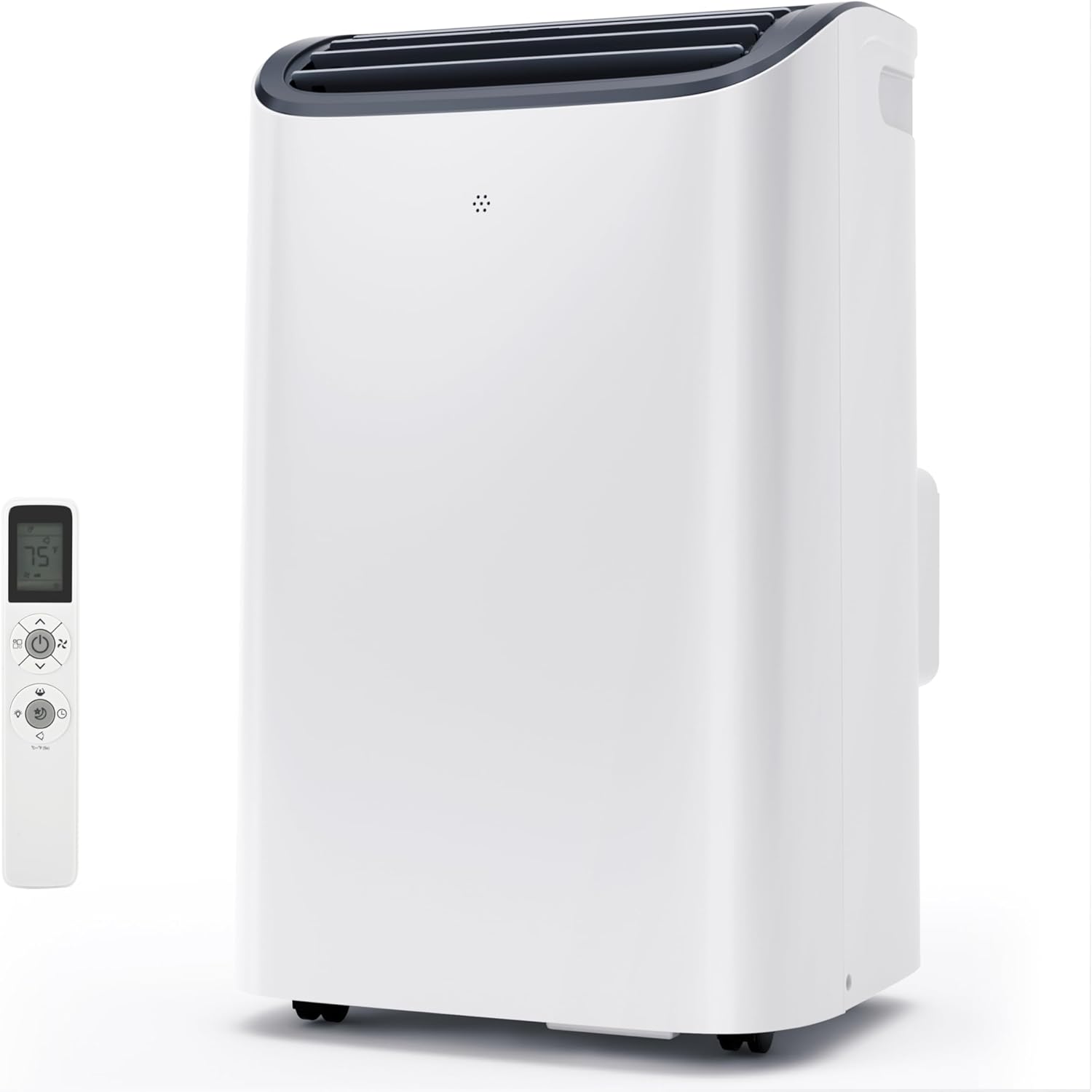
Figure 2.1: EUHOMY Portable Air Conditioner Unit and Remote Control
This unit offers an impressive 400m³/h maximum airflow, ensuring rapid and effective cooling. Its compact design and integrated features make it suitable for various living spaces, including bedrooms, apartments, offices, and small living areas.

Figure 2.2: Efficient Cooling Capabilities
3. Components and Parts
The following components are included with your EUHOMY Portable Air Conditioner:
- 1 x Portable Air Conditioner Unit
- 1 x Exhaust Hose
- 1 x Window Slider Adaptor
- 1 x Unit Adaptor
- 2 x Window Sliders
- 2 x Foam Seals
- 1 x Drain Hose
- 2 x Set of Screws
- 1 x Remote Control

Figure 3.1: Product Accessories
4. Setup and Installation
Follow these steps to properly set up your portable air conditioner:
- Connect the Exhaust Hose: Connect one end of the exhaust hose to the unit adaptor.
- Connect to Window Kit: Connect the other end of the exhaust hose to the window slider adaptor.
- Attach to Unit: Attach the hose connector to the exhaust air outlet unit on the back of the air conditioner.
- Install Window Kit: Extend the adjustable window kit to the length of your window opening. Secure the kit in place using the provided screws. Note: If your window size is between 20.5 to 30 inches, you may need to cut and adjust the installation kit for a secure fit.
- Connect Hose to Window: Connect the hose to the exhaust port on the window kit. Ensure all connections are secure to prevent air leakage.
- Position the Unit: Place the unit on a flat, stable surface, ensuring there is adequate clearance around it for proper airflow.
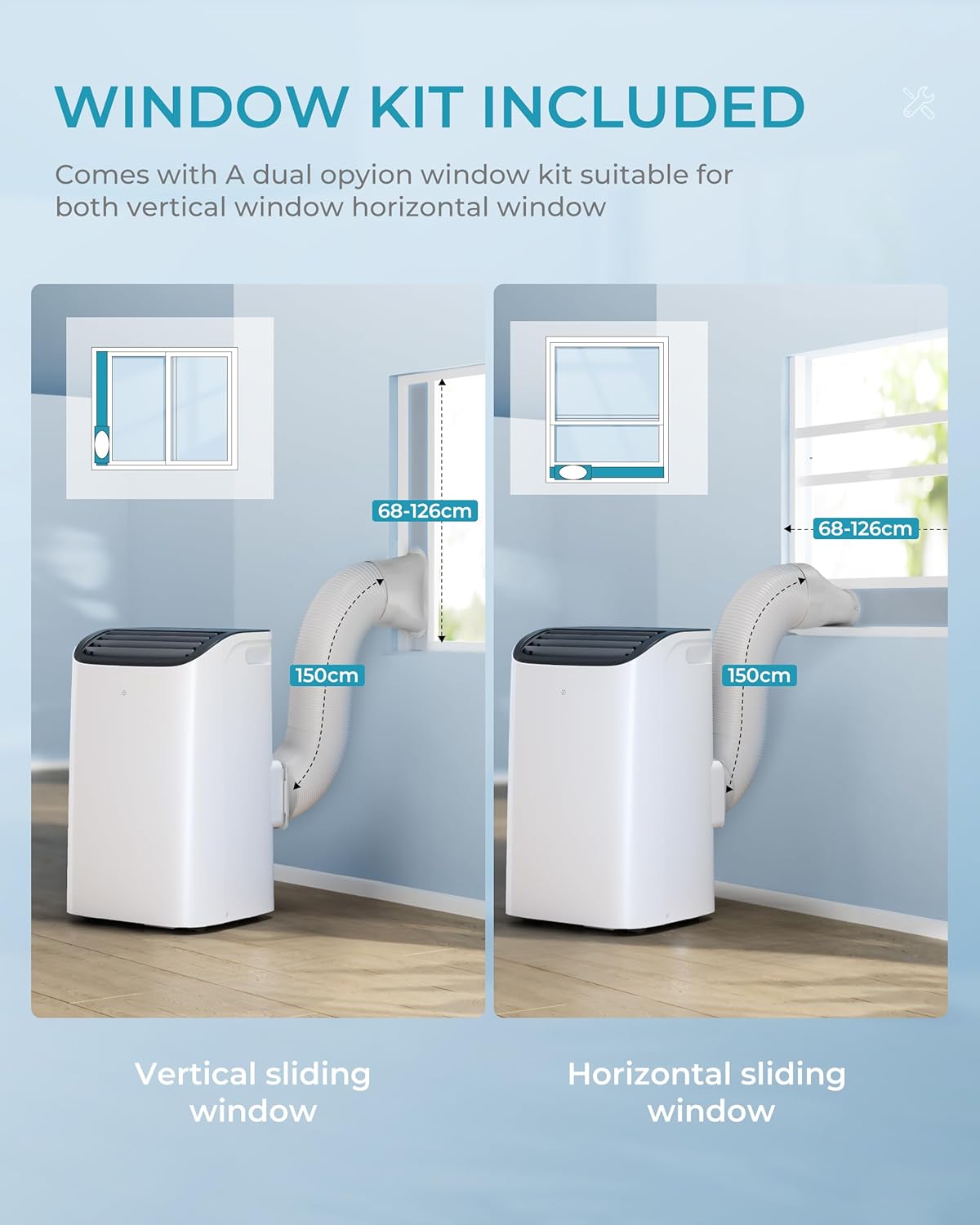
Figure 4.1: Window Kit Installation

Figure 4.2: Installation Steps Overview
5. Operating Instructions
Your portable air conditioner can be controlled via the intuitive LED display on the unit or the multi-function remote control.
Control Panel and Remote Control

Figure 5.1: Control Panel and Remote Control
The remote control allows you to adjust settings from up to 23 feet (7 meters) away. The control panel features touch buttons for various functions and an LED display for temperature and mode indicators.
Power On/Off
Press the Power button (U) on the control panel or remote to turn the unit on or off.
Temperature Adjustment
In Cool mode, use the '+' or '-' buttons to set your desired temperature. The temperature range is typically 61°F to 88°F.
Fan Speed Adjustment
Press the Fan Speed button to cycle through Low, Medium, and High fan speeds in Cool and Fan modes.
Auto-Swing Function
Press the Auto Swing button (fan icon with arrows) to activate the automatic oscillation of the air outlet, distributing air more widely. The adjustable blowing angle is 33-90 degrees.
Turbo Mode
Activate Turbo Mode for maximum cooling power and airflow. This mode is ideal for quickly cooling down a room.
Video 5.1: Demonstration of EUHOMY Portable Air Conditioner Features and Operation
6. Modes and Functions
The EUHOMY Portable Air Conditioner offers four primary operating modes:
- Cool Mode: Provides powerful cooling to lower room temperature. Adjustable temperature range from 61°F to 88°F.
- Fan Mode: Circulates air without cooling. Fan speed can be set to Low, Medium, or High.
- Dry Mode (Dehumidifier): Removes excess moisture from the air. The unit can remove up to 76 pints of moisture per day. Connect the drain pipe for continuous drainage in this mode.
- Sleep Mode: Designed for quiet operation (as low as 46 dB) and energy efficiency during sleep. The panel display will dim automatically.

Figure 6.1: Available Operating Modes

Figure 6.2: Sleep Mode Features
Timer Function
Use the Timer function to set the unit to automatically turn on or off after a specified period (up to 24 hours). This feature helps conserve energy and provides convenience.
7. Maintenance and Care
Regular maintenance ensures optimal performance and extends the lifespan of your air conditioner.
Filter Cleaning
The air filter should be cleaned regularly, typically every two weeks, or more often depending on usage and air quality. The filter features a quick-release design for easy removal.
- Unplug the air conditioner from the power outlet.
- Remove the air filter from the back of the unit.
- Rinse the filter under running water to remove dust and debris. For heavy dirt, use a mild detergent.
- Allow the filter to air dry completely before reinstalling it. Do not expose to direct sunlight.

Figure 7.1: Washable Filter and Other Features
Drainage
This portable air conditioner is equipped with an automatic drain function, which evaporates most condensed water. However, in high humidity conditions or when operating in Dry mode, manual drainage may be required.

Figure 7.2: Drainage-free Cooling System
- Continuous Drainage: For continuous drainage, especially in Dry mode, connect the provided drain hose to the drain port at the back of the unit. Route the hose to a floor drain or a suitable container (e.g., a bucket).
- Manual Drainage: If the internal water tank becomes full, the unit will stop operating and display an error code. Unplug the unit, place a shallow pan or bucket under the drain port, and remove the drain plug to empty the water. Reinsert the plug firmly after draining.
8. Troubleshooting
Before contacting customer support, please refer to the following troubleshooting guide for common issues:
| Problem | Possible Cause | Solution |
|---|---|---|
| Unit does not turn on | No power; Power cord not plugged in; Circuit breaker tripped. | Check power outlet; Ensure cord is securely plugged in; Reset circuit breaker. |
| Unit not cooling effectively | Air filter dirty; Room too large; Window kit not properly sealed; Air intake/exhaust blocked; Door/window open. | Clean air filter; Ensure unit is suitable for room size; Check window kit seal; Clear blockages; Close doors/windows. |
| Water leakage | Drain plug loose; Drain hose not connected or blocked; Unit not level; High humidity. | Ensure drain plug is secure; Check drain hose for blockages and proper connection; Place unit on a level surface; Use continuous drainage in high humidity. |
| Noisy operation | Unit not level; Fan speed too high; Obstruction in fan. | Place unit on a level surface; Reduce fan speed; Check for and remove any obstructions. |
If the problem persists after attempting these solutions, please contact customer support.
9. Specifications
| Specification | Value |
|---|---|
| Model Number | PAC004-12KWG-USZX |
| Cooling Capacity | 12,000 BTU |
| Applicable Area | Up to 550 Sq.Ft |
| Max Airflow | 400 m³/h |
| Product Dimensions (D x W x H) | 14.05 x 16.5 x 27.09 inches |
| Item Weight | 56.8 pounds |
| Voltage | 115 Volts |
| Noise Level | 46 dB (Sleep Mode) |
| Dehumidification Capacity | 76 Pints/Day |
10. Warranty and Support
This EUHOMY Portable Air Conditioner comes with a 1-Year Manufacturer Warranty from the date of purchase. This warranty covers defects in materials and workmanship under normal use.
The warranty does not cover damage resulting from accident, misuse, abuse, alteration, improper installation, or failure to follow the instructions in this manual.
For warranty claims, technical support, or any questions regarding your product, please contact EUHOMY customer service. Please have your model number and purchase information ready when contacting support.


