
1. Introduction
This manual provides essential information for the safe and efficient use of your OPPO Reno14 F 5G smartphone. Please read it thoroughly before using your device.
1.1 Product Overview
The OPPO Reno14 F 5G is an advanced Android smartphone featuring a 6.57-inch 120Hz AMOLED display, a versatile AI triple camera system (50+8+2 MP), a 32MP AI selfie camera, and a long-lasting 6000mAh battery with 45W SUPERVOOC fast charging. It is powered by a 5G-capable Snapdragon processor, offering 8GB RAM and 256GB internal storage. The device boasts an IP69 rating for enhanced water and dust resistance and runs on ColorOS 15.

Figure 1.1: OPPO Reno14 F 5G smartphone and 45W SUPERVOOC charger.
1.2 What's in the Box
- OPPO Reno14 F 5G Smartphone
- USB Cable
- SIM Ejection Tool
- 45W SUPERVOOC Charger
2. Setup
2.1 SIM Card and Storage Card Installation
Locate the SIM card tray on the side of your device. Insert the SIM ejection tool into the small hole next to the tray and press gently until the tray ejects. Place your Nano-SIM card(s) and/or microSD card (if applicable) into the designated slots on the tray. Ensure the cards are correctly oriented. Carefully reinsert the tray into the phone.
2.2 Powering On/Off
- To Power On: Press and hold the Power button (located on the right side) until the OPPO logo appears.
- To Power Off: Press and hold the Power button, then select 'Power off' from the options on the screen.
- To Restart: Press and hold the Power button, then select 'Restart' from the options.
2.3 Initial Setup
Upon first power-on, follow the on-screen instructions to set up your device. This includes selecting your language, connecting to a Wi-Fi network, signing in with your Google account, and setting up security features like fingerprint or facial recognition.
2.4 Charging the Device
Connect the USB cable to the 45W SUPERVOOC charger and then to the USB-C port on your phone. Plug the charger into a power outlet. The device supports fast charging, allowing for quick replenishment of the 6000mAh battery.

Figure 2.1: SUPERVOOC 45W Flash Charge capabilities.
3. Operating the Device
3.1 Display Features
The OPPO Reno14 F 5G features a 6.57-inch AMOLED display with a 120Hz refresh rate, providing smooth visuals and responsive touch. The FHD+ resolution ensures clear and vibrant images with 1.07 billion colors. The adaptive refresh rate optimizes power consumption while maintaining fluidity.

Figure 3.1: Key features of the 120Hz Smart Adaptive AMOLED Display.
3.2 Camera System
The device is equipped with a versatile AI camera system:
- Main Camera: 50MP with Sony IMX882 sensor.
- Ultra-Wide Camera: 8MP with f/2.2 aperture and 112° field of view.
- Macro Camera: 2MP with f/2.4 aperture.
- Front Camera: 32MP with Autofocus (AF).
AI features enhance photography, including AI Flash Photography for improved low-light shots, AI Editor 2.0 for professional photo editing, and AI portrait optimization. The device also supports underwater photography.

Figure 3.2: AI Portrait Expert camera system details.

Figure 3.3: AI-enhanced features for photography and gaming.
3.3 Performance and Gaming
The OPPO Reno14 F 5G is powered by a Snapdragon 6 Gen 1 processor, offering a 35% increase in CPU performance and a 30% increase in GPU performance compared to previous generations. With 8GB of RAM and 256GB of ROM, the device ensures smooth multitasking and responsive gaming experiences. AI Gaming features further optimize performance for demanding applications.

Figure 3.4: Performance enhancements with Snapdragon 6 Gen 1 processor.
3.4 Software Features (ColorOS 15)
The device runs on ColorOS 15, offering a range of intelligent and fluid features:
- Digital Unlock: Secure and convenient access to your device.
- Universal IR Remote: Control compatible home appliances.
- NFC: For contactless payments and quick pairing.
- Document Scanning: Built-in tools for scanning documents.
- AI Identity Selfies: Enhanced selfie features for identification purposes.

Figure 3.5: Overview of ColorOS 15 intelligent features.
4. Maintenance
4.1 Water and Dust Resistance
The OPPO Reno14 F 5G has an IP69 rating, indicating high resistance to dust and water ingress. This means the device is protected against close-range high-pressure, high-temperature spray downs. While robust, it is not entirely waterproof. Avoid intentional submersion or exposure to extreme conditions.

Figure 4.1: Features including IP69 resistance and AI cooling.
4.2 General Care and Cleaning
- Use a soft, lint-free cloth to clean the screen and body of the phone.
- Avoid using harsh chemicals or abrasive materials.
- Keep the device away from extreme temperatures and direct sunlight.
4.3 Software Updates
Regularly check for and install software updates to ensure optimal performance, security, and access to new features. Updates are typically delivered over-the-air (OTA) and can be found in the device's settings menu.
5. Troubleshooting
If you encounter issues with your device, try the following basic troubleshooting steps:
- Device not responding: Press and hold the Power button for about 10 seconds to force a restart.
- Battery draining quickly: Check background app usage, reduce screen brightness, or enable power-saving modes.
- Network connectivity issues: Toggle Airplane Mode on and off, restart the device, or check your SIM card installation.
- App crashing: Clear the app's cache and data in settings, or reinstall the app.
- Slow performance: Close unused apps, clear storage space, or restart the device.
For more advanced troubleshooting or persistent issues, refer to the official OPPO support resources.
6. Specifications
| Feature | Specification |
|---|---|
| Brand | OPPO |
| Model Name | Reno14 F |
| Model Number | CPH2743 |
| Operating System | Android (ColorOS 15) |
| Processor | Snapdragon 6 Gen 1 (3.45 GHz) |
| RAM | 8 GB |
| Internal Storage | 256 GB |
| Display | 6.57" AMOLED, 120Hz Refresh Rate |
| Display Resolution | 2340 x 1080 (FHD+) |
| Main Camera | 50 MP |
| Front Camera | 32 MP |
| Battery Capacity | 6000 mAh |
| Charging | 45W SUPERVOOC Flash Charge |
| Connectivity | 5G |
| Water & Dust Resistance | IP69 |
| Dimensions (approx.) | 7.74 mm thickness |
| Weight (approx.) | 180 g |
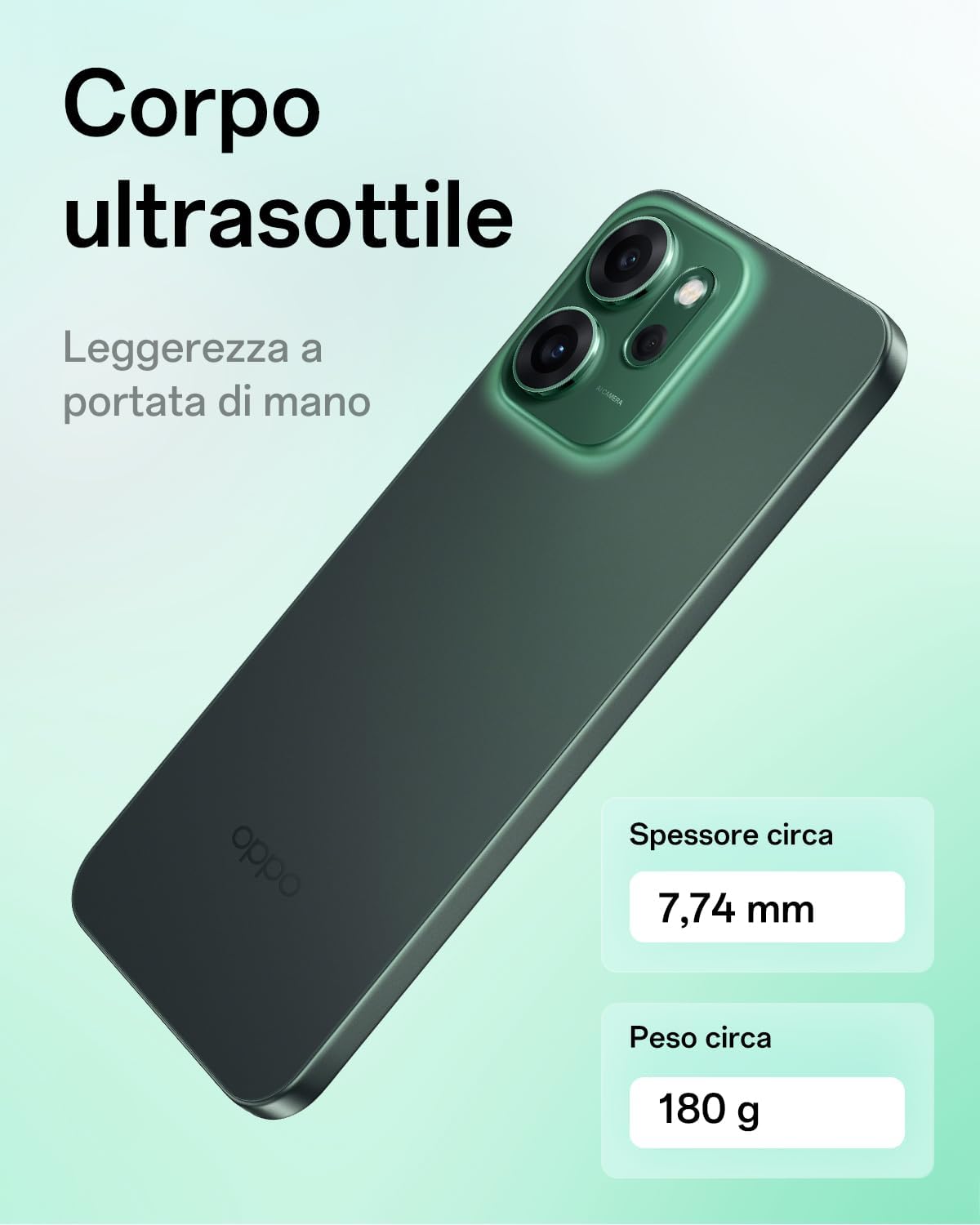
Figure 6.1: Ultra-thin body design of the OPPO Reno14 F 5G.
6.1 Energy Information
For detailed energy efficiency and product information, please refer to the EPREL database:
7. Warranty and Support
Your OPPO Reno14 F 5G smartphone comes with a standard manufacturer's warranty. Please refer to the warranty card included in your product packaging for specific terms and conditions.
7.1 Customer Support
For technical assistance, service, or further inquiries, please visit the official OPPO support website:


