Introduction
This instruction manual provides detailed guidance for assembling, operating, maintaining, and troubleshooting your LEGO Star Wars Death Star Ultimate Collector Series (UCS) building set, model number 75419. Designed for adult builders aged 18 and up, this set offers an intricate and rewarding construction experience, culminating in a highly detailed display model of the iconic Death Star from Star Wars: A New Hope.
The set contains 9,023 pieces and features numerous authentic details and interactive elements. For an enhanced building experience, utilize the LEGO Builder app, which provides digital tools for saving sets, tracking progress, and viewing 3D instructions.
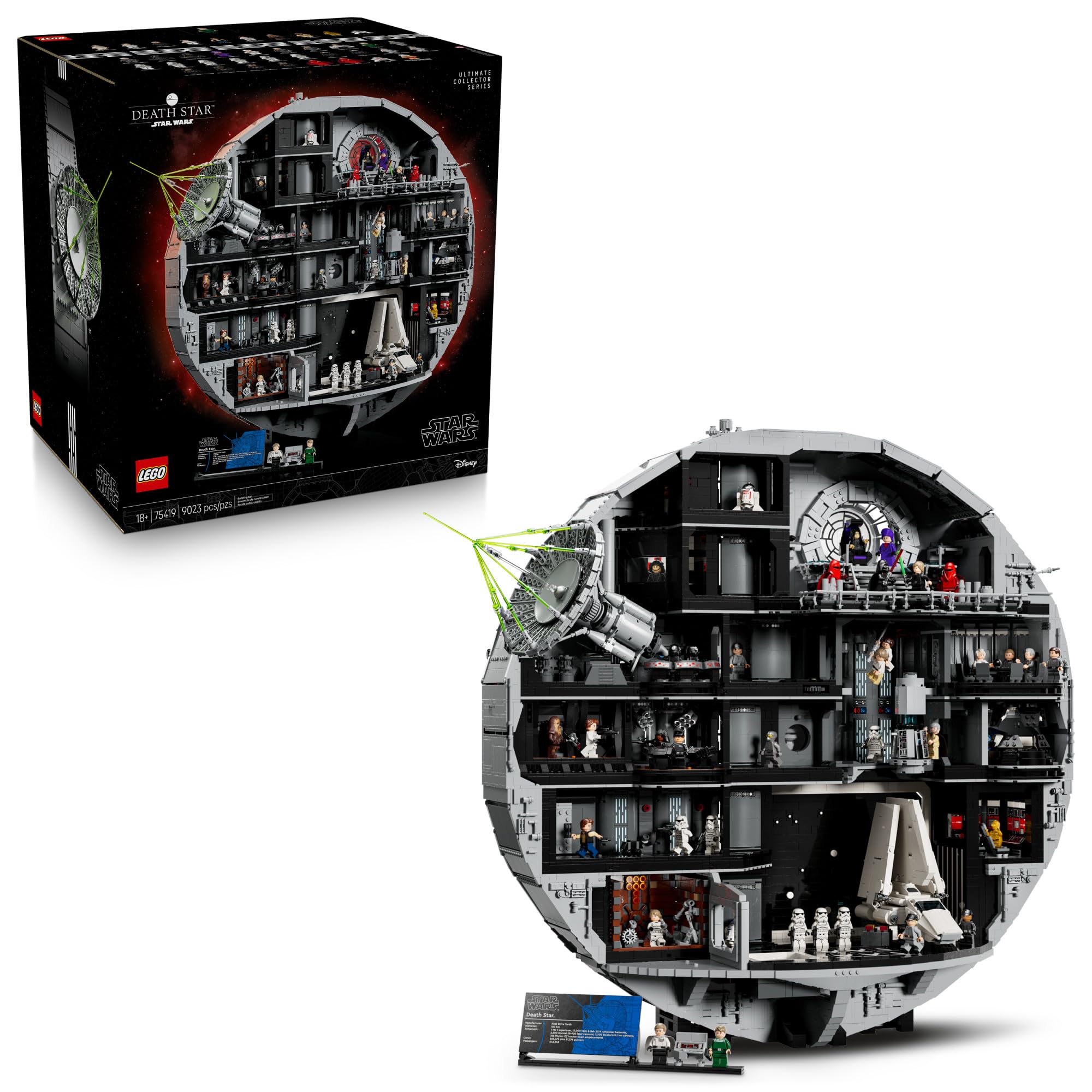
Image: The completed LEGO Star Wars Death Star set, highlighting its scale and detailed interior.

Image: A builder engaging with the finished Death Star model, illustrating the immersive experience.
Setup: Assembly Instructions
The assembly of the LEGO Star Wars Death Star (75419) is divided into multiple stages, corresponding to numbered bags and instruction manuals. Follow these steps carefully to ensure correct construction:
- Unpacking: Carefully open the packaging. The set includes several inner boxes, each containing sequentially numbered bags of LEGO elements and corresponding instruction manuals.
- Follow Numbered Steps: Begin with bag number 1 and the first instruction manual. Complete all steps for one numbered bag before opening the next. This systematic approach helps manage the large number of pieces and prevents confusion.
- Digital Instructions: For an interactive guide, download the LEGO Builder app. This app provides 3D building instructions, allowing you to zoom, rotate, and track your progress.
- Part Identification: Refer to the part diagrams in the instruction manuals to correctly identify each element. Pay close attention to color and size.
- Secure Connections: Ensure all LEGO bricks are firmly pressed together to create stable connections. Loose connections can lead to structural instability in the finished model.
- Dedicated Workspace: Set up a clean, well-lit, and spacious workspace to accommodate the numerous pieces and the growing size of the model.

Image: A builder constructing a section of the Death Star, demonstrating the assembly process.

Image: Detailed views of key scenes and authentic elements within the Death Star model.
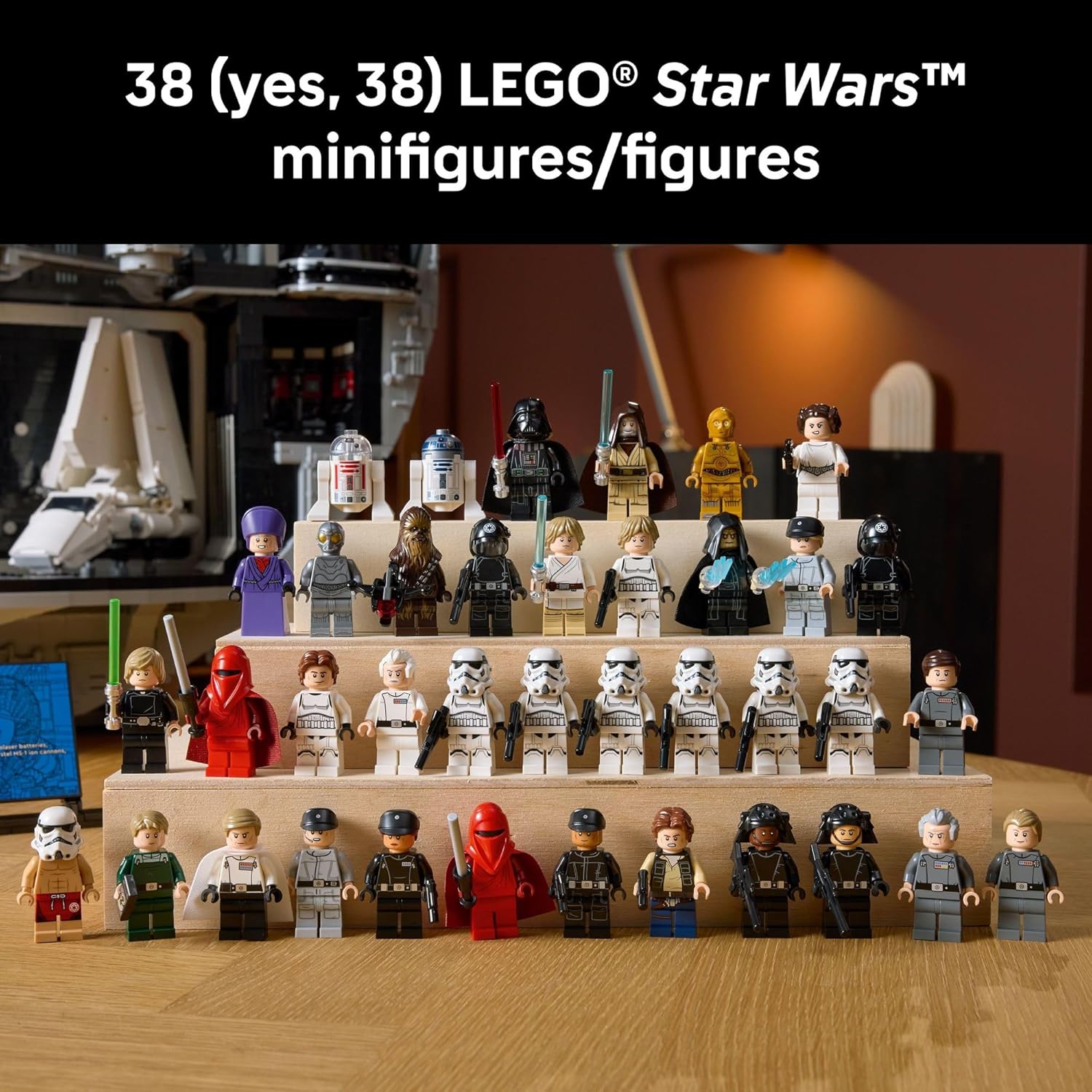
Image: The extensive collection of 38 minifigures and droid figures included with the set.
Operating: Features and Interaction
Once assembled, the LEGO Star Wars Death Star (75419) is not only a display piece but also features several interactive elements that allow you to recreate iconic scenes from Star Wars: A New Hope.
- Crushing Trash Compactor: Engage the mechanism to simulate the iconic trash compactor scene where the Rebel heroes were trapped.
- Princess Leia's Holding Cell: Explore the detailed cell where Princess Leia was held captive.
- Hangar Control Room: Recreate the infiltration scene with Luke Skywalker and Han Solo disguised as Stormtroopers.
- Tractor Beam Control Unit: Position Obi-Wan Kenobi to deactivate the tractor beam.
- Emperor Palpatine's Throne Room: Stage dramatic duels between Darth Vader and Luke Skywalker.
- Hangar Bay with Imperial Shuttle: Display the included Imperial Shuttle within the hangar bay.
- Death Star Superlaser: Observe the intricate detailing of the Superlaser, the station's primary weapon.
- Minifigure Placement: Utilize the 38 included minifigures and droid figures to populate the various scenes and bring the Death Star to life.

Image: The detailed crushing trash compactor scene with minifigures.

Image: The Death Star model displayed as a collectible, showcasing its compact foundation.
Video: An overview of the LEGO Star Wars Death Star set, highlighting its features and scale.
Video: A detailed exploration of the LEGO Death Star's various sections and interactive elements.
Maintenance
Proper care will preserve the appearance and integrity of your LEGO Star Wars Death Star model.
- Cleaning: Dust the model regularly with a soft, dry brush or a can of compressed air. For deeper cleaning, gently wipe surfaces with a damp cloth and mild soap solution, then rinse with clean water and air dry. Avoid harsh chemicals or abrasive materials.
- Storage and Display: Display the model in a stable location away from direct sunlight, extreme temperatures, and high humidity. Prolonged exposure to sunlight can cause color fading, and extreme temperatures can affect the plastic's integrity.
- Handling: When moving the model, support it from the base to prevent stress on individual sections. Avoid dropping or applying excessive force to the model.
Troubleshooting
Should you encounter any issues during assembly or with the completed model, consider the following:
- Missing Pieces: If you discover a missing piece, first double-check all packaging and your workspace. If a piece is genuinely missing, contact LEGO Customer Service directly through their official website for replacement parts.
- Building Errors: If a section of the model does not appear correct or stable, carefully re-examine the corresponding steps in the instruction manual. The LEGO Builder app can also help identify incorrect placements through its 3D views. Disassemble only the affected section and rebuild it.
- Structural Instability: Ensure all bricks are fully connected and pressed together. Sometimes, a slight gap can compromise the stability of a larger section. Review the connections in the unstable area.
- Damaged Parts: If any parts are damaged upon arrival, contact LEGO Customer Service for replacements.
Specifications
| Feature | Detail |
|---|---|
| Product Name | LEGO Star Wars Death Star Building Set |
| Model Number | 75419 |
| Brand | LEGO |
| Piece Count | 9,023 |
| Recommended Age | 18 years and up |
| Product Dimensions (H x W x D) | Over 27.5 in. (70 cm) high, 31 in. (79 cm) wide, 10.5 in. (27 cm) deep |
| Item Weight | 31.7 pounds (approximately 14.38 kg) |
| ASIN | B0FMS7Y4NN |
Note: All dimensions and weights are approximate and may vary slightly.
Warranty
LEGO products are manufactured to high-quality standards. In the unlikely event that you find a faulty or missing part, LEGO provides a service to replace these components. This typically covers manufacturing defects and missing elements from new, sealed sets.
For specific warranty details and to request replacement parts, please visit the official LEGO Customer Service website. Keep your proof of purchase and the set's model number (75419) handy when contacting support.
Support
For further assistance, including inquiries about building instructions, missing parts, or product information, please contact LEGO Customer Service:
- Official LEGO Website: Visit www.lego.com/service for comprehensive support resources, FAQs, and contact options.
- Missing Bricks Service: If you need to order replacement parts, use the 'Bricks & Pieces' section on the LEGO website.
- Contact Information: Specific phone numbers and email contact forms are available on the LEGO service website for your region.
Please have the set number (75419) and the specific part numbers (if known) ready when contacting support to expedite the process.