
1. Safety Information
Read all safety warnings and instructions carefully before using this appliance. Keep this manual for future reference.
- Ensure the appliance is properly grounded.
- Do not damage the refrigerant circuit.
- Do not use electrical appliances inside the freezer compartments unless they are of the type recommended by the manufacturer.
- This appliance is not intended for use by persons (including children) with reduced physical, sensory or mental capabilities, or lack of experience and knowledge, unless they have been given supervision or instruction concerning use of the appliance by a person responsible for their safety.
- Children should be supervised to ensure that they do not play with the appliance.
- Disconnect the appliance from the power supply before cleaning or maintenance.
- If the supply cord is damaged, it must be replaced by the manufacturer, its service agent or similarly qualified persons in order to avoid a hazard.
2. Product Overview
The Wonder WCH1501EDC is a 142-liter horizontal chest freezer designed for efficient food storage. It features cyclic technology and a dual cooling system for optimal performance.
2.1 Main Components
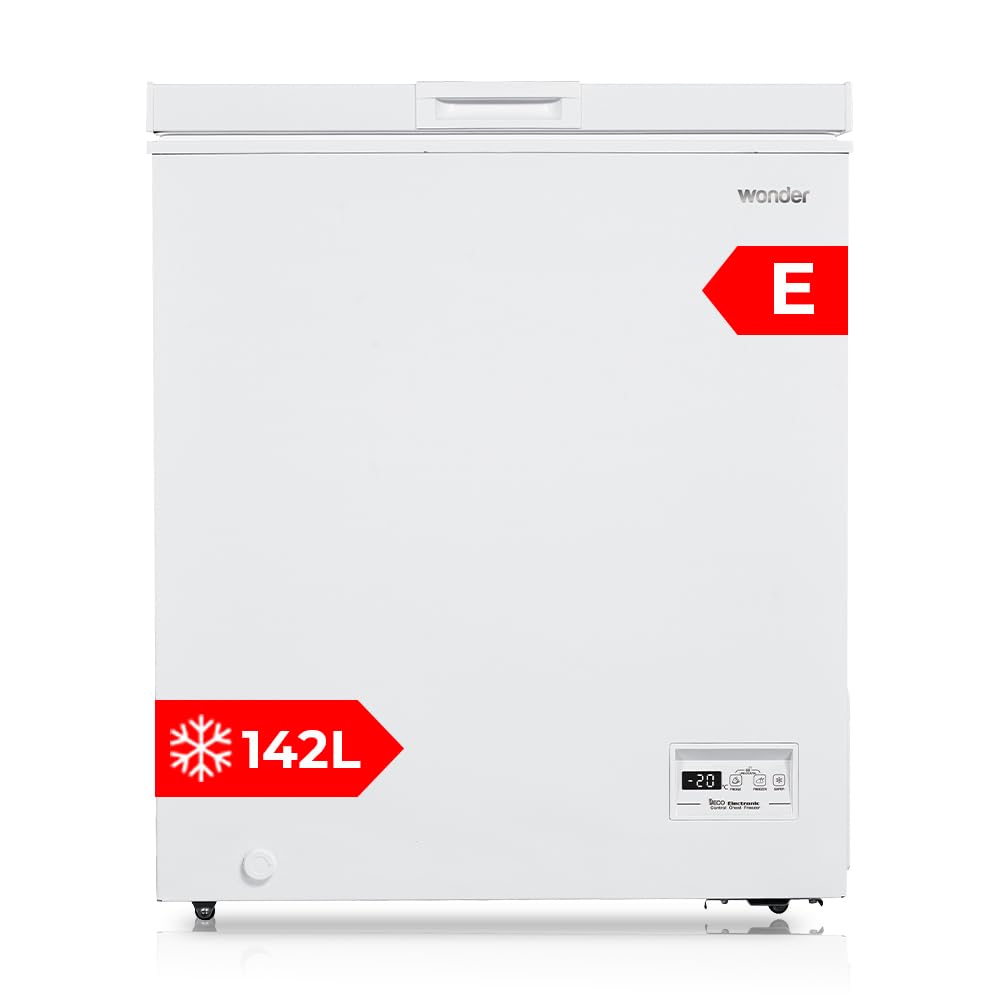
Figure 2.1: Front view of the Wonder WCH1501EDC horizontal freezer with the lid open, showing the interior and a storage basket.
- Lid: Top-opening lid for access to the freezer compartment.
- Control Panel: Electronic control system with LED display for temperature settings.
- Storage Basket: One removable basket for organized storage of smaller items.
- Drain Plug: Located at the bottom for manual defrosting.
2.2 Key Features
- Cyclic Technology: Ensures consistent cooling and efficient operation.
- Dual Cooling System: Provides enhanced cooling performance.
- LED Display: Electronic control for precise temperature management.
- Low Noise Level: Operates at a maximum of 40 dB.
- Energy Efficiency Class E: Designed for reduced energy consumption.

Figure 2.2: Visual representation of the freezer's Cyclic Technology, indicating efficient cooling.

Figure 2.3: Illustration of the Dual Cooling system, highlighting its advanced refrigeration capabilities.
3. Setup
3.1 Unpacking
- Remove all packaging materials, including foam and adhesive tape.
- Inspect the freezer for any damage during transit. Report any damage to your retailer immediately.
- Clean the interior and exterior of the freezer with a damp cloth before use.
3.2 Placement
Choose a suitable location for your freezer to ensure optimal performance and longevity.
- Place the freezer on a firm, level surface.
- Ensure adequate ventilation around the appliance. Leave at least 10 cm of space on the sides and back, and 30 cm above.
- Avoid direct sunlight or proximity to heat sources (e.g., stoves, radiators).
- The ambient temperature should be within the climate class range (see Specifications).

Figure 3.1: Example of proper placement of the freezer in a kitchen environment, ensuring adequate space.
3.3 Electrical Connection
- Ensure the voltage and frequency of your power supply match the ratings on the appliance's rating plate.
- Plug the freezer into a dedicated, properly grounded wall socket. Do not use extension cords or multiple adapters.
- Allow the freezer to stand upright for at least 2-4 hours before plugging it in to allow the refrigerant to settle.
4. Operating Instructions
4.1 Control Panel and LED Display
The electronic control panel allows you to set and monitor the freezer's temperature.

Figure 4.1: Detailed view of the LED display and control buttons for temperature adjustment and special functions.
- Temperature Display: Shows the current internal temperature.
- Temperature Adjustment Buttons: Use these to increase or decrease the desired temperature.
- Super Freezing Button: Activates the fast-freeze function.
4.2 Initial Start-up and Temperature Setting
- After plugging in, the display will show the current internal temperature.
- Press the temperature adjustment buttons to set your desired freezing temperature, typically between -18°C and -24°C.
- Allow the freezer to run for several hours (at least 4-6 hours) before loading it with food, to ensure it reaches the set temperature.
4.3 Super Freezing Function
The Super Freezing function rapidly lowers the freezer temperature to quickly freeze fresh food, preserving its quality and nutrients.

Figure 4.2: Visual illustrating the Super Freezing function, ideal for quickly freezing fresh produce and meats.
- Activate this function approximately 24 hours before placing large quantities of fresh food into the freezer.
- Press the "Super" button on the control panel. The indicator light will illuminate.
- The function will automatically switch off after a certain period (e.g., 24-48 hours) or can be manually deactivated.
4.4 Defrosting
This freezer features manual defrosting. Defrost when the frost layer reaches about 5-10 mm thickness.
- Unplug the freezer from the power outlet.
- Remove all food items and store them in another freezer or insulated containers.
- Open the drain plug at the bottom of the freezer and place a tray or towel underneath to collect the melting water.
- Leave the lid open to speed up the defrosting process. Do not use sharp objects or heating devices to remove ice.
- Once defrosted, clean and dry the interior thoroughly.
- Close the drain plug, plug the freezer back in, and allow it to cool down before returning food.
5. Maintenance
5.1 Cleaning
- Always unplug the appliance before cleaning.
- Clean the interior with a solution of mild detergent and warm water. Rinse and dry thoroughly.
- Clean the exterior with a soft, damp cloth.
- Regularly clean the condenser coils at the back of the freezer with a soft brush or vacuum cleaner to maintain efficiency.
- Do not use abrasive cleaners, solvents, or harsh chemicals.
5.2 Power Outage
In case of a power outage, keep the freezer lid closed to maintain the internal temperature for as long as possible. Food can remain frozen for several hours depending on the ambient temperature and how full the freezer is.
6. Troubleshooting
| Problem | Possible Cause | Solution |
|---|---|---|
| Freezer does not operate. | No power supply. Power cord not properly plugged in. Circuit breaker tripped. | Check power outlet. Ensure cord is securely plugged in. Reset circuit breaker. |
| Temperature is not cold enough. | Temperature setting is too high. Lid not closed properly. Excessive food load. Poor ventilation. | Adjust temperature to a lower setting. Check lid seal and ensure it's fully closed. Reduce food load or use Super Freezing. Ensure adequate space around the freezer. |
| Excessive frost buildup. | Lid opened too frequently or not sealed properly. High humidity. | Minimize lid openings. Check lid seal for damage. Defrost the freezer manually. |
| Unusual noises. | Appliance not level. Objects touching the back of the freezer. Normal operating sounds (e.g., refrigerant flow). | Adjust leveling feet. Move objects away from the freezer. These sounds are normal. |
If the problem persists after checking these solutions, please contact customer support.
7. Specifications
| Feature | Detail |
|---|---|
| Model Number | WCH1501EDC |
| Brand | WONDER |
| Type | Horizontal Chest Freezer |
| Capacity | 142 Liters |
| Dimensions (W x D x H) | 70.5 x 54.5 x 84.5 cm |
| Weight | 24 kg |
| Energy Efficiency Class | E |
| Noise Level | Max 40 dB |
| Refrigerant | R600a |
| Defrost Type | Manual |
| Control System | Electronic with LED Display |

Figure 7.1: Dimensional drawing of the freezer, showing width, depth, and height measurements.

Figure 7.2: EU Energy Label for the WONDER WCH1501EDC, indicating its energy efficiency class E, annual energy consumption, capacity, and noise level.
For more details, refer to the EPREL database: https://eprel.ec.europa.eu/qr/2272818
8. Warranty and Support
This product comes with a standard manufacturer's warranty. Please refer to the warranty card included with your purchase for specific terms and conditions.
For technical assistance, spare parts, or warranty claims, please contact your retailer or the WONDER customer service department.
- Customer Service: Refer to your purchase documentation for contact details.
- Online Support: Visit the official WONDER website for FAQs and support resources.
