
Introduction
This user manual provides comprehensive instructions for the ASHATA 4G LTE Cordless Phone. It covers product features, setup, operation, maintenance, troubleshooting, and technical specifications. Please read this manual thoroughly before using the device to ensure proper functionality and safety.
Product Overview
Components
The ASHATA 4G LTE Cordless Phone package includes the following items:
- 1 x Telephone (Handset)
- 1 x Base (Charging Dock)
- 1 x Back Clip
- 1 x USB Cable

Figure 1: Included components of the ASHATA 4G LTE Cordless Phone.
Features
The ASHATA 4G LTE Cordless Phone is designed with a range of features for enhanced communication:
- 4G VoLTE Technology: Supports SIM cards and three SIP accounts for seamless calls and conferencing.
- Built-in Wi-Fi and Bluetooth: Provides wireless connectivity for efficient VoIP services and headset support.
- Vivid Color Display: A 2.4-inch color LCD screen for clear user interface, contact management (up to 500 records), and voicemail features.
- User-Friendly Controls: Intuitive keyboard and control buttons for easy navigation.
- Enhanced Voice Quality: Features two microphones and advanced noise cancellation technology for clear sound.
- Dual SIM Card Support: Accommodates two standard SIM cards for global network compatibility.
- Expandable Memory: Supports memory cards up to 256GB (not included).
- Extensive Phone Book & Call Records: Stores up to 500 contacts and 1000 call records.
- Advanced Call Features: Includes Add/Delete Contacts, LDAP Remote Phone Book, Do Not Disturb, Auto Answer, Call Transfer, Call Forward, and Call Hold.
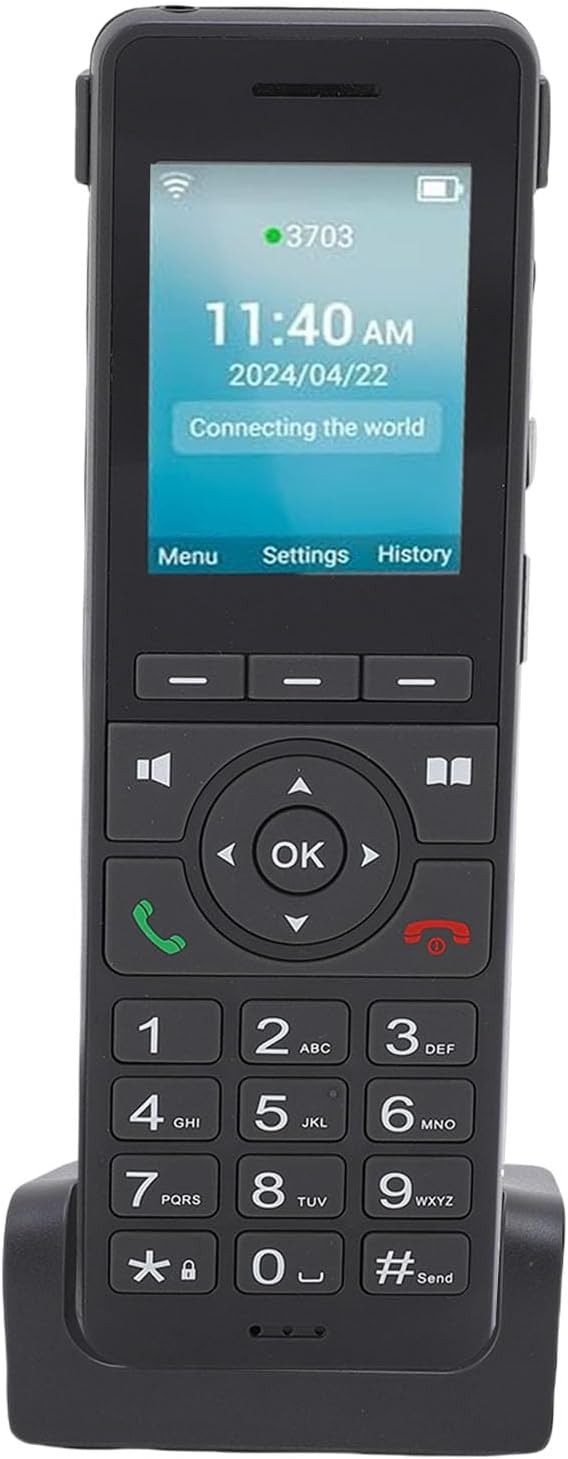
Figure 2: ASHATA 4G LTE Cordless Phone handset.

Figure 3: Vivid color display of the phone.

Figure 4: Enhanced voice quality features.
Setup
Follow these steps to set up your ASHATA 4G LTE Cordless Phone:
- Unpack Components: Carefully remove all items from the package and ensure all listed components are present.
- Connect the Base: Place the charging base on a stable surface. Connect the USB cable to the base and then to a suitable power adapter (not included) or a USB port.
- Charge the Phone: Place the handset onto the charging base. The phone will begin charging. For optimal battery life, fully charge the phone before first use. The phone has a built-in 1600mAh battery.
- Insert SIM Cards: The phone supports two standard SIM cards. Locate the SIM card slots, typically under the battery cover or on the side of the phone. Insert your SIM cards according to the diagram on the device.
- Insert Memory Card (Optional): If desired, insert a memory card (up to 256GB, not included) into the designated slot for additional storage.
- Power On: Press and hold the power button (usually the red hang-up button) to turn on the phone.

Figure 5: Phone on charging base, highlighting key features.
Operating Instructions
Basic Call Functions
- Making a Call: Dial the desired number using the keypad and press the green call button.
- Answering a Call: When the phone rings, press the green call button to answer.
- Ending a Call: Press the red hang-up button to end an active call.
- Adjusting Volume: Use the volume buttons on the side of the phone during a call.
Advanced Call Features
- 3-Way Conference: The phone supports 3-way sound conferencing. Refer to the on-screen menu for initiating and managing conference calls.
- Call Transfer: Transfer an active call to another number.
- Call Forward: Divert incoming calls to another number.
- Call Hold: Place an active call on hold.
- Do Not Disturb (DND): Activate DND mode to silence incoming calls and notifications.
- Auto Answer: Configure the phone to automatically answer incoming calls after a set number of rings.

Figure 6: Illustration of 3-party sound conference.
Phone Book and Records
- Phone Book: Access the phone book to add, delete, or edit contacts (maximum support 500 records).
- LDAP Remote Phone Book: Utilize LDAP for remote phone book access if configured.
- Call Records: View a history of incoming, outgoing, and missed calls (maximum support 1000 records).
Voicemail
The phone provides unread message reminders for voicemail. Access your voicemail by following the on-screen prompts or dialing your voicemail service number.
Connectivity (Wi-Fi & Bluetooth)
- Wi-Fi: The phone has built-in 2.4G Wi-Fi. Navigate to the settings menu to connect to available Wi-Fi networks for VoIP services.
- Bluetooth: Bluetooth is supported for connecting compatible headsets or other devices. Access Bluetooth settings to pair devices.
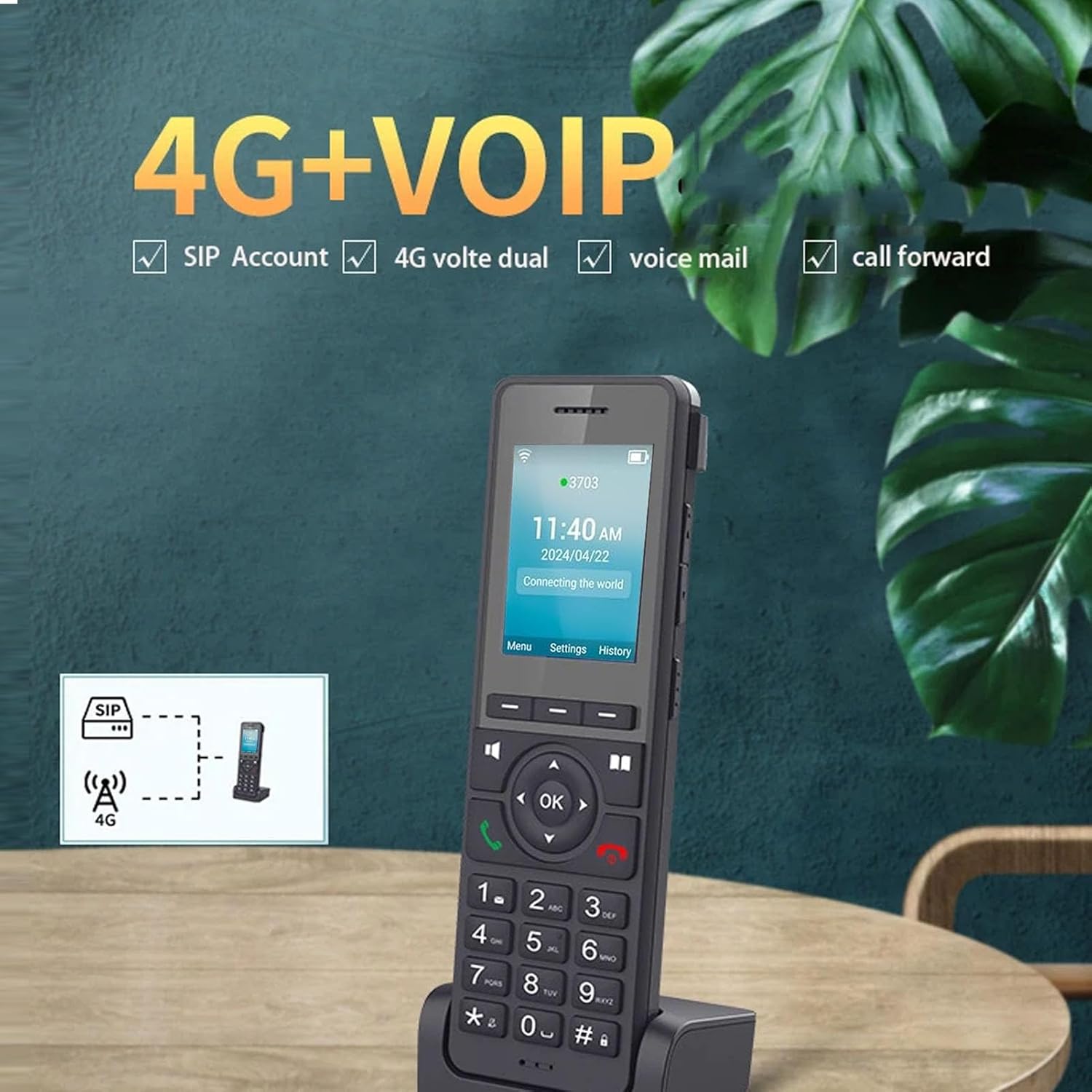
Figure 7: 4G+VOIP capabilities of the phone.

Figure 8: Web-based remote management and topic sharing.
Maintenance
To ensure the longevity and optimal performance of your ASHATA 4G LTE Cordless Phone, follow these maintenance guidelines:
- Cleaning: Use a soft, dry, lint-free cloth to clean the phone and base. Do not use liquid cleaners, aerosols, or abrasive solvents.
- Storage: Store the phone in a cool, dry place away from direct sunlight and extreme temperatures.
- Battery Care: Avoid fully discharging the battery frequently. Charge the phone regularly, especially if it will not be used for an extended period.
- Avoid Water: Keep the device away from water and moisture.
Troubleshooting
If you encounter issues with your ASHATA 4G LTE Cordless Phone, refer to the following common troubleshooting steps:
| Problem | Possible Cause | Solution |
|---|---|---|
| Phone does not power on. | Low battery; Power button not pressed long enough. | Charge the phone for at least 30 minutes. Press and hold the power button for several seconds. |
| No dial tone or cannot make calls. | SIM card not inserted correctly; No network signal; SIP account not registered. | Ensure SIM cards are properly inserted. Check network signal strength. Verify SIP account settings. |
| Poor call quality. | Weak signal; Interference; Microphone obstruction. | Move to an area with better signal. Avoid sources of interference. Ensure microphones are clear. |
| Cannot connect to Wi-Fi. | Incorrect password; Out of range; Router issue. | Verify Wi-Fi password. Move closer to the router. Restart the router. |
If the problem persists after attempting these solutions, please contact customer support.
Specifications
| Item Type | Cordless Phone |
| Material | ABS |
| Battery | Built-in 1600mAh Battery |
| Color | Black |
| Screen | 2.4 inch Color LCD |
| SIM Card | 2 x Standard SIM Card Slot (Global Network) |
| Memory Card Support | Up to 256GB (Not Included) |
| Wi-Fi | Built-in 2.4G Wi-Fi |
| Bluetooth (BT) | Supported |
| Microphone | 2 Microphone Design |
| Sound Jack | 3.5mm Earphone Jack |
| SIP Line | SIP 2.0 Standard, 3 Lines |
| Sound Conference | 3-way Conference |
| Phone Book Capacity | Maximum Support 500 Records |
| Call Records Capacity | Maximum Support 1000 Records |
| Model Number | ASHATAupg31awq8g |
| Dimensions | 19 x 8 x 8 cm |
| Weight | 305 g |
Warranty and Support
For warranty information or technical support, please contact ASHATA customer service. Refer to the product packaging or the official ASHATA website for contact details.
Online Resources: For additional support and frequently asked questions, visit the ASHATA store on Amazon: ASHATA Store