
MuGo ZY-01
Contents
MuGo ZY-01 Shower Bluetooth Speaker User Manual
Model: ZY-01 | Brand: MuGo
Introduction
Thank you for choosing the MuGo ZY-01 Shower Bluetooth Speaker. This waterproof speaker is designed to provide high-quality audio with 360° HD stereo sound, vibrant RGB lights, and convenient features like a suction cup and built-in microphone. Enjoy your favorite music and hands-free calls in various environments, from your bathroom to outdoor adventures.
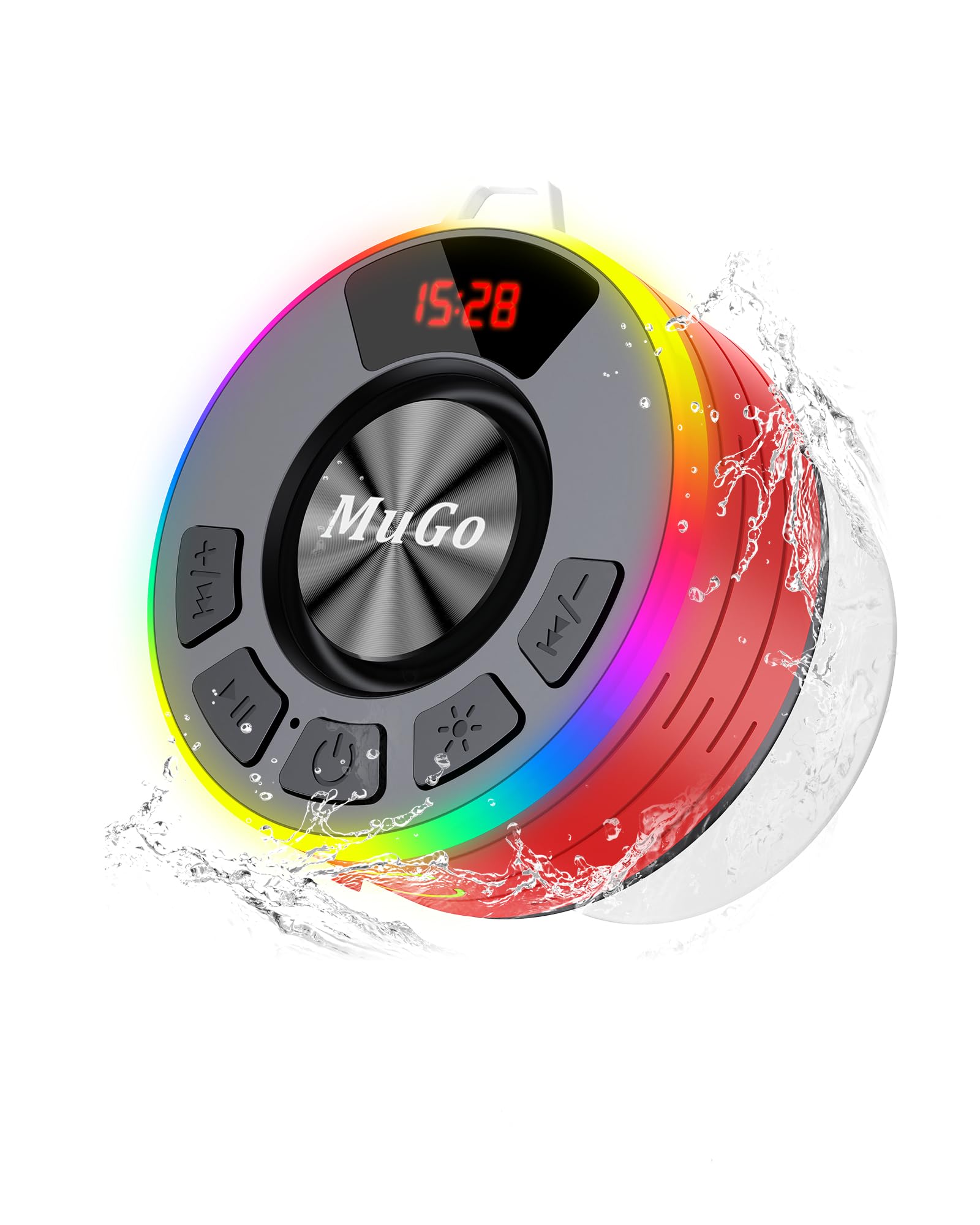
The MuGo ZY-01 Shower Bluetooth Speaker, showcasing its compact design and vibrant red color.
What's in the Box
Please check the package contents upon unboxing:
- 1 x MuGo IPX7 Waterproof Bluetooth Shower Speaker
- 1 x USB-C Cable
- 1 x Suction Cup
- 1 x Multi-language User Manual

Visual representation of the items included in the MuGo ZY-01 speaker package.
Product Features
IPX7 Waterproof & Floating Design
The speaker boasts an IPX7 professional waterproof rating, making it fully resistant to water splashes and submersion up to 1 meter deep for 35 minutes. Its design also allows it to float, ensuring easy retrieval if dropped in water. Perfect for bathrooms, beaches, and pools.

The speaker demonstrating its IPX7 waterproof capability in a shower environment.
Immersive 360° HD Stereo Sound
Equipped with advanced audio technology and high-quality drivers, the speaker delivers rich, crystal-clear sound with deep bass, creating an immersive 360° listening experience. Enjoy your music with perfect clarity in any setting.

An exploded view illustrating the speaker's components that contribute to its 360° surround sound.
Portable Design & Multi-Functionality
Weighing only 6.4 oz and compact in size (3.74” x 2.28” x 4.02”), this speaker is highly portable. It features intuitive controls, a built-in microphone for hands-free calls, and a detachable suction cup for secure mounting on smooth surfaces.

The speaker attached to a backpack, highlighting its portable design for outdoor use.
RGB Colorful Light Show
Enhance your listening experience with the newly upgraded RGB lighting system. Choose from three distinct light modes and seven colors that sync to the rhythm of your music, creating a vibrant atmosphere.

A display of the speaker's colorful RGB light modes.
Bluetooth 5.3 & Universal Compatibility
Featuring the latest Bluetooth 5.3 technology, the speaker offers faster connection speeds and stable pairing within approximately 2 seconds. It is fully compatible with iOS (iPhone), Android devices, smartphones, and tablets, maintaining a robust connection up to 10 meters.

The speaker demonstrating its wide compatibility with various Bluetooth-enabled devices.
Setup
1. Initial Charging
Before first use, fully charge the speaker for at least 3 hours using the provided USB-C cable. The charging port is located on the side, protected by a waterproof cover. A red light indicates charging, and it will turn off when fully charged.

The speaker connected to its USB-C charging cable, illustrating the charging process.
2. Power On/Off
Press and hold the Power button (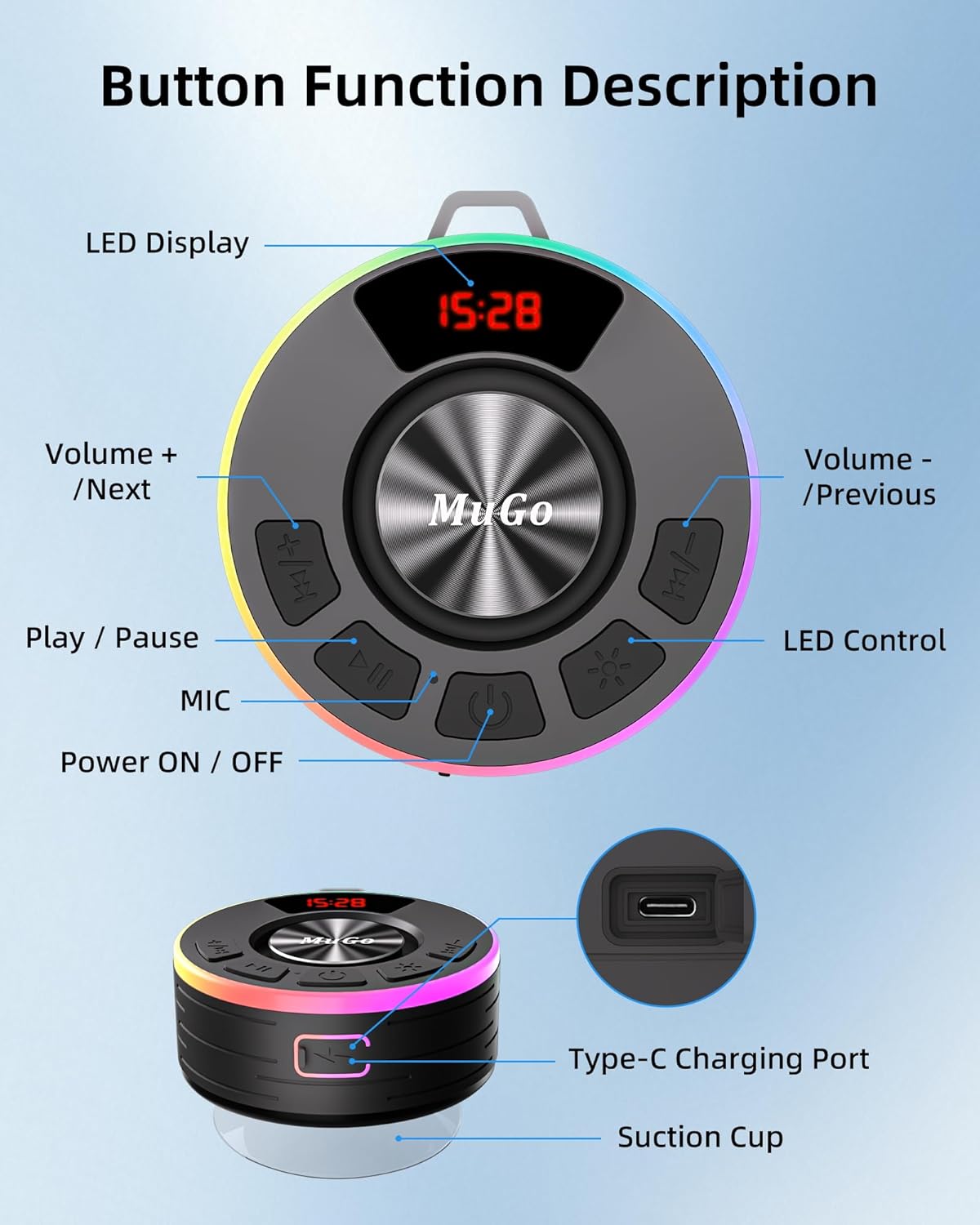 ) for 3 seconds to power the speaker on or off. An audible prompt will confirm the action.
3. Bluetooth Pairing
- Ensure the speaker is powered on and in pairing mode (indicated by a flashing Bluetooth icon or audible prompt).
- On your device (smartphone, tablet, etc.), go to Bluetooth settings.
- Search for "ZY-01" in the list of available devices and select it to connect.
- A confirmation sound will indicate successful pairing.

Visual guide for connecting the speaker to a device via Bluetooth 5.3.
Operating Instructions
Button Functions
Detailed layout of the speaker's control buttons.
| Button | Function |
|---|---|
| Power Button | Press and hold for 3 seconds to Power ON/OFF. |
| Play/Pause | Press once to Play or Pause music. |
| Volume + / Next Track | Short press for Volume Up. Long press for Next Track. |
| Volume - / Previous Track | Short press for Volume Down. Long press for Previous Track. |
| LED Control | Press to cycle through RGB light modes (7 colors, 3 modes). |
| MIC / Call Answer | Press to answer/end calls. Long press to reject calls. |
Hands-Free Calling
With the built-in microphone, you can answer calls directly from the speaker. When a call comes in, press the MIC button to answer. Press again to end the call. Long press to reject an incoming call.

The speaker facilitates hands-free communication, allowing users to take calls conveniently.
Mounting the Speaker
The detachable suction cup allows you to securely mount the speaker to smooth surfaces like tiles or mirrors. Ensure the surface is clean and dry for optimal adhesion. Alternatively, use the integrated loop to hang the speaker.
Maintenance
- Cleaning: Wipe the speaker with a soft, damp cloth. Do not use abrasive cleaners or solvents.
- Waterproof Seal: Ensure the USB-C charging port cover is securely closed to maintain IPX7 waterproof integrity.
- Storage: Store the speaker in a cool, dry place when not in use. Avoid extreme temperatures.
- Suction Cup: For best performance, periodically clean the suction cup and the mounting surface.
Troubleshooting
Speaker not turning on:
Ensure the speaker is fully charged. Connect it to a power source using the USB-C cable and allow it to charge for at least 3 hours.
Unable to pair via Bluetooth:
Make sure the speaker is in pairing mode. Turn off Bluetooth on other nearby devices that might be trying to connect. Restart both the speaker and your device, then try pairing again. Ensure your device is within the 10-meter range.
No sound or low volume:
Check the volume levels on both the speaker and your connected device. Ensure the speaker is not muted. Verify that the speaker is successfully paired.
Suction cup not holding:
Ensure the mounting surface is clean, dry, and smooth. Press firmly to remove any air bubbles. If the suction cup is warped, try soaking it in warm water to restore its shape.
Specifications
| Feature | Detail |
|---|---|
| Model Name | ZY-01 |
| Brand | MuGo |
| Speaker Type | 3D |
| Special Features | Built-in Microphone, Display, Lightweight, Portable, Waterproof |
| Recommended Uses | Indoor/Outdoor |
| Connectivity Technology | Bluetooth 5.3 |
| Speaker Maximum Output Power | 8 Watts |
| Product Dimensions | 2.28"D x 3.74"W x 4.02"H |
| Item Weight | 11.3 ounces |
| Batteries | 1 Nonstandard Battery (included) |
| Waterproof Rating | IPX7 |
| Playtime | Up to 10 hours (at 50% volume) |
Official Product Videos
MuGo ZY-01 Shower Speaker Overview
This video provides a comprehensive overview of the MuGo ZY-01 Shower Speaker, highlighting its key features such as IPX7 waterproofing, powerful stereo sound, 10-hour playtime, 7 lighting modes, Bluetooth 5.3 connectivity, hands-free calling, and compact design. It demonstrates the speaker's functionality and various color options.
Warranty & Support
MuGo products come with a standard manufacturer's warranty. For detailed warranty information, technical support, or customer service inquiries, please refer to the contact information provided in the included user manual or visit the official MuGo website.
Online Support: Visit the MuGo Store on Amazon
Documents and downloads
Ask a question about this manual
Ask about setup, troubleshooting, compatibility, parts, safety, or missing instructions. Manuals+ will review the question and use this page’s manual context to help answer it.