1. Product Overview
The 70mai Dash Cam 4K T800 is a comprehensive 3-channel dash camera system designed for vehicle surveillance and recording. It includes a front camera, rear camera, and interior camera, providing extensive coverage. This package also features the 4G Hardwire Kit UP05 and a Battery Pack for enhanced parking surveillance capabilities and remote connectivity.

Figure 1.1: Complete 70mai Dash Cam 4K T800 System Components.
2. Key Features
- Next-Gen 3-Channel Dual 4K Recording: Records front and rear at 3840x2160P (4K) and interior at 1080P, providing triple-angle coverage. Utilizes dual Sony IMX678 STARVIS 2 sensors and 3-channel HDR for clear footage in various lighting conditions.

Figure 2.1: Dual 4K 3-Channel Recording Capability.
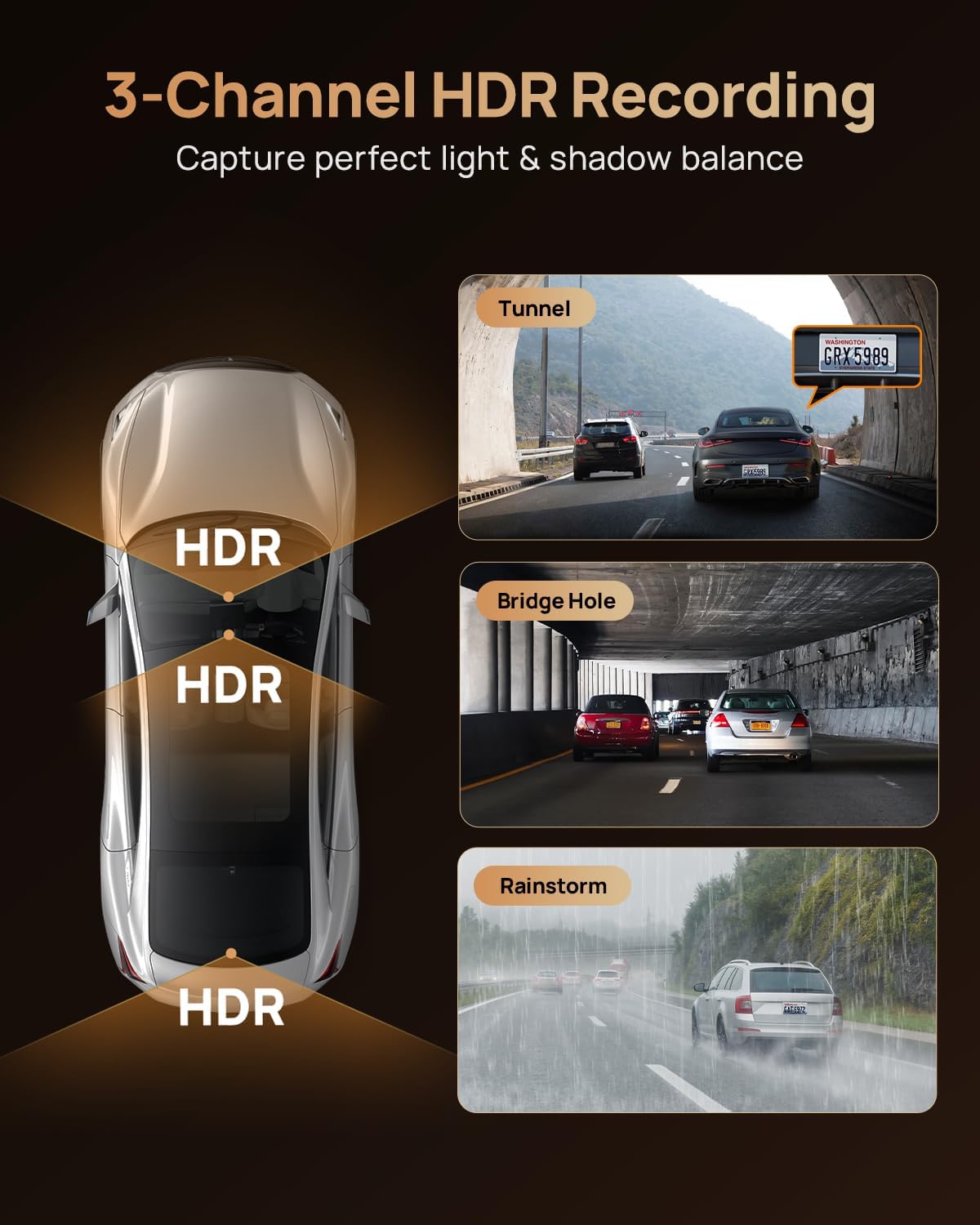
Figure 2.2: 3-Channel HDR Recording for Optimal Exposure.
- Cinematic Clarity with MaiColor Vivid+ Solution: Enhances video quality, reducing glare and improving details like license plates. Supports ultra-smooth 4K recording at 60FPS in single-channel mode.
- 70mai Night Owl Vision: Exclusive night vision technology that reduces headlight glare and improves clarity in low-light conditions. Features four 940nm infrared cabin cameras that activate automatically in darkness for interior recording.

Figure 2.3: Enhanced Night Vision with 70mai Night Owl Vision.
- 24/7 Parking Guard with AI & 4G Alerts: Detects collisions and suspicious activity when parked. Sends instant 4G alerts to your phone (requires 70mai 4G Hardwire Kit UP05). Includes Time-lapse recording and Lumi Vision technology for clear footage in dark environments.

Figure 2.4: 70mai 4G Hardwire Kit Features.

Figure 2.5: Extended Parking Surveillance Duration with Battery Pack.
- 512GB Card & Loop Recording: Comes with a 512GB memory card for immediate use. Features loop recording to ensure continuous footage, and a built-in G-sensor automatically locks impact clips to prevent overwriting.
- Advanced Hardware: Equipped with Wi-Fi 6 5GHz for fast video downloads and a supercapacitor for enhanced durability and temperature resistance (-40°F to 185°F). Integrated GPS for location and speed data.

Figure 2.6: Next-Gen Dash Cam Hardware Overview.
3. Setup and Installation
Proper installation is crucial for optimal performance. It is recommended to consult a professional for hardwire kit installation if you are unfamiliar with vehicle electrical systems.
3.1. Components Check
Before beginning installation, ensure all components are present:
- 70mai Dash Cam T800 (Front Camera)
- Rear Camera
- Interior Camera
- 512GB MicroSD Card
- 70mai 4G Hardwire Kit UP05
- Battery Pack
- Power Cables and Mounting Accessories
3.2. MicroSD Card Insertion
Insert the provided 512GB MicroSD card into the designated slot on the main dash cam unit. Ensure it is inserted correctly until it clicks into place.
3.3. Camera Mounting
- Front Camera: Mount the main T800 unit on the front windshield, ideally behind the rearview mirror, ensuring it does not obstruct your view.
- Rear Camera: Mount the rear camera on the back windshield, ensuring a clear view of the road behind.
- Interior Camera: Mount the interior camera to capture cabin activity.
3.4. Power Connection (Standard)
For basic operation, connect the main dash cam unit to your vehicle's cigarette lighter socket using the provided power cable.
3.5. 4G Hardwire Kit UP05 and Battery Pack Installation
To enable 24/7 parking surveillance and 4G remote features, install the 70mai 4G Hardwire Kit UP05 and the Battery Pack. This requires connecting to your vehicle's fuse box. Refer to the specific instructions provided with the UP05 kit and Battery Pack for detailed wiring diagrams and safety precautions.

Figure 3.1: 70mai 4G Hardwire Kit UP05.

Figure 3.2: 70mai Dash Cam Battery Pack.
3.6. Initial Setup via 70mai App
Download the 70mai app from your smartphone's app store. Follow the in-app instructions to connect to your dash cam via Wi-Fi, configure settings, and view live footage.
4. Operating Instructions
4.1. Power On/Off
The dash cam will automatically power on and begin recording when your vehicle's ignition is turned on (if connected to a switched power source or hardwired). It will power off automatically when the ignition is turned off.
4.2. Recording Modes
- Standard Recording: Continuous recording from all three channels (front, rear, interior) while driving.
- Emergency Recording: Activated by the built-in G-sensor upon detecting a collision or sudden movement. These clips are locked and protected from being overwritten.
- Parking Surveillance: When hardwired with the UP05 kit and Battery Pack, the dash cam monitors your vehicle for impacts or suspicious activity while parked.
- Time-lapse Recording: Available in parking surveillance mode to conserve storage space by recording at a lower frame rate.
4.3. App Control and Remote Features (with 4G Kit)
Using the 70mai app and the installed 4G Hardwire Kit UP05, you can:
- View live footage remotely.
- Receive instant alerts for parking incidents.
- Track your vehicle's location.
- Initiate remote recording.
- Manage settings and download videos via Wi-Fi 6 5GHz for faster transfers.
4.4. Night Vision Activation
The 70mai Night Owl Vision and infrared cabin cameras activate automatically in low-light conditions to ensure clear recording during nighttime driving or parking.
5. Maintenance
- Clean Lenses: Regularly clean the lenses of all cameras with a soft, lint-free cloth to ensure clear video quality.
- Format MicroSD Card: Periodically format the MicroSD card (e.g., once a month) through the dash cam settings or the 70mai app to prevent data corruption and ensure optimal recording performance. Back up any important footage before formatting.
- Firmware Updates: Check for and install firmware updates via the 70mai app to ensure your dash cam has the latest features and bug fixes.
- Check Connections: Periodically ensure all cables and connections are secure.
6. Troubleshooting
| Problem | Possible Cause | Solution |
|---|---|---|
| Dash cam not powering on. | No power supply; loose connection; faulty power adapter. | Check power cable connection; ensure vehicle's ignition is on; test with another power source if possible. |
| Recording stops or freezes. | MicroSD card issue (full, corrupted, or slow); firmware issue. | Format the MicroSD card; try a different high-speed MicroSD card; update firmware. |
| Poor video quality. | Dirty lens; protective film still on lens; incorrect settings. | Clean camera lenses; remove any protective films; check resolution settings in the app. |
| Cannot connect to 70mai App. | Wi-Fi disabled on dash cam; incorrect Wi-Fi password; app issues. | Ensure dash cam Wi-Fi is enabled; re-enter Wi-Fi password; restart app and dash cam. |
| Parking surveillance not working. | Hardwire kit not installed correctly; parking mode not enabled in settings; insufficient power. | Verify hardwire kit installation; enable parking mode in app; ensure battery pack is charged. |
For further assistance, refer to the 70mai official support resources or contact customer service.
7. Specifications
- Model: T800
- Front Camera Resolution: 3840x2160P (4K)
- Rear Camera Resolution: 3840x2160P (4K)
- Interior Camera Resolution: 1920x1080P (1080P)
- Image Sensors: Dual Sony IMX678 STARVIS 2
- Video Technology: 3-Channel HDR, MaiColor Vivid+ Solution, 70mai Night Owl Vision, Lumi Vision
- Frame Rate (Single Channel 4K): 60FPS
- Storage: Supports up to 512GB MicroSD Card (512GB card included)
- Connectivity: Wi-Fi 6 5GHz, 4G (with UP05 kit)
- GPS: Integrated
- Power Source: Supercapacitor
- Operating Temperature: -40°F to 185°F
- ASIN: B0FMRFYQ64
- Date First Available: August 15, 2025
8. Warranty and Support
70mai products typically come with a limited warranty. Please refer to the warranty card included with your product or visit the official 70mai website for detailed warranty terms and conditions.
Customer Support:
For technical assistance, troubleshooting, or warranty claims, please contact 70mai customer support through their official website or the 70mai app. Ensure you have your product model and purchase information ready when contacting support.
Official 70mai Store on Amazon: Visit the 70mai Store


