1. Introduction
Thank you for purchasing the Boytond YYK-Q35 Bluetooth 5.3 Ear-Hook Wireless Earbuds. This manual provides detailed instructions for setting up, operating, and maintaining your earbuds. Please read this manual carefully before use and retain it for future reference.

Image: Boytond YYK-Q35 Ear-Hook Wireless Earbuds in their pink charging case, showcasing the ear-hook design and the open case with the earbuds nestled inside.
2. Package Contents
Please check the package for the following items:
- Boytond YYK-Q35 Wireless Earbuds (Left and Right)
- Charging Case
- USB Type-C Charging Cable
- User Manual (this document)
3. Product Overview
The YYK-Q35 earbuds are designed for comfort and high-quality audio, featuring an ergonomic ear-hook design and IPX7 waterproofing, making them suitable for various activities including sports.
3.1 Key Features
- Hi-Fi Audio Quality: Equipped with 10mm composite speakers for rich bass, natural mids, and clear highs.
- Clear Call Technology: Integrated microphone with adaptive noise cancelling for clear voice transmission during calls.
- Bluetooth 5.3: Provides stable and high-speed wireless connection within a 10-meter range.
- Ergonomic Ear-Hook Design: Soft, flexible ear hooks ensure a secure and comfortable fit, preventing slippage during intense activities.
- IPX7 Waterproof: Resistant to sweat and rain, ideal for sports and outdoor use.
- Physical Button Controls: Intuitive physical buttons minimize accidental touches for music playback, call management, and voice assistant activation.
3.2 Component Identification
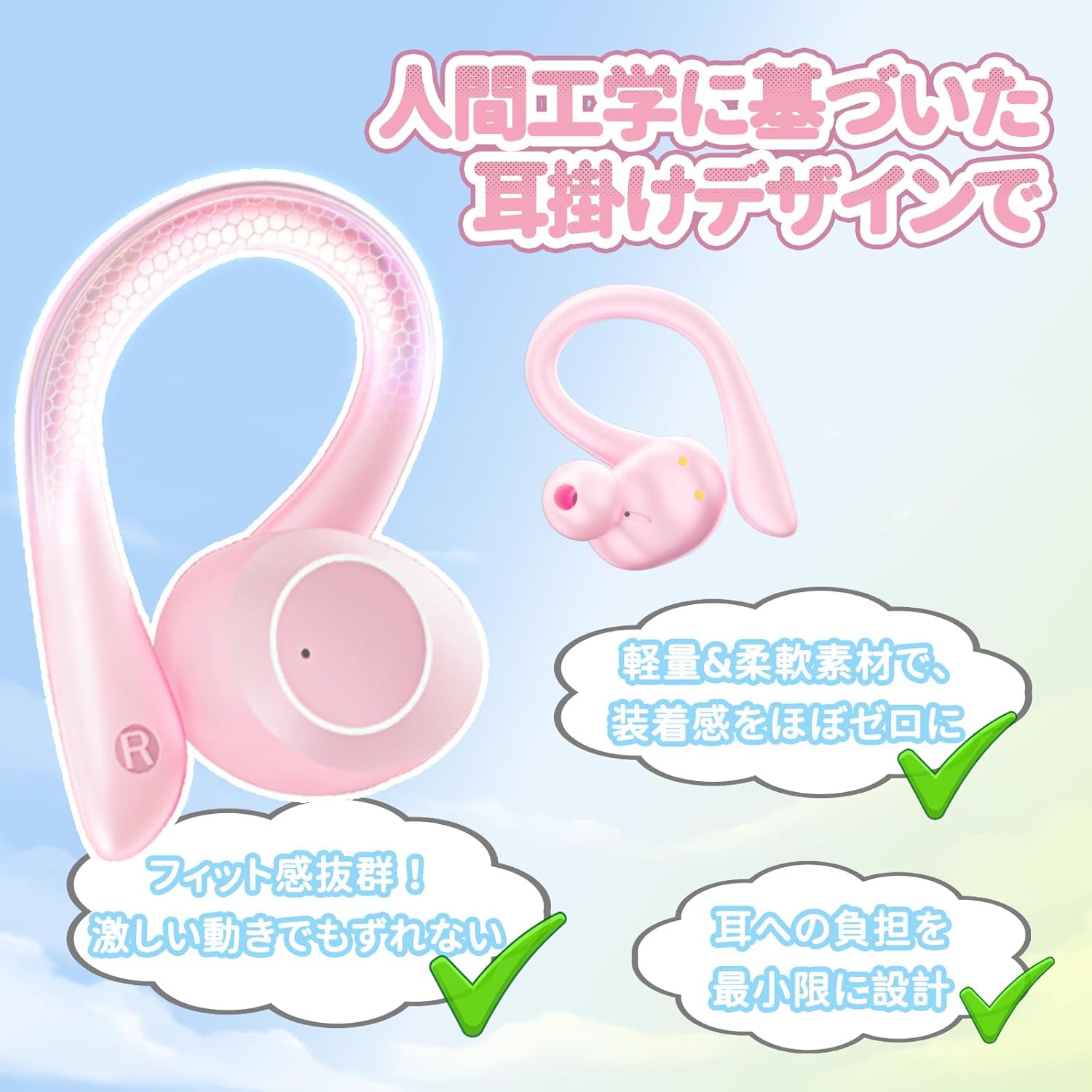
Image: A detailed diagram illustrating the ergonomic ear-hook design of the Boytond YYK-Q35 earbud, highlighting its lightweight and soft material for comfort and secure fit during movement.

Image: An exploded view diagram showing the internal components of the earbud, emphasizing the 10mm large-diameter composite speaker for powerful sound reproduction.
4. Setup
4.1 Charging the Earbuds and Case
Before first use, fully charge the earbuds and the charging case.
- Place the earbuds into the charging case.
- Connect the USB Type-C charging cable to the charging port on the case and to a power source (e.g., USB wall adapter, computer USB port).
- The LED display on the charging case will indicate the charging status. Once fully charged, the display will show full battery.
A full charge provides approximately 8 hours of playback for the earbuds, and the charging case extends total playback time to about 25 hours.

Image: Graphic illustrating the battery life: 8 hours for earbuds alone, 25 hours total with the charging case, and a quick charge feature providing 2 hours of playback from a 10-minute charge.
4.2 Pairing with a Bluetooth Device
The earbuds utilize Bluetooth 5.3 for a stable and efficient connection.
- First-time Pairing:
- Open the charging case. The earbuds will automatically power on and enter pairing mode.
- On your device (smartphone, tablet, etc.), enable Bluetooth and search for available devices.
- Select "YYK-Q35" from the list of found devices to connect.
- Once connected, you will hear a confirmation sound, and the earbuds' indicator lights will change.
- Automatic Reconnection: After the initial successful pairing, the earbuds will automatically power on and connect to the last paired device when removed from the charging case.

Image: A visual representation of the Bluetooth 5.3 pairing process, showing a smartphone's Bluetooth settings screen with "YYK-Q35" available for connection, alongside the earbuds in their open charging case.
5. Operating Instructions
The YYK-Q35 earbuds feature physical buttons for precise control, minimizing accidental operations.
5.1 Music Playback
- Play/Pause: Press the button on either earbud once.
- Next Track: Double-press the button on the right earbud.
- Previous Track: Double-press the button on the left earbud.
- Volume Up: Triple-press the button on the right earbud.
- Volume Down: Triple-press the button on the left earbud.
5.2 Call Management
- Answer/End Call: Press the button on either earbud once.
- Reject Call: Press and hold the button on either earbud for 2 seconds.
The earbuds feature adaptive noise cancelling for clear voice calls, suppressing ambient noise for both you and the caller.

Image: A woman wearing the Boytond YYK-Q35 earbuds while engaged in a video call or web conference on a laptop, illustrating the clear voice call feature.
5.3 Voice Assistant
- Activate Voice Assistant: Press and hold the button on either earbud for 3 seconds.

Image: A visual guide to the earbud controls, showing icons for play/pause, skip track, previous track, volume up/down, answer/end call, reject call, and voice assistant activation.
6. Maintenance
Proper maintenance ensures the longevity and optimal performance of your earbuds.
- Cleaning: Regularly clean the earbuds and charging case with a soft, dry, lint-free cloth. Do not use harsh chemicals or abrasive materials.
- Storage: When not in use, store the earbuds in their charging case to protect them from dust and damage. Store in a cool, dry place away from direct sunlight and extreme temperatures.
- Water Exposure: While IPX7 waterproof, avoid prolonged submersion in water. After exposure to sweat or rain, wipe the earbuds dry before placing them back in the charging case to prevent corrosion.
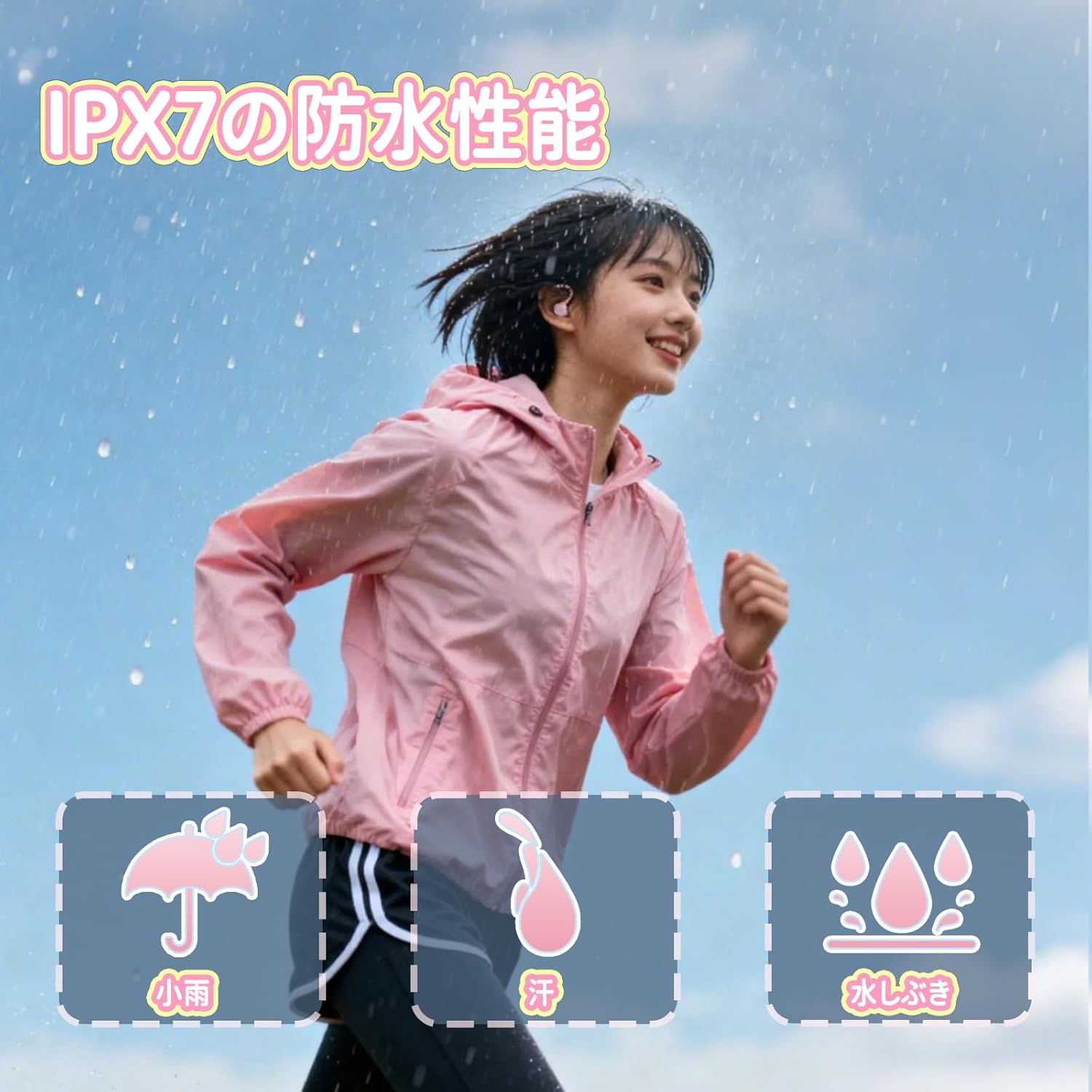
Image: A woman jogging outdoors in light rain while wearing the Boytond YYK-Q35 earbuds, demonstrating their IPX7 waterproof rating against sweat, light rain, and splashes.
7. Troubleshooting
If you encounter any issues with your earbuds, please refer to the following common problems and solutions:
| Problem | Possible Cause | Solution |
|---|---|---|
| Earbuds do not power on. | Low battery. | Place earbuds in the charging case and charge fully. |
| Cannot pair with device. | Bluetooth is off on device; earbuds not in pairing mode; device too far. | Ensure Bluetooth is enabled on your device. Place earbuds in case, then open to enter pairing mode. Keep device within 10 meters. |
| Only one earbud is working. | Earbuds are not properly synced or one is out of battery. | Place both earbuds back into the charging case, close the lid, then open it again. Ensure both are charged. |
| Poor sound quality or disconnections. | Interference; device too far; low battery. | Move closer to your device. Avoid environments with strong Wi-Fi or other Bluetooth signals. Charge earbuds. |
| Controls are not responding. | Temporary software glitch. | Place earbuds back into the charging case, close the lid, then open it again to reset. |
8. Specifications
| Feature | Detail |
|---|---|
| Model Name | YYK-Q35 |
| Brand | Boytond |
| Connectivity Technology | Wireless (Bluetooth 5.3) |
| Noise Control | Adaptive Noise Cancelling (for calls) |
| Ear Placement | Over-Ear (Ear-Hook) |
| Headphone Form Factor | Over-Ear |
| Impedance | 13 Ohms |
| Waterproof Rating | IPX7 |
| Battery Life (Earbuds) | Approx. 8 hours |
| Battery Life (with Charging Case) | Approx. 25 hours |
| Charging Port | USB Type-C |
| Package Dimensions | 13.1 x 11.3 x 3.9 cm |
| Item Weight | 180 g |
9. Warranty and Support
Boytond products are designed with quality and reliability in mind. For warranty information and customer support, please refer to the contact details provided with your purchase or visit the official Boytond website.
If you have any questions or require assistance, please do not hesitate to contact our customer service team.


