
Introduction
Thank you for choosing the TOOWELL Battery Powered Outdoor Flood Light with Remote. This manual provides detailed instructions for the safe and efficient use of your new flood light. Please read this manual thoroughly before installation and operation, and retain it for future reference.

Image: Examples of the flood light's versatile outdoor applications.
Product Features
- Wireless Remote Control: Easily adjust lighting modes, turn ON/OFF, and modify brightness without needing to access the light directly.
- High Sensitivity Motion Sensor: Detects movement up to 30 feet away within a 180° angle, activating the light in dark conditions.
- Battery Powered & Wireless Installation: Operates on 4 D-cell batteries (not included), offering up to 180 days of use and flexible placement without wiring.
- IP65 Waterproof & Durable Design: Constructed from durable ABS material with sealed battery compartment, ensuring reliable performance in various weather conditions (wind, rain, snow).
- Adjustable Dual Light Heads: Two light heads can be rotated 135° vertically and 180° horizontally to customize the beam angle and coverage area.
- Brightness: 480 Lumens.
- Light Source: LED.
- Voltage: 6 Volts.
- Light Color: White.

Image: Key features of the TOOWELL Battery Powered Outdoor Flood Light.
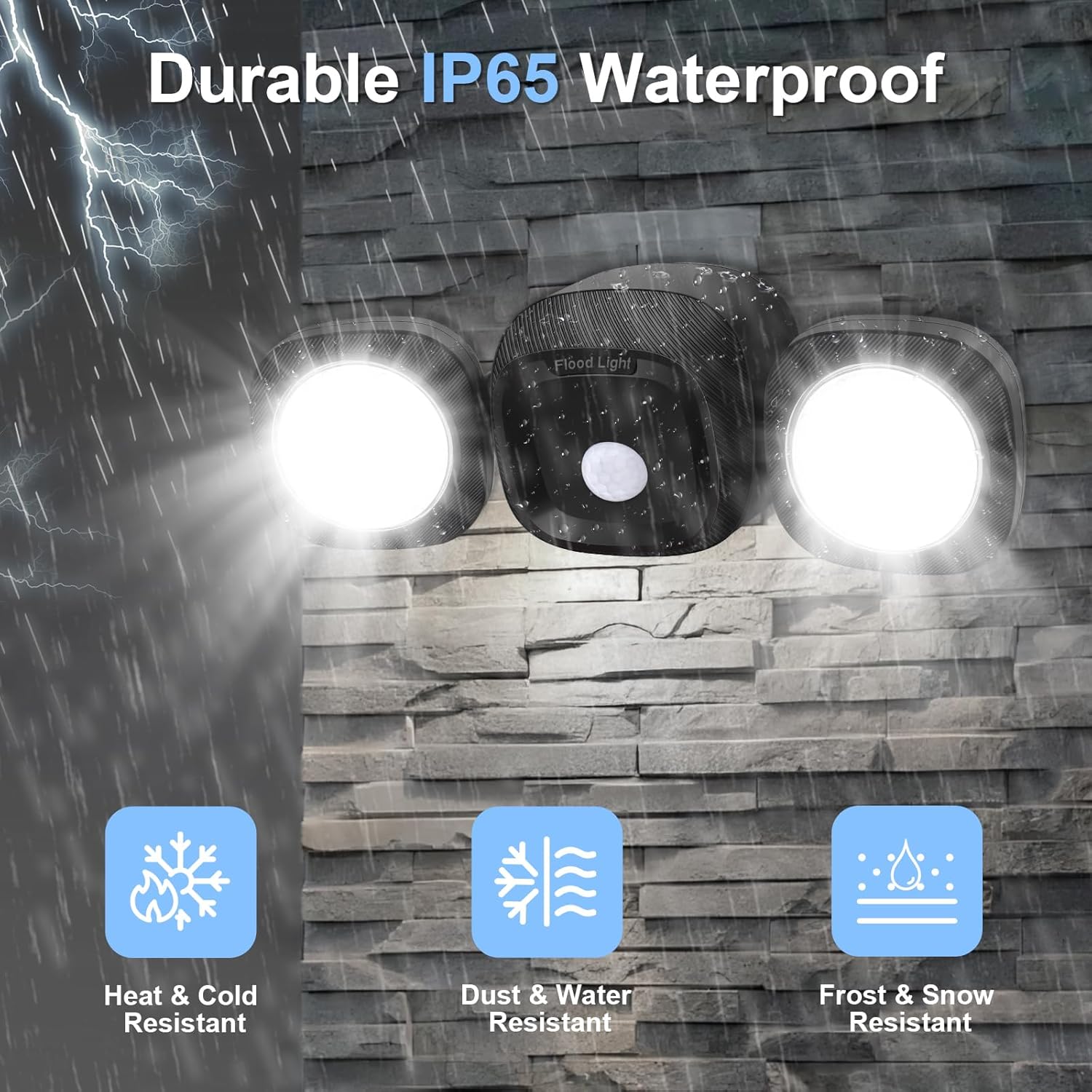
Image: The flood light's durable IP65 waterproof construction, designed to withstand various weather conditions.
Package Contents
Please check the package to ensure all items are present:
- TOOWELL Battery Powered Outdoor Flood Light
- Remote Control
- Mounting Hardware (screws, anchors)
- User Manual (this document)
Specifications
| Attribute | Value |
|---|---|
| Brand | TOOWELL |
| Model | B0FMRCDQBZ |
| Power Source | 4 x D-cell Batteries (not included) |
| Brightness | 480 Lumens |
| Motion Detection Range | Up to 30 feet |
| Motion Detection Angle | 180° |
| Water Resistance Level | IP65 Waterproof |
| Material | Acrylonitrile Butadiene Styrene (ABS) |
| Light Source | LED |
| Number of Light Sources | 2 |
| Control Method | Remote Control |
| Mounting Type | Wall Mount |
| Dimensions (L x W x H) | 3" x 10" x 4" |
| Weight | 0.47 Kilograms |
Installation Guide
The TOOWELL Flood Light is designed for easy, wireless installation. Follow these steps:
- Remove Mounting Plate: Use a flat-head screwdriver to remove the mounting plate from the back of the light unit.
- Insert Batteries: Open the battery compartment and insert 4 new D-cell batteries (not included), ensuring correct polarity. Securely close the battery lid.
- Mark Position: Choose a desired installation location. The recommended mounting height is 8-9 feet for optimal motion detection. Mark the fixed positions for drilling using the mounting plate as a template.
- Fix Mounting Plate: Drill holes at the marked positions and insert wall anchors if necessary. Secure the mounting plate to the wall using the provided screws.
- Attach Light Unit: Align the light unit with the fixed mounting plate and slide it upwards into the grooves until it clicks securely into place.

Image: Step-by-step visual guide for installing the flood light.
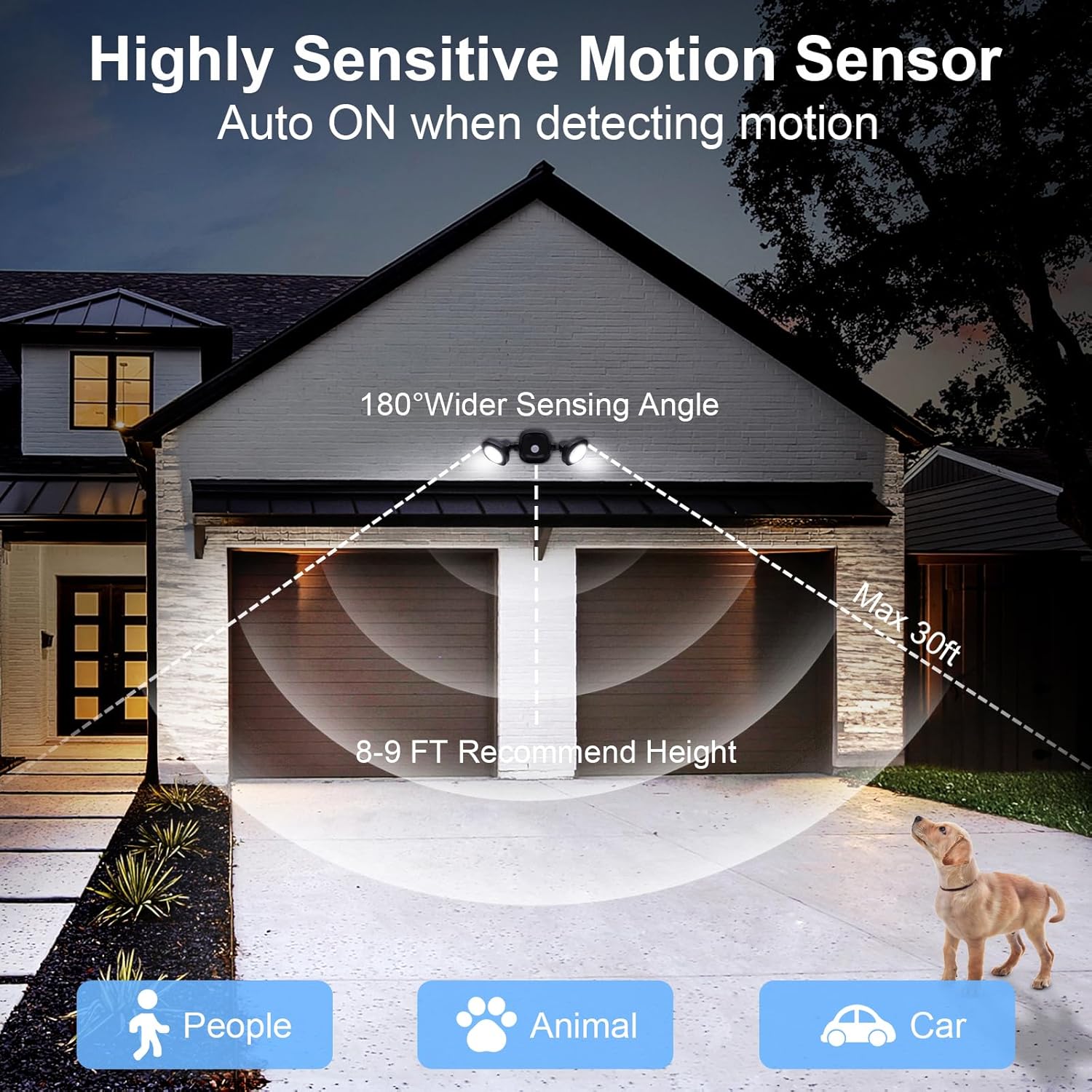
Image: Optimal motion sensor coverage and recommended mounting height.
Operating Instructions
Your TOOWELL Flood Light comes with a remote control for convenient operation. Ensure the remote has working batteries.
Remote Control Functions:

Image: Remote control layout and function descriptions.
- ON/OFF Button: Press to manually turn the light ON or OFF.
- Stay ON Button: Activates continuous lighting mode, keeping the light on until manually turned off or another mode is selected.
- Brighten Button: Increases the light brightness (cycles through 50%, 75%, 100%).
- Darken Button: Decreases the light brightness (cycles through 100%, 75%, 50%).
- Motion Sensor Button: Activates motion detection mode. The light will turn on when motion is detected and turn off automatically after approximately 20 seconds of no further motion.

Image: Convenience of remote control operation compared to manual adjustment.
Adjusting Light Heads:
The two light heads can be manually adjusted to direct the light beam as needed. Each head pivots 135° up or down and 180° side to side.

Image: Customizing beam angles with adjustable light heads.
Maintenance
- Battery Replacement: When the light dims or stops functioning, it's time to replace the D-cell batteries. To do this, carefully slide the light unit upwards off the mounting plate. Open the battery compartment, replace the old batteries with new ones (ensure correct polarity), and then re-attach the light unit to the mounting plate.
- Cleaning: Periodically wipe the motion sensor lens and light heads with a soft, damp cloth to remove dust and debris. Do not use abrasive cleaners or solvents.
- Inspection: Regularly check the mounting for security and ensure the battery compartment seal is intact to maintain IP65 waterproof rating.
Troubleshooting
| Problem | Possible Cause | Solution |
|---|---|---|
| Light does not turn on. | Dead or incorrectly installed batteries. | Replace batteries with new D-cell batteries, ensuring correct polarity. |
| Light does not detect motion. | Motion sensor obstructed or dirty; incorrect sensor angle; sensor mode not activated. | Clean the sensor lens. Adjust the light heads to ensure the sensor has a clear view. Ensure "Motion Sensor" mode is selected on the remote. |
| Remote control not working effectively. | Remote batteries low; excessive distance or obstruction between remote and light. | Replace remote batteries. Ensure you are within a reasonable range and have a clear line of sight to the light unit. |
| Difficulty removing light unit for battery replacement. | Unit may be stuck or not properly disengaged from mounting plate. | Ensure you are sliding the unit upwards firmly. Avoid pulling directly outwards. If it's been installed for a long time, some gentle wiggling might be needed. The design allows for removal. |
Safety Information
- Do not mix old and new batteries, or different types of batteries.
- Dispose of used batteries responsibly according to local regulations.
- Do not stare directly into the LED lights when they are on, as this may cause eye strain.
- Ensure the light is securely mounted to prevent it from falling.
- Keep out of reach of children.
- Do not attempt to disassemble or modify the product beyond battery replacement and head adjustment. This will void any potential warranty and may cause damage or injury.
Warranty and Support
For warranty information or technical support, please refer to the contact details provided with your purchase or visit the official TOOWELL website. Please have your model number (B0FMRCDQBZ) ready when contacting support.
You can visit the TOOWELL store on Amazon for more information: TOOWELL Store
