
1. Important Safety Information
Please read this manual carefully before using your new Wonder WC185500ENF Combi Refrigerator. Keep it for future reference. Failure to follow these instructions may result in electric shock, fire, or damage to the appliance.
- Electrical Safety: Ensure the refrigerator is connected to a properly grounded 220V power outlet. Do not use extension cords or adapters. Unplug the appliance before cleaning or maintenance.
- Ventilation: Maintain adequate ventilation around the appliance to prevent overheating. Do not block ventilation openings.
- Refrigerant: This appliance uses R600a refrigerant, which is environmentally friendly but flammable. Handle with care and ensure proper ventilation if a leak is suspected.
- Child Safety: This appliance is not intended for use by persons (including children) with reduced physical, sensory or mental capabilities, or lack of experience and knowledge, unless they have been given supervision or instruction concerning use of the appliance by a person responsible for their safety. Children should be supervised to ensure that they do not play with the appliance.

Figure 1: Front view of the Wonder WC185500ENF Combi Refrigerator.
2. Product Overview
The Wonder WC185500ENF is a modern combi refrigerator designed for efficient food preservation. It features advanced No Frost technology, a Multi Air Flow system for even cooling, and convenient manual temperature control.
- No Frost Technology: Prevents ice build-up in both the refrigerator and freezer compartments, eliminating the need for manual defrosting.
- Multi Air Flow: Ensures uniform cooling throughout the refrigerator, keeping food fresh for longer.
- Manual Control: Easy-to-use internal selector for temperature adjustment.
- LED Interior Lighting: Bright and energy-efficient illumination for clear visibility.
- Reversible Doors: Allows for flexible installation to suit your kitchen layout.
- Low Noise Level: Operates quietly at a maximum of 40 dB.

Figure 2: Key features of the Wonder WC185500ENF Combi Refrigerator, including No Frost, Multi Air Flow, Manual Control, LED lighting, humidity control drawer, and low noise level.
3. Setup and Installation
3.1 Unpacking
- Carefully remove all packaging materials, including foam and adhesive tapes.
- Inspect the refrigerator for any damage during transit. Report any damage to your retailer immediately.
- Remove any internal accessories and clean them before first use.
3.2 Placement
- Place the refrigerator on a firm, level surface to ensure stability and reduce vibration.
- Ensure there is adequate space around the appliance for proper air circulation. Leave at least 10 cm of space at the back and sides, and 30 cm above.
- Avoid placing the refrigerator in direct sunlight or near heat sources such as ovens, radiators, or stoves, as this will increase energy consumption.
- The appliance is designed for ambient temperatures between 16°C and 38°C.

Figure 3: Technical drawing showing the dimensions (Height: 1800mm, Width: 540mm, Depth: 600mm) for proper installation clearance.
3.3 Door Reversibility
The doors of the Wonder WC185500ENF refrigerator are reversible, allowing you to change the opening direction from right to left or vice-versa. This process typically requires specific tools and careful handling. It is recommended to consult a qualified technician or refer to a detailed service manual if you wish to reverse the doors.
3.4 Power Connection
- After placement, wait at least 2-4 hours before plugging in the appliance. This allows the refrigerant to settle.
- Connect the refrigerator to a dedicated 220V, 50Hz grounded power outlet. The plug type is C/EF (2-pin Europlug and hybrid for France and Germany).
- Do not overload the power outlet with other appliances.
4. Operating Instructions
4.1 Initial Start-up
Once the refrigerator has been properly installed and allowed to stand for the recommended time, plug it into the power outlet. The interior light will turn on, and the compressor will start operating. Allow the appliance to run for several hours (e.g., 4-6 hours) before placing food inside, to ensure it reaches the optimal temperature.
4.2 Temperature Control
The refrigerator features a manual temperature selector located inside the fresh food compartment. Rotate the dial to adjust the cooling intensity. Higher numbers typically indicate colder temperatures. Start with a medium setting and adjust as needed based on ambient temperature and food load.

Figure 4: Manual temperature control dial for easy adjustment without digital menus.
4.3 No Frost Technology
The No Frost system circulates cold air throughout the freezer and refrigerator compartments, preventing the formation of ice and frost. This means you will never need to manually defrost your appliance, saving you time and effort while maintaining optimal storage conditions for your food.
4.4 Multi Air Flow System
The Multi Air Flow system ensures that cold air is distributed evenly to every corner of the refrigerator. This consistent temperature helps to prevent food from drying out and ensures good preservation, keeping your groceries fresh for longer periods.
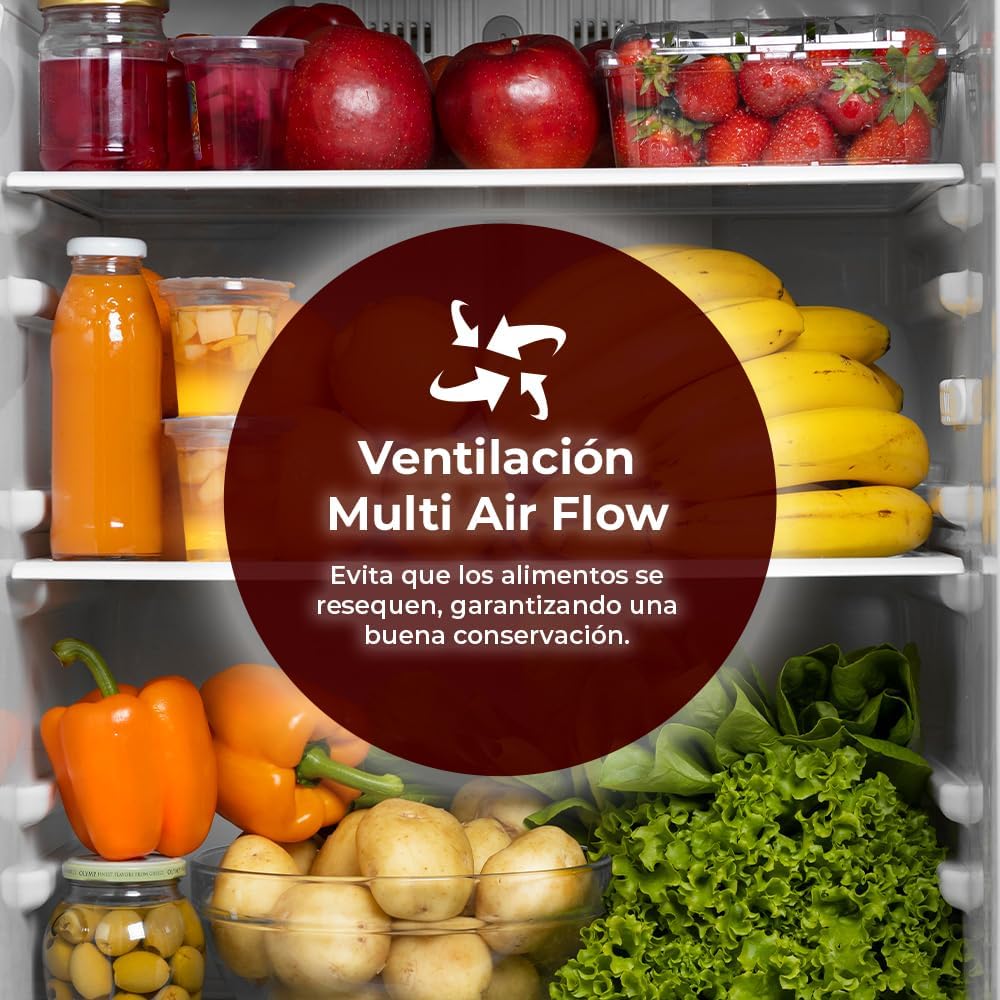
Figure 5: Illustration of the Multi Air Flow ventilation system, which prevents food from drying out and ensures good preservation.
4.5 Storage Capacity
The Wonder WC185500ENF offers a generous total capacity of 253 liters, ideal for storing all types of food and beverages comfortably.
- Refrigerator Net Capacity: 182 Liters
- Freezer Net Capacity: 71 Liters

Figure 6: Visual representation of the refrigerator (182L) and freezer (71L) capacities.
5. Maintenance and Cleaning
5.1 Cleaning
- Always unplug the refrigerator before cleaning.
- Clean the interior with a soft cloth dampened with a solution of mild detergent and warm water. Avoid abrasive cleaners or solvents.
- Wipe down the exterior surfaces with a soft, damp cloth. For stubborn stains, use a mild, non-abrasive cleaner.
- Regularly clean the condenser coils at the back of the refrigerator (if accessible) with a soft brush or vacuum cleaner to maintain efficiency.
- Ensure all parts are dry before plugging the appliance back in.
5.2 Defrosting
Thanks to its No Frost technology, your Wonder WC185500ENF refrigerator automatically defrosts both the fresh food and freezer compartments. This eliminates the need for manual defrosting. If you notice any unusual ice build-up, check that the door seals are intact and that the doors are closing properly.
5.3 LED Lighting
The interior LED lighting is designed for long-lasting, energy-efficient operation. It does not require user maintenance. In case of a malfunction, please contact customer support for assistance.
6. Troubleshooting
Before contacting customer service, please check the following common issues and solutions:
| Problem | Possible Cause | Solution |
|---|---|---|
| Refrigerator not cooling | No power; temperature setting too high; door not closed properly; excessive food load. | Check power connection and circuit breaker; adjust temperature setting; ensure door is fully closed and seal is intact; reduce food load if overfilled. |
| Unusual noise | Appliance not level; objects vibrating against the unit; normal compressor operation. | Adjust leveling feet; ensure nothing is touching the back or sides; some operational noises (e.g., gurgling, humming) are normal. |
| Water on floor/inside | Blocked drain hole; door left open too long. | Clear the drain hole (usually at the back of the refrigerator compartment); ensure doors are closed promptly. |
| Excessive ice in freezer | Door seal faulty; door left open too long (despite No Frost). | Check and clean door seals; ensure door is fully closed. If problem persists, contact service. |
If the problem persists after checking these points, please contact Wonder customer support.
7. Technical Specifications
| Feature | Specification |
|---|---|
| Model Number | WC185500ENF |
| Brand | WONDER |
| Total Capacity | 253 Liters |
| Refrigerator Net Capacity | 182 Liters |
| Freezer Net Capacity | 71 Liters |
| Dimensions (H x W x D) | 180 x 54 x 60 cm |
| Weight | 51 kg |
| Energy Efficiency Class | E |
| Annual Energy Consumption | 220 kWh/year |
| Noise Level | 40 dB |
| Defrost System | Automatic (No Frost) |
| Refrigerant | R600a |
| Voltage | 220 Volts |
| Number of Doors | 2 |
| Door Orientation | Reversible |
| Special Features | No Frost, Multi Air Flow, LED Interior Lighting |

Figure 7: Energy Label for the Wonder WC185500ENF. For detailed product information, visit the EPREL database.
8. Warranty and Support
8.1 Warranty Information
This Wonder WC185500ENF Combi Refrigerator comes with a three-year manufacturer's warranty from the date of purchase. This warranty covers manufacturing defects and faulty materials. Please retain your proof of purchase for any warranty claims. The warranty does not cover damage caused by improper installation, misuse, neglect, or unauthorized repairs.
8.2 Customer Support
For technical assistance, warranty claims, or any questions regarding your Wonder refrigerator, please contact our customer support team:
- Email: info@wonderelectro.com
- Phone: 960 600 034
- Website: www.wonderelectro.com
Please have your model number (WC185500ENF) and purchase date ready when contacting support.
