
Introduction
This manual provides detailed instructions for the setup, operation, and maintenance of your Oraimo OSW-807 Watch 6 Smartwatch. Please read this manual thoroughly before using your device to ensure proper function and to maximize your user experience.
Package Contents
Verify that all items are present in your package:
- Oraimo OSW-807 Watch 6 Smartwatch
- Charging Cable
- User Manual
- Extra Strap (if included with your specific model)
Device Overview
Familiarize yourself with the main components of your smartwatch.

Image: Front view of the Oraimo OSW-807 Watch 6 Smartwatch, displaying the digital watch face with time, date, heart rate, steps, and calories. The watch has a black strap and a dark grey casing with a green accent on the crown.
- Display: 2.04-inch HD TFT full touch color screen.
- Side Button/Crown: Used for navigation, power on/off, and accessing menus.
- Sensors (Rear): Heart rate and blood oxygen monitoring sensors.
- Charging Contacts (Rear): For connecting the magnetic charging cable.
- Microphone/Speaker: For wireless HD calling.
Setup
1. Charging the Smartwatch
Before first use, fully charge your smartwatch. Connect the magnetic charging cable to the charging contacts on the back of the watch and plug the USB end into a power adapter (not included) or a computer's USB port.
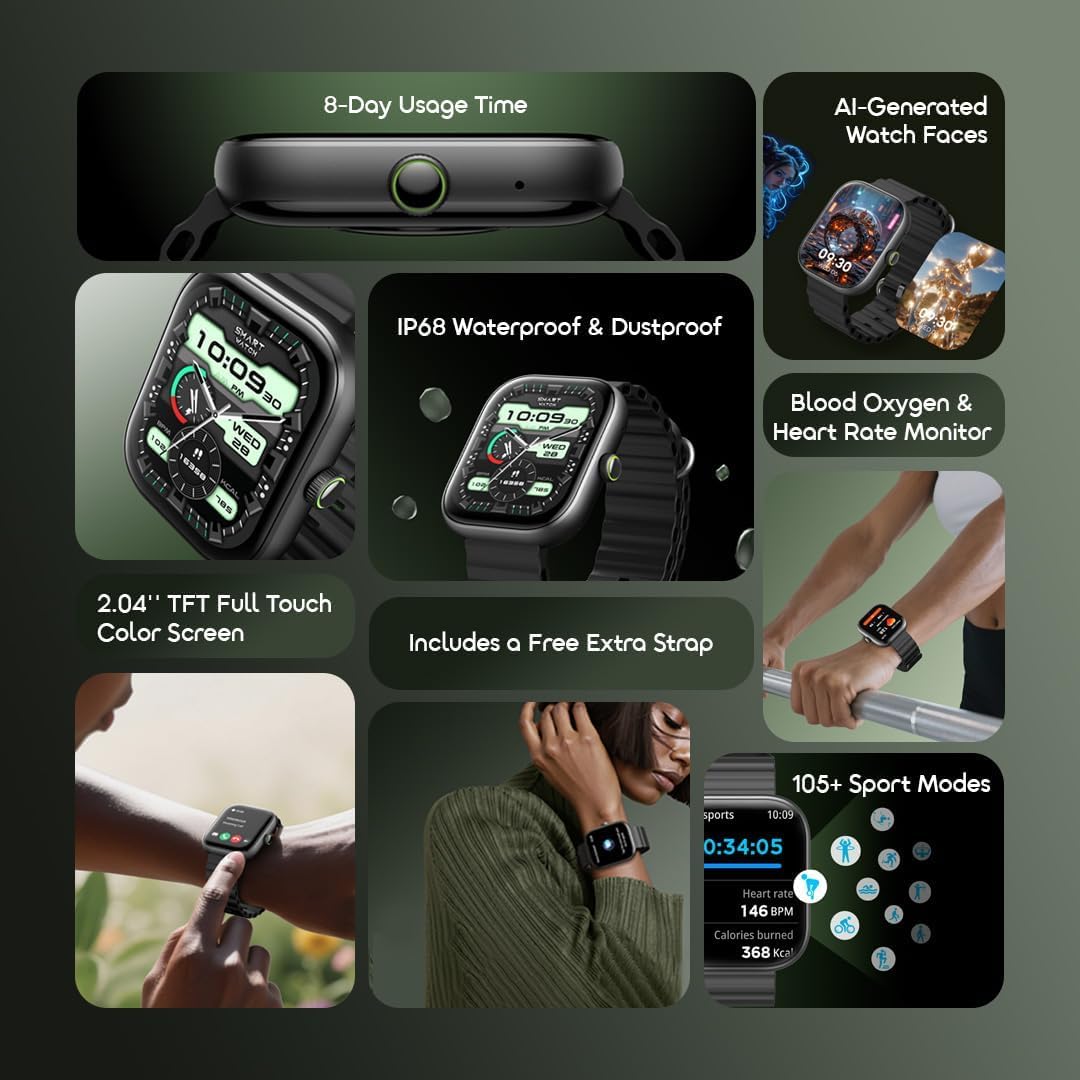
Image: Illustration showing the Oraimo OSW-807 Watch 6 Smartwatch's battery life, indicating "8 Days of Use" and "33 Days on Standby". This highlights the device's long battery performance.
- A full charge typically takes approximately 2 hours.
- The watch can last up to 8 days with normal usage and over 33 days on standby.
2. Pairing with Your Smartphone
To unlock the full features of your Oraimo Watch 6, pair it with the Oraimo Health app on your smartphone.
- Download the App: Search for "Oraimo Health" in the Apple App Store or Google Play Store, or scan the QR code provided in the product packaging. You can also visit the official Oraimo Health app page: Oraimo Health App.
- Enable Bluetooth: Ensure Bluetooth is enabled on your smartphone.
- Open App & Add Device: Open the Oraimo Health app, create an account or log in, and follow the on-screen instructions to add a new device. Select "OSW-807" from the list of available devices.
- Confirm Pairing: A pairing request will appear on your watch and phone. Confirm the pairing on both devices.

Image: The Oraimo OSW-807 Watch 6, highlighting its 2.04-inch TFT screen for bright, clear visuals. The image also mentions the inclusion of a free extra strap and features like Oraimo Health app control and Wireless HD Calling.
Operating the Smartwatch
Basic Navigation
- Power On/Off: Press and hold the side button to power on or off.
- Wake Screen: Raise your wrist or press the side button.
- Swipe Up/Down: Access quick settings or notifications.
- Swipe Left/Right: Navigate through widgets and main functions.
- Press Side Button: Return to the watch face or open the app menu.
Key Features
AI-Generated Watch Faces
Personalize your watch face with unique AI-generated designs. Access this feature through the Oraimo Health app to explore and apply various styles that adapt to your preferences.

Image: The Oraimo OSW-807 Watch 6 displaying an AI-generated watch face. This image illustrates the customization capability of the smartwatch.
Health Monitoring
The smartwatch provides comprehensive health tracking features:
- Heart Rate Monitoring: Continuous 24/7 tracking. View real-time data on the watch or in the app.
- Blood Oxygen (SpO₂) Monitoring: Measure your blood oxygen levels.
- Sleep Analysis: Tracks sleep patterns and quality.
- Step Counting & Calorie Tracking: Monitors daily activity levels.

Image: The Oraimo OSW-807 Watch 6 screen showing heart rate and blood oxygen levels, demonstrating its health monitoring capabilities.
Wireless HD Calling
Connect your smartwatch to your phone via Bluetooth to make and receive calls directly from your wrist. Ensure your watch is within Bluetooth range of your paired smartphone.

Image: A person's wrist wearing the Oraimo OSW-807 Watch 6, displaying an incoming call notification. This illustrates the wireless HD calling feature.
Sport Modes
The watch supports over 105 sport modes to track various physical activities. Select your desired sport mode to monitor metrics such as heart rate, calories burned, and duration.

Image: The Oraimo OSW-807 Watch 6 screen showing active sport tracking, including heart rate and calories burned, alongside icons representing various sport modes.
Notifications & Music Control
Receive instant notifications for calls, messages, and app alerts. Control music playback on your smartphone directly from your watch.
Maintenance
Cleaning Your Smartwatch
- Wipe the watch and strap regularly with a soft, damp cloth.
- Avoid using harsh chemicals or abrasive materials.
- Ensure the charging contacts are clean and dry before charging.
Water Resistance (IP68)
The Oraimo OSW-807 Watch 6 has an IP68 waterproof rating, meaning it is resistant to dust and can withstand immersion in water up to 1.5 meters for up to 30 minutes. It is suitable for daily use, such as hand washing, rain, and swimming. However, it is not recommended for hot showers, saunas, or diving, as steam and high water pressure may compromise the seal.

Image: The Oraimo OSW-807 Watch 6 with water droplets on its screen and casing, emphasizing its IP68 waterproof and dustproof capabilities.
Troubleshooting
- Watch not turning on: Ensure the watch is fully charged. Connect it to the charger for at least 30 minutes.
- Cannot pair with phone:
- Ensure Bluetooth is enabled on your phone and the watch.
- Make sure the watch is within range of your phone.
- Restart both your phone and the smartwatch.
- Try unpairing and re-pairing the device through the Oraimo Health app.
- Inaccurate health data:
- Ensure the watch is worn snugly on your wrist, not too tight or too loose.
- Clean the sensor area on the back of the watch.
- Note that smartwatches are not medical devices and readings are for reference only.
- Notifications not appearing:
- Check app notification settings in the Oraimo Health app.
- Ensure your phone's notification permissions are granted to the Oraimo Health app.
- Verify that the watch is connected to your phone via Bluetooth.
Specifications
| Feature | Detail |
|---|---|
| Model | OSW-807 |
| Display | 2.04-inch HD TFT Full Touch Color Screen |
| Battery Capacity | 300mAh Lithium Polymer |
| Battery Life | Up to 8 days (normal usage), Over 33 days (standby) |
| Water Resistance | IP68 (Dustproof and Water-resistant) |
| Connectivity | Bluetooth V5.3 |
| Health Monitoring | Heart Rate, SpO₂, Sleep Tracking, Step Counter, Calorie Tracker |
| Special Features | AI-Generated Watch Faces, Wireless HD Calling, 105+ Sport Modes |
| Item Weight | 200 Grams |
| Included Components | Smartwatch, Charging Cable, User Manual |
Warranty and Support
For warranty information and customer support, please refer to the warranty card included in your product package or visit the official Oraimo website. You can typically find detailed support resources, FAQs, and contact information there.
Official Oraimo Website: www.oraimo.com


