
1. Introduction
Thank you for choosing the Oraimo OTW-324 SpaceBuds Lite True Wireless Earbuds. These earbuds are designed to provide an immersive audio experience with Sound360 Spatial Audio, extended playtime, and convenient features like a Smart Earbud Finder. This manual will guide you through the setup, operation, and maintenance of your new earbuds.
2. Package Contents
- Oraimo OTW-324 SpaceBuds Lite True Wireless Earbuds (Left and Right)
- Charging Case
- USB Charging Cable (Type-C)
- Ear Tips (various sizes)
- User Manual
- Anti-Lost Lanyard
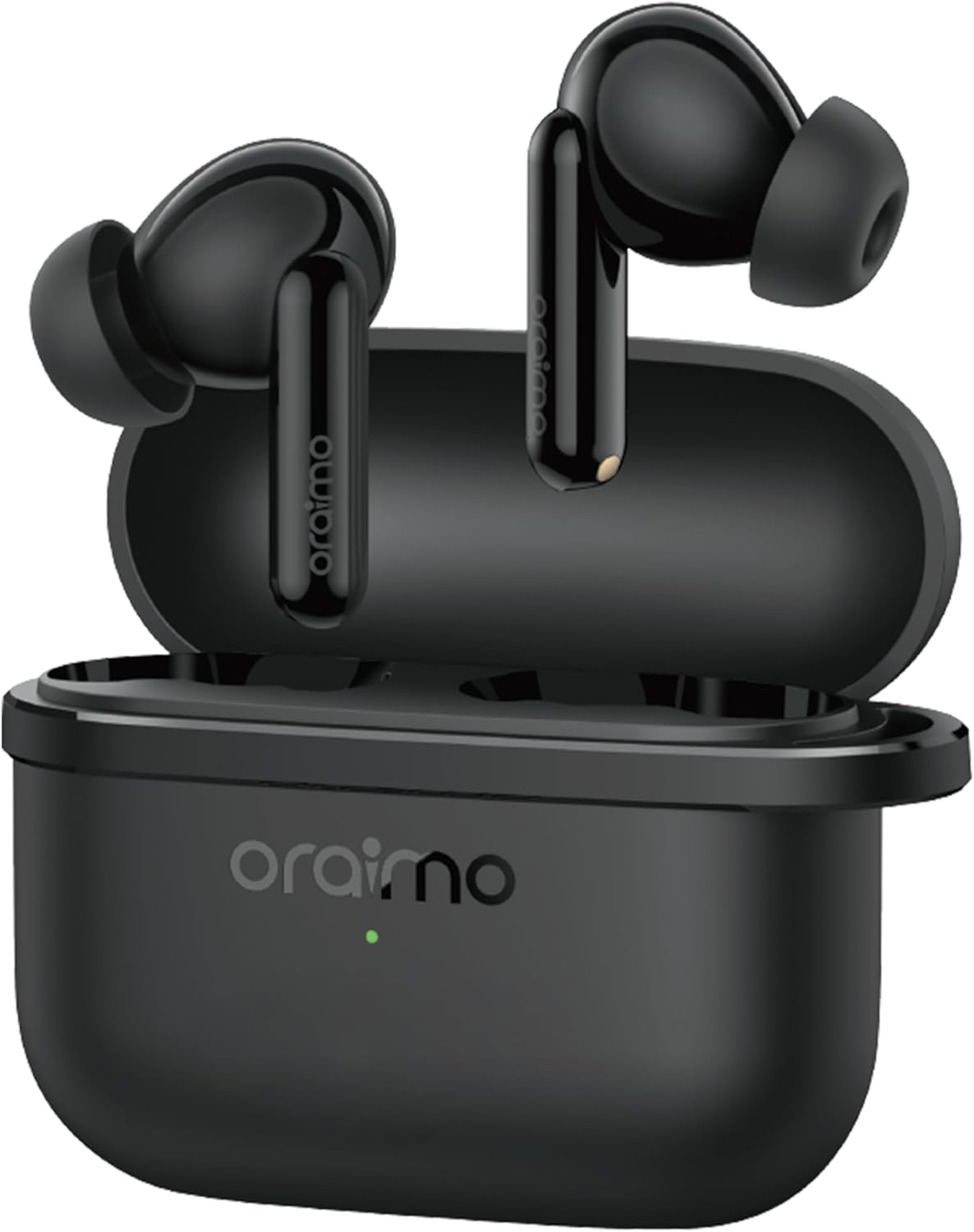
Image: Oraimo OTW-324 SpaceBuds Lite Earbuds in their charging case.
3. Product Overview
The Oraimo SpaceBuds Lite feature an ergonomic design for comfortable wear and intuitive touch controls. The compact charging case provides extended battery life and protects your earbuds.
Earbud Components:
- Touch Control Area: For managing playback, calls, and activating features.
- Microphone: For calls and voice commands.
- Charging Contacts: Located at the bottom of the earbud stem.
Charging Case Components:
- Earbud Slots: Securely hold and charge the earbuds.
- Charging Indicator Light: Displays charging status and battery level.
- USB-C Charging Port: For charging the case.
4. Setup
4.1 Charging the Earbuds and Case
Before first use, fully charge the earbuds and the charging case.
- Place the earbuds into the charging case. Ensure they are correctly seated.
- Connect the charging case to a power source using the provided USB-C cable.
- The indicator light on the case will show the charging status. Once fully charged, the light will indicate completion (refer to specific light patterns in the full manual if available).
A full charge provides up to 7 hours of listening time, with the charging case extending total playtime to 40 hours.

Image: Oraimo SpaceBuds Lite earbuds and case, highlighting the 40-hour total playtime.
4.2 Pairing with Your Device
The earbuds use Bluetooth V5.4 for a stable and efficient connection.
- Open the charging case. The earbuds will automatically enter pairing mode (indicated by a flashing light on the earbuds).
- On your device (smartphone, tablet, etc.), go to Bluetooth settings and turn on Bluetooth.
- Search for available devices and select "Oraimo SpaceBuds Lite" from the list.
- Once connected, you will hear a confirmation tone, and the earbud indicator lights will turn off or show a steady light.
Note: The earbuds will automatically reconnect to the last paired device when taken out of the case, if Bluetooth is enabled on the device.
5. Operating Instructions
5.1 Basic Touch Controls
The earbuds feature intuitive touch controls on their stems. Specific functions may vary or be customizable via the Oraimo Sound app.
- Play/Pause: Single tap on either earbud.
- Next Track: Double tap on the right earbud.
- Previous Track: Double tap on the left earbud.
- Answer/End Call: Single tap on either earbud.
- Reject Call: Press and hold on either earbud.
- Activate Voice Assistant: Triple tap on either earbud (customizable).
5.2 Sound360 Spatial Audio
Experience immersive sound with Sound360 Spatial Audio, which creates a 3D-like surround sound environment for music, movies, and gaming. This feature can be activated and customized through the Oraimo Sound app.
5.3 Immersive Game Mode
For a more responsive gaming experience, activate the Immersive Game Mode. This mode reduces audio latency, ensuring that sound effects are synchronized with on-screen actions. This feature is accessible via the Oraimo Sound app.

Image: A smartphone displaying the Oraimo Sound app interface with the "Immersive Game Mode" feature, alongside the SpaceBuds Lite earbuds.
5.4 Oraimo Sound App Control
Enhance your experience by downloading the Oraimo Sound app. The app allows for:
- Customizing touch controls.
- Adjusting equalizer settings.
- Activating Sound360 Spatial Audio and Game Mode.
- Using the Smart Earbud Finder.
- Personalizing the Bluetooth name of your earbuds.

Image: Screenshot of the Oraimo Sound app interface, showing various control options, along with QR codes for downloading the app from App Store and Google Play.
5.5 Smart Earbud Finder
If you misplace your earbuds, the Smart Earbud Finder feature in the Oraimo Sound app can help locate them by playing a sound.
- Open the Oraimo Sound app and navigate to the "Find Device" section.
- Tap "Start Finding" to play a sound from your earbuds.
Warning: Do not wear the earbuds while activating this feature to avoid potential hearing damage. This feature may not work if the earbuds are powered off or disconnected.

Image: A smartphone screen displaying the "Find Device" interface within the Oraimo Sound app, showing how to locate misplaced earbuds using sound cues.
5.6 Personalized Bluetooth Name
Customize the Bluetooth name of your Oraimo SpaceBuds Lite through the Oraimo Sound app to make them uniquely yours.

Image: A smartphone screen showing the option to change the Bluetooth name of the Oraimo SpaceBuds Lite within the app settings.
6. Maintenance
6.1 Cleaning
- Regularly clean the earbuds and charging case with a soft, dry, lint-free cloth.
- Remove ear tips and clean them with mild soap and water, then dry thoroughly before reattaching.
- Ensure charging contacts on both earbuds and case are free from dust and debris.
6.2 Water Resistance (IPX5)
The Oraimo SpaceBuds Lite are IPX5 water-resistant, meaning they can withstand sweat and splashes. They are not designed for submersion in water. Avoid exposing them to heavy rain or showering.

Image: Oraimo SpaceBuds Lite earbuds shown with water splashes, indicating water resistance. Note: The product is rated IPX5, while this image may show IPX4.
6.3 Storage
When not in use, store the earbuds in their charging case to protect them and keep them charged.
7. Troubleshooting
| Problem | Solution |
|---|---|
| Earbuds not pairing |
|
| Only one earbud playing sound |
|
| Low volume or poor sound quality |
|
| Earbuds not charging |
|
8. Specifications
| Feature | Detail |
|---|---|
| Model Name | Oraimo OTW-324 |
| Brand Name | Oraimo |
| Connectivity Technology | Wireless (Bluetooth V5.4) |
| Headphones Form Factor | In Ear |
| Headphones Ear Placement | In Ear |
| Noise Control | Passive Noise Cancellation |
| Impedance | 1 Ohms |
| Color | Speed Black |
| Total Playtime | Up to 40 hours (7 hours per charge, 33 hours with case) |
| Water Resistance | IPX5 |
| Package Dimensions | 11.7 x 10 x 3.2 cm |
| Weight | 200 g |
9. Warranty and Support
Oraimo products are designed with quality and reliability in mind. For warranty information, technical support, or customer service inquiries, please refer to the official Oraimo website or contact their customer support channels. Keep your purchase receipt for warranty claims.