1. Introduction
Thank you for choosing the MERIOR 3L Electric Composter. This smart kitchen appliance is designed to efficiently convert food waste into nutrient-rich compost, reducing household waste and providing valuable fertilizer for your plants. Featuring an odorless operation, low noise level, and automatic cleaning, this composter offers a convenient and eco-friendly solution for modern kitchens.

The MERIOR 3L Electric Composter efficiently transforms food waste into valuable compost.
2. Safety Guidelines
- Read all instructions before using the appliance.
- Do not immerse the main unit in water or other liquids.
- Unplug the composter from the outlet when not in use and before cleaning.
- Keep hands and utensils out of the composter during operation to prevent injury.
- Ensure the lid is securely closed before starting any cycle.
- Do not use the appliance for anything other than its intended purpose.
- Keep out of reach of children.
3. What's in the Box
- 1 * Electric Kitchen Composter
- 1 * Inner Bucket
- 1 * Activated Carbon Filters (pre-installed)
- 1 * Activated Carbon Packet (for refill)
- 1 * User Manual

All items included in your MERIOR Electric Composter package.
4. Product Overview
4.1 Key Features
- Compact & Stylish Design: Fits easily on kitchen countertops without occupying excessive space.
- Odor-Free Operation: Equipped with a built-in activated carbon filtering system to absorb unpleasant smells.
- Fast Composting: Converts food waste into dry, nutrient-rich compost in 4-6 hours.
- Auto-Cleaning Function: Simplifies maintenance by automatically removing food residues.
- Quiet Operation: Operates at a maximum noise level of 42 dB, ensuring minimal disruption.
- Durable Construction: Features a newly reinforced blade, 30% thicker for enhanced impact resistance and wear.
4.2 Control Panel
The intuitive smart panel allows for easy operation with touch controls for power, volume selection, mode selection, and start/pause functions. An LED display shows the remaining time for the current cycle.

The smart control panel provides easy access to all composter functions.

Detailed functions of the control panel buttons.
4.3 Inner Bucket & Blade
The composter features a removable 3-liter inner bucket made of aluminum, equipped with a reinforced blade for efficient grinding and drying of food waste. The bucket is designed for easy removal and cleaning.

The reinforced blade ensures efficient and durable performance.
5. Setup
5.1 Initial Placement
- Place the composter on a stable, flat surface in your kitchen or a well-ventilated area.
- Ensure there is adequate space around the unit for proper ventilation.
5.2 Filter Installation/Check
The activated carbon filters are typically pre-installed. To check or replace them:
- Locate the filter compartment on the side of the unit.
- Gently open the cover and ensure the carbon filter is properly seated.
- If replacing, remove the old filter and insert a new one, then close the cover securely.

The activated carbon filter is easily accessible for replacement.
6. Operating Instructions
6.1 Acceptable Food Waste
The composter can process a wide variety of food waste, including:
- Vegetable & Fruit Scraps
- Meat Scraps & Bones
- Staple Food
- Seafood
- Eggshells
- Yard Waste (small amounts)
- Coffee Grounds
- Degradable Kitchenware (check manual for specifics)
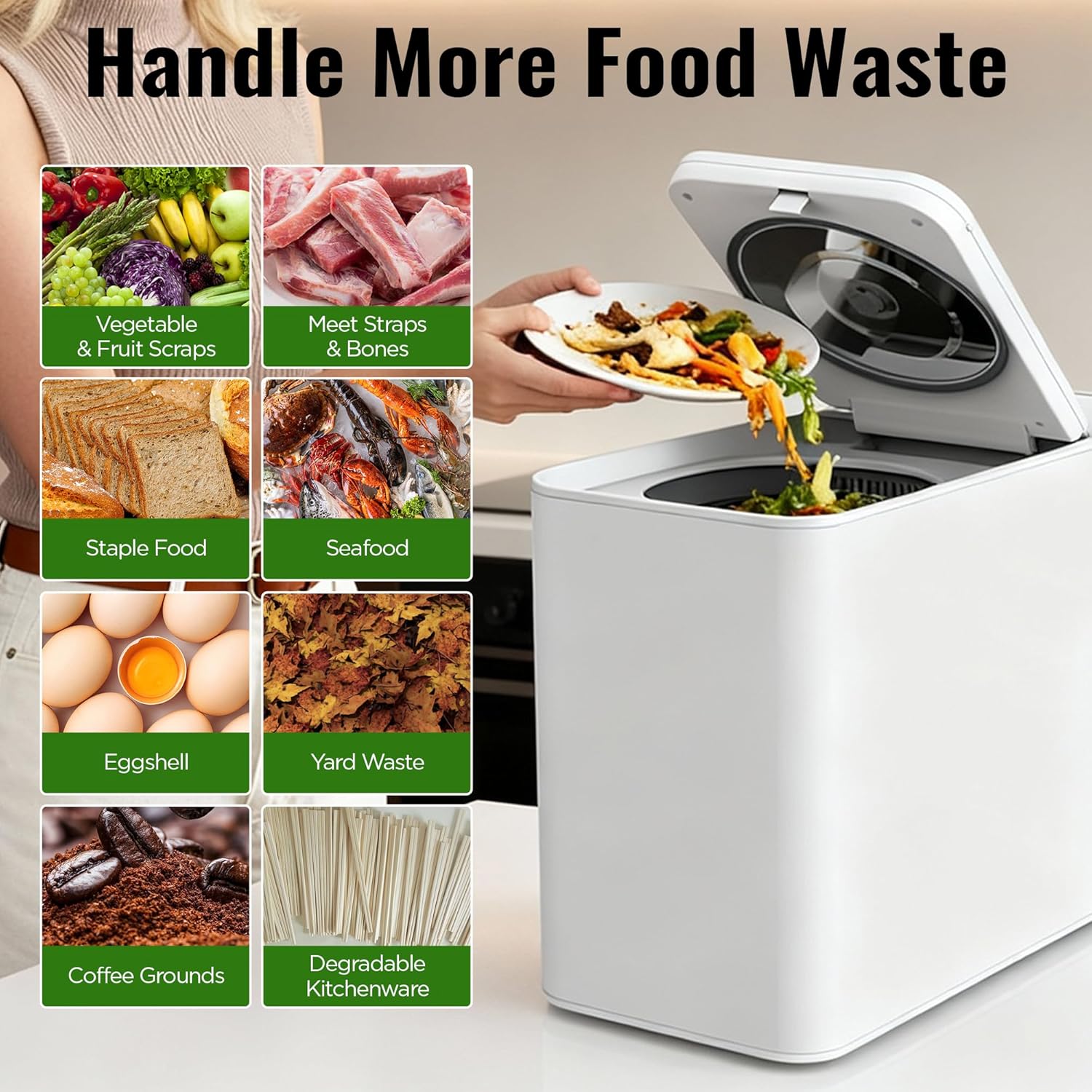
The composter handles a wide range of food waste.
6.2 Adding Food Waste
- Press the lid release button to open the composter lid.
- Carefully remove the inner bucket by its handle.
- Add food waste to the inner bucket. For optimal results, cut large items into smaller pieces.
- Place the inner bucket back into the unit, ensuring the arrows on the bucket and unit align.
- Close the composter lid securely.
6.3 Selecting a Cycle
After adding waste and closing the lid, press the ON/OFF button to power on the unit. Then, select your desired mode:
- Standard Mode: For general mixed waste, typically 4-6 hours.
- Quick Mode: For smaller, easily decomposable waste, typically 3-4 hours.
- Manual Mode: Adjust runtime (1-6 hours) using M+ and M- buttons.
- Volume Selection: Use the 'Volume' button to indicate Low, Medium, or Large load size.

Simple 3-step process for composting food waste.
6.4 Starting the Cycle
Press the Start/Pause button to begin the composting cycle. The LED display will show the remaining time. To pause the cycle, press the Start/Pause button again.
Official product video demonstrating the MERIOR Electric Composter's features and operation.
7. Care and Cleaning
7.1 Automatic Cleaning
The composter features an automatic cleaning function:
- After emptying the compost, add water to the inner bucket (do not exceed the MAX fill line).
- Close the lid and select the 'Clean' mode.
- Press Start/Pause to begin the 30-minute cleaning cycle.
- Once complete, empty the dirty water and rinse the bucket.

The automatic cleaning function simplifies maintenance.
7.2 Manual Cleaning
The inner bucket is removable and dishwasher-safe for thorough cleaning. The main unit can be wiped clean with a damp cloth.
7.3 Filter Replacement
The activated carbon filters should be replaced periodically to maintain odorless operation. The unit will indicate when a filter replacement is due (after approximately 300 hours of use).
- Open the filter compartment on the side of the unit.
- Remove the used carbon filter.
- Insert a new activated carbon filter.
- Close the compartment cover securely.
8. Troubleshooting
- Unit not powering on: Ensure the power cord is securely plugged into a working outlet. Check the ON/OFF button.
- Unpleasant odors: Check if the activated carbon filters need replacement. Ensure the lid is properly sealed.
- Food waste not fully processed: Ensure large food items are cut into smaller pieces. Avoid overloading the unit. Try running another cycle if necessary.
- Noise level: While designed for quiet operation, some noise from grinding hard materials is normal. If excessive noise occurs, check for obstructions in the inner bucket.
9. Technical Specifications
| Specification | Detail |
|---|---|
| Brand | MERIOR |
| Model Number | FC360 |
| Capacity | 3 Liters |
| Material | Aluminum |
| Color | White |
| Product Dimensions | 16.54"L x 8.27"W x 13.39"H |
| Item Weight | 22 Pounds |
| Max Noise Level | 42 dB |

Dimensions and capacity of the MERIOR Electric Composter.
10. Warranty and Support
The MERIOR Electric Composter may come with a lifetime warranty upon product registration within 14 days of receipt. Please refer to the warranty card included in your package for detailed terms and conditions. For technical support or service inquiries, please contact MERIOR customer service through the official brand channels.