Introduction
This manual provides detailed instructions for the setup, operation, and maintenance of your PZL Replacement Remote Control. Please read this manual thoroughly before use to ensure proper functionality and compatibility with your Bifanuo Walking Pad treadmill.

Image: Front and back view of the PZL Replacement Remote Control. The front features circular buttons for power, speed adjustment, and mode selection. The back shows a smooth, ergonomic design.
Package Contents
- 1 x PZL Replacement Remote Control
Note: Batteries and additional instructions are not included in the package.
Setup
1. Battery Installation
The remote control requires one CR2032 lithium battery (3V). This battery is not included and must be purchased separately.
- Locate the battery compartment on the back of the remote control.
- Open the battery compartment cover.
- Insert one CR2032 battery with the positive (+) side facing upwards.
- Close the battery compartment cover securely.

Image: A PZL remote control next to a CR2032 lithium battery, illustrating the battery type required for operation. The image explicitly states that the battery is not included by default.
2. Pairing the Remote Control
The remote control must be paired with your walking pad treadmill to function. Two pairing methods are available:

Image: A close-up of the remote control with text overlays detailing two pairing methods. The minus button on the remote is highlighted.
Pairing Method 1:
- Turn on the walking pad treadmill.
- Wait for approximately 20 seconds.
- Press and hold the minus (-) button on the remote control until the walking pad emits two beeps. This indicates successful pairing.
Pairing Method 2:
- Ensure the treadmill is turned off.
- Press and hold the minus (-) button on the remote control.
- While holding the minus button, turn on the treadmill.
- Release the button when the treadmill's display panel begins to flash.
- The display panel will flash twice, and the buzzer will sound twice, indicating that pairing is complete.
Note: If the remote control becomes unresponsive, repeat Pairing Method 2 once.
Important: Different treadmill models may require specific pairing methods. If one method does not work, attempt the other.
Operating Instructions
The PZL Replacement Remote Control allows you to manage your walking pad treadmill's functions efficiently.

Image: A user operating the PZL remote control while walking on a treadmill. Icons representing Time, Speed, Calories, and Distance are displayed, indicating the remote's control over these metrics.
Button Functions:
- Power Button (⏻): Turns the treadmill on or off.
- Plus (+) Button: Increases the treadmill speed.
- Minus (-) Button: Decreases the treadmill speed.
- M Button (Mode): Cycles through different display modes or workout programs (functionality may vary by treadmill model).
- P Button (Program/Pause): Initiates or pauses a workout program, or selects a preset program (functionality may vary by treadmill model).
- Mute Button (🔇): Mutes or unmutes treadmill sounds (if applicable).
- Return Button (↶): Returns to the previous menu or setting (if applicable).
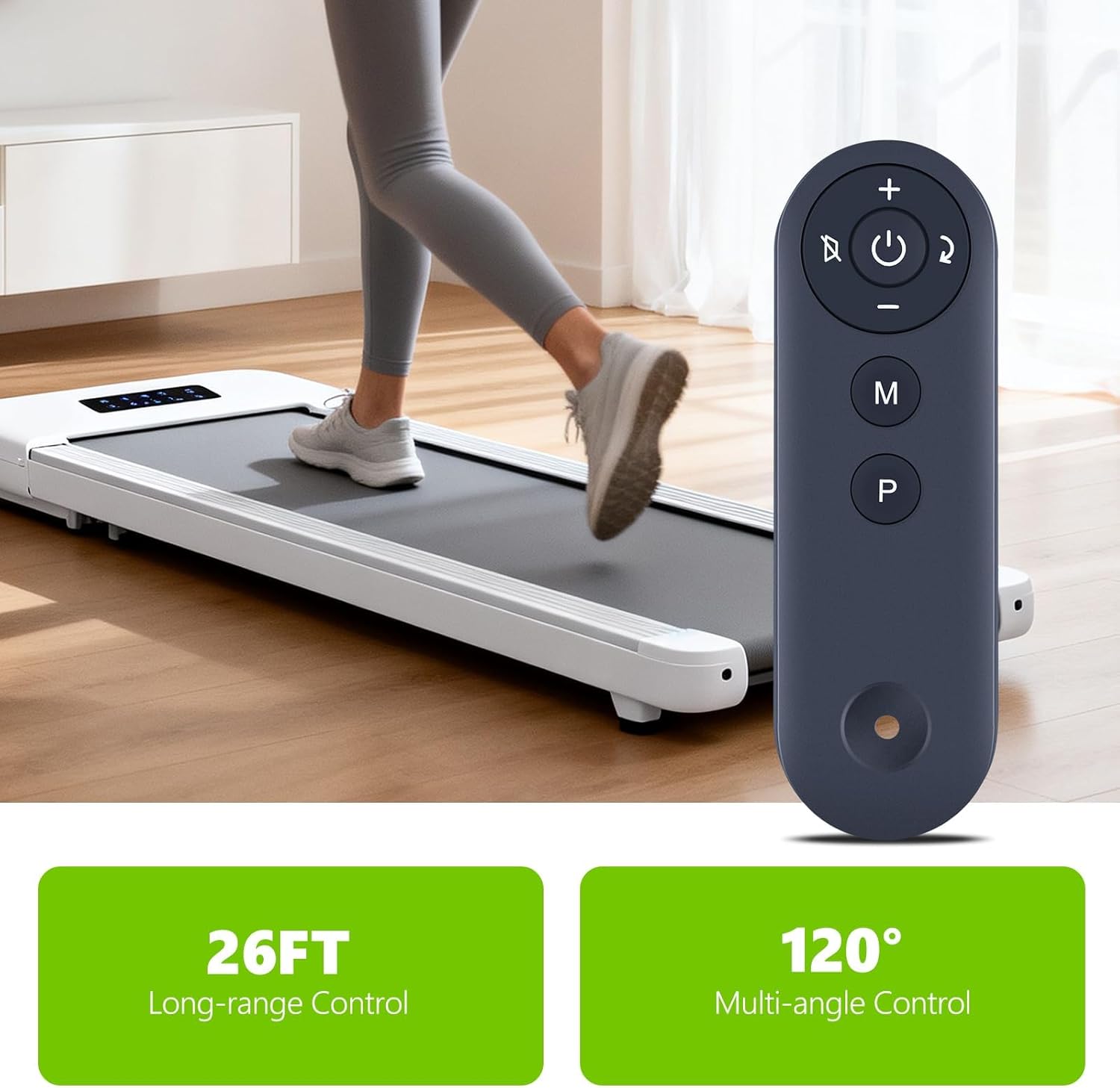
Image: A PZL remote control held by a hand, positioned in front of a walking pad treadmill. Text indicates '26FT Long-range Control' and '120° Multi-angle Control', demonstrating the remote's operational range and flexibility.
Maintenance
To ensure the longevity and optimal performance of your remote control, follow these maintenance guidelines:
- Cleaning: Wipe the remote control with a soft, dry cloth. Avoid using abrasive cleaners or solvents.
- Battery Replacement: Replace the CR2032 battery when the remote's response becomes sluggish or it stops functioning.
- Storage: Store the remote control in a cool, dry place away from direct sunlight and extreme temperatures.
- Protection: Avoid dropping the remote control or exposing it to water or other liquids.
Troubleshooting
If you encounter issues with your PZL Replacement Remote Control, refer to the following common solutions:
| Problem | Possible Cause | Solution |
|---|---|---|
| Remote control is unresponsive. | Dead or low battery. | Replace the CR2032 battery. |
| Remote control is unresponsive. | Remote is not paired with the treadmill. | Perform one of the pairing methods described in the Setup section. |
| Treadmill does not respond to commands. | Obstruction between remote and treadmill sensor. | Ensure a clear line of sight between the remote and the treadmill's receiver. |
| Treadmill does not respond to commands. | Incorrect treadmill model compatibility. | Verify that your treadmill model (TM008BK, GK-001, TM001, TM008, TM009) is listed as compatible. |
Specifications
- Brand: PZL
- Compatible Models: Bifanuo Walking Pad TM008BK, GK-001, TM001, TM008, TM009
- Power Source: 1 x CR2032 3V Lithium Battery (not included)
- Dimensions: 4.69 x 1.5 x 0.47 inches
- Item Weight: 0.634 ounces
- Special Feature: Ergonomic design
- Color: Black
- Max Number of Supported Devices: 1

Image: A detailed view of the PZL remote control, emphasizing its 'Sensitive Buttons' and 'Durable Material'. Features like soft buttons, ABS material, comfortable grip, and quality assurance are highlighted.
Support
For any questions regarding your order or the compatibility of this remote control with your specific treadmill model, please contact customer service. We aim to provide timely service within 24 hours.
Manufacturer: PZL


