
Introduction
Thank you for choosing the Aspiron 12-in-1 Steam Mop. This versatile cleaning device is designed to provide powerful, chemical-free cleaning for a variety of surfaces in your home. With its rapid heat-up time, detachable handheld unit, and multiple accessories, you can effectively remove stubborn stains and grime, leaving your home fresh and sanitized. Please read this manual thoroughly before operating the appliance and keep it for future reference.
Important Safety Instructions
When using electrical appliances, basic safety precautions should always be followed to reduce the risk of fire, electric shock, or injury. This includes:
- Always ensure the appliance is unplugged from the power outlet before filling with water, emptying, or cleaning.
- Do not leave the steam mop unattended while it is powered on.
- Use only clean tap water in the water tank. Do not add cleaning solutions, perfumes, or other chemicals, as this may damage the appliance or create unsafe steam.
- Keep hands, face, and body away from the steam nozzle when in use, as steam is very hot and can cause burns.
- Do not direct steam at electrical outlets, appliances, or any surface that is not heat-resistant.
- Ensure the mop pad is securely attached before operating.
- Store the appliance indoors in a cool, dry place when not in use.
Product Overview & What's in the Box
The Aspiron 12-in-1 Steam Mop is designed for versatile cleaning. Below are the main components and included accessories:
- Main Steam Mop Unit (with detachable handheld steamer)
- Mop Head with Microfiber Pad
- Carpet Glider
- Measuring Cup
- Window Squeegee / Garment Steamer Tool
- Small Scrub Brush
- Medium Scrub Brush
- Grout Cleaning Tool
- Scraping Tool
- Angled Nozzle
- Accessory Adapter
- Additional Microfiber Pad

Image: The Aspiron 12-in-1 Steam Mop in its upright position, alongside its various attachments and accessories, including microfiber pads, brushes, and nozzles.

Image: A collage demonstrating the multi-functional capabilities of the steam mop, including floor cleaning, handheld steaming for upholstery, windows, and various brush applications for tough grime.
Video: An official Aspiron video providing an honest review of the steam mop, demonstrating its assembly, water filling, and various attachments for different cleaning tasks.
Setup
- Assembly:
- Attach the handle to the main body of the steam mop until it clicks securely into place.
- Attach the mop head to the bottom of the main body.
- Secure a microfiber pad to the mop head using the Velcro fasteners.
- For carpet cleaning, place the mop head (with pad attached) into the carpet glider.
- Filling the Water Tank:
- Ensure the steam mop is unplugged.
- Locate the water tank cap on the main unit. Open the cap.
- Use the provided measuring cup to fill the water tank with clean tap water. The tank capacity is 385ml. Do not overfill.
- Close the water tank cap securely.

Image: An illustration showing the internal heating element of the steam mop, highlighting its rapid 15-second heat-up time.
Operating Instructions
- Power On & Heat-Up:
- Plug the power cord into a grounded electrical outlet.
- Turn the power dial to the "ON" position. The indicator light will illuminate (red during heating, blue when ready).
- The steam mop will heat up in approximately 15 seconds.
- Using as a Steam Mop:
- Once the indicator light turns blue, the mop is ready to use.
- Slowly move the mop head across the surface to be cleaned. The mop head features 90° front-to-back and 180° left-to-right rotation for easy maneuverability around furniture and into corners.
- For carpets, ensure the carpet glider is attached.
- Using as a Handheld Steam Cleaner:
- Ensure the steam mop is unplugged.
- Press the release button on the main body to detach the handheld unit.
- Attach the accessory adapter to the handheld unit.
- Select the desired accessory (e.g., small/medium scrub brush, scraping tool, angled nozzle, window squeegee) and attach it to the adapter.
- Plug in the handheld unit and turn it on. Direct steam towards the area to be cleaned.
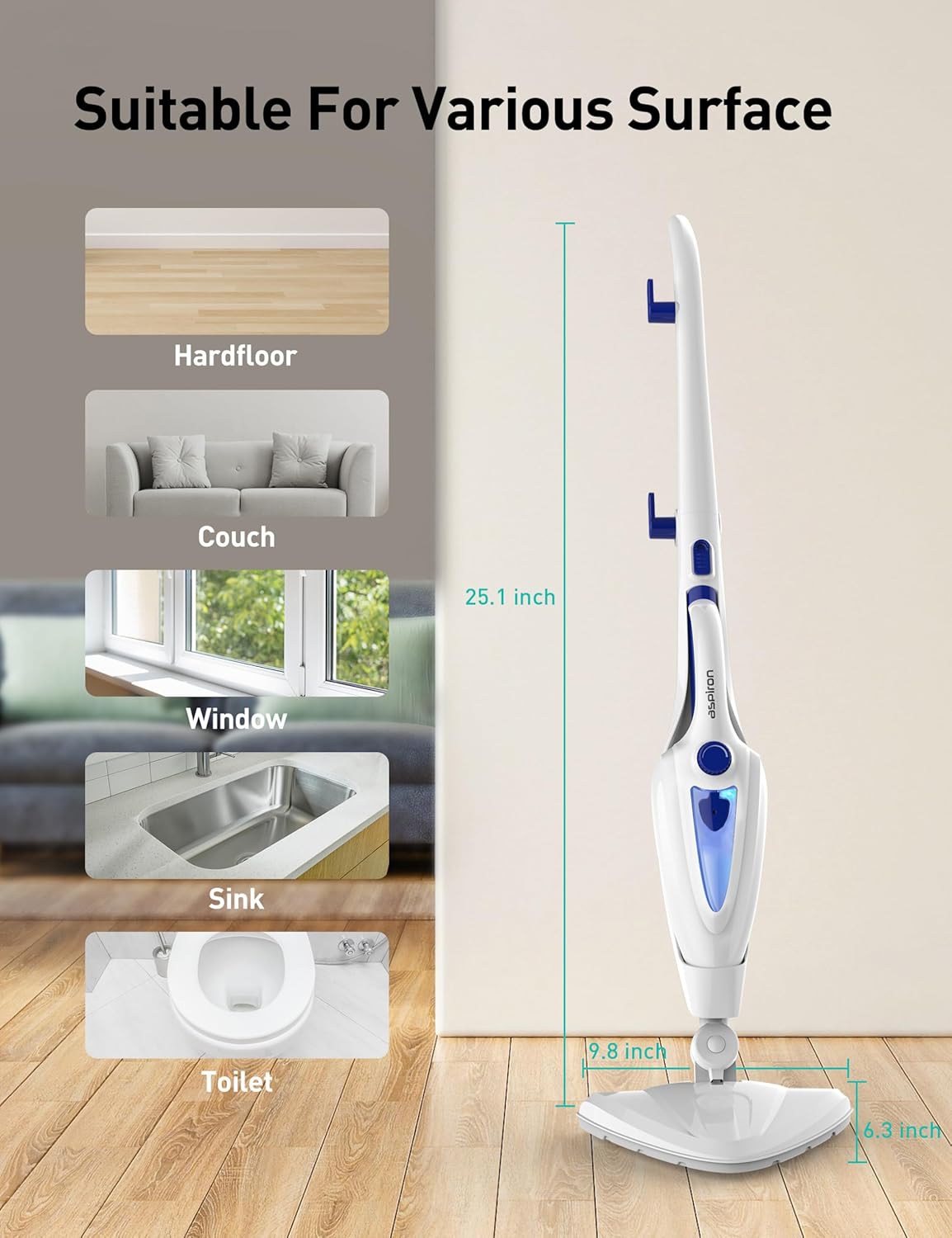
Image: The steam mop in its upright position, with illustrations of various surfaces it can clean, including hard floors, couches, windows, sinks, and toilets.
Video: An official Aspiron video demonstrating the various ways to use the steam mop, showcasing its adaptability for different cleaning scenarios around the home.
Video: An official Aspiron video illustrating the multipurpose functionality of the steam mop, highlighting its ease of use and effectiveness on different surfaces.
Maintenance
- Cleaning/Replacing Mop Pads:
- Remove the microfiber pad from the mop head.
- The pads are machine washable. Wash them with similar colors and air dry. Do not use bleach or fabric softeners.
- Replace pads when they become worn or no longer effectively clean.
- Emptying Water Tank:
- After each use, ensure the appliance is unplugged and cooled down.
- Open the water tank cap and carefully empty any remaining water.
- Storage:
- Ensure the steam mop is clean, dry, and cooled before storing.
- The handle can be detached or folded for compact storage. Wrap the 16ft power cord neatly around the designated hooks.
- Store all accessories in a safe, dry place.
Troubleshooting
| Problem | Possible Cause | Solution |
|---|---|---|
| No steam produced. | Water tank is empty or not properly filled. | Fill the water tank with clean tap water. |
| No steam produced. | Appliance not plugged in or powered on. | Ensure the power cord is securely plugged in and the power dial is in the "ON" position. |
| No steam produced. | Appliance has not reached operating temperature. | Wait approximately 15 seconds for the indicator light to turn blue. |
| Leaves streaks on floor. | Mop pad is dirty or saturated. | Replace or clean the microfiber mop pad. |
| Leaves streaks on floor. | Excessive steam or water. | Adjust steam output if applicable, or wipe excess moisture with a dry cloth. |
Specifications
- Model Number: AS-CA039
- Brand: Aspiron
- Wattage: 1500 Watt-hours
- Heat-Up Time: Approximately 15 seconds
- Steam Output: 30g per minute
- Water Tank Capacity: 385ml (provides up to 30 minutes continuous cleaning)
- Power Cord Length: 16 feet
- Item Weight: 7.5 Pounds
- Color: Blue
- Surface Recommendations: Hardwood Floors, Clothes, Windows, Tiles, Furniture, Upholstery, Carpets
- Special Feature: Portable, Detachable Handheld Unit
- Included Components: Main Unit, Mop Head, 2 Microfiber Pads, Carpet Glider, Measuring Cup, Window Squeegee, Small Scrub Brush, Medium Scrub Brush, Grout Cleaning Tool, Scraping Tool, Angled Nozzle, Accessory Adapter.
Warranty and Support
For warranty information or product support, please refer to the contact details provided in your product packaging or visit the official Aspiron website. Keep your purchase receipt as proof of purchase for any warranty claims.
Replacement accessories such as Steam Mop Pads (B0BF2ZL2DC) and Steam Shot Attachments (B0DZ28S5WK) can be purchased separately.


