1. Introduction
This manual provides essential instructions for the safe operation and maintenance of your LEMFO LM-G09 Baby Monitor. Please read this manual thoroughly before using the device and retain it for future reference. This monitor is designed to provide a secure and reliable way to observe your baby.
2. Package Contents
Verify that all items are present in the package:
- Parent Unit (Monitor)
- Baby Unit (Camera)
- Power Adapter (for Parent Unit)
- Power Adapter (for Baby Unit)
- USB-C Charging Cable
- User Manual (this document)

Image: The LEMFO LM-G09 Baby Monitor system, showing the 5-inch parent unit displaying a baby, and the rotating baby unit camera.
3. Product Overview
3.1 Parent Unit (Monitor)
The Parent Unit features a 5-inch 720P IPS display for clear viewing. It includes controls for camera movement, zoom, two-way audio, lullabies, and menu navigation.
3.2 Baby Unit (Camera)
The Baby Unit is equipped with a 720P camera, infrared night vision, a microphone, and a speaker. It can be remotely rotated 355° horizontally and 120° vertically from the Parent Unit.
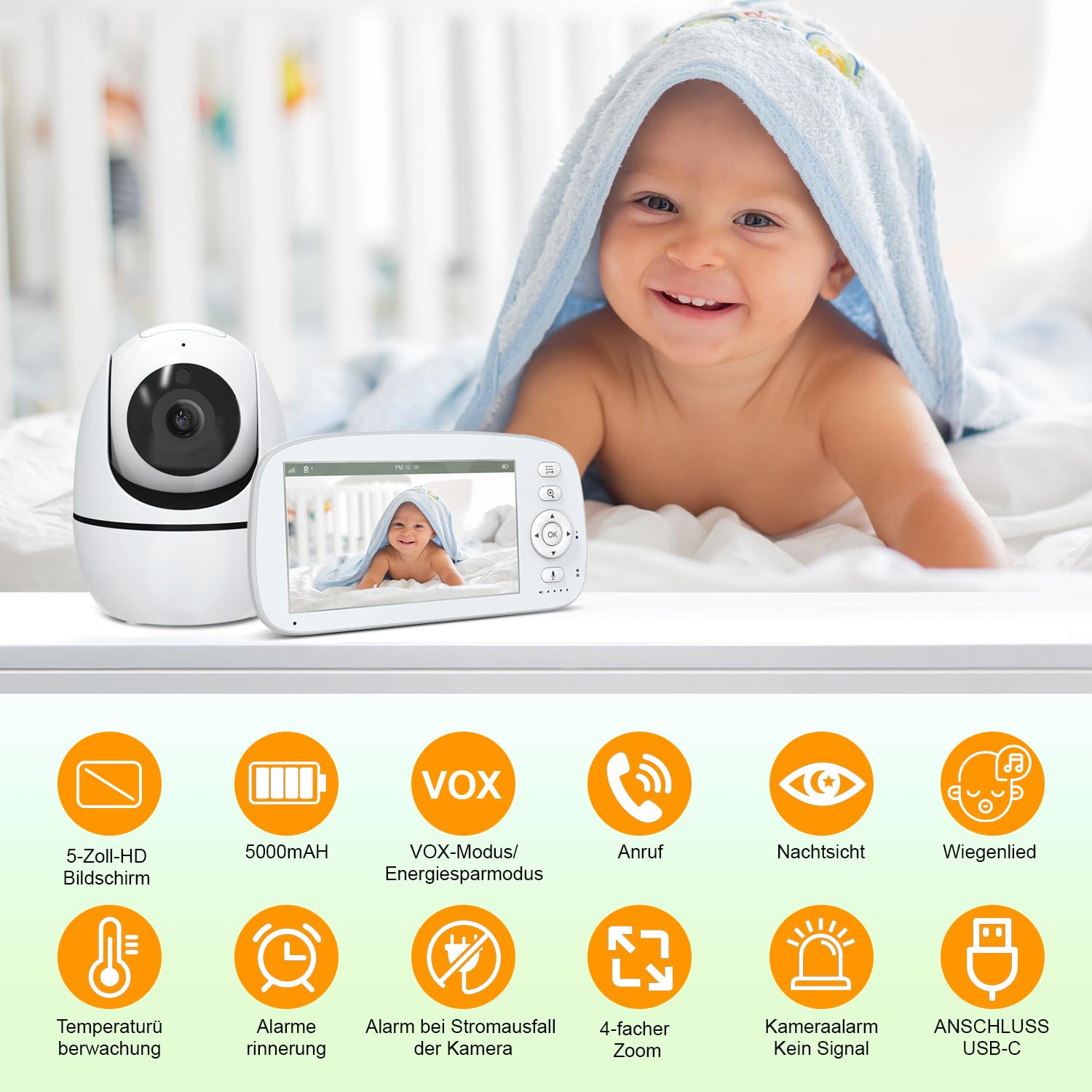
Image: An overview of the LEMFO LM-G09's key features, including 5-inch HD screen, 5000mAh battery, VOX mode, two-way call, night vision, lullabies, temperature monitoring, alarm reminders, power failure alarm, 4x zoom, camera alarm, and USB-C connection.
4. Setup
4.1 Powering On
- Connect the power adapter to the Baby Unit (camera) and plug it into a power outlet.
- Connect the power adapter to the Parent Unit (monitor) and plug it into a power outlet. The Parent Unit has a built-in 5000 mAh battery and can operate wirelessly after charging.
- Press and hold the Power button on the Parent Unit to turn it on. The units will automatically pair.
4.2 Positioning the Baby Unit (Camera)
Place the Baby Unit in a location that provides a clear view of your baby. Ensure it is at least 1 meter (3 feet) away from the baby to avoid potential hazards. The camera can be placed on a flat surface or mounted on a wall.

Image: Illustration showing the LEMFO LM-G09 Baby Monitor's signal range covering a multi-story house, emphasizing its non-APP and non-WiFi operation for enhanced privacy and security via FHSS technology.
The LEMFO LM-G09 operates on a secure 2.4 GHz FHSS connection, eliminating the need for Wi-Fi or smartphone apps, which enhances privacy and simplifies setup.
5. Operating Instructions
5.1 Basic Functions
- Volume Control: Use the dedicated buttons on the Parent Unit to adjust the audio volume.
- Brightness Control: Adjust the screen brightness through the Parent Unit's menu settings.
- Camera Pan/Tilt: Use the directional buttons on the Parent Unit to remotely rotate the camera 355° horizontally and 120° vertically.
- Digital Zoom: Press the zoom button on the Parent Unit to activate the 4x digital zoom for a closer view.

Image: The LEMFO LM-G09 Baby Monitor demonstrating its remote-controlled 355° horizontal and 120° vertical camera rotation, real-time temperature monitoring (25°C shown), and lullaby playback function.
5.2 Advanced Features
- Two-Way Audio: Press and hold the talk button on the Parent Unit to speak to your baby through the Baby Unit's speaker. Release the button to listen.
- VOX Mode (Sound Activated/ECO Mode): This mode conserves battery by turning off the Parent Unit screen when no sound is detected from the baby's room. The screen will automatically activate when sound above a set threshold is detected.
- Night Vision: The Baby Unit automatically activates 940 nm infrared night vision in low-light conditions, providing a clear black-and-white image of your baby without disturbing their sleep.
- Temperature Monitoring: The Parent Unit displays the real-time temperature of the baby's room, detected by the Baby Unit. You can set temperature alerts in the menu.
- Lullabies: Select from 5 pre-programmed lullabies via the Parent Unit's menu to soothe your baby.
- Expandability: The system supports up to 4 cameras (additional cameras sold separately). Refer to the menu for pairing additional cameras.

Image: A comparison illustrating the effectiveness of the LEMFO LM-G09's invisible infrared night vision, showing a sleeping baby clearly visible without disturbance, contrasted with a crying baby under visible red infrared light from other monitors.

Image: The LEMFO LM-G09 Baby Monitor highlighting its 5000mAh rechargeable battery, offering up to 30 hours of use in VOX mode and 16 hours with continuous screen-on operation.
6. Maintenance
- Cleaning: Use a soft, dry cloth to clean the surfaces of the Parent Unit and Baby Unit. Do not use abrasive cleaners or solvents.
- Battery Care: To prolong battery life, avoid fully discharging the Parent Unit's battery frequently. Charge it regularly.
- Storage: If storing the unit for an extended period, ensure the battery is partially charged and store in a cool, dry place.
7. Troubleshooting
| Problem | Possible Cause | Solution |
|---|---|---|
| No image/sound on Parent Unit. | Units not powered on, out of range, or not paired. | Ensure both units are plugged in and powered on. Move Parent Unit closer to Baby Unit. Re-pair units if necessary (refer to pairing instructions in menu). |
| Poor image quality. | Low light, camera lens dirty, or interference. | Ensure adequate lighting or check night vision activation. Clean camera lens. Move units away from other electronic devices. |
| Static or interference. | Out of range or electromagnetic interference. | Move Parent Unit closer to Baby Unit. Avoid placing units near microwaves, Wi-Fi routers, or cordless phones. |
| Parent Unit battery drains quickly. | Continuous screen-on mode, frequent two-way audio use. | Activate VOX mode to conserve battery. Reduce screen brightness. |

Image: A visual comparison highlighting the superior 720P image quality and 4x zoom capability of the LEMFO LM-G09 Baby Monitor compared to standard 480P monitors with 2x zoom, showing clearer details of a sleeping baby.
8. Specifications
| Feature | Detail |
|---|---|
| Model Number | LM-G09 |
| Screen Size | 5-inch IPS |
| Video Resolution | 720P (Effective Video Resolution) |
| Connectivity | 2.4 GHz FHSS+GFSK (No Wi-Fi required) |
| Range | Up to 500 meters (open field) |
| Camera Pan/Tilt | Horizontal 355°, Vertical 120° |
| Zoom | 4x Digital Zoom |
| Night Vision | 940 nm Infrared, up to 5 meters |
| Battery Capacity (Parent Unit) | 5000 mAh |
| Battery Life | Up to 30 hours (ECO mode), 16 hours (screen on) |
| Dimensions (Parent Unit) | 16.7 x 2 x 8.8 cm |
| Weight (Item) | 720 g |
| Power Input | USB-C |
| Indoor/Outdoor Usage | Indoor |
9. Warranty and Support
LEMFO products are designed for reliability and performance. For warranty information, technical support, or service inquiries, please refer to the contact details provided with your purchase or visit the official LEMFO website. Please retain your proof of purchase for warranty claims.


