
Introduction
The Bioset LED Wake-Up Light Bulb is designed to support a healthy sleep-wake cycle by simulating natural light changes and providing ambient sounds. This bionic LED bulb integrates light and sound features to gently wake you in the morning and assist with falling asleep at night, helping to regulate your body's natural circadian rhythm.
This manual provides detailed instructions for the installation, operation, and maintenance of your Bioset LED Wake-Up Light Bulb.
Key Features
- Sunrise/Sunset Simulation: Gradually brightens or dims over a custom time period to mimic natural light transitions, aiding in waking and sleeping.
- Circadian Rhythm Reset: Utilizes light to influence photosensitive retinal ganglion cells (ipRGCs) in the retina, assisting in the regulation of your sleep-wake schedule.
- Multiple Natural Environment Sounds: Features a built-in speaker that emits various white noises and natural sounds to complement wake-up alarms or sleep aid functions.
- Multi-Functional Applications: Offers five independent functions (lighting, timing, sunrise, sound alarm, sunset) and three light colors (cool light, daylight, warm light). Light color and brightness are customizable for different scenarios.
- Easy Replacement: Equipped with a standard E26 medium screw base (26mm diameter) for direct replacement of ordinary bulbs in compatible household fixtures (not suitable for dimmable fixtures).
- Handheld Remote Control: Includes a wireless remote for convenient control of light on/off and basic functions.
- App Control: Wireless connectivity via the "Bioset Lamp" app for advanced customization and scheduling.
What's in the Box
- Bioset LED Wake-Up Light Bulb (E26-8W)
- Handheld Remote Control (with batteries)
- User Manual
Setup
1. Bulb Installation
- Ensure the power to the light fixture is turned off before installation.
- Carefully screw the Bioset LED Wake-Up Light Bulb into a standard E26 medium screw base fixture.
- This bulb is compatible with fixtures designed for A19 bulbs.
- Important: This bulb is not suitable for dimmable fixtures. Using it in a dimmable fixture may cause malfunction or damage.

Image: Dimensions of the Bioset LED Wake-Up Light Bulb (right) compared to a standard A19 bulb (left), both featuring an E26 base.
2. Remote Control Setup
The handheld remote control comes with pre-installed batteries. No additional setup is required for the remote itself. Simply point it towards the bulb to operate.

Image: The Bioset LED Wake-Up Light Bulb, its remote control, and a smartphone displaying the 'Bioset Lamp' app interface.
3. App Connection
- Download the dedicated "Bioset Lamp" app from your smartphone's app store.
- Ensure your smartphone's Bluetooth is enabled.
- Open the "Bioset Lamp" app and follow the on-screen instructions to connect to your bulb. The app will guide you through the pairing process.
- Once connected, you can customize various settings and schedules.
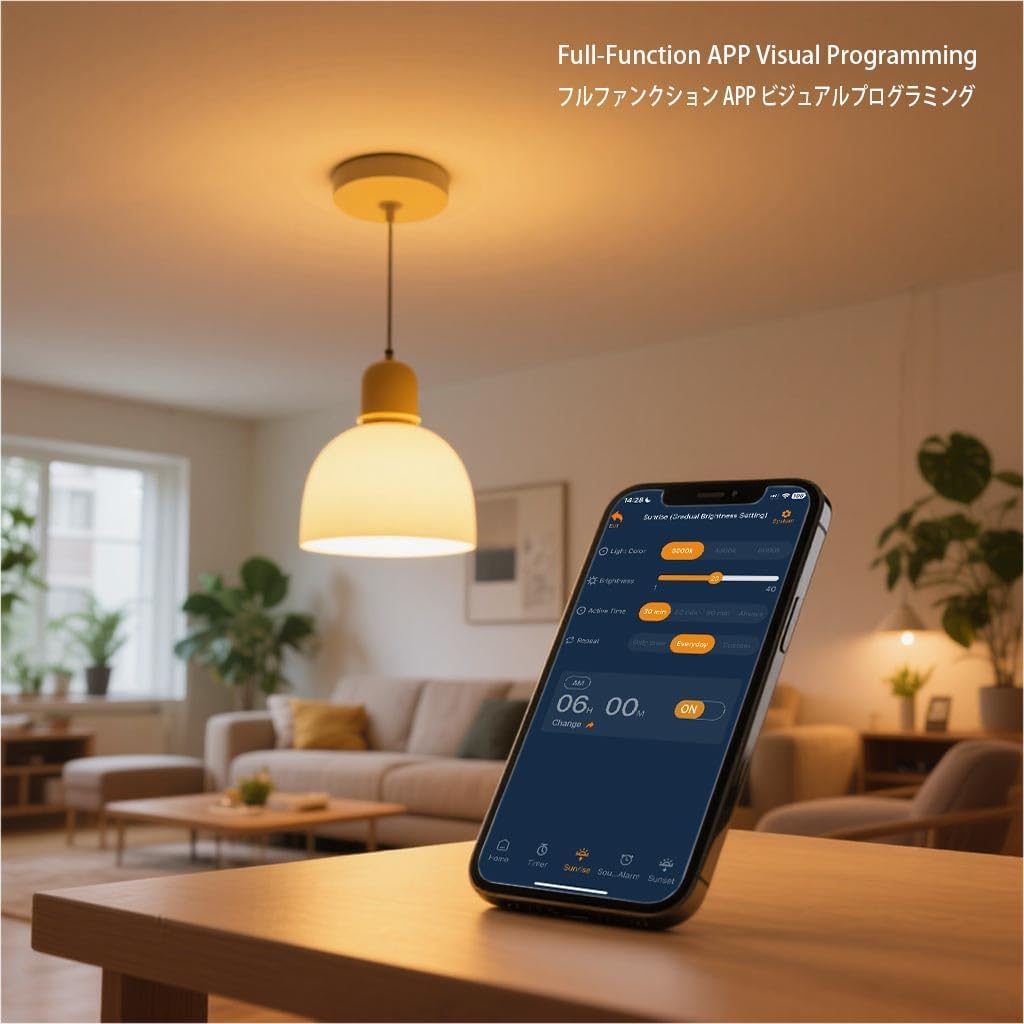
Image: A smartphone screen showing the 'Bioset Lamp' app, illustrating the visual programming interface for setting light and sound functions.
Operating Instructions
General Operation (Remote Control)
The remote control allows for quick adjustments:
- ON/OFF Button: Turns the light on or off.
- L+/L- Buttons: Adjust light brightness (40 levels).
- S+/S- Buttons: Adjust sound volume (15 levels).
- Light Color Buttons: Switch between Warm (3000K), Mixed (4500K), and Cold (6000K) light colors.
- Timer Buttons (15, 30, 60 minutes): Set a countdown timer for the light to turn off.
- Sound Selection: Cycle through 10 natural sound options.

Image: A person comfortably using the handheld remote control to operate the Bioset LED Wake-Up Light Bulb from their bed.
Advanced Operation (Bioset Lamp App)
The "Bioset Lamp" app provides comprehensive control and customization options:
- Custom Sleep-Wake Schedules: Program specific times for sunrise and sunset simulations.
- Sunrise Simulation: Set the duration for the light to gradually brighten, mimicking a natural sunrise.
- Sunset Simulation: Set the duration for the light to gradually dim, assisting with relaxation before sleep.
- Sound Alarm: Choose from various natural sounds to accompany your wake-up routine.
- Sleep Aid Sounds: Select calming natural sounds to play before sleep.
- Light Color and Brightness: Fine-tune light color temperature (Warm, Cold, Mixed) and brightness levels for any function or scenario.
- Timing Function: Schedule specific on/off times for the bulb.

Image: A visual sequence demonstrating the gradual light changes during sunrise and sunset simulations provided by the smart bulb.
Recommended Usage Scenarios:
- Morning Wake-Up: Use the sunrise function with cool light.
- Reading: Utilize the lighting function with daylight.
- Sleep Aid: Employ the sunset function with warm light.

Image: The Bioset LED Wake-Up Light Bulb shown installed in different household fixtures, including a wall lamp, floor lamp, and bedside lamp.
Maintenance
To ensure optimal performance and longevity of your Bioset LED Wake-Up Light Bulb, follow these maintenance guidelines:
- Cleaning: Disconnect power to the fixture before cleaning. Use a soft, dry cloth to wipe the bulb. Do not use liquid cleaners or abrasive materials.
- Bulb Replacement: The LED lifespan is over 50,000 hours. If replacement is needed, ensure the power is off and carefully unscrew the old bulb before screwing in a new one.
- Storage: If storing the bulb for an extended period, keep it in a cool, dry place away from direct sunlight and extreme temperatures.
Troubleshooting
| Problem | Possible Cause | Solution |
|---|---|---|
| Bulb does not light up. | No power to the fixture; bulb not screwed in properly; fixture malfunction. | Check power supply; ensure bulb is securely screwed in; test with another bulb or fixture. |
| App cannot connect to the bulb. | Bluetooth is off; bulb is out of range; app issue. | Ensure Bluetooth is on; move closer to the bulb; restart the app or phone. |
| Remote control not responding. | Remote out of range; line of sight blocked; low battery. | Move closer to the bulb; ensure clear line of sight; replace remote batteries if necessary. |
| Sound is distorted or not playing. | Volume too low; app settings incorrect; temporary glitch. | Increase volume via remote or app; check sound settings in the app; power cycle the bulb. |
| Light flickers or behaves erratically. | Used in a dimmable fixture; unstable power supply. | Do not use in dimmable fixtures. Ensure stable power supply. |
Specifications
| Specification | Detail |
|---|---|
| Brand | Bioset |
| Model Name | Lumina (E26-8W) |
| Light Type | LED |
| Bulb Base | E26 |
| Wattage | 8 Watts |
| Luminous Flux | 800 Lumens |
| Color Temperature | Warm (3000K), Mixed (4500K), Cold (6000K) |
| Voltage | 100-240V (50-60Hz) |
| LED Lifespan | Over 50,000 hours |
| Control Method | App, Remote |
| Product Dimensions | 1.16"W x 4"H (29.5mm W x 101.6mm H) |
| Item Weight | 6.7 ounces (190g) |
| Material | Aluminum, Plastic |
| Indoor/Outdoor Usage | Indoor |
Warranty and Support
For warranty information or technical support, please refer to the contact details provided on the product packaging or the official Bioset website. Keep your purchase receipt as proof of purchase for any warranty claims.