1. Introduction
This manual provides instructions for the MiLESEEY Adjustable Tripod. This lightweight and durable tripod is designed to enhance the stability and precision of your laser measurement tasks. It features a 1/4" thread mount, a tilting head, and a telescopic design for versatile use.
The tripod is compatible with MiLESEEY laser distance meters, including models S50, Xtape1, S7, D9PRO, and DP20PRO.
2. What's in the Box
- MiLESEEY Laser Distance Meter Tripod
3. Setup
3.1 Unfolding the Tripod
Carefully unfold the tripod legs until they are fully extended and stable. Ensure the legs are evenly spread to provide a secure base for your device.
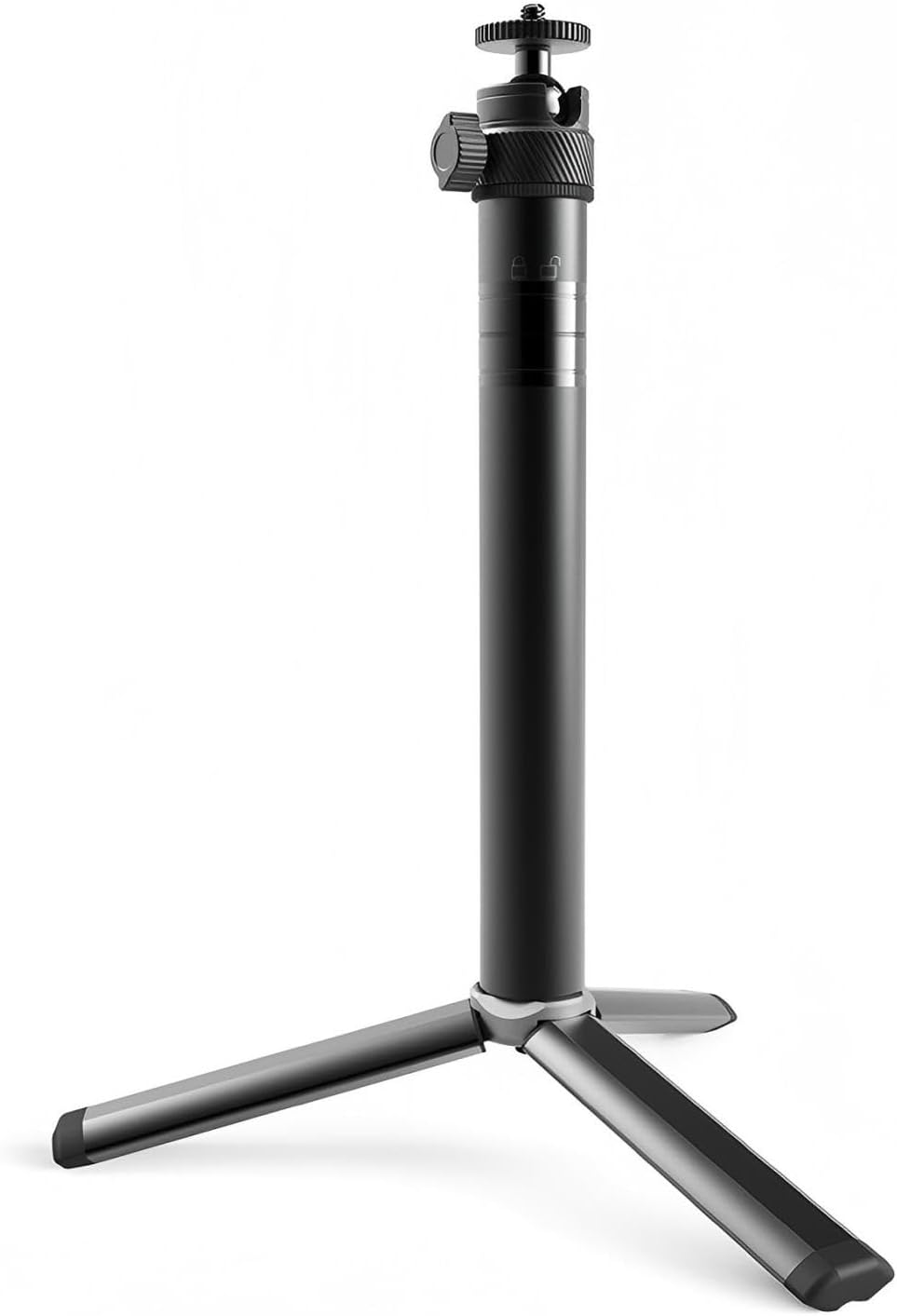
Figure 1: MiLESEEY Adjustable Tripod in its compact, folded state.
3.2 Adjusting Height
The tripod features a telescopic design, allowing for adjustable height from 10.8 inches (27.5 cm) up to 32 inches (81.5 cm). Loosen the locking mechanisms on each leg section, extend to the desired height, and then securely tighten the locks. The central column can also be extended for additional height.

Figure 2: Tripod showing telescopic extension and components.
3.3 Attaching Your Device
The tripod is equipped with a standard 1/4" thread mount. Align the thread on your MiLESEEY laser distance meter (or other compatible device) with the tripod's mount and rotate clockwise until securely fastened. The quick-release mount facilitates fast installation and removal.
4. Operating the Tripod
4.1 Tilting Head Adjustment
The tilting head allows for flexible angle positioning. Loosen the knob on the side of the tilting head, adjust your device to the desired angle, and then tighten the knob to lock it in place. This ensures precise alignment for accurate measurements.

Figure 3: Tripod in use with a laser measuring tool for various applications.
4.2 Ensuring Stability
The tripod features non-skid feet to provide stability on various surfaces. Always ensure the tripod is placed on a flat, stable surface. For outdoor use, verify that the feet are firmly planted to prevent movement during measurements.
5. Maintenance
- Keep the tripod clean by wiping it with a soft, dry cloth after each use.
- Avoid exposing the tripod to extreme temperatures or harsh chemicals.
- Regularly check all locking mechanisms and screws to ensure they are tight and functioning correctly.
- Store the tripod in its collapsed state in a dry, safe place to prevent damage.
6. Troubleshooting
6.1 Instability Issues
- Problem: Tripod feels unstable.
- Solution: Ensure all leg sections are fully extended and their locking mechanisms are securely tightened. Verify that the tripod is placed on a flat, level surface. Adjust leg spread for maximum stability.
6.2 Device Not Attaching Securely
- Problem: Laser measuring tool does not attach firmly to the tripod.
- Solution: Confirm that your device has a standard 1/4" thread mount. Ensure the device is properly aligned with the tripod's mount and rotated clockwise until snug. Do not overtighten.
7. Specifications
| Feature | Detail |
|---|---|
| Model Name | Laser Distance Meter Tripod |
| Adjustable Height | 10.8" (27.5 cm) to 32" (81.5 cm) |
| Material | Aluminum Alloy |
| Thread Mount | 1/4" Standard |
| Special Features | Telescopic Design, Tilt-Head, Non-skid Feet, Quick-Release Mount |
| Item Weight | 12.4 ounces (352 Grams) |
| Package Dimensions | 8.27 x 3.82 x 1.65 inches |
| Color | Black |
8. Safety Information
- Do not overload the tripod beyond its intended weight capacity.
- Always ensure the tripod is stable before attaching any device.
- Keep hands and fingers clear of moving parts when adjusting the tripod.
- Do not leave the tripod unattended in windy conditions or on uneven terrain.
9. Warranty and Support
For warranty information or technical support, please refer to the product packaging or contact MiLESEEY customer service directly. Keep your purchase receipt for warranty claims.


