
1. Introduction
The Jebao SCP-50 Sine Cross Flow Pump is designed to create natural wave-like currents in your reef tank, promoting a healthy environment for aquatic life. Its unique crossflow technology ensures a 360-degree return flow, effectively eliminating dead spots and distributing water evenly throughout the aquarium. This manual provides essential information for the safe and efficient operation of your wave maker.
The pump is capable of moving water at a rate of 396 to 1320 GPH (Gallons Per Hour).
2. Safety Information
WARNING: Please read all safety instructions before use to prevent injury or damage to the product.
- Ensure the pump is always submerged in water during operation. Running dry will cause damage.
- The maximum water temperature for operation is 35°C (95°F).
- Always disconnect the power supply before performing any maintenance or handling the pump.
- Do not attempt to disassemble or repair the pump or controller yourself. Contact qualified personnel for service.
- Keep the magnetic mount away from children. Strong magnets can pinch fingers.
- Avoid placing the magnetic mount near sensitive electronic devices or magnetic media (e.g., credit cards) to prevent damage.
- Ensure the power cord is not damaged or pinched. Do not operate with a damaged cord.
3. Package Contents
Verify that all components are present in the package:
- Jebao SCP-50 Cross Flow Pump
- Controller
- AC Adapter (100V-240V, 50/60Hz input; DC 24V, 12W output)

Image: All components included in the Jebao SCP-50 package, including the pump, controller, and AC adapter.
4. Product Overview

Image: Side view of the Jebao SCP-50 Sine Cross Flow Pump, showing its compact design.

Image: Top view of the Jebao SCP-50 Sine Cross Flow Pump, highlighting the cross-flow outlet.
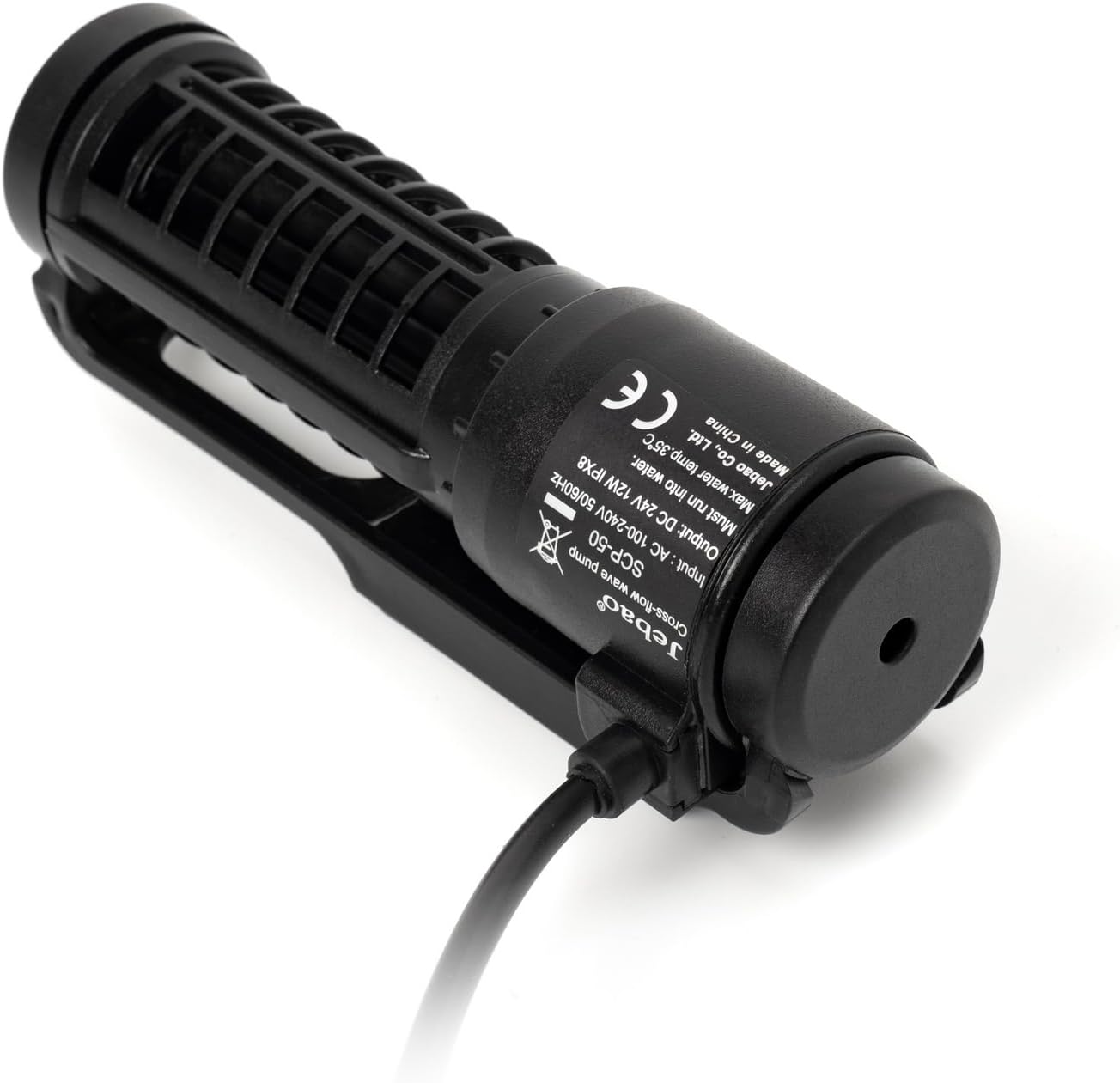
Image: The Jebao SCP-50 pump with its power cable and product label, showing specifications.

Image: Diagram illustrating the dimensions of the Jebao SCP-50 pump: approximately 4.8 inches long and 1.79 inches wide.
5. Setup
- Mounting the Pump: Position the pump inside your aquarium using the magnetic mount. Place the pump on the desired inner wall of the tank and align the external magnet on the outer wall directly opposite the pump. Ensure the pump is fully submerged and securely attached.
- Connecting the Controller: Connect the pump's cable to the designated port on the controller.
- Connecting Power: Plug the AC adapter into the controller, then plug the AC adapter into a standard electrical outlet.
- Initial Power On: The pump will start operating according to the default settings.
6. Operating Modes and Controller Functions
The controller allows you to select various operating modes and adjust settings. The controller features buttons for Speed, Light, Lock, Power, and Pump.
Operating Modes:
- H — Constant Flow Mode: Provides a steady, continuous flow at the speed you set. This mode is ideal for consistent water circulation.
- W1 — Wave Box (Pulse) Mode: Generates a pulsed output to create a standing wave effect. This mode is suitable for simulating natural ocean currents.
- W2 — Clockwise Circulation Mode: Operates with a normal flow that circulates clockwise. You can set a timer for this mode (4–99 minutes).
- W3 — Reef Mode: Offers a variable, randomized flow pattern designed to mimic natural reef currents, providing dynamic water movement.
Special Functions:
- Feed Mode: Activates a 10-minute pause in pump operation to allow for feeding without food being immediately swept away. This protects your livestock and ensures proper feeding.
- Direction: By default, circulation is clockwise unless a specific mode dictates otherwise.
7. Maintenance
Regular maintenance ensures optimal performance and longevity of your Jebao SCP-50 pump.
- Cleaning the Impeller: Periodically remove the pump from the tank and carefully disassemble the front cover to access the impeller. Clean any algae, debris, or calcium buildup from the impeller and its housing using a soft brush and freshwater.
- Housing Cleaning: Clean the pump's exterior and intake/output grates to ensure unrestricted water flow.
- Cable Inspection: Regularly inspect the power cable and connections for any signs of wear or damage.
- Always ensure the pump is disconnected from power before performing any cleaning or maintenance.
8. Troubleshooting
If you encounter issues with your Jebao SCP-50 pump, refer to the following common troubleshooting steps:
- Pump Not Starting:
- Check if the power adapter is securely plugged into both the controller and the electrical outlet.
- Ensure the controller is powered on.
- Verify that the pump cable is firmly connected to the controller.
- Weak or No Flow:
- Disconnect power and inspect the pump's impeller for any obstructions (e.g., debris, algae, snails). Clean thoroughly.
- Check the pump's intake and output grates for blockages.
- Ensure the pump is fully submerged in water.
- Unusual Noise:
- Disconnect power and check the impeller for foreign objects or damage.
- Ensure the pump is securely mounted and not vibrating against the tank glass.
- Verify that the pump is fully submerged and not drawing air.
If problems persist after following these steps, please contact Jebao customer support.
9. Specifications
- Model: SCP-50
- Brand: Jebao
- Flow Rate: 396 - 1320 GPH (Gallons Per Hour)
- Dimensions (Pump): Approximately 4.75" (L) x 1.75" (W) x 1.25" (H)
- Power Source: AC
- Voltage: 110-240V, 50/60Hz (via AC adapter)
- Output: DC 24V, 12W
- Included Components: Pump, Controller, AC Adapter
10. Warranty and Support
For warranty information, product support, or service inquiries, please refer to the documentation provided with your purchase or contact Jebao customer service directly. Keep your purchase receipt as proof of purchase.

