
1. Introduction
The Retekess T130U Tour Guide System is designed to provide clear and reliable audio communication for tour groups, conferences, and other group activities. This system ensures that your audience can hear you clearly, even in noisy environments, enhancing the overall experience.
Key features include:
- Stable Performance: U-Band Full Digital Mode for strong anti-interference ability and stable signal.
- Extended Range: Up to 200 meters (unobstructed distance) working range.
- Long Battery Life: Transmitter lasts up to 10 hours, receivers up to 40 hours.
- Lightweight & Portable: Easy to carry without burden.
- User-Friendly: One-key operations for pairing, mute, and power off.
- Flexible Connectivity: Supports 3.5mm AUX input and wireless audio input.
- High-Capacity Charging: Includes 32-slot and 60-slot charging cases for efficient batch charging.
- Clear Audio: High-fidelity audio codec with noise reduction for ultra-clarity.
- Adjustable Microphone Gain: 1 to 4 levels of microphone sensitivity adjustment.
- Comfortable Design: Headsets designed for comfort during extended use.
2. What's in the Box
- Owner's manual (1)
- Tour guide transmitter (5)
- Tour guide receiver (120)
- Lavalier microphone (5)
- Headsets microphone (5)
- Tour guide system lanyard (125)
- 60-slot charging box (1)
- 32-slot charging box (2)
- D-shaped two-way tour guide headsets (120)
3. Product Features

Portable Design: The transmitter weighs 71g (0.16lb) and the receiver weighs 38g (0.08lb), making them lightweight and easy to carry for extended periods.
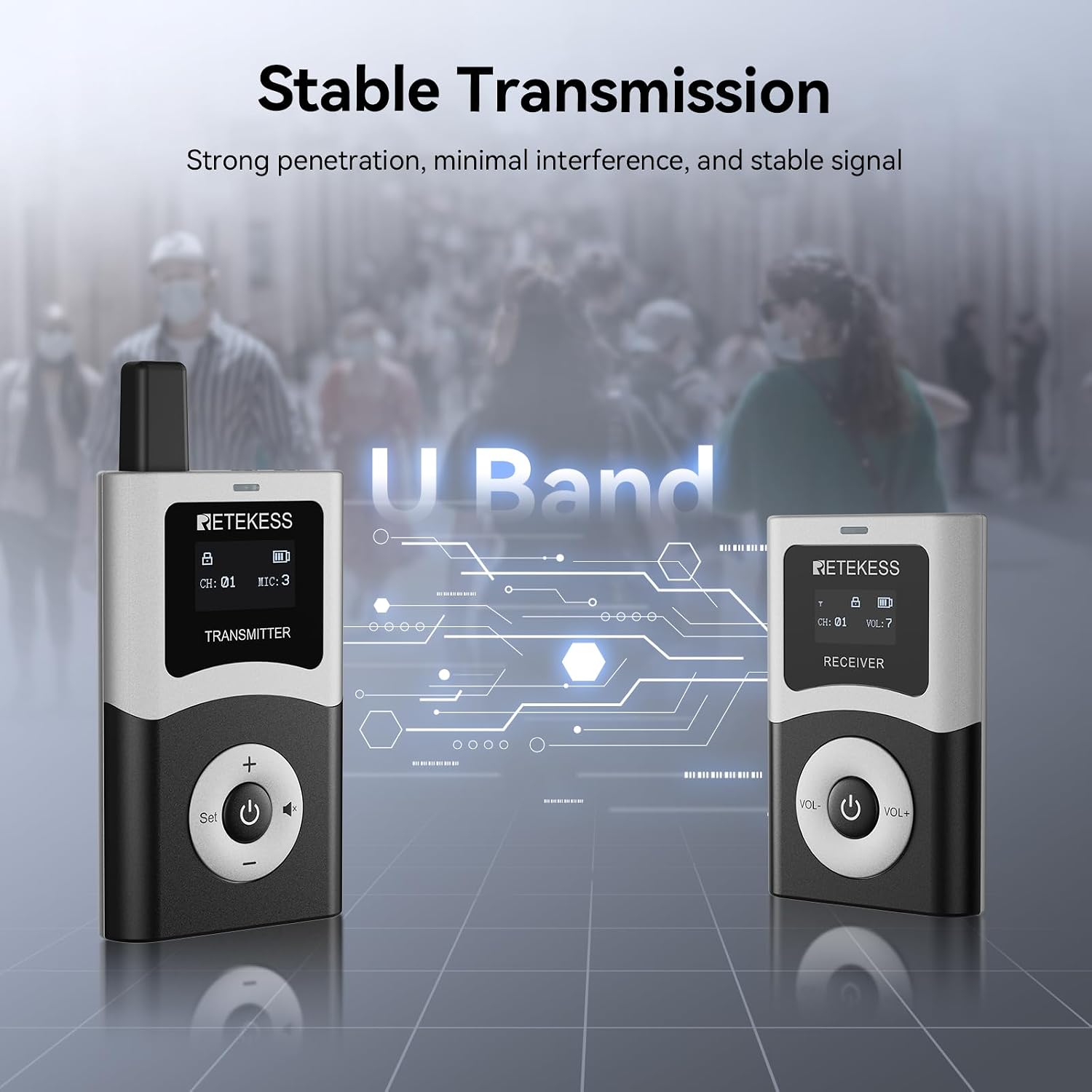
Stable U-Band Transmission: The system utilizes U-Band full digital mode for strong signal penetration, minimal interference, and stable audio transmission.

Wide Area Coverage: Enjoy communication within an unobstructed range of 200 meters, reducing the need for constant proximity to participants.

Extended Battery Life: The transmitter provides up to 10 hours of operation, while the receiver offers an impressive 40 hours, ensuring uninterrupted use.

Easy One-Key Operations: Features one-key pairing, one-key mute, and one-key shutdown for simplified control and enhanced user convenience.

Flexible Connectivity: Supports both 3.5mm AUX input for wired connections and wireless connection input for smartphones or other devices.

Efficient Batch Charging (32-Slot): The included 32-slot charging case allows for simultaneous charging of multiple receivers, optimizing preparation time.

High-Capacity Batch Charging (60-Slot): A 60-slot charging case is also provided for even larger operations, ensuring all devices are ready.
4. Setup Instructions
4.1 Initial Charging
Before first use, ensure all transmitters and receivers are fully charged using the provided charging cases. Connect the charging case to a power source.
4.2 Connecting the Microphone/Headset
For the transmitter, plug the lavalier microphone or headset microphone into the 'MIC' port. For receivers, plug the D-shaped ear hook headset into the 3.5mm audio jack.
Video: Retekess T130U Tour Guide System External Audio Input. This video demonstrates how to connect external audio sources, such as a microphone or AUX cable, to the T130U transmitter.
4.3 Pairing Transmitters and Receivers
The T130U system supports automatic pairing. Follow these steps to pair your devices:
- Turn on the transmitter.
- Turn on the receiver.
- The devices should automatically pair to the same channel. If not, refer to the 'One-Key Pairing' section in Operating Instructions.
Video: How does Retekess T130 tour guide system automatically pair? This video illustrates the automatic pairing process between the transmitter and receiver units.
5. Operating Instructions
5.1 Power On/Off
- Transmitter: Press and hold the power button (center button) for a few seconds until the screen lights up. To power off, press and hold the power button until the screen indicates shutdown.
- Receiver: Press and hold the power button (center button) for a few seconds until the screen lights up. To power off, press and hold the power button until the screen indicates shutdown.
5.2 Volume Adjustment
- Transmitter: Use the '+' and '-' buttons to adjust the microphone gain (1-4 levels).
- Receiver: Use the 'VOL+' and 'VOL-' buttons to adjust the listening volume.
5.3 Mute Function
On the transmitter, briefly press the mute button (speaker icon) to mute your audio. Press it again to unmute.
5.4 Channel Selection
The system supports multiple channels. To change the channel on the transmitter, press the 'Set' button and then use the '+' or '-' buttons to select the desired channel. Receivers will automatically follow the transmitter's channel.
5.5 Auto Power-Off on No Signal
Receivers are equipped with an auto power-off feature. If no signal is received for 20 minutes, the receiver will automatically shut down to conserve battery life.
6. Maintenance
- Cleaning: Use a soft, dry cloth to clean the devices. Avoid using harsh chemicals or abrasive materials.
- Storage: Store the system in a cool, dry place away from direct sunlight and extreme temperatures.
- Battery Care: Fully charge batteries before long-term storage. Recharge every 3 months to maintain battery health.
- Antenna: Ensure the transmitter antenna is securely attached but do not overtighten.
7. Troubleshooting
- No Sound:
- Check if both transmitter and receiver are powered on.
- Ensure the transmitter and receiver are on the same channel.
- Verify that the microphone is properly connected to the transmitter and the headset to the receiver.
- Adjust the volume levels on both devices.
- Check if the transmitter is muted.
- Poor Signal/Interference:
- Ensure devices are within the 200-meter operating range.
- Avoid large metal obstructions between the transmitter and receivers.
- Change to a different channel if experiencing interference from other wireless devices.
- Devices Not Pairing:
- Ensure both devices are powered on.
- Try powering off and restarting both devices, then attempt pairing again.
- Confirm that the transmitter is not in charging mode during pairing attempts.
Video: Is the T130S compatible with the previous model T130? This video addresses compatibility questions between different models, which may be helpful for troubleshooting pairing issues if you are using mixed models.
8. Specifications
| Feature | Specification |
|---|---|
| Product Dimensions | 25.2 x 23.62 x 22.44 inches |
| Item Weight | 57.2 pounds |
| Item Model Number | T130U |
| Batteries | 64 Lithium Ion batteries required |
| Connectivity Technology | UHF |
| Color | Black |
| Speaker Type | Stereo |
9. Warranty and Support
For customer support, please refer to the contact information provided with your purchase or visit the Retekess Store on Amazon. The product typically comes with a 12-month guarantee. For detailed warranty information, please consult your purchase documentation.