
1. Product Overview
The MINISO MS212 Open Ear Earbuds are designed for comfort and functionality, featuring a clip-on design, heart rate monitoring, Bluetooth 5.4 connectivity, and an LCD digital screen on the charging case. These earbuds are suitable for various activities including fitness, travel, and daily use.

Image: The MINISO MS212 Open Ear Earbuds shown with their charging case, which features an LCD screen displaying heart rate monitoring options.
Package Contents:
- 2 x MS212 Clip-On Earbuds
- 1 x Charging Case with LCD Screen
- 1 x USB-C Charging Cable
- 1 x User Manual (this document)
2. Setup and Initial Use
2.1 Charging the Earbuds and Case
Before first use, fully charge the earbuds and charging case. Place the earbuds into the charging case. Connect the provided USB-C charging cable to the charging port on the case and plug the other end into a USB power adapter (not included).
- The LCD screen on the charging case will display the charging status.
- A full charge provides up to 5 hours of playback for the earbuds and an additional 30 hours with the charging case.
2.2 Pairing with a Device
- Ensure the earbuds are charged and placed in the charging case.
- Open the charging case. The earbuds will automatically enter pairing mode.
- On your device (smartphone, tablet, laptop), enable Bluetooth.
- Search for available Bluetooth devices and select "MINISO MS212" from the list.
- Once connected, the earbuds will indicate successful pairing, and the device will show a connected status.
2.3 Wearing the Earbuds
The MS212 earbuds feature a secure clip-on design for open-ear comfort. Gently clip each earbud onto your ear, ensuring the speaker is positioned correctly for optimal sound and the heart rate sensor makes contact with your skin.
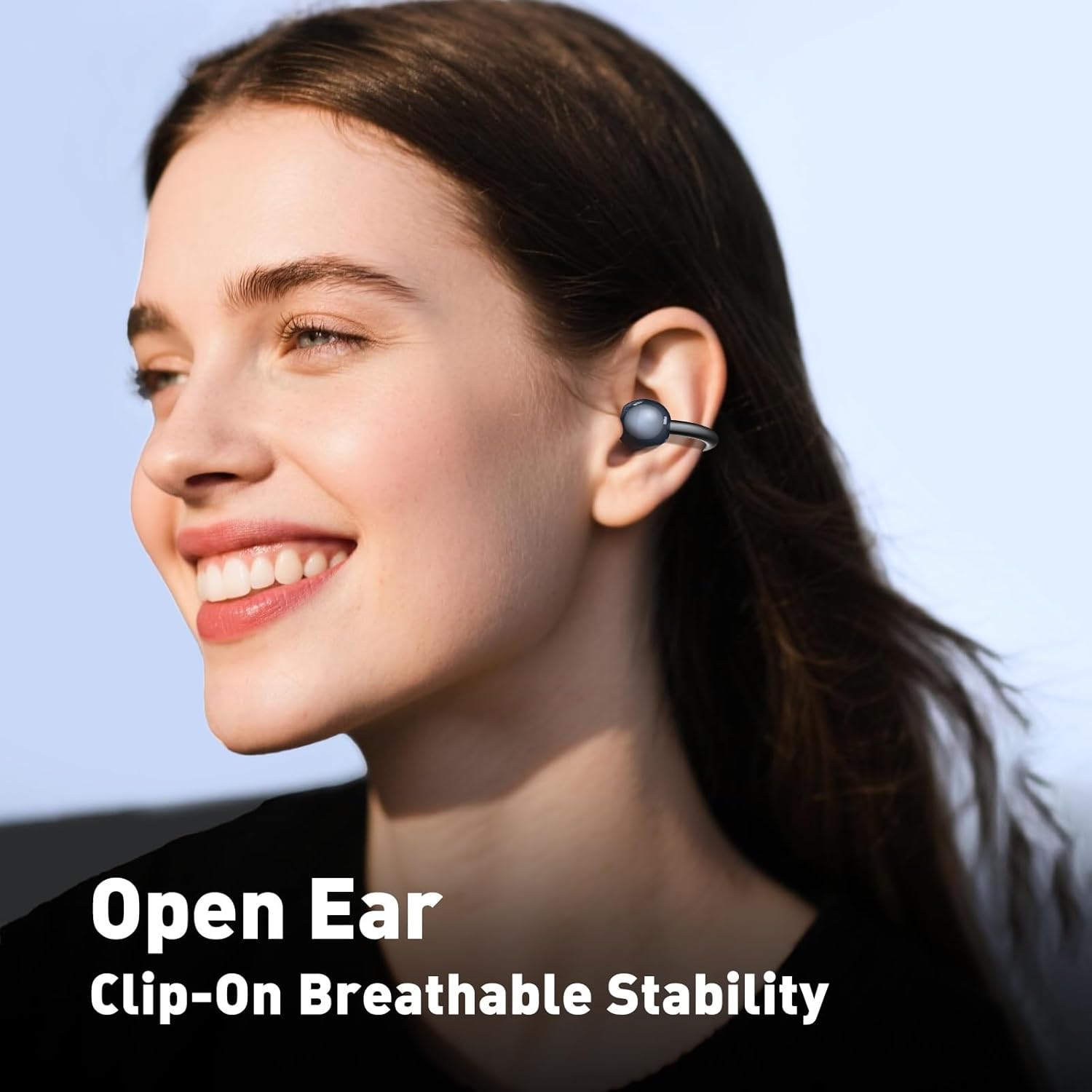
Image: A woman wearing the MINISO MS212 earbuds, demonstrating the open-ear clip-on design for comfortable and stable fit.
3. Operating Instructions
3.1 Touch Controls
The earbuds are equipped with touch-sensitive controls. Refer to the diagram below for specific functions:

Image: A diagram illustrating the touch control functions for the MINISO MS212 earbuds, including single tap, double tap, and long press actions for music, calls, and voice assistant.
- Touch x1 (L/R): Play/Pause music, Answer/End Call
- Touch x2 (L): Volume Down, Previous Track
- Touch x2 (R): Volume Up, Next Track
- Long Press 2" (L/R): Reject Call, Activate Voice Assistant
3.2 LCD Digital Screen Functions
The charging case features an LCD touchscreen for various functions and information display.

Image: The LCD touchscreen of the MINISO MS212 charging case displaying various menu options such as music control, heart rate monitoring, camera control, and settings.
- Battery Status: Displays remaining battery percentage for both earbuds and the case.
- Music Control: Play, pause, skip tracks directly from the screen.
- Heart Rate Monitoring: Initiate and view real-time heart rate data.
- Settings: Adjust various earbud settings, including language and wallpaper.
- Find My Earbuds: Locate misplaced earbuds.
- Camera Control: Remotely trigger your device's camera.
3.3 Heart Rate Monitoring
The MS212 earbuds utilize optical sensor technology to provide accurate heart rate measurements. For best results, ensure the earbuds are securely clipped and the sensors are in contact with your skin.

Image: The MINISO MS212 charging case LCD screen showing heart rate measurement results and different heart rate zones (Warm-up, Fat Burning, Aerobic, Anaerobic, Extreme) with corresponding BPM ranges.
- To initiate heart rate monitoring, select the heart rate option on the charging case's LCD screen.
- Real-time data will be displayed, helping you track your condition during exercise or daily activities.
- The measurement typically takes 15-30 seconds.
4. Maintenance and Care
4.1 Cleaning
- Wipe the earbuds and charging case with a soft, dry, lint-free cloth.
- Do not use abrasive cleaners, solvents, or aerosol sprays.
- Ensure charging contacts are clean and free of debris.
4.2 Water Resistance
The earbuds are rated IPX5 sweat-resistant, making them suitable for workouts and light rain. They are not designed for submersion in water. Do not expose the charging case to water.
4.3 Battery Care
- Avoid extreme temperatures, which can shorten battery life.
- Store the earbuds and case in a cool, dry place when not in use.
- Charge regularly to maintain battery health, even if not used frequently.
5. Troubleshooting
If you encounter issues with your MINISO MS212 earbuds, please refer to the following common solutions:
| Problem | Possible Solution |
|---|---|
| Earbuds not pairing |
|
| No sound or low volume |
|
| Charging issues |
|
| Inaccurate heart rate readings |
|
If the problem persists, please contact MINISO customer support for further assistance.
6. Specifications
| Feature | Detail |
|---|---|
| Model Name | MS212 |
| Connectivity Technology | Wireless (Bluetooth 5.4) |
| Bluetooth Range | Up to 10 meters (33 feet) |
| Ear Placement | Open Ear, Clip-On |
| Control Type | Touch Control |
| Special Features | Heart Rate Monitor, IPX5 Sweatproof, LCD Digital Screen, Built-In Voice Assistant, Fast Charging, Microphone Included, Lightweight |
| Earbud Playtime (Single Charge) | Up to 5 hours |
| Total Playtime (with Charging Case) | Up to 30 hours |
| Item Weight | Approximately 5.1g per earbud, 4.8 ounces total (product package) |
| Material | Plastic |
| Color | Black |
7. Warranty and Support
For warranty information and customer support, please refer to the official MINISO website or contact your retailer. Keep your proof of purchase for any warranty claims.
You can also visit the official MINISO store for more product information and support: MINISO Store on Amazon