
Introduction
This manual provides detailed instructions for the safe and efficient use of your realme 15T 5G Smartphone. Please read this manual thoroughly before using your device to ensure optimal performance and to prevent damage. Keep this manual for future reference.
What's in the Box
Upon unboxing your realme 15T 5G Smartphone, verify that all the following items are included:
- realme 15T 5G Smartphone
- Phone Case
- Power Adapter
- SIM Tray Ejector
- USB Cable

Image: The realme 15T 5G Smartphone shown with its back and front view, highlighting key features. This image represents the device and its primary components.
Setup
1. SIM Card Installation
- Locate the SIM card tray on the side of your device.
- Insert the SIM tray ejector tool into the small hole next to the tray and press gently until the tray pops out.
- Place your Nano-SIM card(s) and/or microSD card into the tray with the gold contacts facing down, ensuring they are correctly oriented.
- Carefully reinsert the tray into the phone until it clicks into place.
2. Initial Power On
- Press and hold the Power button (usually on the right side) until the realme logo appears on the screen.
- Follow the on-screen prompts to complete the initial setup, including language selection, Wi-Fi connection, and Google account setup.
Operating Instructions
Display Features
The realme 15T 5G features a 6.67-inch 120Hz Smooth Display, providing fluid visuals for all your activities. The 4000-nit peak brightness and AMOLED technology ensure clear visibility even in bright sunlight, with 2160Hz PWM Dimming for eye comfort and 1.07 billion colors for vivid imagery.

Image: A visual representation of the realme 15T 5G's 4000nit AMOLED display, highlighting its brightness, color accuracy, and eye protection features.
Performance
Equipped with the MediaTek Dimensity 6400 Max 5G chipset, the realme 15T 5G delivers seamless multitasking and efficient performance for various applications, from video calls to mobile gaming.

Image: An illustration depicting the Dimensity 6400 Max 5G chipset within the realme 15T 5G, surrounded by icons of various applications, symbolizing its multitasking capabilities.
The device also features 8GB of dynamic RAM and 128GB of internal storage for smooth operation and ample space for your data.

Image: A detailed graphic illustrating the internal memory components, showing 8GB of dynamic RAM and 128GB of ROM, emphasizing the phone's storage and processing capacity.
Camera Usage
Capture moments with the dual 50MP front and rear AI cameras. These cameras are designed to deliver sharp and detailed photos, even in challenging lighting conditions, ensuring clear selfies and high-quality images.

Image: A close-up view of the realme 15T 5G's camera modules, highlighting the 50MP front and rear AI cameras, indicating their placement and function.
Battery and Charging
The device is powered by a 7000mAh battery, providing extended usage time. With 60W fast charging, your phone can be quickly recharged, minimizing downtime.

Image: A graphic showcasing the realme 15T 5G's 7000mAh battery capacity, with examples of usage duration for YouTube, Spotify, and gaming.
Mini Capsule Feature
The Mini Capsule feature provides quick access to important notifications and information, such as weather updates, data usage, power saving mode, and charging status, displayed conveniently around the front camera cutout.

Image: A visual demonstration of the Mini Capsule feature on the realme 15T 5G, showing various notifications and status indicators appearing dynamically around the front camera.
Maintenance
Dust and Water Resistance
The realme 15T 5G is built with an IP69 rating, offering resistance against dust and water splashes. This protection helps safeguard your device from common environmental elements, making it suitable for daily use in various conditions. Avoid intentional submersion or exposure to high-pressure water jets.
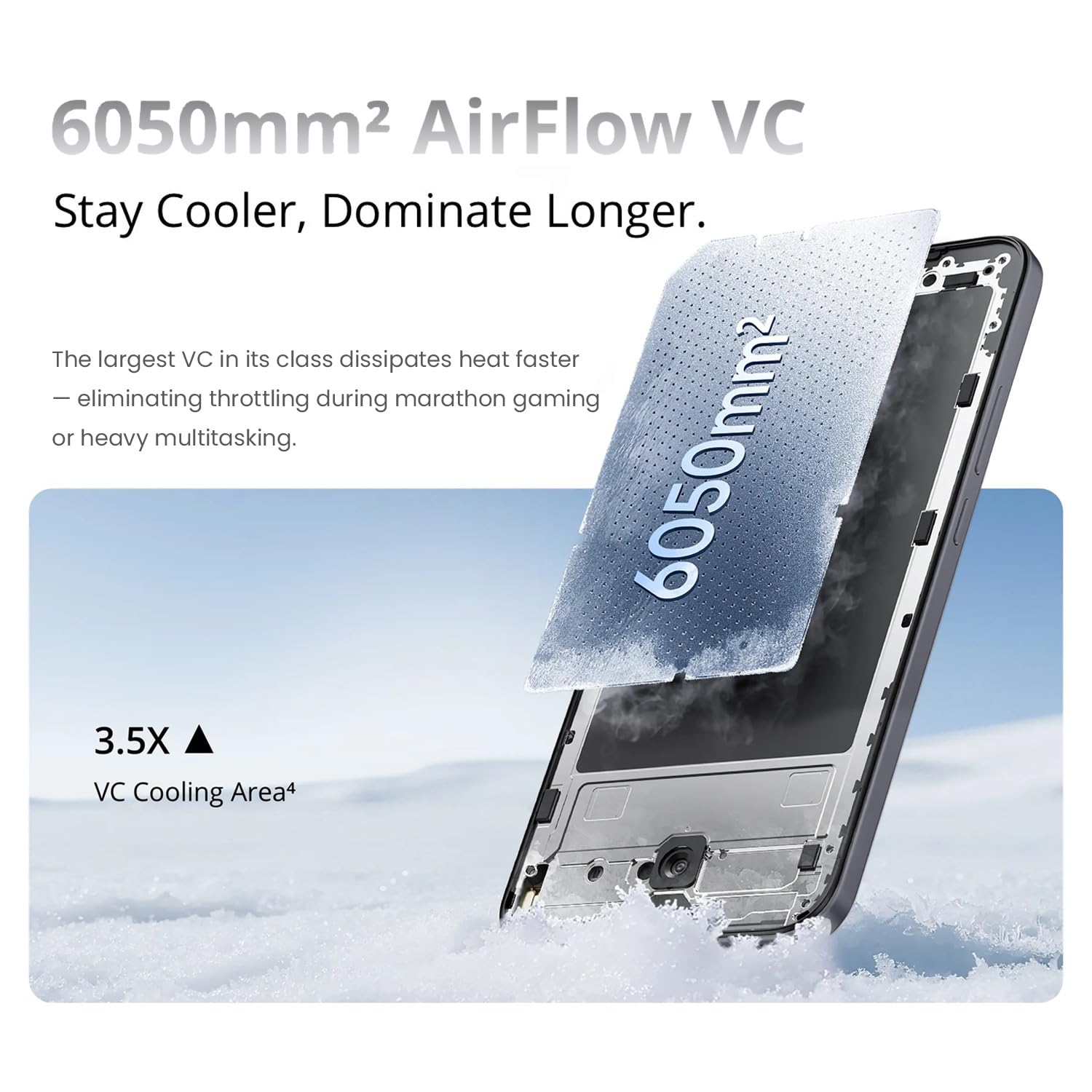
Image: The realme 15T 5G Smartphone being splashed with water, illustrating its IP69 dust and water resistance feature.
Cooling System
The device incorporates a 6050mm² AirFlow VC (Vapor Chamber) cooling system. This advanced cooling technology efficiently dissipates heat, maintaining optimal performance during intensive tasks like gaming or heavy multitasking.
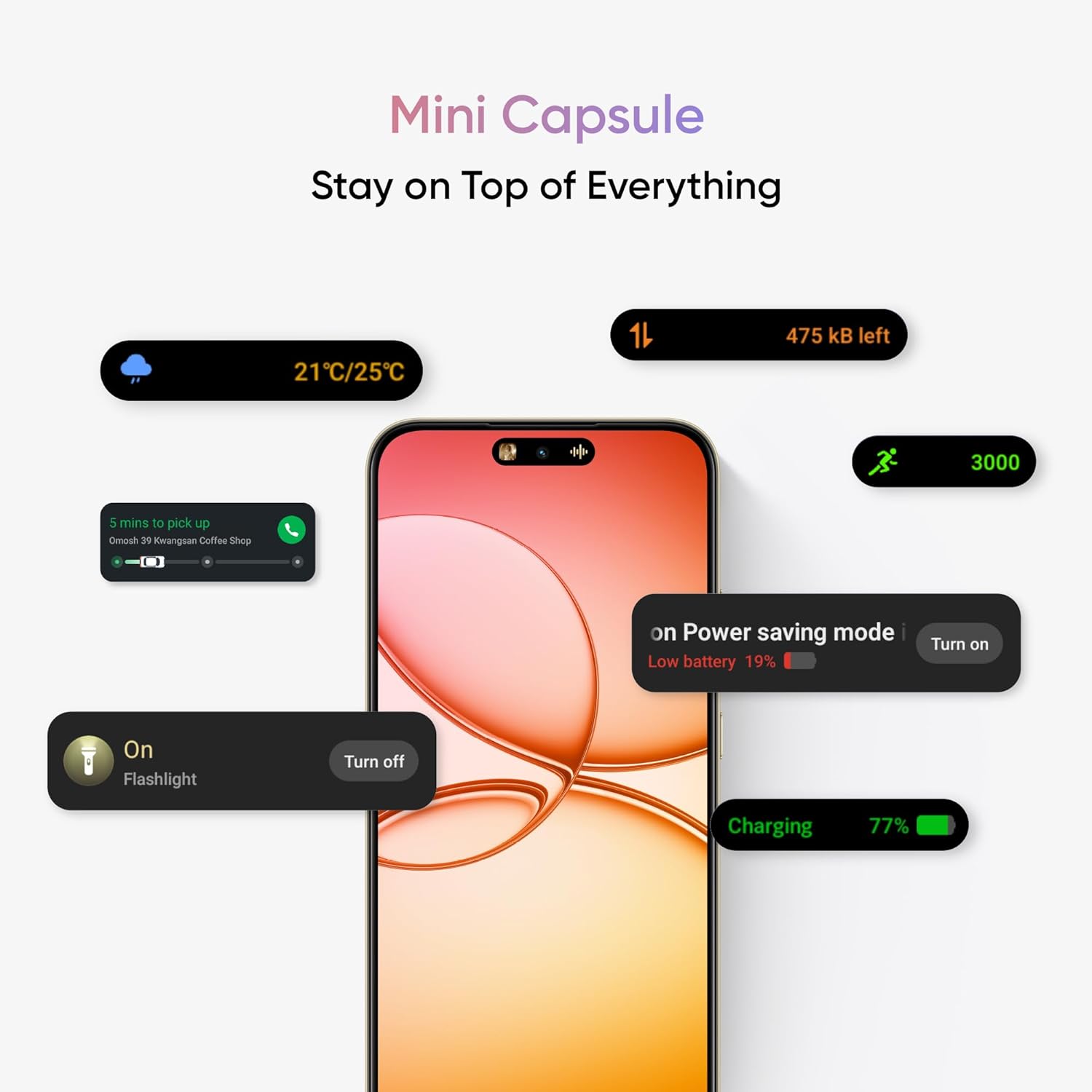
Image: A cutaway view of the realme 15T 5G, highlighting the internal 6050mm² AirFlow VC cooling system, shown with a cooling effect over a frosty surface.
Troubleshooting
If you encounter issues with your realme 15T 5G Smartphone, consider the following general troubleshooting steps:
- Device Not Responding: Press and hold the Power button for about 10-15 seconds to force a restart.
- Battery Draining Quickly: Check background app usage, reduce screen brightness, or enable power-saving mode.
- Network Connectivity Issues: Toggle Airplane Mode on and off, restart the device, or check your SIM card installation.
- App Crashing: Clear the app's cache and data in Settings, or uninstall and reinstall the app.
- Overheating: Close unused applications, avoid using the phone while charging, and ensure it's in a well-ventilated area.
For persistent issues, refer to the official realme support website or contact customer service.
Specifications
| Model Number | RMX5111 |
| Operating System | Android 15 |
| Processor | MediaTek Dimensity 6400 Max 5G |
| RAM | 8 GB |
| Storage | 128 GB |
| Display | 6.67-inch, 120Hz, 4000nit AMOLED, 1080 x 2372 Resolution |
| Rear Camera | 50MP AI Camera |
| Front Camera | 50MP AI Camera |
| Battery Capacity | 7000mAh |
| Charging | 60W Fast Charge |
| Connectivity | 5G, Bluetooth, USB, Wi-Fi, GPS |
| Dimensions (LxWxH) | 15.8 x 7.2 x 0.78 cm |
| Weight | 181 g |
| Water & Dust Resistance | IP69 Rated |
| Manufacturer | DBG TECHNOLOGY (INDIA) PRIVATE LIMITED |
| Country of Origin | India |
Warranty and Support
Your realme 15T 5G Smartphone comes with a standard manufacturer's warranty. For detailed warranty terms and conditions, please refer to the warranty card included with your product or visit the official realme support website.
For technical assistance, troubleshooting, or service inquiries, please contact realme customer support. Contact information can typically be found on the realme official website or in the documentation provided with your device.