
1. Product Overview
The MINISO MS212 Open Ear Earbuds offer a unique audio experience combined with health monitoring capabilities. Designed for comfort and awareness, these clip-on earbuds feature Bluetooth 5.4 connectivity, a smart LCD digital screen on the charging case, and integrated heart rate monitoring. They are lightweight, small-ear friendly, and suitable for various activities including sports and daily use.
2. What's in the Box
- 1x MINISO MS212 Clip-On Earbuds
- 1x Charging Case
- 1x User Manual
- 1x Charging Cable

Image: The MINISO MS212 product box displaying the earbuds, charging case, user manual, and charging cable.
3. Key Features
- Breathable Comfort & Ultra-Light: Enjoy unparalleled comfort with a secure clip-on design. Each earbud weighs only 5.1g, providing a lightweight and pressure-free experience.
- Heart Rate Monitor Earbuds: Utilizes optical sensor technology for highly accurate, continuous real-time heart rate data during exercise. IPX5 sweat resistance makes them suitable for active use.
- Clear Audio Quality: Powered by 16.3mm drivers, these earbuds deliver vibrant, high-fidelity stereo sound and enhanced call quality.
- Smart Touchscreen & Extended Playtime: The charging case features a vivid full-color LCD touchscreen for controlling music, managing calls, monitoring heart rate, and more. Enjoy up to 5 hours of music on a single charge, with the charging case providing an additional 30 hours of playback.
- Bluetooth 5.4 Connectivity & Secure Fit: Advanced Bluetooth 5.4 ensures zero-latency, superior processing, and efficient energy use for a stable connection up to 33 feet. The innovative, non-deforming hard-shell material ensures a consistently secure fit.
4. Setup Guide
4.1. Initial Pairing
- Ensure the earbuds are charged.
- Open the charging case. The earbuds will automatically enter pairing mode.
- On your device (smartphone, tablet, laptop), enable Bluetooth.
- Search for available Bluetooth devices and select "MINISO MS212".
- Once connected, the earbuds are ready for use.
4.2. Wearing the Earbuds
The MS212 earbuds feature an open-ear clip-on design for comfort and situational awareness. Gently clip each earbud onto your ear, ensuring the speaker part is positioned near your ear canal for optimal sound. Adjust for a snug yet comfortable fit.
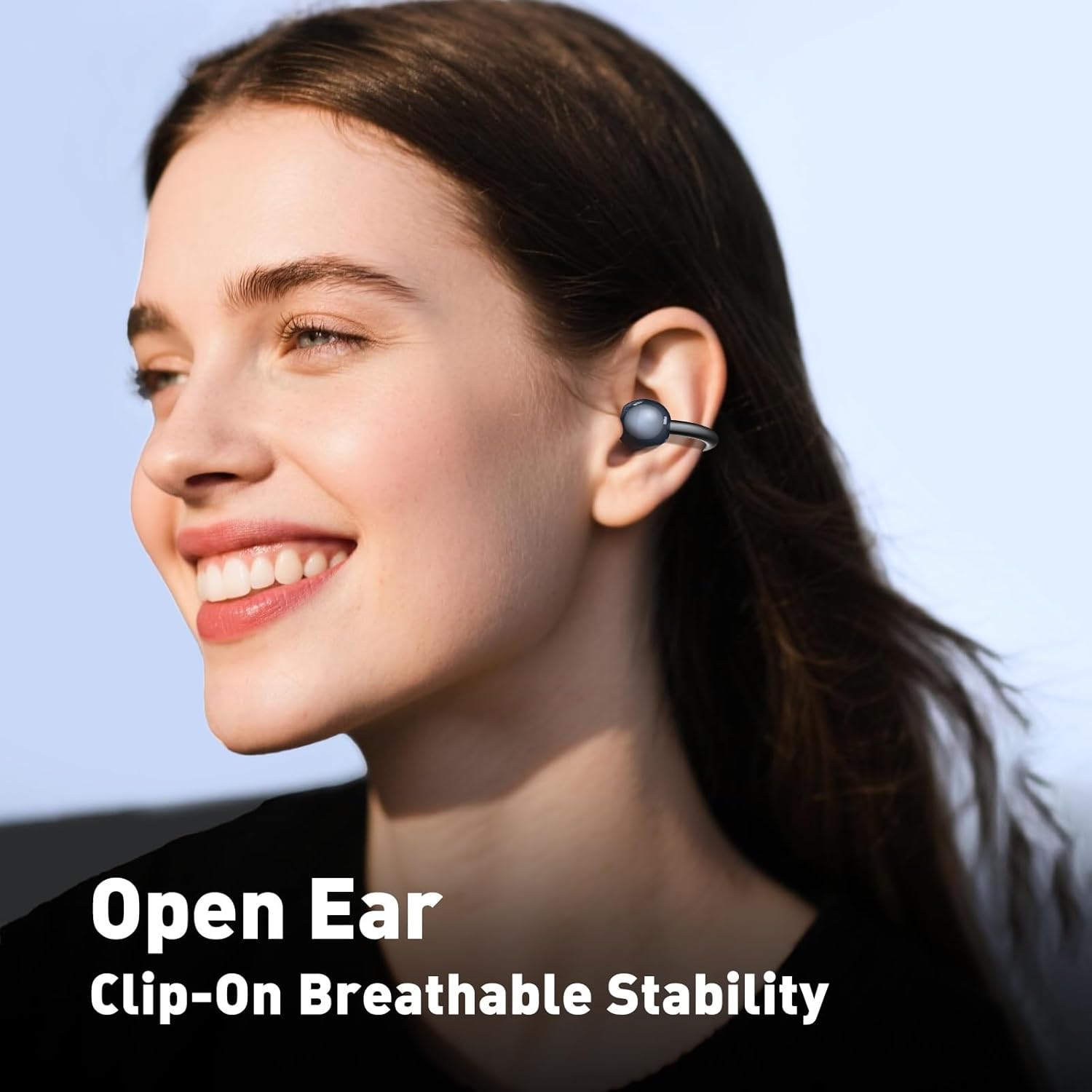
Image: A woman demonstrating the proper placement of the open-ear clip-on earbuds for a secure and comfortable fit.
5. Operating Instructions
5.1. Power On/Off
- Power On: Open the charging case, or remove the earbuds from the case. They will automatically power on.
- Power Off: Place the earbuds back into the charging case and close the lid. They will automatically power off and begin charging.
5.2. Intelligent Touch Controls
The earbuds feature touch-sensitive areas for easy control of various functions:
- Touch x1 (L/R): Play/Pause music, Answer/End Call.
- Touch x2 (L): Volume Down, Previous Track.
- Touch x2 (R): Volume Up, Next Track.
- Long Press 2" (L/R): Reject Call, Activate Voice Assistant.

Image: A visual guide to the intelligent touch controls on the MINISO MS212 earbuds, detailing single tap, double tap, and long press functions for both left and right earbuds.
5.3. Heart Rate Monitoring
The MINISO MS212 earbuds are equipped with optical sensors for heart rate monitoring. To use this feature:
- Ensure earbuds are properly worn.
- Access the heart rate monitoring function via the charging case's LCD touchscreen.
- Follow on-screen prompts to initiate a measurement. Real-time data will be displayed.

Image: The MINISO MS212 earbuds and charging case, with the LCD screen showing heart rate measurement results and different heart rate zones for exercise.

Video: Official product video demonstrating the heart rate monitoring feature of the MINISO MS212 earbuds, including how to initiate a measurement and view results.
5.4. Smart Touchscreen Case Functions
The charging case features a full-color LCD touchscreen that allows control over various functions without needing your connected device:
- Music Playback Control (Play/Pause, Skip Tracks)
- Call Management (Answer/End, Reject)
- Heart Rate Monitoring Activation and Display
- Camera Remote Control
- Flashlight Function
- Find My Earbuds Feature
- Language Settings
- Screen Lock Wallpaper Customization

Image: The MINISO MS212 charging case showcasing its multi-function LCD touchscreen interface with various icons for music, calls, heart rate, and other controls.

Video: A demonstration of the MINISO M98 charging case's 13-function display, which is similar in functionality to the MS212 model, showing various menu options and controls.
6. Charging
- Charging the Earbuds: Place the earbuds into the charging case. They will automatically begin charging. The LCD screen on the case will display the charging status.
- Charging the Case: Connect the provided USB-C charging cable to the charging port on the case and to a compatible USB power source. The LCD screen will indicate the case's battery level during charging.
- Battery Life: Earbuds provide up to 5 hours of playback on a single charge. The charging case offers an additional 30 hours of playback, totaling 35 hours.
7. Maintenance & Care
- Cleaning: Use a soft, dry cloth to clean the earbuds and charging case. Avoid using harsh chemicals or abrasive materials.
- Water Resistance: The earbuds are IPX5 sweat-resistant, meaning they can withstand sweat and light splashes of water. Do not submerge them in water or expose them to heavy rain.
- Storage: Store the earbuds in their charging case when not in use to protect them and ensure they remain charged.
8. Troubleshooting
- No Sound/Poor Sound Quality: Ensure earbuds are properly paired and within Bluetooth range. Check volume levels on both the earbuds and your connected device.
- Earbuds Not Charging: Verify the charging cable is securely connected and the power source is active. Ensure the earbuds are correctly seated in the charging case.
- Pairing Issues: Turn off Bluetooth on your device, then turn it back on. If issues persist, try resetting the earbuds (refer to the device's specific reset instructions if available, or try forgetting the device on your phone and re-pairing).
- Heart Rate Monitor Inaccurate: Ensure earbuds are worn correctly and snugly. Clean the optical sensors if necessary.
9. Specifications
| Model Name | MS212 |
| Connectivity Technology | Wireless (Bluetooth 5.4) |
| Ear Placement | Open Ear |
| Special Features | Heart Rate Monitor, IPX5 Sweatproof, Lightweight, Touch Control, Noise Isolation, Built-In Voice Assistant, Fast Charging |
| Battery Life (Earbuds) | 5 Hours |
| Total Playtime (with Case) | 35 Hours |
| Bluetooth Range | 10 Meters (33 feet) |
| Audio Driver Type | Dynamic Driver (16.3mm) |
| Water Resistance Level | IPX5 |
| Item Weight | 5 ounces |
10. Warranty and Support
For warranty information, technical support, or any product-related inquiries, please refer to the contact details provided in the original product packaging or visit the official MINISO website. Keep your purchase receipt for warranty claims.