
1. Introduction
This manual provides essential information for the safe and effective use of your Avhrit 4000mAh 21V Lithium-ion Battery, Model T1840-10. This battery is designed to power Avhrit cordless car polishers, offering stable performance and extended runtime for various tasks. Please read this manual thoroughly before initial use and retain it for future reference.
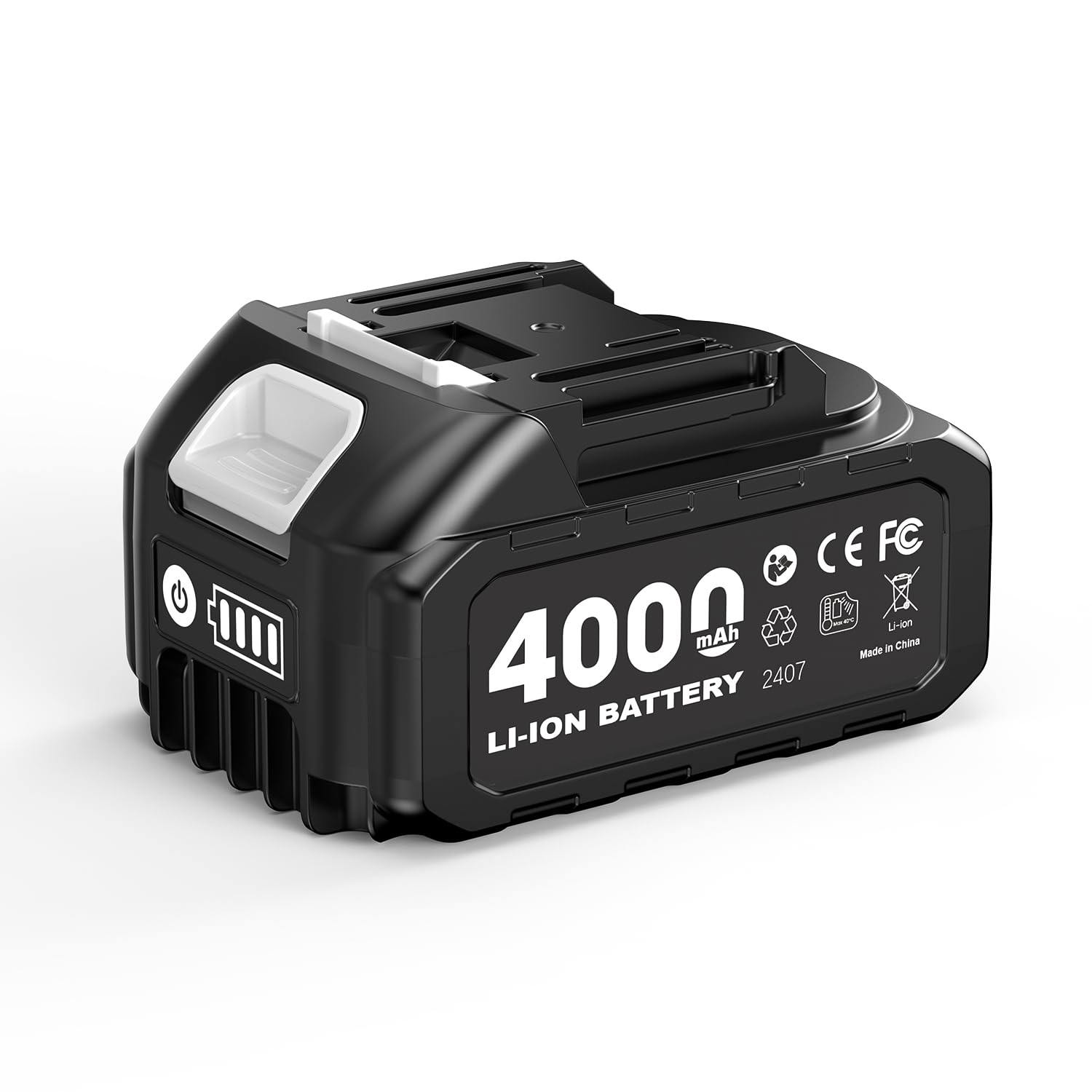
Figure 1.1: Avhrit 4000mAh 21V Lithium-ion Battery. This image displays the battery pack, highlighting its compact design and connection interface.
2. Important Safety Information
Always observe the following safety precautions to prevent injury or damage to the battery and connected tools.
- Charging: Use only the original Avhrit charger or a charger specifically approved for 21V Lithium-ion batteries. Do not charge in temperatures below 0°C (32°F) or above 45°C (113°F).
- Storage: Store the battery in a cool, dry place away from direct sunlight, heat sources, and flammable materials. Keep out of reach of children.
- Handling: Do not short-circuit the battery terminals. Avoid dropping, puncturing, or disassembling the battery. Do not expose the battery to water or extreme humidity.
- Disposal: Dispose of batteries responsibly according to local regulations. Do not dispose of in household waste or by incineration.
- Damage: If the battery shows signs of damage, leakage, or overheating, discontinue use immediately and contact customer support.
3. Package Contents
Verify that all items are present upon unpacking:
- 1 x Avhrit 4000mAh 21V Battery (Model T1840-10)
4. Setup
4.1 Initial Charging
- Connect the Avhrit charger (not included) to a standard power outlet.
- Insert the battery into the charger, ensuring a secure connection. The charger's indicator light will typically show the charging status.
- Allow the battery to charge fully before first use. This may take several hours. Refer to your charger's manual for specific charging times and indicator meanings.
4.2 Battery Installation
This battery is designed for Avhrit tools. For use with other brands, verify battery interface compatibility before purchase.
- Ensure the cordless car polisher is turned off and disconnected from any power source.
- Align the battery with the battery slot on the polisher.
- Slide the battery firmly into place until it clicks, indicating a secure connection.
5. Operation
5.1 Powering the Tool
Once installed, the battery provides power to the cordless car polisher. Operate the polisher according to its specific instruction manual.
5.2 LED Power Indicator
The battery features a built-in LED power indicator. Press the indicator button (if present) to view the remaining charge at a glance. This allows for better work planning and reduces unexpected downtime.
- Multiple LEDs lit: High charge level.
- One LED lit: Low charge level, recharge soon.
- No LEDs lit: Battery is depleted or not functioning.
6. Maintenance
6.1 Charging Practices
- Recharge the battery when the power indicator shows a low charge.
- Avoid completely draining the battery before recharging to prolong its lifespan.
- Do not leave the battery on the charger indefinitely after it is fully charged.
6.2 Storage
- For long-term storage, charge the battery to approximately 50-60% capacity.
- Store in a cool, dry environment between 10°C (50°F) and 25°C (77°F).
- Periodically check the charge level during long storage periods and recharge if necessary.
6.3 Cleaning
Wipe the battery exterior with a clean, dry cloth. Do not use harsh chemicals or abrasive cleaners. Keep the battery terminals clean and free of debris.
7. Troubleshooting
| Problem | Possible Cause | Solution |
|---|---|---|
| Battery not charging | Charger not plugged in; faulty charger; battery too hot/cold; damaged battery. | Check charger connection; try a different outlet; allow battery to reach room temperature; contact customer support if damaged. |
| Tool not powering on | Battery depleted; battery not properly installed; tool malfunction. | Recharge battery; ensure battery is securely clicked into place; refer to tool's manual for troubleshooting. |
| Reduced runtime | Battery not fully charged; battery aging; extreme operating conditions. | Ensure full charge; consider battery replacement if significantly aged; operate within recommended temperature ranges. |
8. Specifications
| Feature | Detail |
|---|---|
| Model Name | T1840-10 |
| Brand | Avhrit |
| Capacity | 4000mAh (4.0 Amp Hours) |
| Voltage | 21V |
| Battery Cell Type (as per feature bullets) | Lithium-ion Battery |
| Battery Cell Composition (as per specifications) | NiMH |
| Battery Weight | 0.56 Kilograms |
| Number of Batteries | 1 (included) |
9. Warranty and Customer Support
9.1 Warranty Information
This Avhrit battery comes with a 3-Year Warranty from the date of purchase. This warranty covers defects in materials and workmanship under normal use. It does not cover damage caused by misuse, abuse, unauthorized modification, or normal wear and tear.
9.2 Customer Service
For any battery issues, questions, or warranty claims, please contact Avhrit customer service via email. We are committed to resolving your concerns promptly.
Contact: Refer to your purchase documentation or the official Avhrit website for current contact information.