
Introduction
Welcome to your GOYOJO Thermal Scope. This manual provides essential instructions for setup, operation, maintenance, and troubleshooting to ensure optimal performance of your GRL325 or GRL335 thermal riflescope. Please read this manual thoroughly before using your device.
1. Initial Setup
1.1 Unboxing and Components
Your GOYOJO thermal scope comes with several accessories. Carefully unpack all items and verify against the packing list. The package typically includes the thermal scope, a carrying case, battery, battery charger, USB Type-C cable, eyepiece covers, hex key, and a Picatinny rail.

Figure 1: GOYOJO GRL325/GRL335 Thermal Scope and included accessories.
Video 1: Unboxing and initial handling of the GOYOJO thermal scope, demonstrating the included components and protective case.
1.2 Battery Installation and Charging
The device uses an 18650 rechargeable battery. To install, unscrew the battery cap, insert the battery with the positive (+) terminal facing inward, and securely re-attach the cap. Use the provided charger and USB Type-C cable for charging. Ensure the battery is fully charged before first use.
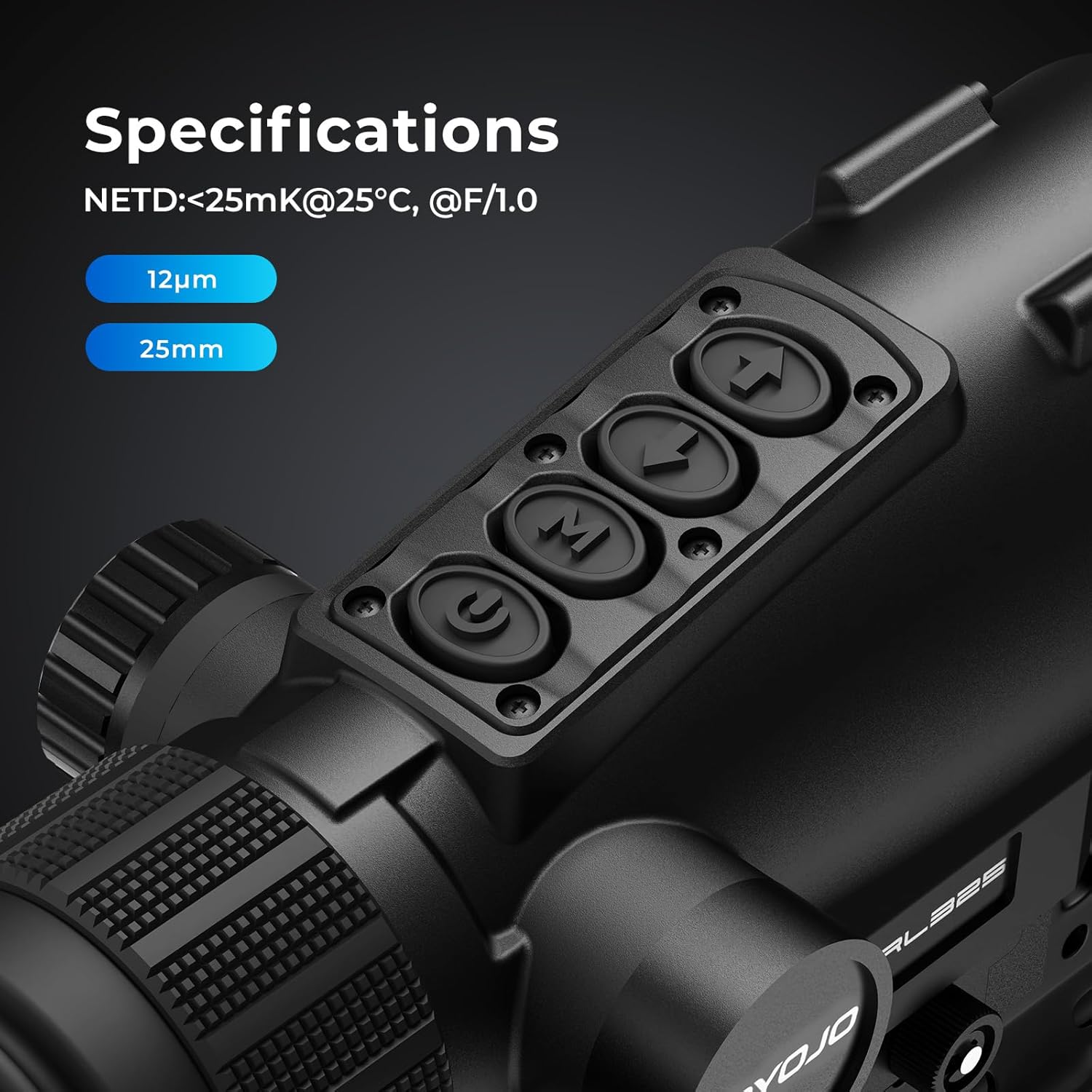
Figure 2: GOYOJO thermal scope with battery being inserted, highlighting the 18650 battery type.
1.3 Mounting
Securely attach the thermal scope to your firearm using the Picatinny rail mount. Ensure the mount is tightened to prevent movement during use. Proper mounting is crucial for maintaining zero and accuracy.
2. Operation
2.1 Power On/Off and Basic Controls
Press and hold the power button (usually marked with a 'U' or power symbol) to turn the device on or off. The control panel features intuitive buttons for menu navigation and function selection. Familiarize yourself with the button layout for efficient operation.
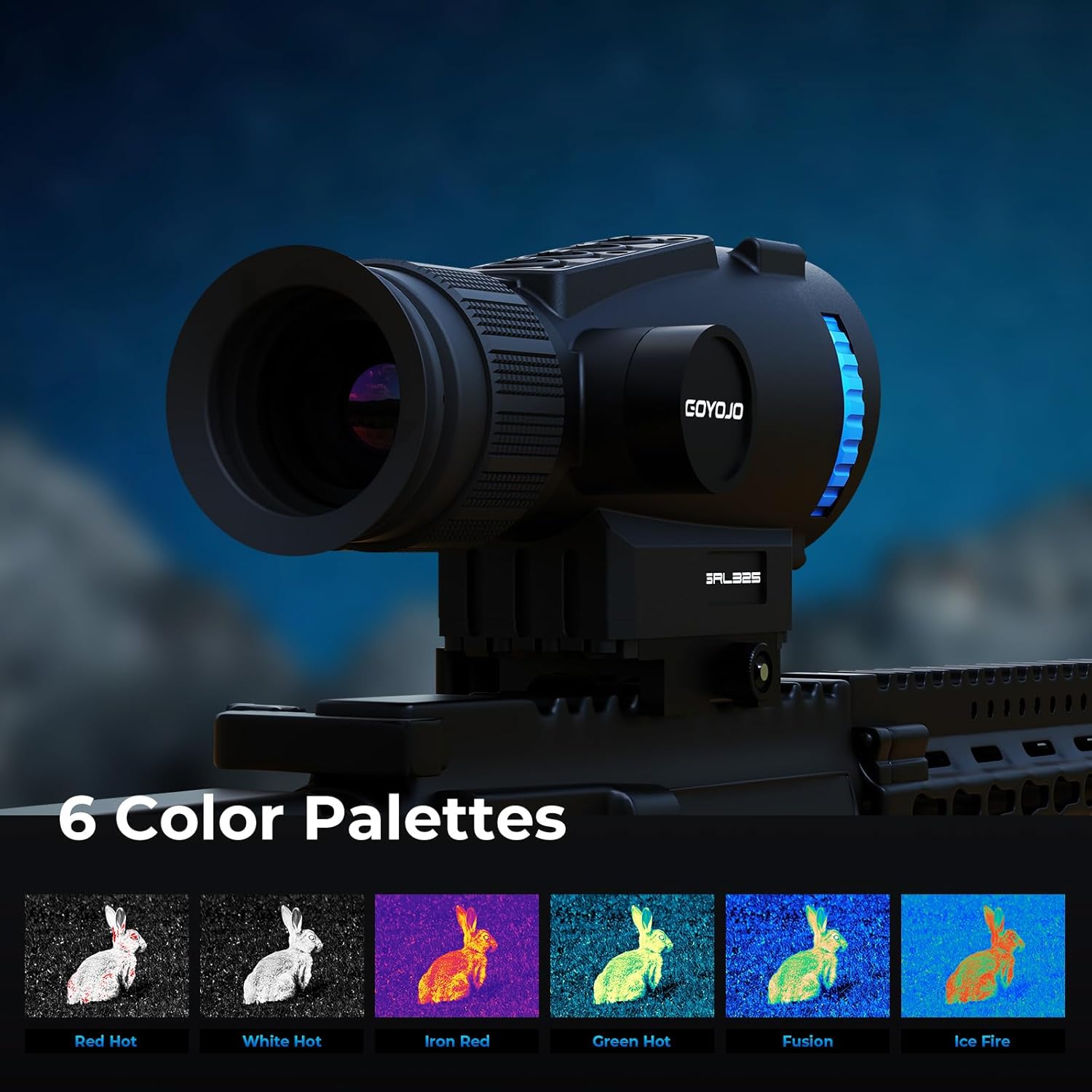
Figure 3: Close-up of the GOYOJO thermal scope's control buttons and objective lens.
2.2 Focusing
Adjust the eyepiece diopter by rotating the ring near the eye cup until the reticle appears sharp. Then, rotate the objective lens focus ring (located at the front of the scope) to achieve a clear and sharp thermal image of your target at various distances.
Figure 4: GOYOJO GRL325/GRL335 Thermal Scope, showing the eyepiece and objective lens for focusing.
2.3 Image Modes and Palettes
The scope offers six distinct image modes (Red Hot, White Hot, Iron Red, Green Hot, Fusion, Ice Fire) to adapt to various environmental conditions and user preferences. Cycle through these modes using the designated button to optimize visibility and target recognition.

Figure 5: Display showing six different thermal color palettes: Red Hot, White Hot, Iron Red, Green Hot, Fusion, and Ice Fire.
2.4 Zoom and Picture-in-Picture (PIP)
Utilize the digital zoom function (up to 12x) for closer inspection of distant targets. The Picture-in-Picture (PIP) mode provides a magnified view of the reticle area within a smaller window, allowing you to maintain a full field of view while focusing on a specific point.

Figure 6: GOYOJO thermal scope displaying Picture-in-Picture mode, showing a magnified view of a fox within the main thermal image.
Video 2: Thermal footage captured with the GOYOJO GRL325, demonstrating the clarity and zoom capabilities on distant wildlife.
2.5 Recording Photos and Videos
The device includes 64GB of internal storage for capturing photos and videos. Use the dedicated recording button to start and stop recording. Files can be transferred to a computer via the USB Type-C port.

Figure 7: GOYOJO thermal scope with a USB cable connected, indicating data transfer and storage capabilities.
2.6 Zeroing
The GOYOJO thermal scope supports easy manual zeroing. After firing a shot, adjust the reticle to match the point of impact on your target. This intuitive process ensures your thermal imaging stays precise and reliable.

Figure 8: Thermal image showing a deer with a reticle overlay, illustrating the easy zero adjustment feature.
3. Maintenance
3.1 Cleaning
Regularly clean the objective and eyepiece lenses with a soft, lint-free cloth specifically designed for optics. Avoid abrasive materials, harsh chemicals, or excessive pressure, as these can damage the lens coatings. The device is IP67 rated for water resistance, but proper drying after exposure to moisture is recommended.
3.2 Storage
Store the thermal scope in its protective carrying case in a cool, dry place, away from direct sunlight and extreme temperatures, when not in use. For long-term storage, it is advisable to remove the battery to prevent potential damage.
4. Troubleshooting
4.1 Common Issues
- No Image/Power: Check battery charge level and ensure the battery is properly installed with correct polarity.
- Blurred Image: Adjust the eyepiece diopter for clear reticle focus, then rotate the objective lens focus ring to sharpen the thermal image.
- Image Lag/Pixelation: This can occasionally occur during automatic calibration. Allow the unit to warm up for 5-10 minutes before extended use. If persistent, ensure firmware is up-to-date.
- Loss of Zero: If the point of impact shifts, re-zero the scope following the instructions in section 2.6. Ensure the mounting system is secure.
For further assistance, refer to the detailed user manual or contact GOYOJO customer support.
5. Technical Specifications
| Feature | Specification |
|---|---|
| Brand | GOYOJO |
| Model Name | GRL325/GRL335 |
| Resolution | 384x288 |
| Sensor Pixel Pitch | 12µm |
| Thermal Sensitivity (NETD) | <25mK |
| Frame Rate | 55Hz |
| Objective Lens Diameter | 25mm |
| Detection Range | Up to 1640 yards |
| Internal Storage | 64GB |
| Battery Type | 18650 |
| Material | Aluminum |
| Item Weight | 1.2 Pounds |
| Product Dimensions | 10.6"L x 10.6"W x 6.7"H |
| Night Vision | Yes |
| Reticle Type | Duplex |
6. Warranty and Support
The GOYOJO thermal scope is backed by a 5-year warranty. For any quality or functionality issues, contact the responsive GOYOJO support team for fast and effective assistance. Your satisfaction is our priority.
For more information or to contact support, visit the official GOYOJO store: GOYOJO Store