
1. Introduction
Thank you for choosing the VUOPAX B72 Portable Bluetooth Speaker. This manual provides essential information for the safe and optimal use of your speaker. Please read it thoroughly before operating the device and retain it for future reference. The VUOPAX B72 is designed for powerful sound and portability, making it ideal for various outdoor and indoor settings.

Image: A person carrying the VUOPAX B72 speaker using its integrated shoulder strap, demonstrating its portability.
2. What's in the Box
Upon unpacking, please ensure all the following items are present:
- VUOPAX B72 Bluetooth Speaker (x1)
- Power Cable (x1)
- Auxiliary Cable (x1)
- User Manual (x1)
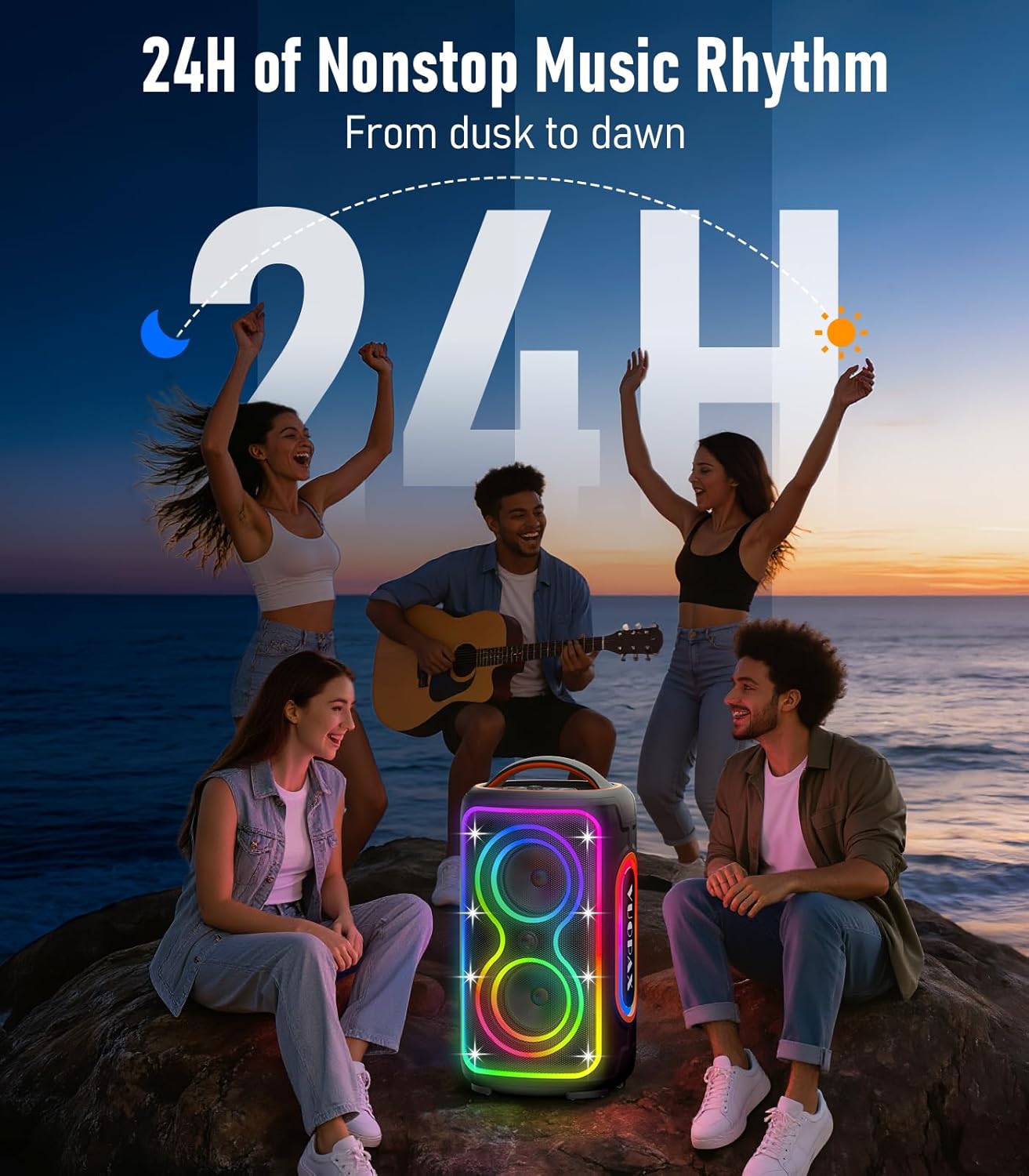
Image: The VUOPAX B72 speaker shown with its included power cable, auxiliary cable, and user manual.
3. Product Overview
3.1. Control Panel
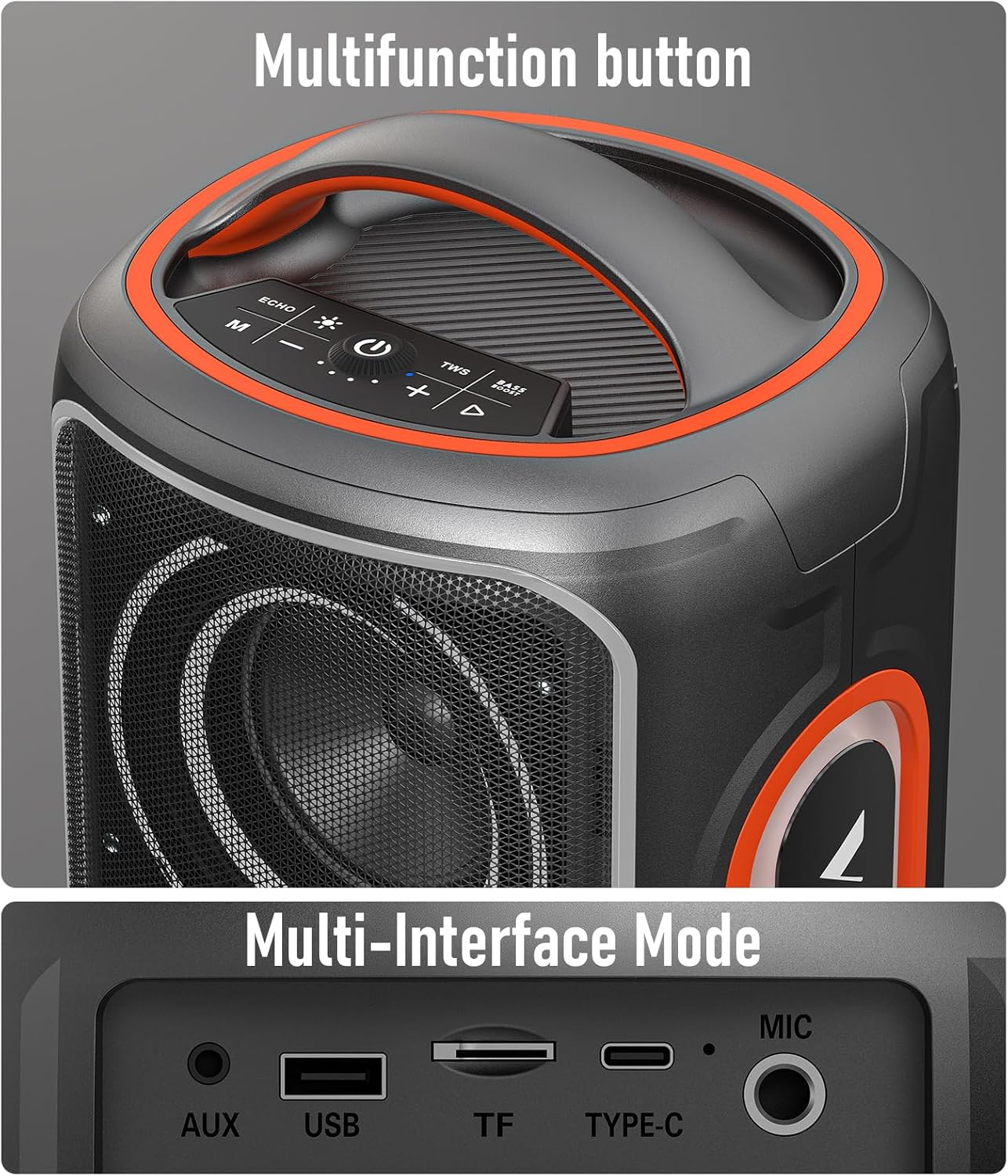
Image: Close-up of the speaker's top control panel, showing various buttons and the master volume knob.
- Power Button: Press and hold to power on/off.
- Bluetooth Button: Press to enter Bluetooth pairing mode.
- Master Volume Knob: Rotate to adjust overall volume.
- Light Mode Button: Cycle through 9 dynamic RGB light effects.
- Bass Boost Button: Enhance bass output.
- TWS Button: Initiate True Wireless Stereo pairing.
- Playback Controls: Play/Pause, Next Track, Previous Track.
- Echo/M Button: Adjust microphone echo and switch playback modes.
3.2. Input/Output Ports

Image: Rear view of the speaker showing the protected input/output panel.
- AUX Input: Connect external audio devices via 3.5mm auxiliary cable.
- USB Port: Play music from USB drives or charge external devices.
- TF Card Slot: Play music from TF (MicroSD) cards.
- Type-C Port: For charging the speaker.
- MIC Input: Connect a microphone for karaoke or announcements.
4. Setup
4.1. Initial Charge
Before first use, fully charge the speaker using the provided Type-C power cable. The charging indicator light will turn red while charging and green when fully charged.
4.2. Power On/Off
Press and hold the Power button on the control panel for approximately 3 seconds to turn the speaker on or off.
5. Operating Instructions
5.1. Bluetooth Pairing
- Ensure the speaker is powered on and in Bluetooth mode (indicated by 'bt' on the display). If not, press the Bluetooth button.
- On your device (smartphone, tablet, etc.), enable Bluetooth and search for available devices.
- Select "VUOPAX B72" from the list of devices.
- Once paired, the speaker will emit an audible confirmation, and the 'bt' indicator will stabilize.

Image: The VUOPAX B72 speaker displaying 'bt' indicating Bluetooth mode, ready for connection.
5.2. True Wireless Stereo (TWS) Pairing
To achieve immersive stereo sound, you can pair two VUOPAX B72 speakers together:
- Ensure both VUOPAX B72 speakers are powered on and not connected to any other Bluetooth device.
- Press the TWS button on one of the speakers. It will enter TWS pairing mode.
- The speakers will automatically search for and connect to each other.
- Once connected, one speaker will act as the left channel and the other as the right channel.
- Now, connect your device to one of the paired speakers via Bluetooth as described in section 5.1.
5.3. RGB Light Modes
The speaker features 9 dynamic RGB light modes. Press the Light Mode button on the control panel to cycle through the different lighting effects. You can also turn off the lights to conserve battery life.

Image: The VUOPAX B72 speaker displaying its vibrant RGB lighting effects.
5.4. Input Modes (AUX, USB, TF, MIC)
The speaker supports multiple input sources:
- AUX: Connect an external audio source (e.g., MP3 player) using the 3.5mm auxiliary cable. The speaker will automatically switch to AUX mode.
- USB: Insert a USB flash drive into the USB port. The speaker will automatically detect and play audio files.
- TF Card: Insert a TF (MicroSD) card into the TF card slot. The speaker will automatically detect and play audio files.
- MIC: Connect a microphone to the MIC input for voice amplification. Use the Echo/M button to adjust echo effects.
6. Maintenance
- Keep the speaker away from extreme temperatures, direct sunlight, and corrosive materials.
- Clean the speaker with a soft, dry cloth. Do not use abrasive cleaners or solvents.
- Ensure the port cover on the rear is securely closed when not in use, especially in wet or dusty environments, to maintain IP65 rating.
- Store the speaker in a cool, dry place when not in use for extended periods.
7. Troubleshooting
| Problem | Solution |
|---|---|
| Speaker does not power on. | Ensure the battery is charged. Connect the speaker to a power source using the Type-C cable. |
| Cannot pair via Bluetooth. |
|
| No sound from speaker. |
|
| TWS pairing failed. |
|
| RGB lights not working. | Press the Light Mode button to activate or change the lighting effects. |
8. Specifications
| Feature | Detail |
|---|---|
| Brand | VUOPAX |
| Model Number | B72 |
| Speaker Maximum Output Power | 240 Watts (Peak) |
| Frequency Response | 20 KHz |
| Connectivity Technology | Bluetooth 5.4, AUX, USB, TF Card |
| Audio Output Mode | Stereo |
| Speaker Type | Outdoor, Portable Party Speaker |
| Additional Features | Bass Boost, RGB Lights, TWS Pairing |
| Battery Average Life | Up to 24 Hours (at medium volume) |
| Water Resistance Level | IP65 Waterproof & Dustproof |
| Bluetooth Range | Up to 30 Meters (100 feet) |
| Control Method | Touch Buttons |
| Speaker Size | Dual 4-inch Woofers, 1.2-inch Tweeter |
| Item Dimensions (D x W x H) | 8.7"D x 8.3"W x 16.7"H |
| Power Source | Battery Powered (1 Lithium Ion battery) |
| Input Voltage | 5 Volts |

Image: The VUOPAX B72 speaker with its dimensions clearly marked.
9. Warranty and Support
The VUOPAX B72 Portable Bluetooth Speaker comes with a 12-month limited warranty from the date of purchase. This warranty covers manufacturing defects and workmanship. For warranty claims or technical support, please contact VUOPAX customer service through your retailer or the official VUOPAX website.
Please retain your proof of purchase for warranty validation.