
1. Important Safety Information
Please read and understand all instructions before attempting to assemble, operate, or install the product. Failure to follow the safety instructions may result in electric shock, fire, or personal injury.
- Electrical Safety: Always disconnect power at the circuit breaker before installing or servicing the fan. Ensure all wiring complies with local electrical codes and standards.
- Qualified Personnel: Installation and wiring should be performed by a qualified electrician.
- Proper Grounding: Ensure the fan is properly grounded to prevent electrical shock.
- Ducting: Use appropriate ducting materials and ensure all connections are sealed to prevent air leakage.
- Location: Do not install the fan in areas where it may be exposed to excessive heat, moisture, or flammable materials.
- Maintenance: Regularly inspect the fan for any damage or loose connections. Do not operate if damaged.
- Children: Keep packaging materials and small parts away from children.
2. Product Overview
The GROWNEER 6 Inch Inline Exhaust Fan is designed for efficient ventilation in various indoor environments such as bathrooms, kitchens, garages, and attics. It features a powerful 220 CFM airflow, 5 adjustable speed settings, and convenient wireless remote control operation.
Key Features:
- 5-Speed Ventilation: Adjustable airflow from 102 CFM to 220 CFM.
- Ultra Quiet Operation: Operates at a noise level of ≤50dB.
- Wireless Remote Control: 4-button wall switch for power, speed adjustment, and ECO Mode.
- Multiple Installation Methods: Supports wire rope hoisting, frame mounting, and direct beam installation.
- Adjustable Frame: Expands from 11.41 to 22 inches for flexible mounting.
- Durable Construction: Robust iron construction with a sleek black finish.
Package Contents:
The complete kit includes:
- Fan Unit
- Wireless Wall Switch
- Adjustable Frame (Expansion Bracket)
- Hoisting Wires (Lifting Wire Rope)
- 2 Outlet Flanges (Tapered Duct Adapter)
- Screws & Brackets

Figure 2.1: Components included in the GROWNEER Inline Exhaust Fan package. This image displays the fan unit, expansion bracket, lifting wire rope, tapered duct adapter, and the 4-key wireless wall-mounted switch.
3. Setup and Installation
Before beginning installation, ensure the power supply is disconnected at the circuit breaker. This fan offers three primary installation methods to suit various ceiling and structural configurations.
General Installation Guidelines:
- Ensure adequate space for the fan unit and ducting.
- Use appropriate tools for cutting, drilling, and securing.
- All duct connections must be airtight to maximize efficiency.
- The adjustable frame can expand from 11.41 to 22 inches to fit standard ceiling joists.
Installation Options:

Figure 3.1: Visual guide for the three primary installation methods: Bar Mount, Ceiling Mount, and Direct Beam Mount.
Option 1: Bar Mount Installation
- Attach the adjustable frame (expansion bracket) to the fan unit.
- Extend the frame to span between two ceiling joists or support bars.
- Secure the frame to the joists using appropriate screws.
- Mount the fan unit to the secured frame.
Option 2: Ceiling Mount Installation (using Hoisting Wires)
- Attach the hoisting wires to the designated points on the fan unit.
- Secure the other end of the hoisting wires to a sturdy ceiling structure or joists.
- Ensure the fan is level and securely suspended.
Option 3: Direct Beam Mount (with optional brackets)
- Position the fan unit directly onto a sturdy beam or flat surface.
- Use the provided screws and brackets to secure the fan unit firmly to the beam.
- Ensure all mounting points are tight and stable.
Ducting Connection:
Connect the appropriate ducting (not included) to the fan's inlet and outlet flanges. Use duct clamps or tape to ensure a secure and airtight seal. The fan is designed for 6-inch ducting.
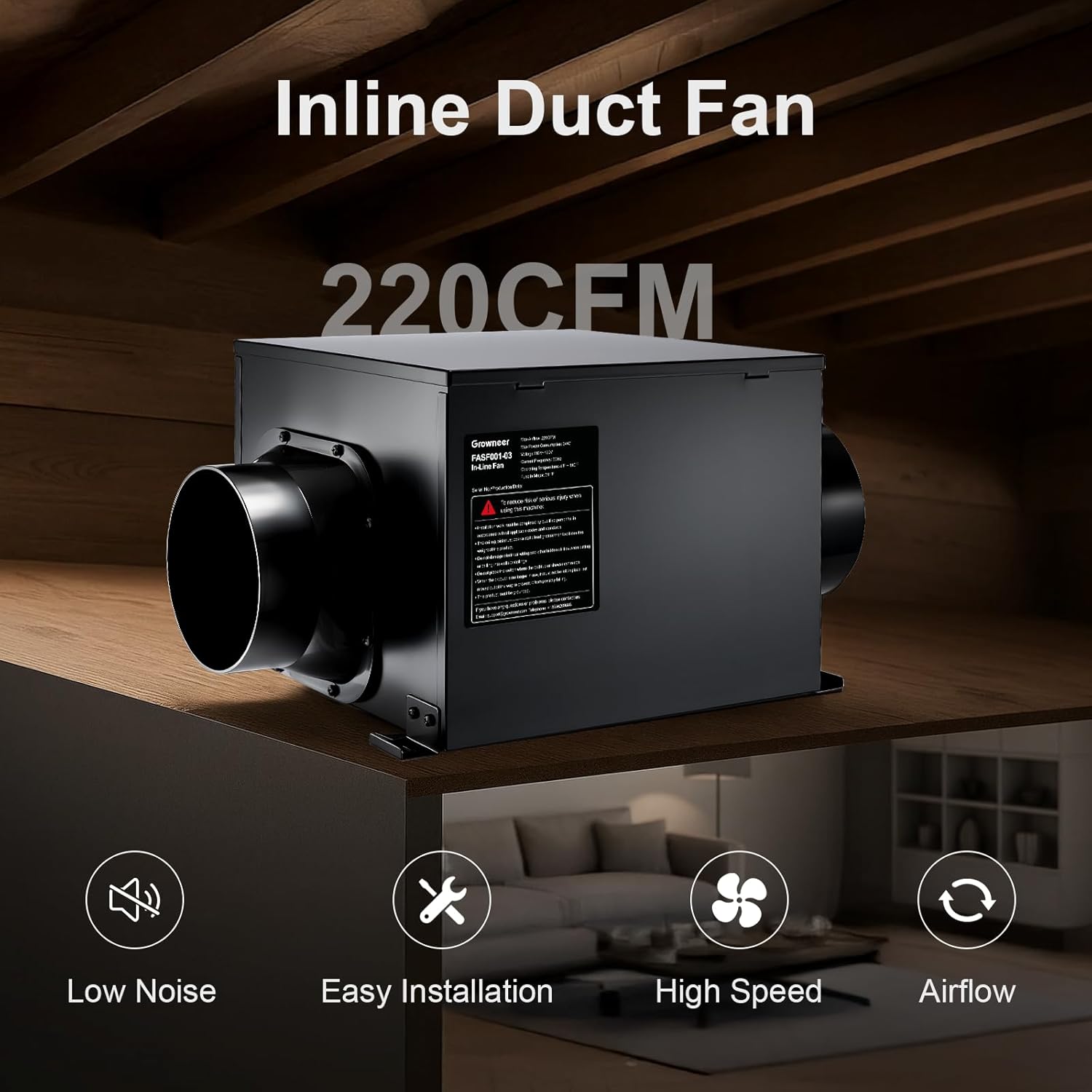
Figure 3.2: The GROWNEER Inline Exhaust Fan with ducting attached, illustrating its function in a ventilation system.
4. Operating Instructions
The GROWNEER Inline Exhaust Fan is controlled by a wireless 4-button wall-mounted switch. Ensure the fan is properly installed and connected to a power source before operation.
Wireless Remote Control Functions:

Figure 4.1: The wireless 4-button wall switch used to control the fan's functions.
- Power Button (⏻): Press to turn the fan ON or OFF.
- Speed Up Button (+): Press to increase the fan speed. The fan has 5 adjustable speed settings.
- Speed Down Button (−): Press to decrease the fan speed.
- ECO Mode Button: Activates energy-saving mode, operating at 60% capacity (equivalent to 3rd speed setting). The fan automatically exits ECO mode if the speed up or down buttons are pressed.
Each button press on the remote is indicated by a light, and changing the speed produces an audible beep from the fan unit.
5. Maintenance
Regular maintenance ensures optimal performance and extends the lifespan of your GROWNEER Inline Exhaust Fan. Always disconnect power to the fan at the circuit breaker before performing any maintenance.
Cleaning:
- Exterior: Wipe the exterior of the fan unit with a soft, damp cloth. Do not use abrasive cleaners or solvents.
- Impeller/Blades: Periodically inspect the fan impeller for dust and debris buildup. If accessible, carefully clean the blades with a soft brush or vacuum cleaner. Avoid bending the blades.
- Ducting: Check ducting for any obstructions or excessive dust accumulation. Clean as necessary to maintain airflow efficiency.
Inspection:
- Wiring: Check all electrical connections for tightness and signs of wear or damage.
- Mounting: Verify that the fan unit and its mounting hardware are secure and stable.
- Noise/Vibration: Listen for any unusual noises or excessive vibrations during operation, which may indicate a problem.
If any issues are found during inspection, refer to the Troubleshooting section or contact customer support.
6. Troubleshooting
If you encounter problems with your GROWNEER Inline Exhaust Fan, refer to the following common issues and solutions:
| Problem | Possible Cause | Solution |
|---|---|---|
| Fan does not turn on. | No power supply. Remote control battery low/dead. Fan or remote not paired. | Check circuit breaker and power connections. Replace remote control batteries. Refer to remote pairing instructions (if applicable, not detailed in current data). |
| Low airflow. | Ducting obstruction or leakage. Fan speed set too low. Dirty impeller. | Inspect ducting for blockages or loose connections. Seal any leaks. Increase fan speed using the remote control. Clean the fan impeller (refer to Maintenance section). |
| Excessive noise or vibration. | Loose mounting. Debris in fan. Damaged impeller. | Ensure all mounting hardware is secure. Disconnect power and inspect for debris. Remove carefully. If impeller is damaged, contact customer support. |
| Remote control not responding. | Battery low/dead. Out of range. Interference. | Replace remote control batteries. Move closer to the fan unit. Ensure no strong radio frequency interference nearby. |
If the problem persists after trying these solutions, contact GROWNEER customer support for assistance.
7. Specifications
Detailed technical specifications for the GROWNEER 6 Inch Inline Exhaust Fan (Model FASF001-03).

Figure 7.1: Key product parameters and dimensions of the GROWNEER Inline Exhaust Fan.
| Specification | Value |
|---|---|
| Model Number | FASF001-03 |
| Brand | GROWNEER |
| Air Flow Capacity | 220 CFM (Cubic Feet Per Minute) |
| Number of Speeds | 5 |
| Noise Level | ≤50 Decibels |
| Power Source | AC |
| Voltage | 120 Volts |
| Wattage | 46 watts |
| Product Dimensions (D x W x H) | 12"D x 9.5"W x 12"H |
| Material | Stainless Steel |
| Color | Black |
| Mounting Type | Ceiling Mount |
| Controller Type | Remote Control |
| Recommended Uses | Air Circulation, Cooling, Drying, Exhausting, Ventilating |
| Indoor/Outdoor Usage | Indoor |
8. Warranty and Customer Support
For warranty information regarding your GROWNEER Inline Exhaust Fan, please refer to the documentation included with your purchase or contact the retailer where the product was acquired. Warranty terms and conditions may vary.
If you require technical assistance, have questions about installation, operation, or maintenance, please contact GROWNEER customer support. You can typically find contact information on the manufacturer's official website or through your purchase platform.
GROWNEER Store Link: Visit the GROWNEER Store on Amazon