
1. Introduction
Thank you for choosing the WOBANE K66 Night Light with Clock. This versatile and portable LED lamp is designed to provide soft, adjustable lighting for various environments, including nurseries, bedrooms, and during nighttime activities like breastfeeding. It features a built-in digital clock and a long-lasting rechargeable battery for convenience and ease of use.
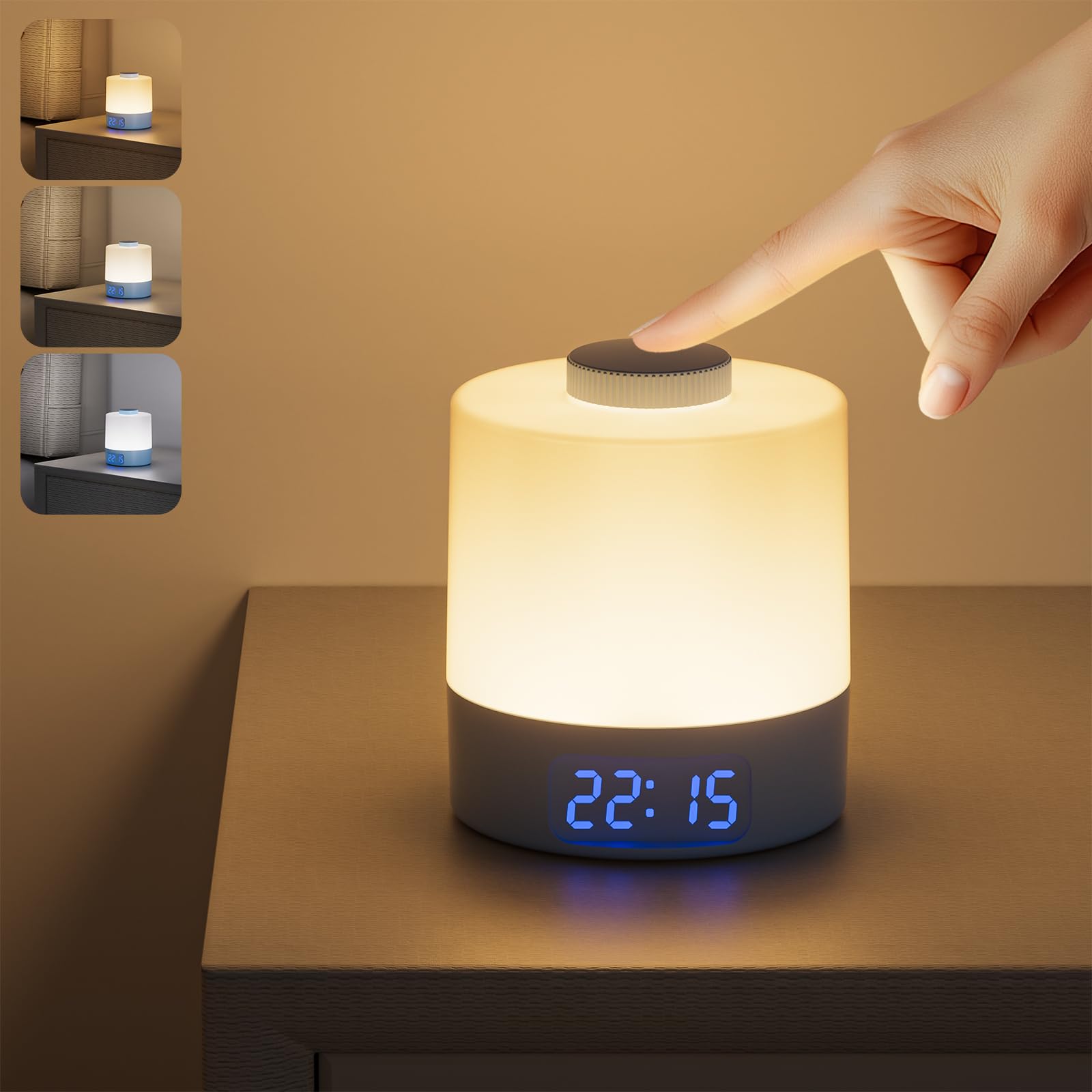
Figure 1: WOBANE K66 Night Light with Clock
2. What's in the Box
Please check the package contents upon unboxing:
- 1 x WOBANE K66 LED Lamp
- 1 x USB to Type-C Cable
- 1 x User Manual
3. Product Features
- 3 Color Temperatures & Adjustable Brightness: The night light offers three color options (Warm White, Natural White, Cool White). Long press the top button to cycle through color temperatures. Rotate the top button to adjust brightness from 10% to 100%.
- Long-Lasting Rechargeable Battery: Equipped with a 3600mAh battery, providing 20-200 hours of use depending on brightness. Fully charges in approximately 3-4 hours via the included USB to Type-C cable.
- Digital Clock Display: Features a 24-hour format digital clock. The clock can be displayed by shaking the lamp or when the lamp is on. The clock brightness is adjustable in 3 levels by single-clicking the clock button at the bottom. Note: This clock does not include an alarm or timer function.
- Soft & Portable Lighting: Designed to be gentle on the eyes, ideal for night feeding, diaper changes, or as a bedside lamp without disturbing sleep. Weighing only 125 grams, it is lightweight and easy to carry.
- Durable and Safe Design: Constructed from PC+AL materials, ensuring durability and safety.

Figure 2: Three Color Temperature Modes

Figure 3: Stepless Dimming Function
4. Setup
4.1 Initial Charging
Before first use, fully charge the night light. Connect the provided USB to Type-C cable to the charging port on the bottom of the lamp and to a USB power source (e.g., computer, wall adapter). The charging indicator light will show charging status (usually red for charging, off or green for fully charged). A full charge takes approximately 3-4 hours.

Figure 4: Charging the WOBANE K66 Night Light
4.2 Power On/Off
Locate the ON/OFF switch on the bottom of the lamp. Slide the switch to the "ON" position to activate the lamp's functions. Slide to "OFF" to completely power down the device.

Figure 5: Bottom Controls and ON/OFF Switch
5. Operating Instructions
5.1 Turning the Light On/Off
- To Turn On: With the bottom switch in the "ON" position, single-click the top button.
- To Turn Off: Single-click the top button again.
5.2 Adjusting Brightness (Stepless Dimming)
- While the light is on, rotate the top button clockwise to increase brightness.
- Rotate the top button counter-clockwise to decrease brightness.
- The light may flicker briefly when adjusting from maximum to minimum brightness or vice versa, which is normal.
5.3 Changing Color Temperature
- While the light is on, long press the top button to cycle through the three color temperatures: Warm White (3000K), Natural White (4000K), and Cool White (6000K). Release the button when your desired color is displayed.
5.4 Setting the Digital Clock
- To Enter Time Setting Mode: Long press the clock button (middle button) on the bottom of the lamp. The hour display will start flashing.
- Adjust Hour: Use the "+" and "-" buttons on the bottom to adjust the hour.
- Adjust Minute: Single-click the clock button again. The minute display will start flashing. Use the "+" and "-" buttons to adjust the minute.
- Confirm Setting: Single-click the clock button one more time to confirm and exit time setting mode.
Video 1: How to Adjust the Digital Clock
5.5 Adjusting Clock Brightness
- Single-click the clock button (middle button) on the bottom of the lamp (not in time setting mode) to cycle through 3 levels of clock display brightness.
5.6 Displaying the Clock
- The digital clock will automatically display when the lamp is turned on.
- If the lamp is off, you can display the clock by gently shaking the lamp. The clock will appear for a few seconds and then turn off.

Figure 6: Versatile Applications of the Night Light

Figure 7: Soft Lighting for Sleep
6. Battery Information
The WOBANE K66 Night Light is equipped with a 3600mAh Lithium-Ion battery. This provides extended usage times, making it highly portable.
- Battery Capacity: 3600mAh
- Charging Time: Approximately 3-4 hours for a full charge.
- Working Time: 20 hours at maximum brightness; up to 200 hours at minimum brightness.
- Charging Port: USB Type-C.
To prolong battery life, avoid completely draining the battery frequently. Recharge the device when the light output becomes noticeably dim or the clock display fades.
7. Care and Maintenance
- Cleaning: Wipe the lamp with a soft, dry cloth. Do not use abrasive cleaners or solvents.
- Storage: Store the lamp in a cool, dry place when not in use for extended periods.
- Water Resistance: This product is NOT waterproof. Avoid exposure to water or high humidity.
- Temperature: Do not expose the device to extreme temperatures.
8. Troubleshooting
| Problem | Possible Cause | Solution |
|---|---|---|
| Light does not turn on. | Battery is drained; Bottom switch is OFF. | Charge the lamp; Ensure the bottom switch is in the "ON" position. |
| Clock display is not visible. | Lamp is off and not shaken; Clock brightness is too low. | Shake the lamp or turn on the light; Adjust clock brightness using the bottom clock button. |
| Light flickers during brightness adjustment. | Normal operation during stepless dimming. | This is expected behavior as the light transitions between brightness levels. |
| Cannot adjust time. | Not in time setting mode. | Long press the clock button on the bottom to enter time setting mode. |
9. Specifications
| Feature | Detail |
|---|---|
| Model Name | K66 |
| Brand | WOBANE |
| Product Dimensions | 3.5"D x 3.5"W x 4"H |
| Item Weight | 1.6 ounces (0.1 Pounds) |
| Light Source Type | LED |
| Light Color | Warm White, Natural White, Cool White |
| Color Temperature | 3000K, 4000K, 6000K |
| Power Source | Battery Powered |
| Battery Capacity | 3600mAh Lithium Ion (included) |
| Charging Time | 3-4 hours |
| Working Time | 20-200 hours (brightness dependent) |
| Control Method | Push Button, Rotary Knob |
| Material | Acrylonitrile Butadiene Styrene, Aluminum |
| Indoor/Outdoor Usage | Indoor |
| Special Features | Adjustable Color Temperature, Dimmable, Energy Efficient, Portable, Rechargeable |
10. Warranty and Support
For warranty information or technical support, please refer to the contact details provided with your purchase or visit the official WOBANE website. Keep your purchase receipt as proof of purchase for any warranty claims.