1. Introduction
The LewanSoul miniHexa-A is an advanced 18DOF hexapod robot designed for STEM education and robotics enthusiasts. This open-source platform integrates an ESP32 controller, high-speed micro servos, and supports a wide array of sensors and programming methods. It offers flexible movement capabilities through inverse kinematics and provides extensive resources for learning and secondary development.

Figure 1: The miniHexa-A hexapod robot, showcasing its compact design and glowing ultrasonic sensors.
2. Key Features
- ESP32 Controller & Arduino Programming: The miniHexa is an open-source AI hexapod robot equipped with an ESP32, fully compatible with Arduino programming. It features precise motion control and multiple expansion ports, ideal for functional expansion and secondary development.
- 18DOF Structure & High-Speed Micro Servos: The miniHexa is equipped with 18 anti-stall micro servos. Its compact size, fast response, low noise, and high precision allow for powerful and accurate execution of complex movements.
- Inverse Kinematics & Flexible Movement: Utilizing advanced inverse kinematics algorithms, the miniHexa supports 360° omnidirectional movement. It allows for free switching of posture, angle, and balance, enabling smooth and seamless combinations of movements.
- Diverse Sensor Expansion: The miniHexa supports a wide range of sensors including AI vision, voice modules, ultrasonic, touch sensors, and matrix displays. Creative applications such as color recognition, target tracking, face detection, voice control, and distance measurement are possible.
- Rich Learning Resources & Open Source: Over 200 tutorials, fully open-source code, circuit diagrams, and commented programs are provided to support AI and programming learning, unleashing unlimited creativity.
- Note: All instructions and course materials are provided in English.
3. Setup
3.1. Unpacking and Component Check
Carefully unpack all components from the box. Refer to the packing list to ensure all parts are present. The Advanced Kit includes the miniHexa robot, battery cover, 3.7V LiPo batteries (2200mAh), 8.4V 2A charger, Type-C cable, accessory bag, user manual, ESP32-S3 vision module, WonderEcho voice interaction module, touch sensor, infrared obstacle avoidance sensors, LED dot matrix display, camera mounting brackets, EVA ball (40mm), module cables, and a screw pack.

Figure 2: Detailed view of the miniHexa Advanced Kit packing list.
3.2. Assembly and Initial Power-Up
Follow the detailed assembly instructions provided in the included user manual. Ensure all servo connections are secure and the ESP32 controller is correctly installed. Once assembled, charge the batteries using the provided charger and insert them into the robot. Power on the robot using the designated switch.

Figure 3: Internal hardware components of the miniHexa, including the ESP32 controller and micro servos.
4. Operating Instructions
4.1. Movement Control
The miniHexa-A can be controlled via a dedicated mobile application. This allows for precise adjustments of pitch, roll, height, and center of gravity, enabling a variety of walking gaits and omnidirectional movement. The robot's 18 degrees of freedom (DOF) and inverse kinematics algorithms ensure smooth and stable motion across different terrains.
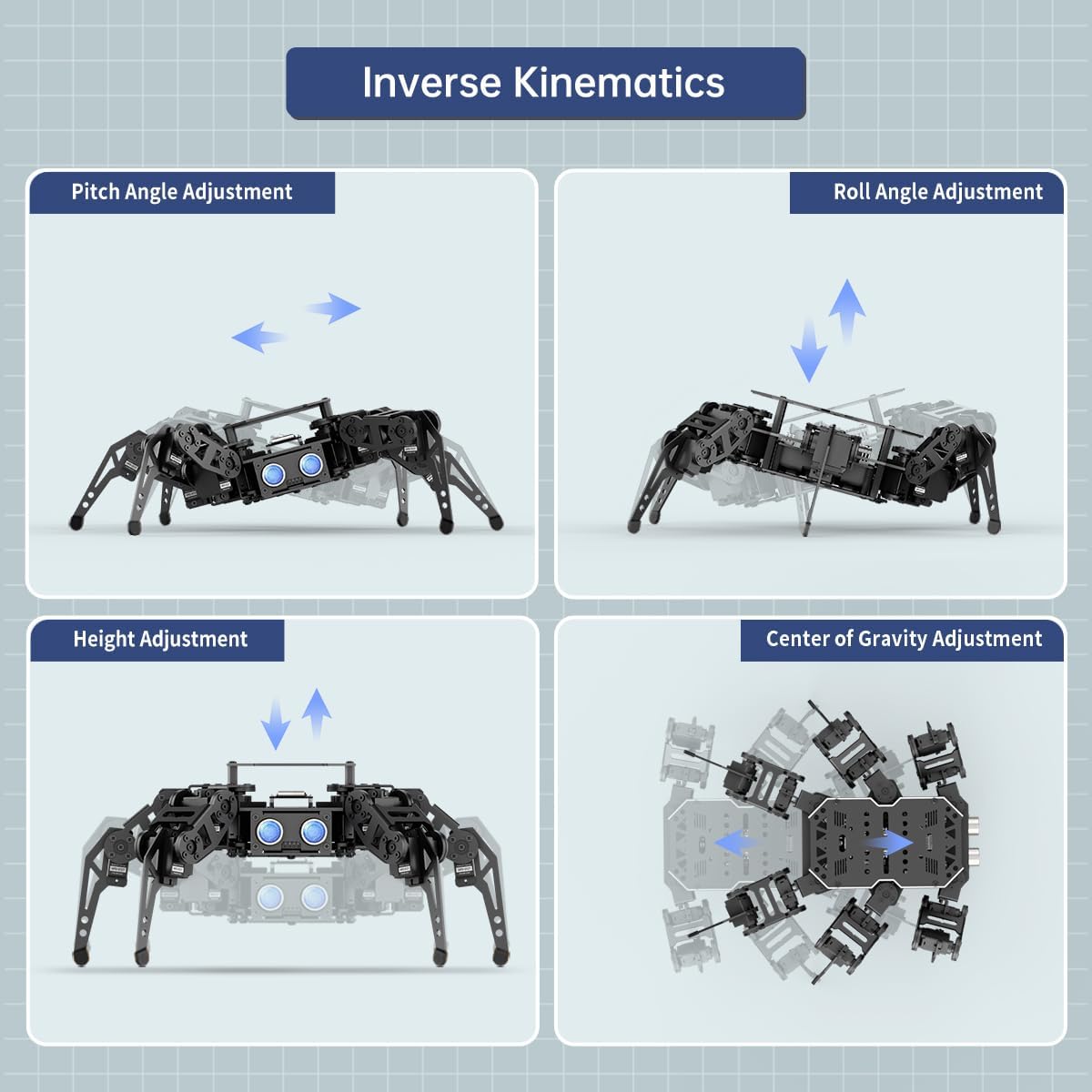
Figure 4: Inverse Kinematics adjustments for the miniHexa, showing pitch, roll, height, and center of gravity control.
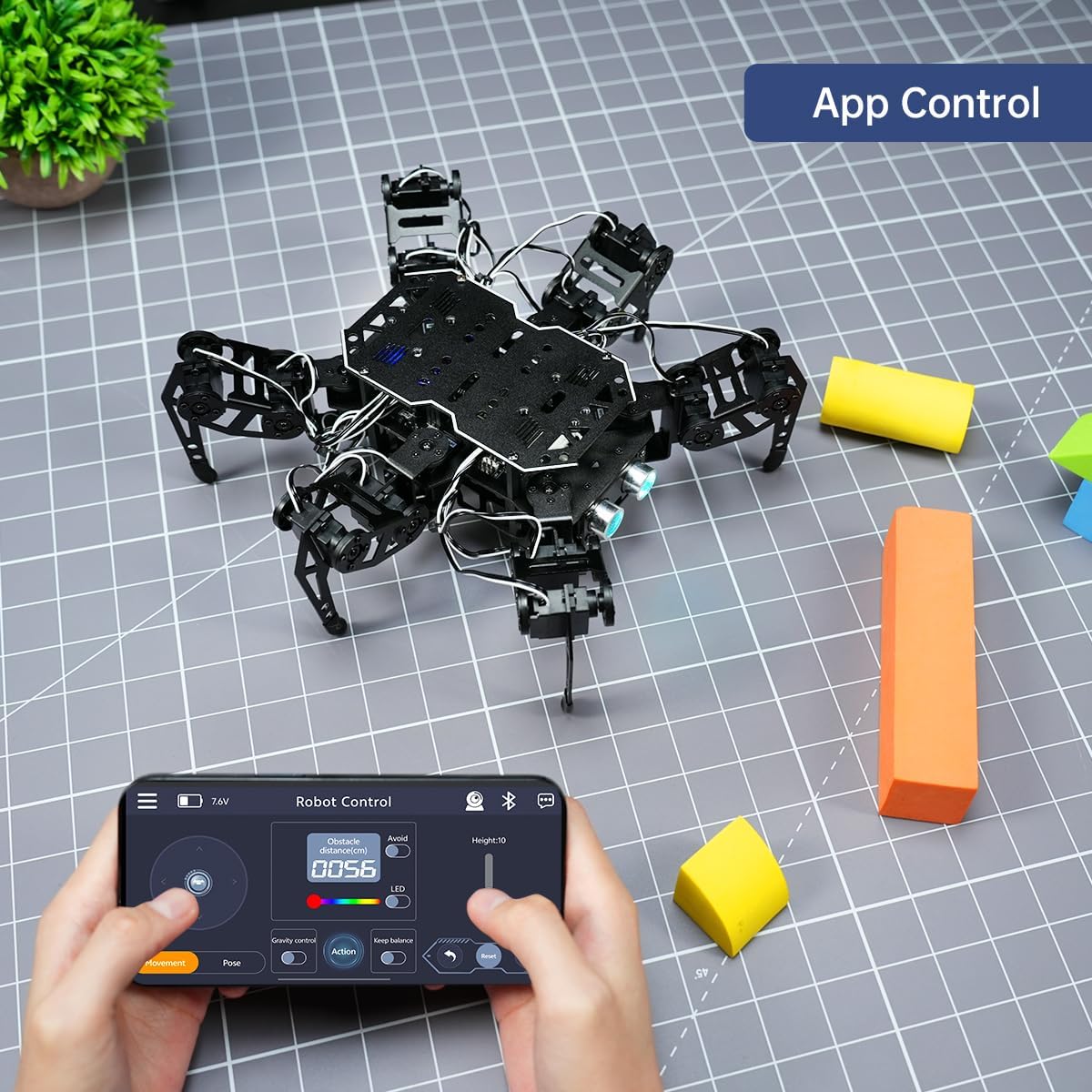
Figure 5: App control interface for the miniHexa robot, demonstrating remote operation.
4.2. AI Vision Features
With its AI vision module, the miniHexa-A can perform advanced tasks such as face recognition, color recognition, target tracking, and vision line following. The robot can transmit real-time video feeds to your device, enhancing interactive experiences.

Figure 6: Overview of AI-powered features including face recognition and color tracking.
4.3. Sensor Expansion
The miniHexa-A supports various sensor expansions, including ultrasonic sensors for distance measurement and obstacle avoidance, touch sensors for interactive control, and LED dot matrix displays for visual feedback. These modules allow for creative applications and enhanced interaction with its environment.

Figure 7: Examples of supported sensor expansions and their functionalities.
4.4. Programming
The miniHexa-A is fully open-source and supports programming with Arduino, Python, and Scratch. Comprehensive tutorials, code examples, and circuit diagrams are provided to facilitate learning and development. Users can utilize professional visual PC software for precise control, action creation, and visual deviation adjustment.
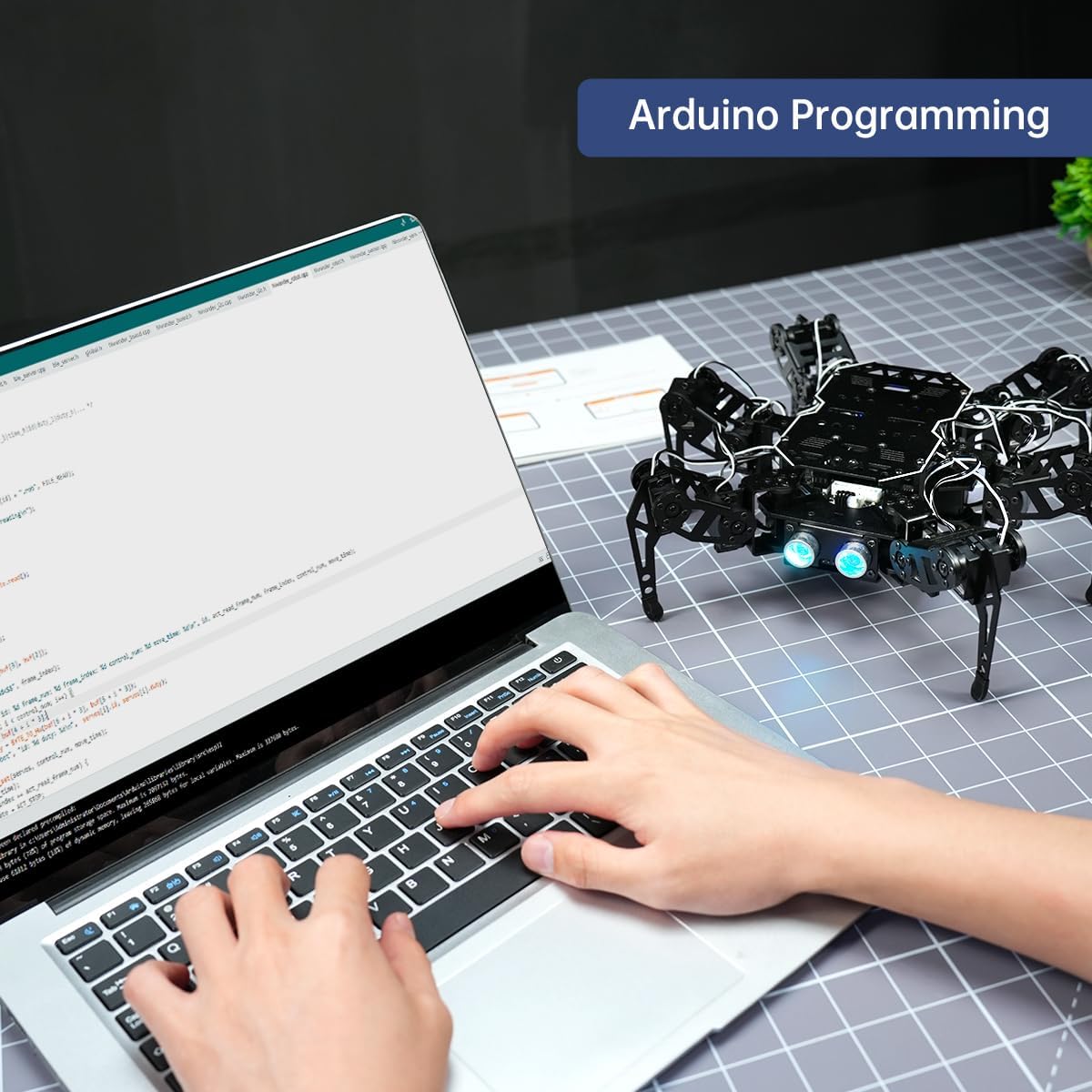
Figure 8: Programming the miniHexa robot using the Arduino IDE.
4.5. Official Product Videos
Video 1: MechDog Smart Robot Dog - Features and Programming. This video demonstrates the capabilities of a similar robot dog, including IMU, ultrasonic, AI camera, self-balance, and programming with Arduino, Scratch, and Python.
Video 2: MechDog Robot Dog for AI Education. A short preview highlighting the MechDog as an AI robot dog suitable for students and beginners in robotics.
5. Specifications
| Feature | Detail |
|---|---|
| Battery Use | Yes |
| Batteries Included | Yes |
| Main Material | Metal |
| Manufacturer Recommended Age | 16 years and up |
| Manufacturer Reference | JP-miniHexa-A |
| Package Dimensions | 28 x 20 x 12 cm; 1 kg |
| ASIN | B0FMJZTDCQ |
| First Available on Amazon.co.jp | 2025/8/15 |
6. Maintenance
- Battery Care: Ensure batteries are charged using the provided charger. Do not overcharge or completely drain the batteries. Store in a cool, dry place.
- Cleaning: Use a soft, dry cloth to clean the robot's exterior. Avoid using water or harsh chemicals.
- Servo Inspection: Periodically check the servos for any signs of wear or damage. Ensure they move freely without obstruction.
- Software Updates: Regularly check the official LewanSoul website or community forums for software and firmware updates to ensure optimal performance and access to new features.
7. Troubleshooting
- Robot Not Responding: Check battery levels and ensure the robot is powered on. Verify all connections, especially to the ESP32 controller and servos. Restart the robot and the control application.
- Movement Issues: If the robot's movements are erratic, check for any physical obstructions or loose servo connections. Recalibrate the servos if necessary. Review your programming code for errors.
- Connectivity Problems: Ensure your device's Wi-Fi or Bluetooth is enabled and correctly paired with the robot. Check for signal interference.
- Sensor Malfunctions: Verify sensor connections and ensure they are clean and unobstructed. Consult the programming tutorials to confirm correct sensor integration in your code.
8. Warranty and Support
For warranty information, technical support, or further assistance, please refer to the official LewanSoul website or contact their customer service directly. Detailed tutorials and community support resources are also available online to help you with your miniHexa-A projects.


