
Important Safety Information
Please read and understand all instructions before beginning installation. Failure to follow these instructions may result in electric shock, fire, or serious personal injury.
- Ensure the power is disconnected at the circuit breaker before installation or maintenance.
- All electrical connections must be in accordance with local codes, ordinances, or national electrical codes. If you are unfamiliar with electrical wiring, consult a qualified electrician.
- The fan must be mounted to a structurally sound ceiling capable of supporting the fan's weight.
- Do not operate the fan with damaged wiring or if the fan is visibly damaged.
- Keep hands, clothing, and other objects away from the fan blades when the fan is in operation.
- This fan is designed for indoor use only.
Package Contents
Verify that all components are present before proceeding with installation:
- Ceiling Fan Unit (with integrated LED light)
- Remote Control (2 AAA batteries included)
- Mounting Bracket
- Screws and Hardware
- Instruction Manual
Specifications
| Brand | addlon |
| Model Number | NFM024112-1 |
| Product Dimensions | 60L x 60W x 17H Centimetres (24 inches diameter) |
| Weight | 2.9 kg |
| Material | Plastic (with reinforced steel core) |
| Power Source | AC input, DC motor |
| Voltage | 120 Volts |
| Light Source | Integrated LED |
| Color Temperature | 3000K (Warm White) / 4500K (Natural White) / 6000K (Cool White) |
| Dimmable | Yes (10%-100%) |
| Control Method | Remote Control, Mobile App |
| Fan Speeds | 6 Levels |
| Timer | 1-hour, 2-hour |
| Motor Type | Reversible DC Motor |
| Indoor/Outdoor Use | Indoor Only |
Installation Instructions
This fan features a modular design for quick installation. Ensure power is off before starting.
Step 1: Prepare for Installation
Turn off power at the circuit breaker. Clear the installation area. Ensure the ceiling junction box is securely mounted and can support the fan's weight.

Image: The fan's reinforced anti-rust steel core ensures secure and stable mounting to the ceiling.
Step 2: Mount the Bracket
Attach the mounting bracket to the ceiling junction box using the provided screws. Ensure it is firmly secured.
Step 3: Assemble Fan Components
The fan is designed with modular parts for easy assembly. Connect the fan blades and other main components as shown in the diagram. The large blades are designed for strong airflow while maintaining safety.

Image: An exploded diagram illustrating the modular components of the fan, including the mounted tray, screws, hanging cord, fan blade, and fixing cap, for simplified assembly.
Step 4: Wire the Fan
Connect the electrical wires from the fan to the corresponding wires in the junction box. Follow standard wiring color codes (e.g., black to black, white to white, ground to ground). Secure all connections with wire nuts.
Step 5: Attach Fan to Mounting Bracket
Carefully lift the fan unit and attach it to the mounting bracket. Secure it with the appropriate screws. Ensure all connections are tight and the fan is stable.
Step 6: Restore Power
Once installation is complete, restore power at the circuit breaker and test the fan and light functions.
Operating Instructions
Your addlon ceiling fan can be controlled via the included remote control or a mobile application.
Remote Control Functions
The remote control allows for comprehensive management of the fan and light settings.
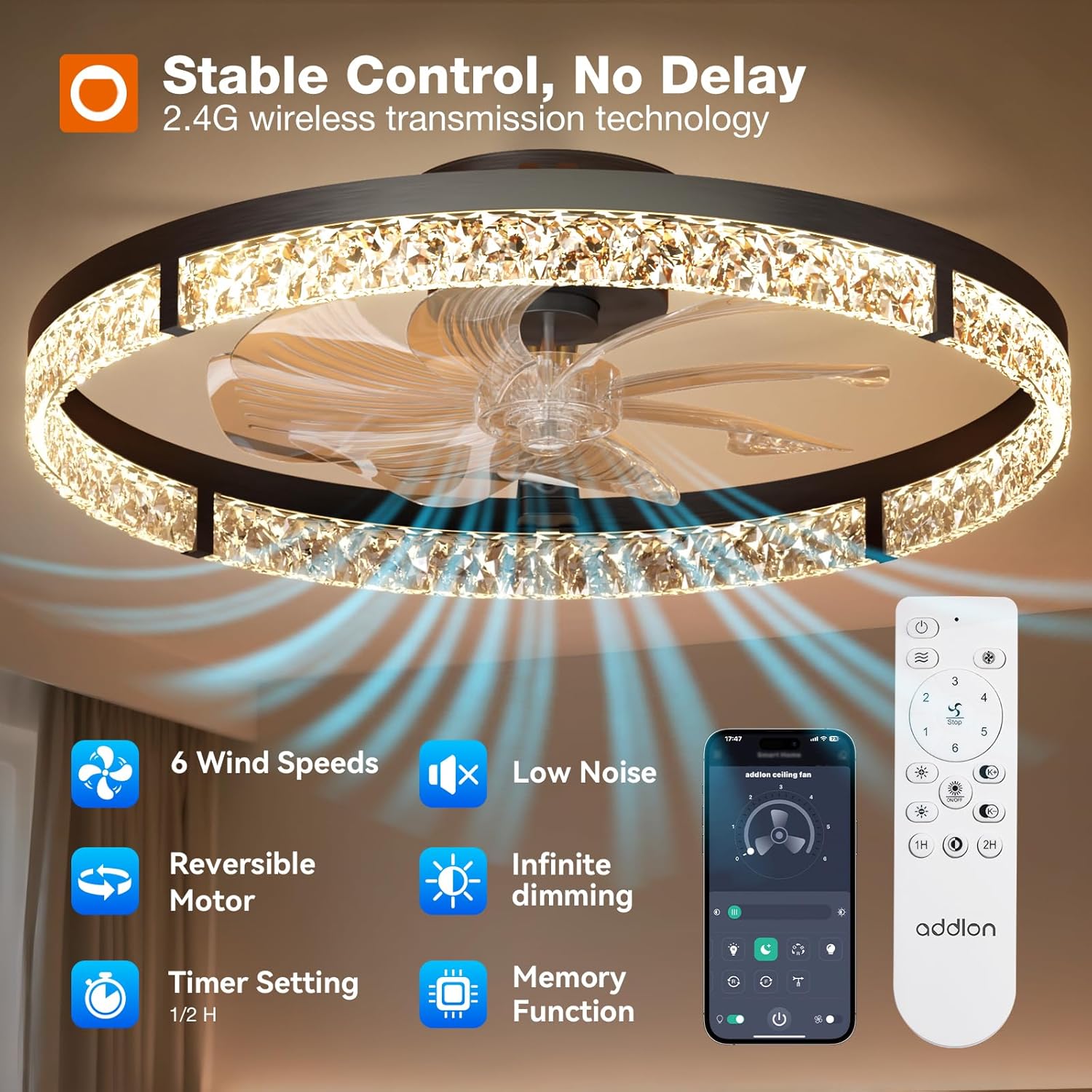
Image: The remote control and mobile app interface for managing fan speed, light dimming, color temperature, and timer settings.
- Power On/Off: Press the power button to turn the fan and light on or off.
- Fan Speed Adjustment: Select from 6 fan speed levels (1-6) to adjust airflow intensity.
- Light Brightness (Dimmable): Adjust the light brightness from 10% to 100%.
- Color Temperature Adjustment: Cycle through 3 color temperatures: 3000K (Warm White), 4500K (Natural White), and 6000K (Cool White).
- Reversible Motor: Switch between summer mode (downward airflow for cooling) and winter mode (upward airflow for air circulation).
- Timer Setting: Set the fan to turn off automatically after 1 or 2 hours.
- Memory Function: The fan will recall the last used settings (light brightness, color temperature, fan speed) when powered on again.
Light Modes and Fan Speeds
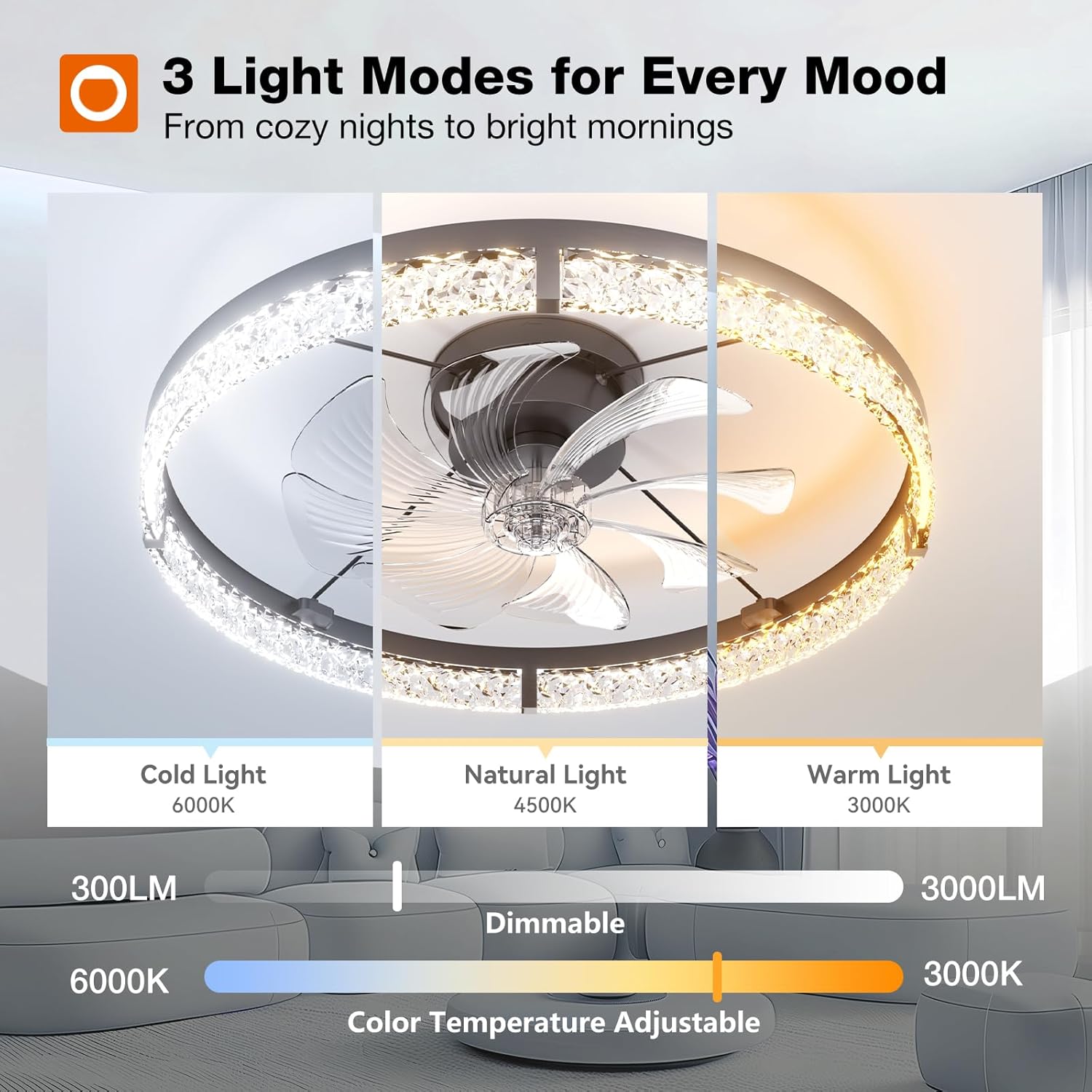
Image: Visual representation of the three adjustable light modes: Cold Light (6000K), Natural Light (4500K), and Warm Light (3000K), demonstrating the dimmable range.

Image: Depiction of the 6 fan speed levels, categorized for different comfort needs: 1-2 for relaxation, 3-4 for daily comfort, and 5-6 for strong cooling.
Reversible Motor Function
The reversible DC motor allows you to optimize airflow for different seasons.

Image: Illustration of the reversible motor function, showing downward airflow for summer cooling and upward airflow for winter heat circulation.
- Summer Mode: Blades rotate counter-clockwise to push cool air downwards, creating a cooling effect.
- Winter Mode: Blades rotate clockwise to draw air upwards, circulating warm air evenly throughout the room.
Mobile App Control
Download the dedicated mobile application to control your fan from your smartphone. The app offers the same functionalities as the remote control, including fan speed, light settings, and timer.
Maintenance
Regular maintenance ensures optimal performance and longevity of your ceiling fan.
- Cleaning: Dust the fan blades and light fixture regularly with a soft, damp cloth. Do not use abrasive cleaners or solvents.
- Tighten Fasteners: Periodically check and tighten all screws and fasteners to ensure secure operation.
- No Lubrication Required: The DC motor is permanently lubricated and does not require additional oiling.
- Light Source: The integrated LED light source is designed for long life and is not user-replaceable.
Troubleshooting
If you encounter issues with your fan, refer to the following common problems and solutions:
| Problem | Possible Cause | Solution |
|---|---|---|
| Fan does not start | No power supply; Loose wire connections; Remote control battery low. | Check circuit breaker; Verify all wire connections are secure; Replace remote control batteries. |
| Light does not work | No power supply; Loose wire connections; LED driver issue. | Check circuit breaker; Verify wire connections; Contact customer support if LED driver is suspected. |
| Fan wobbles | Loose mounting screws; Unbalanced blades. | Tighten all mounting screws; Ensure blades are securely attached and balanced. |
| Remote control not working | Batteries are dead or incorrectly inserted; Remote not paired. | Replace batteries (2 AAA); Refer to remote pairing instructions in the full manual (if applicable). |
| Excessive noise | Loose screws; Fan not properly secured; Obstruction. | Check and tighten all screws; Ensure fan is securely mounted; Remove any obstructions. The fan is designed for quiet operation (approx. 20 dB). |

Image: A noise level comparison chart showing the addlon fan operating at approximately 20 dB, indicating a quiet experience suitable for bedrooms.
Warranty and Customer Support
addlon provides the following warranty for your product:
- Motor Warranty: 10-year warranty.
- Other Parts Warranty: 2-year warranty.
For any installation questions, operational issues, or warranty claims, please contact addlon customer support. Our team is available 24 hours to assist you.

Image: addlon's 24-hour customer service team is available to assist with after-sales questions and installation problems.