
1. Introduction
The OUKITEL P800E Portable Power Station with 100W Solar Panel is a versatile and reliable power solution designed for various applications, from outdoor adventures to home emergency backup. This manual provides essential information on its features, operation, maintenance, and troubleshooting.
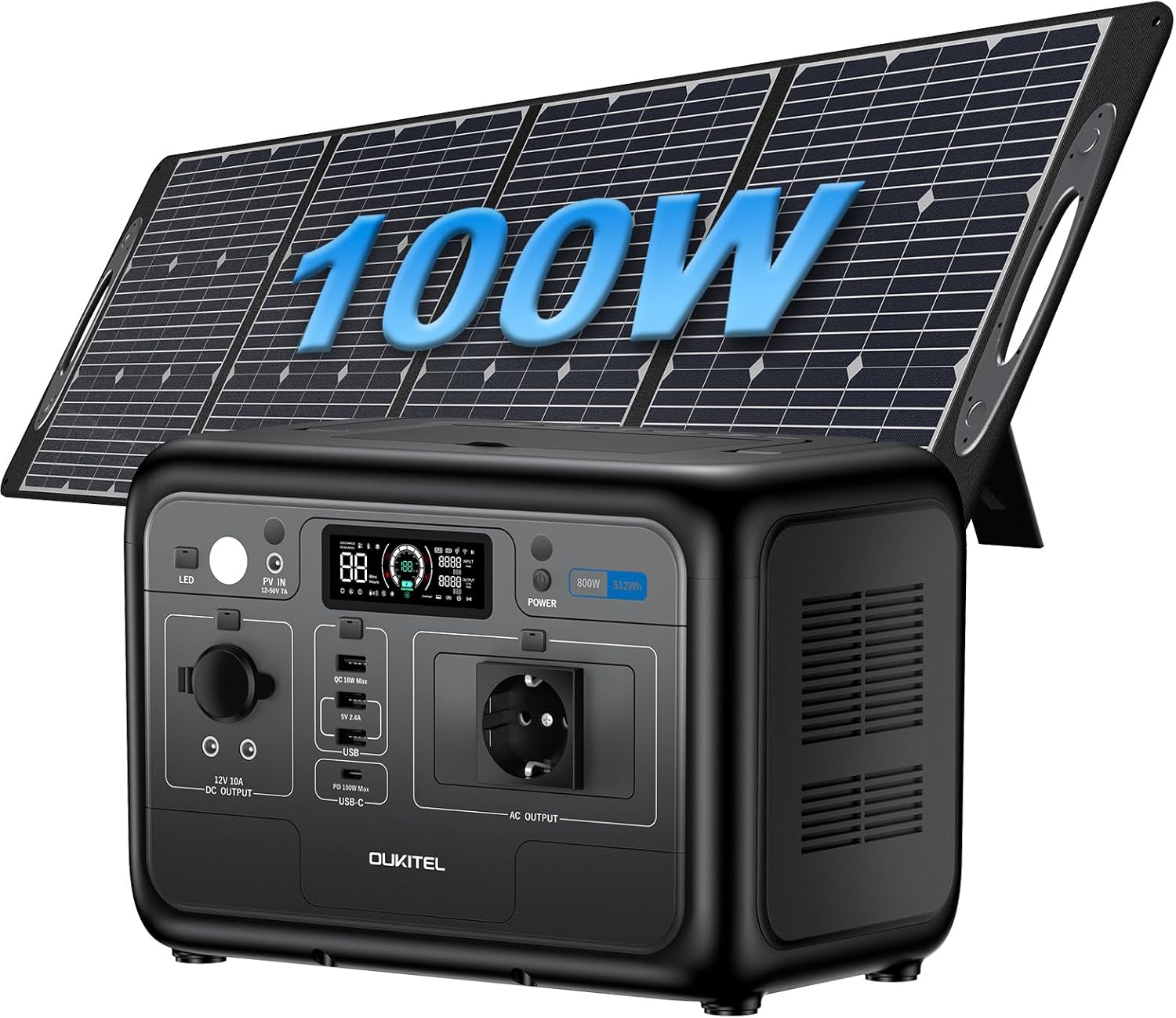
Image: OUKITEL P800E Portable Power Station and 100W Solar Panel.
Key Features:
- Lightweight and Portable: The P800E power station weighs only 6.2kg, and the 100W solar panel weighs 4.5kg, making them easy to transport with integrated handles for outdoor activities.
- Fast Charging: Fully recharges in 60 minutes with 500W AC input. Combined AC and solar charging can achieve 0-100% in just 55 minutes.
- Durable LiFePO4 Battery: Features LiFePO4 batteries with over 4000 recharge cycles, offering a lifespan of up to 10 years.
- Multiple Output Ports: Equipped with 8 ports, including 1x 800W AC output (1600W peak), 1x PD100W Type-C, 2x USB-A 12W (QC3.0), 1x USB-C 18W, 2x 5521 DC, and 1x 12V car cigarette lighter port.
- Uninterrupted Power Supply (UPS): Provides seamless power switching within 10 milliseconds during power outages, ensuring critical devices like CPAP machines remain operational.
- Eco-friendly and Quiet: Operates below 29 dB, requires no gasoline, and features a Battery Management System (BMS) for protection against overheating, short circuits, overcurrent, and overload.
2. Setup and First Use
2.1 Unpacking and Inspection
Carefully unpack all components from the box. Verify that all items listed in the package contents are present and undamaged.
- 1x OUKITEL P800E Portable Power Station
- 1x PV100 Solar Panel
- 1x AC Power Cable
- 1x MC4 Power Cable
- 1x User Manual

Image: Illustration of the OUKITEL P800E package contents, including the power station, solar panel, and cables.
2.2 Initial Charging
Before first use, it is recommended to fully charge the OUKITEL P800E. You can use the included AC power cable for rapid charging.
- Connect the AC power cable to the AC input port on the power station.
- Plug the other end of the AC power cable into a standard wall outlet.
- The display screen will indicate the charging status. The unit will fully charge in approximately 60 minutes using 500W AC input.

Image: Visual representation of the four charging modes: 500W AC fast charge, 200W Max solar charge, 24V/7A car charge, and combined AC+Solar charge.
3. Operating Instructions
3.1 Powering On/Off
To power on the OUKITEL P800E, press and hold the main power button until the display screen illuminates. To power off, press and hold the button again until the screen turns off.

Image: Diagram illustrating the functional parts of the OUKITEL P800E, including input/output ports, display screen, and switches.
3.2 Using Output Ports
The P800E offers various output ports to power different devices:
- AC Output (220-240V): Press the AC output switch to activate. Plug in devices requiring standard wall power (e.g., laptops, small appliances). Maximum continuous output is 800W, with a peak of 1600W.
- USB-A (QC3.0) & USB-C (PD100W/18W): Press the USB output switch. Connect smartphones, tablets, and other USB-powered devices for fast charging.
- DC Output (12V/10A) & Car Cigarette Lighter Port: Press the DC output switch. Ideal for powering 12V devices like car refrigerators or portable air pumps.

Image: Visual representation of the 8 output ports on the OUKITEL P800E, including AC, USB-C, USB-A, and DC ports.
3.3 Charging Methods
The OUKITEL P800E supports multiple charging methods:
- AC Wall Outlet Charging: Connect the AC power cable to a wall outlet. Provides 500W fast charging, fully recharging in 1 hour.
- Solar Panel Charging: Connect the PV100 solar panel to the PV/Car input port using the MC4 power cable. The power station supports up to 200W max solar input, charging in approximately 2 hours and 45 minutes.
- Car Charging: Use a compatible car charger (not included) to charge the power station via the car cigarette lighter port (24V/7A).
- Combined AC + Solar Charging: For the fastest recharge, combine AC and solar input. This method can charge the power station from 0% to 100% in just 55 minutes.
3.4 Uninterrupted Power Supply (UPS) Function
The P800E features an emergency UPS function. When connected to a wall outlet and devices are plugged into its AC output, it can automatically switch to battery power within 10 milliseconds during a power outage. This ensures continuous operation for critical devices.

Image: Illustration demonstrating the OUKITEL P800E's UPS function, showing seamless power transition during an outage.
4. Maintenance
4.1 Battery Care
The OUKITEL P800E uses durable LiFePO4 batteries designed for over 4000 charge cycles, providing a lifespan of up to 10 years. To maximize battery life:
- Avoid fully discharging the battery frequently.
- Store the power station in a cool, dry place away from direct sunlight and extreme temperatures.
- If storing for extended periods, charge the battery to approximately 50-80% every 3-6 months.

Image: Graphic illustrating the extended lifespan of LiFePO4 batteries in the OUKITEL P800E, showing over 4000 cycles.
4.2 Cleaning
Use a soft, dry cloth to clean the exterior of the power station and solar panel. Do not use abrasive cleaners or immerse the unit in water.
4.3 Storage
When not in use, store the power station and solar panel in a protected environment to prevent damage from dust, moisture, and extreme temperatures.
5. Troubleshooting
If you encounter issues with your OUKITEL P800E, refer to the following common problems and solutions:
| Problem | Possible Cause | Solution |
|---|---|---|
| Power Station not turning on. | Battery is completely discharged. | Connect to AC power and charge for at least 10 minutes before attempting to power on. |
| AC output not working. | AC output switch is off; device power exceeds 800W. | Ensure AC output switch is on. Check device power consumption; reduce load if necessary. |
| Solar charging is slow or not working. | Insufficient sunlight; solar panel not properly connected; panel dirty. | Ensure panel is in direct sunlight and angled correctly. Check MC4 cable connections. Clean the solar panel surface. |
| Unit is overheating. | Poor ventilation; excessive load. | Ensure ventilation openings are clear. Reduce connected load. Allow unit to cool down. |
If the problem persists, please contact OUKITEL customer support for assistance.
6. Specifications
| Feature | Detail |
|---|---|
| Model Name | OUKITEL P800E+PV100 |
| Battery Type | LiFePO4 |
| Capacity | 512Wh |
| AC Output | 800W (1600W Peak) |
| AC Input (Fast Charge) | 500W (1 hour to 100%) |
| Solar Input (Max) | 200W (2 hours 45 minutes to 100%) |
| Combined AC+Solar Charge | 0-100% in 55 minutes |
| USB-C Output | 1x PD100W, 1x 18W |
| USB-A Output | 2x 12W (QC3.0) |
| DC Output | 2x 5521 (12V/10A), 1x Car Cigarette Lighter (12V/10A) |
| UPS Function | <10ms Switching Time |
| Dimensions (Power Station) | 29.3L x 17.8W x 20.5H cm |
| Weight (Power Station) | 6.2kg |
| Weight (Solar Panel) | 4.5kg |
7. Warranty and Support
OUKITEL offers a three-year warranty for the P800E Portable Power Station and PV100 Solar Panel. For any questions or assistance, please do not hesitate to contact OUKITEL customer support. They aim to respond within 24 hours.
For further support, please visit the official OUKITEL store on Amazon: OUKITEL Store


