1. Introduction
This manual provides essential information for the proper installation, operation, and maintenance of your CAMECHO Qualcomm 8-Core 4G+64G Car Stereo. Please read this manual thoroughly before using the product to ensure optimal performance and safety.
2. Compatible Car Models
This Android head unit is designed for specific BMW models. Please verify your vehicle's compatibility before installation.
- 2000-2006 BMW X5 Radio E53
- 1996-2003 BMW 5 Series E39 M5 Radio
- 1994-2001 BMW E38 Radio
Note: If your original radio has a 4.3" or 7" screen with a 12-pin plug, or if the navigation drive is located in the rear of your car, an extra 6m extension cable may be required (sold separately).

Image: Various BMW dashboards showing compatibility and installation examples.
3. Package Contents
Ensure all items listed below are present in your package:
- 1 x Android Head Unit
- 1 x AHD Backup Camera
- 1 x External Microphone
- 1 x Protocol Box (CANBUS)
- 1 x GPS Antenna
- 1 x Radio Antenna
- 1 x Power Cable
- 2 x USB cables
- 1 x RCA Input / Output cable
- 1 x Rear Camera Input Cable
- 1 x Accessories set
- 1 x Installation Tool
- 1 x User Manual

Image: Detailed view of the head unit dimensions and all accessories included in the package.
4. Setup and Installation
4.1 CANBUS Connection
The included CANBUS protocol box is essential for retaining factory functions like steering wheel controls. Ensure it is correctly connected.
- Connect the CANBUS box to the designated harness.
- Plug the 8-pin cable into the connector of the head unit. Failure to do so will prevent steering wheel control from functioning.
Note: After connecting the CANBUS, you need to set the Protocol correctly. Go to "Settings" > "Factory Settings" (password: 8888) > "Protocol Settings", then choose "Luzheng - BMW - Compatible" with your car model.

Image: Wiring diagram for CANBUS connection and instructions for setting the protocol.
4.2 Troubleshooting: No Sound
If you experience no sound after installation, follow these steps:
- Connect the AMP cable from the RCA harness to the ACC cable of the Power harness.
- Open the "Car Amplifier" app from the top bar's drag-down page.
- For power amplifier, connect the power cable of the amplifier to the ACC cable of the Power harness.

Image: Visual guide for resolving sound issues, including wiring and software settings.
4.3 Reversing Camera Installation
The AHD backup camera provides a clear image for reversing. Ensure correct wiring for proper function.
- Connect the positive pole of the power supply of the car's reversing light.
- Connect the negative pole of the power supply of the car's reversing light.
- The reversing trigger is controlled by the stereo and does not require a separate connection.
Tip: The reversing input must be plugged in even when the reversing camera is not used.
Note: Set the camera resolution via Car Settings > Factory Settings (password: 8888) > Protocol parameter settings > Reversing settings > Reverse video resolution ("NTSC/PAL" or "AHD/25"), then restart your car.

Image: Wiring instructions for the AHD backup camera and necessary software adjustments.
5. Operating Instructions
5.1 Wireless Apple CarPlay & Android Auto
Connect your smartphone wirelessly to access navigation, music, calls, and more.
- For Apple CarPlay: Enable Bluetooth on your iPhone and pair with the car radio. Turn on the "Zlink" app. If connection fails, connect your phone to the car radio's hotspot. Keep Bluetooth and hotspot connected.
- For Android Auto: Ensure you have the "Android Auto" app installed on your phone. Enable Bluetooth on your Android phone and pair with the car radio. Turn on the "Zlink" app.

Image: Step-by-step guide for wireless CarPlay and Android Auto setup.
5.2 GPS Navigation
The unit features a built-in GPS module supporting both online and offline navigation. You can use various third-party apps from the Google Play Store.
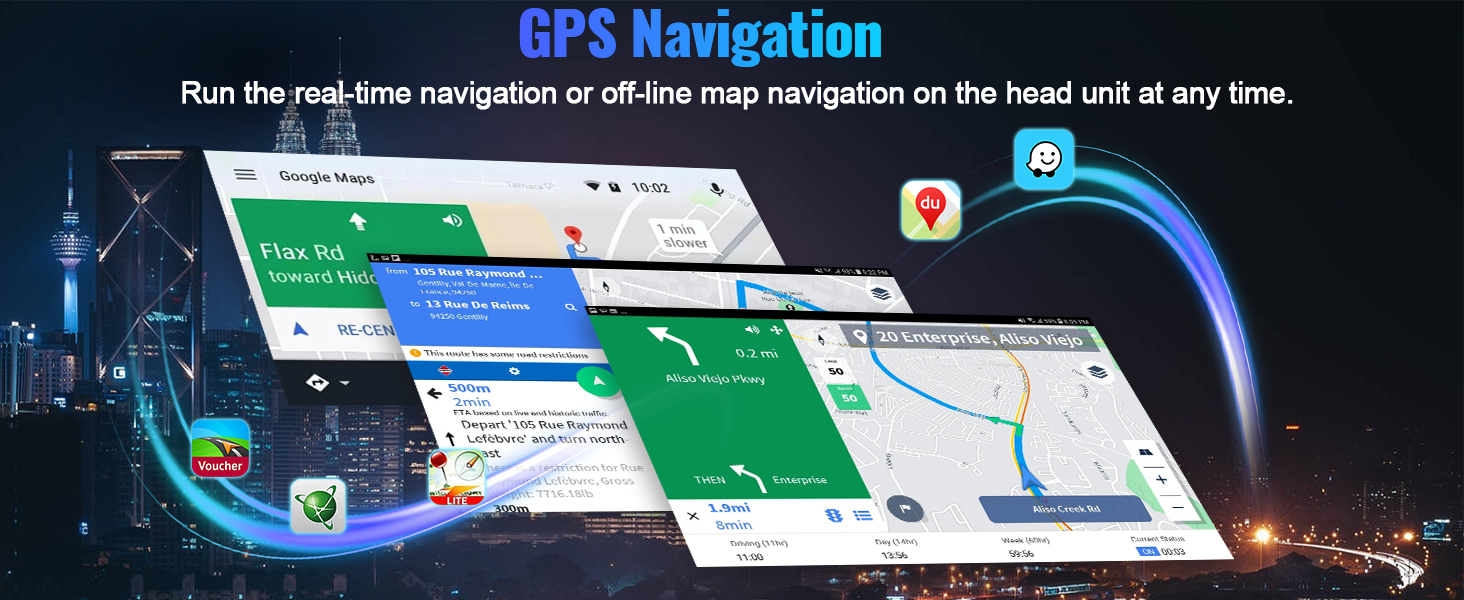
Image: Display of the GPS navigation system with map interface.
5.3 Bluetooth 5.1 & FM RDS Radio
Enjoy hands-free calling and wireless audio streaming with Bluetooth 5.1. Tune into FM/RDS radio with 10-station presets.

Image: Car stereo display showing Bluetooth calling and FM radio functions.
5.4 DSP Hi-Res Audio
The built-in DSP (Digital Signal Processor) with Hi-Res audio allows for dynamic sound quality and customizable listening experience.

Image: Screenshot of the DSP audio settings and equalizer on the car stereo.
5.5 WiFi Connection
Connect to WiFi or your mobile hotspot to download apps, stream videos, and access online content.

Image: Car stereo display showing WiFi settings and various app icons.
5.6 Screen Mirroring / Picture-in-Picture (PIP)
Mirror your phone's screen to the car radio touchscreen. The unit supports Picture-in-Picture (PIP) functionality for multitasking (Note: Video output is not supported).

Image: A smartphone screen mirrored onto the car stereo display.
5.7 UI Customization
The unit offers a decent user interface with 3D car model display and multiple UI design options for personalization.

Image: Different user interface themes and a 3D car visualizer feature.
6. Specifications
- CPU: Qualcomm 8-Core Snapdragon
- Operating System: Android 15
- RAM: 4GB
- ROM: 64GB
- Display: 9 inch IPS Touch Screen
- Resolution: 1280*720
- Bluetooth: Version 5.1
- Audio Output: MOSFET 4*50W, Built-in DSP Hi-Res
- Connectivity: Wireless Apple CarPlay & Android Auto, GPS, FM/RDS Radio, WiFi
- Special Features: AHD Backup Camera support, Steering Wheel Control retention, 1080P video playback, Dual USB ports, Phone Mirror Link, Picture-in-Picture function.
- Product Dimensions: 11.3"L x 1.6"W x 5.3"H
- Item Weight: 0.035 ounces
7. Maintenance
To ensure the longevity and optimal performance of your car stereo, follow these maintenance guidelines:
- Screen Cleaning: Use a soft, lint-free cloth to gently wipe the screen. Avoid abrasive cleaners or harsh chemicals that may damage the display.
- Software Updates: Periodically check for software updates to ensure your unit has the latest features and bug fixes. Updates can usually be found on the manufacturer's website or through the unit's settings.
- Temperature Control: Avoid exposing the unit to extreme temperatures. Prolonged exposure to direct sunlight or very cold conditions can affect performance and lifespan.
- Connection Checks: Occasionally check all wiring connections behind the unit to ensure they are secure and free from corrosion.
8. Troubleshooting
If you encounter any issues, refer to the following common troubleshooting steps:
- No Power: Check all power connections and the vehicle's fuse box. Ensure the ACC and B+ wires are correctly connected.
- No Sound: Refer to section 4.2 for detailed troubleshooting steps regarding sound issues.
- Bluetooth Connection Issues: Ensure Bluetooth is enabled on both your phone and the car stereo. Try unpairing and re-pairing the devices. Clear Bluetooth cache on your phone if necessary.
- GPS Signal Loss: Ensure the GPS antenna is properly installed and has a clear line of sight to the sky. Check for any obstructions.
- Steering Wheel Controls Not Working: Verify the CANBUS connection and ensure the correct protocol is selected in the factory settings (refer to section 4.1).
- Screen Freezing/Unresponsive: Try restarting the unit. If the issue persists, a factory reset may be required (consult the user manual for specific steps).
9. Warranty and Support
This product comes with a 1-year warranty from the date of purchase. For technical support, warranty claims, or further assistance, please contact CAMECHO customer service.
Contact Information: Please refer to your purchase documentation or the official CAMECHO website for the most up-to-date support contact details.

Image: Customer support details, including an email address for assistance.


