
1. Overview
The Kaiser KSB-4226 Professional Speaker System is designed to deliver powerful and high-quality sound for various events, presentations, and parties. This system features three 12-inch speakers and a 2-inch tweeter, providing deep bass and clear audio with a maximum output of 40,000 W PMPO (170W RMS). Its robust construction and professional design make it suitable for both indoor and outdoor use, ensuring durability and consistent performance.
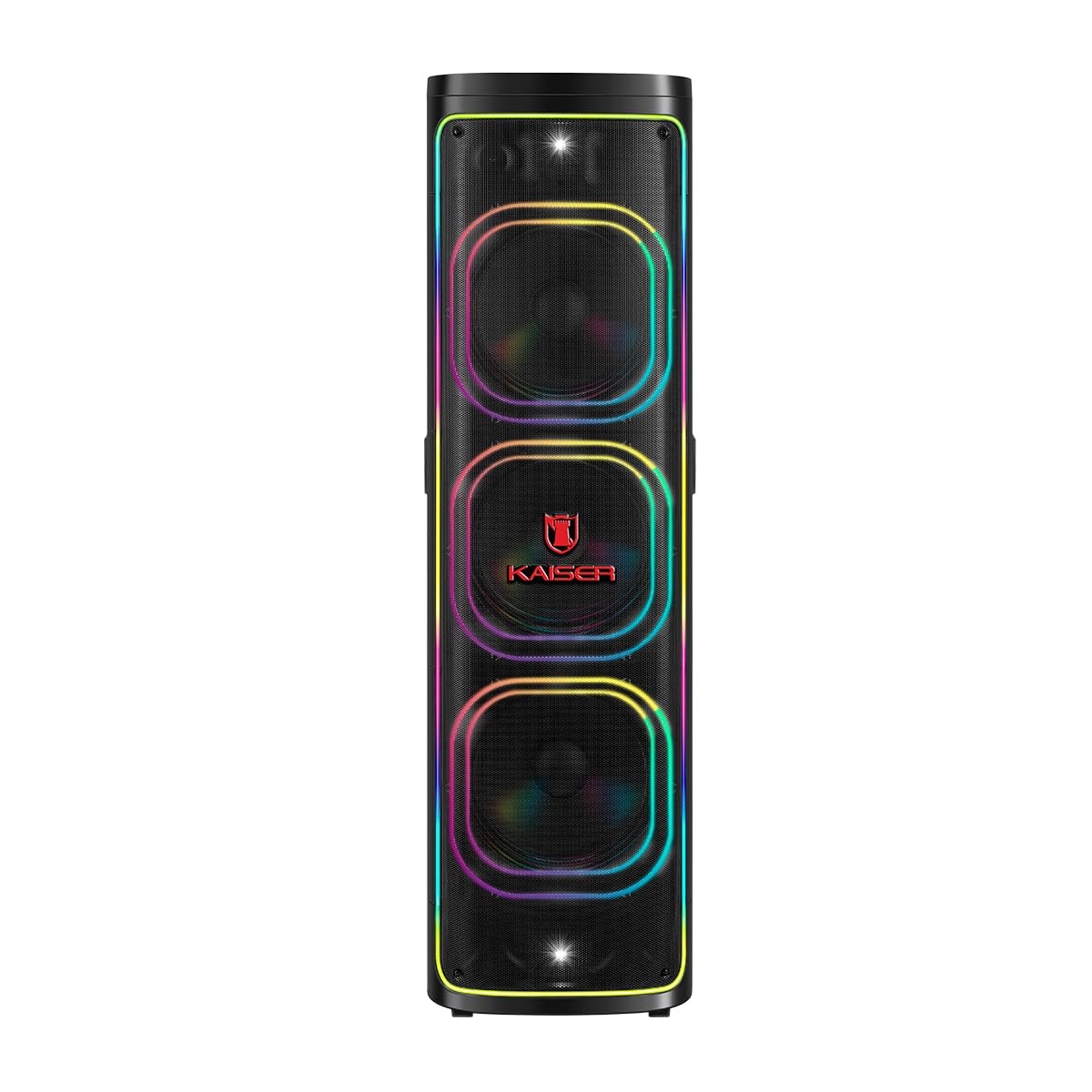
Figure 1: Front view of the Kaiser KSB-4226 Professional Speaker System.
2. Safety Information
- Power Source: Ensure the speaker is connected to a power source that matches the voltage specified on the device.
- Ventilation: Do not block ventilation openings. Allow adequate space around the speaker for proper airflow.
- Water and Moisture: Keep the speaker away from water, rain, and excessive moisture. This unit is IPX4 splashproof, but not waterproof.
- Heat: Do not place the speaker near heat sources such as radiators, heat registers, stoves, or other heat-producing appliances.
- Cleaning: Unplug the speaker from the power outlet before cleaning. Use a dry cloth for cleaning.
- Servicing: Do not attempt to service this product yourself. Refer all servicing to qualified service personnel.
- Placement: Place the speaker on a stable, flat surface to prevent it from falling.
3. Package Contents
Verify that all items are present in the package:
- Kaiser KSB-4226 Professional Speaker System
- Wireless Microphone
- Power Cable
- Remote Control
- User Manual (this document)

Figure 2: Included accessories: remote control and power cable.
4. Product Features
- High-Performance Sound: Equipped with three 12-inch speakers and a 2-inch tweeter for powerful bass and clear, crisp audio.
- High Power Output: 40,000 W PMPO (170W RMS) ideal for large events, presentations, meetings, and parties.
- Integrated Sound Effects: Customize your musical experience with various ambient and style effects.
- Robust and Durable Design: High-quality construction for long-lasting and reliable use.
- Versatile Use: Perfect for indoor and outdoor settings, from family gatherings to professional events.
- Powerful and Clear Audio: Capable of filling large spaces with uniform, high-quality sound.
- Easy Integration: Compatible with various audio sources for enhanced practicality.
- Bluetooth Connectivity: Seamless wireless audio streaming.
- KSR-Link Technology: For connecting multiple compatible Kaiser speakers.
- Square Light: Integrated LED lighting for dynamic visual effects.
5. Setup
- Unpack: Carefully remove the speaker system and all accessories from the packaging.
- Placement: Position the speaker on a stable, flat surface. Ensure there is enough space around the unit for proper ventilation.
- Power Connection: Connect the power cable to the speaker's power input and then to a suitable electrical outlet.
- Power On: Locate the power switch on the control panel (refer to Figure 3) and turn the unit ON. The display should light up.
6. Operating Instructions
6.1. Bluetooth Connection
- Turn on the speaker system.
- Press the MODE button on the control panel until "BLUE" appears on the display, indicating Bluetooth mode.
- On your mobile device (smartphone, tablet, etc.), enable Bluetooth and search for available devices.
- Select "KSB-4226" (or similar model name) from the list of devices to pair.
- Once connected, you will hear a confirmation tone, and the display will show "Connected".
- You can now play audio from your device through the speaker system.
6.2. USB/TF Card Playback
- Insert a USB flash drive or TF (Micro SD) card into the corresponding port on the control panel.
- The speaker system should automatically switch to USB/TF mode and begin playing audio files. If not, press the MODE button to select the correct input.
- Use the playback controls (Play/Pause, Previous, Next) on the control panel or remote control to manage your music.
6.3. AUX Input
- Connect an external audio device (e.g., MP3 player, laptop) to the AUX IN port using a 3.5mm audio cable.
- Press the MODE button until "AUX" appears on the display.
- Play audio from your connected device.
6.4. Microphone Usage
- Connect the wireless microphone (or a wired microphone to MIC 1/MIC 2 input).
- Adjust the microphone volume using the dedicated VOL MIC knob on the control panel.
- Adjust echo effects using the ECHO knob for karaoke or vocal performances.
6.5. KSR-Link (True Wireless Stereo)
To connect two KSB-4226 units for a stereo experience:
- Ensure both KSB-4226 speakers are powered on and in Bluetooth mode, but not yet paired with any device.
- On one speaker (this will be the master unit), press and hold the KSR-LINK button. You will hear a tone.
- The master unit will search for the second speaker. Once connected, you will hear another confirmation tone, and the display will indicate TWS mode.
- Now, connect your mobile device to the master KSB-4226 via Bluetooth as described in section 6.1.
- Audio will now play in true stereo across both speakers.
7. Controls and Connections
7.1. Top Control Panel

Figure 3: Top Control Panel.
- POWER Switch: Turns the unit ON/OFF.
- VOLUME Knob: Adjusts the main volume level.
- MODE Button: Switches between input sources (Bluetooth, USB, TF Card, AUX).
- PLAY/PAUSE Button: Plays or pauses audio playback.
- PREV/NEXT Buttons: Skips to the previous or next track.
- LED Button: Controls the LED lighting effects.
- EQ Button: Selects equalizer presets.
- MUTE Button: Mutes the audio output.
- X-BASS Button: Enhances bass output.
- VOL MIC Knob: Adjusts microphone volume.
- ECHO Knob: Adjusts microphone echo effect.
- GRAVES (Bass) Knob: Adjusts bass levels.
- AGUDOS (Treble) Knob: Adjusts treble levels.
- MIC 1.IN / MIC 2.IN: 6.3mm inputs for wired microphones.
- AUX IN: 3.5mm input for external audio devices.
- TF CARD Slot: For Micro SD card playback.
- USB Port: For USB flash drive playback.
- DC IN: Power input for charging/operation.
7.2. Rear Panel Connections

Figure 4: Rear Panel.
- AC Power Input: Connects to the main power supply.
- Audio Output (RCA): For connecting to other audio systems or recording devices.
- Speaker Output: For connecting passive speakers (if applicable, refer to specific model details).
8. Maintenance
- Cleaning: Use a soft, dry cloth to clean the exterior of the speaker. Do not use abrasive cleaners or solvents.
- Storage: When not in use for extended periods, store the speaker in a cool, dry place, away from direct sunlight and extreme temperatures.
- Battery Care: If the speaker has an internal rechargeable battery, ensure it is fully charged before long-term storage to maintain battery health.
9. Troubleshooting
| Problem | Possible Cause | Solution |
|---|---|---|
| No power | Power cable not connected; Power switch OFF; No power from outlet. | Check power cable connection; Turn power switch ON; Test outlet with another device. |
| No sound | Volume too low; Incorrect input mode; Device not connected properly. | Increase volume; Press MODE to select correct input; Reconnect audio source. |
| Bluetooth not connecting | Speaker not in Bluetooth mode; Device Bluetooth OFF; Too far from speaker. | Press MODE to select Bluetooth; Enable Bluetooth on device; Move device closer (within 10m). |
| Microphone not working | Microphone volume too low; Microphone OFF; Incorrect input. | Increase VOL MIC; Ensure microphone is ON; Check if wired mic is in MIC 1/2. |
10. Specifications
- Brand: Kaiser
- Model: KSB-4226
- Speaker Configuration: 3 x 12-inch speakers + 2-inch tweeter
- RMS Power: 170W
- Peak Music Power Output (PMPO): 40,000 Watts
- Connectivity Technology: Bluetooth (2.4 GHz frequency response)
- Audio Output Mode: Surround
- Speaker Type: Atmospheric
- Control Method: Touch
- Power Source: Electric Cable
- Dimensions (DxWxH): 45 x 45 x 151.6 cm (approximately 17.7 x 17.7 x 59.7 inches)
- Included Accessories: Wireless microphone, remote control, power cable.

Figure 5: Kaiser KSB-4226 dimensions.
11. Warranty and Support
This Kaiser KSB-4226 Professional Speaker System comes with a 90-day manufacturer's warranty from the date of purchase. This warranty covers manufacturing defects under normal use. It does not cover damage caused by misuse, accidents, unauthorized modifications, or normal wear and tear.
For technical support, warranty claims, or service inquiries, please contact your retailer or visit the official Kaiser website for customer service information.
12. Product Demonstration (Related Model)
The following video demonstrates features and lighting effects of a similar Kaiser speaker model (KDS-1202). While the model number differs, many operational aspects and visual features are comparable to the KSB-4226.
Video: Demonstration of a Kaiser speaker system (KDS-1202) showcasing features like LED lighting and controls.
